Deep dive into ggplot2 layers

Lecture 3

Dr. Mine Çetinkaya-Rundel

Duke University
STA 313 - Spring 2026

Warm up

Clarifications…

requested in the “Getting to know you survey”

If I have to be absent for the in-class quizzes (e.g., field trip for another class, tournament for a sport, etc.), is there any way to make it up?

No, from the Assessment section of the syllabus “There are no make-ups or late submissions for missed quizzes.”, however “lowest 3-4 quizzes (roughly 25% dropped, depending on how many quizzes we end up with throughout the semester) will be dropped.” Of course, university recognized excused absences are handled differently and if there is a long term illness affecting your participation in the quizzes, I will work with your Dean to come up with a policy to apply to your case.

How long is the extension on the one-time wavier?

The one-time waiver waives the late penalty, so it only applies to the late penalty period for assignments and assessments where late work is accepted with a penalty. See the Late work & extensions section of the syllbus for details. TL;DR (but please do read!!!), 48 hours.

Setup

# load packages
library(tidyverse)
library(scales)
library(openintro)
library(ggthemes)

# set theme for ggplot2
ggplot2::theme_set(ggplot2::theme_minimal(base_size = 14))

# set figure parameters for knitr
knitr::opts_chunk$set(
  fig.width = 7, # 7" width
  fig.asp = 0.618, # the golden ratio
  fig.retina = 3, # dpi multiplier for displaying HTML output on retina
  fig.align = "center", # center align figures
  dpi = 300 # higher dpi, sharper image
)

Positron tip (optional)

Tired of trying to properly style your code? Sick of collaborators with messy code?

  • Open the Command Palette with ⌘⇧P (Command + Shift + P)
  • Type “preferences” and select Preferences: Open User Settings (JSON)
  • Add the following to auto format your R code in R scripts and Quarto documents with Air:
{
  # other preferences (if any) here,
    "[r]": {
        "editor.formatOnSave": true,
        "editor.defaultFormatter": "Posit.air-vscode"
    },
    "[quarto]": {
        "editor.formatOnSave": true,
        "editor.defaultFormatter": "quarto.quarto"
    }
}

From last time

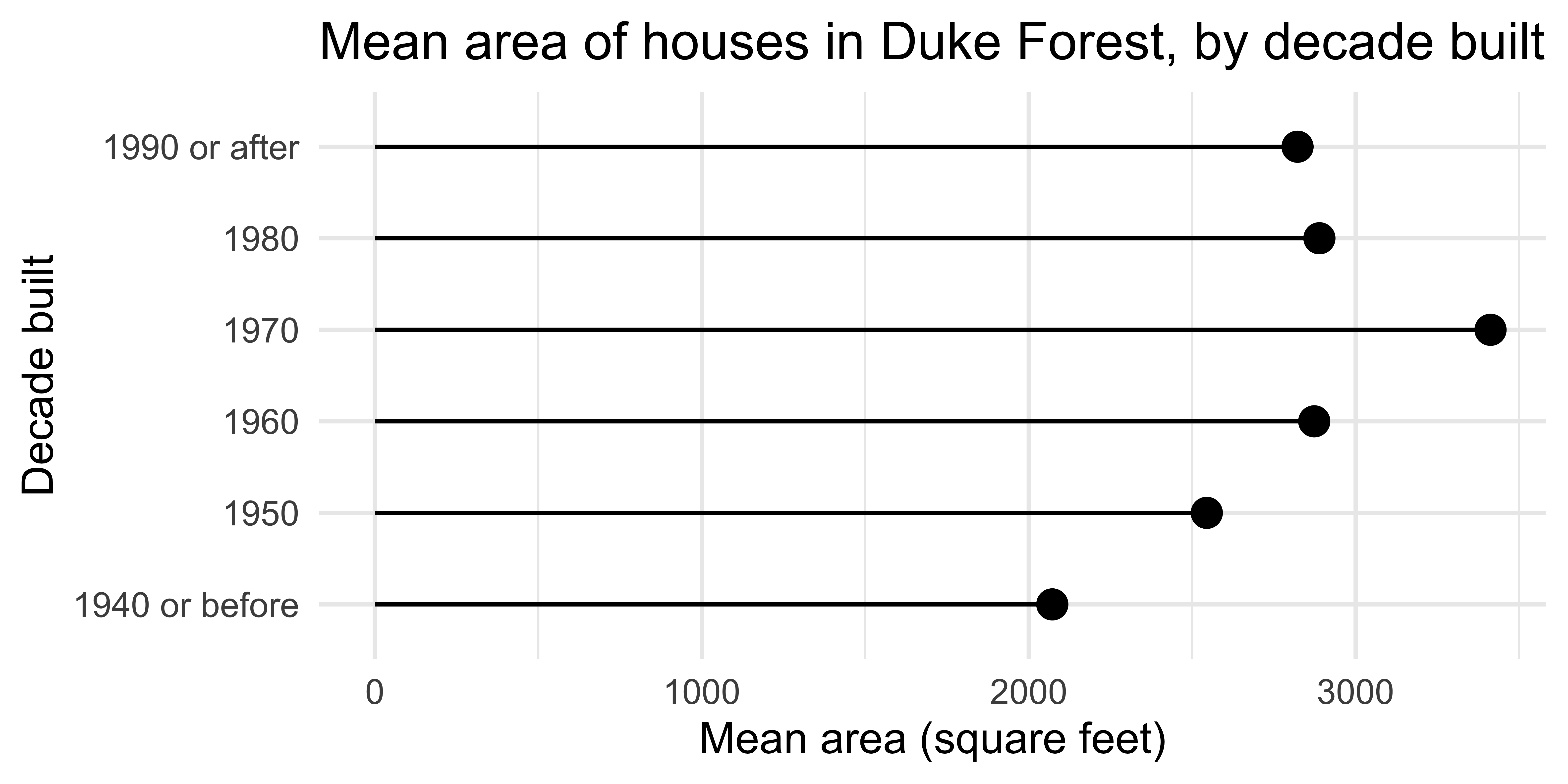
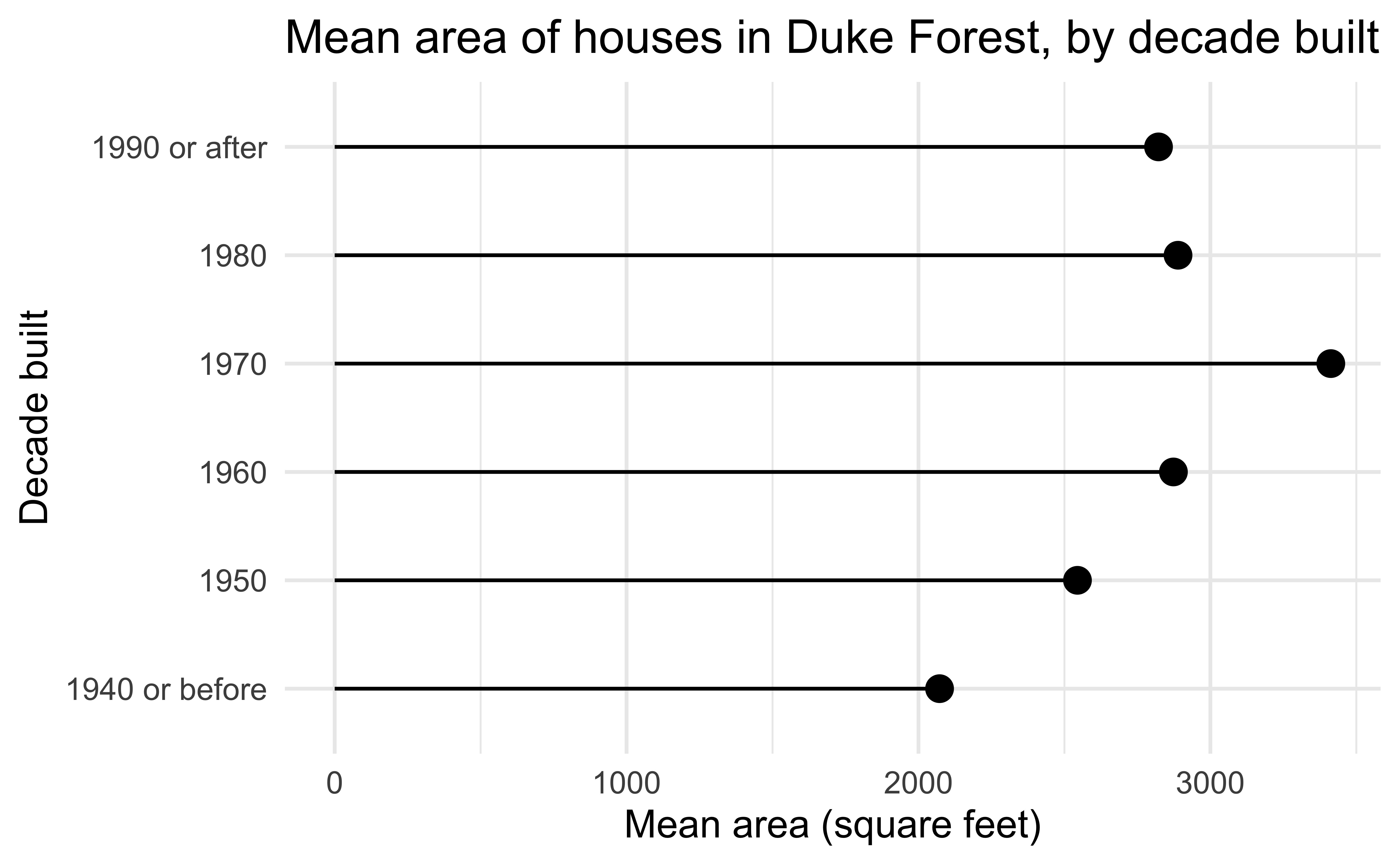
Lollipop chart

Code
duke_forest <- duke_forest |>
  mutate(
    decade_built = (year_built %/% 10) * 10,
    decade_built_cat = case_when(
      decade_built <= 1940 ~ "1940 or before",
      decade_built >= 1990 ~ "1990 or after",
      .default = as.character(decade_built)
    )
  )

mean_area_decade <- duke_forest |>
  group_by(decade_built_cat) |>
  summarize(mean_area = mean(area))

ggplot(
  mean_area_decade,
  aes(y = decade_built_cat, x = mean_area)
) +
  geom_point(size = 4) +
  geom_segment(
    aes(
      x = 0,
      xend = mean_area,
      y = decade_built_cat,
      yend = decade_built_cat
    )
  ) +
  labs(
    x = "Mean area (square feet)",
    y = "Decade built",
    title = "Mean area of houses in Duke Forest, by decade built"
  )
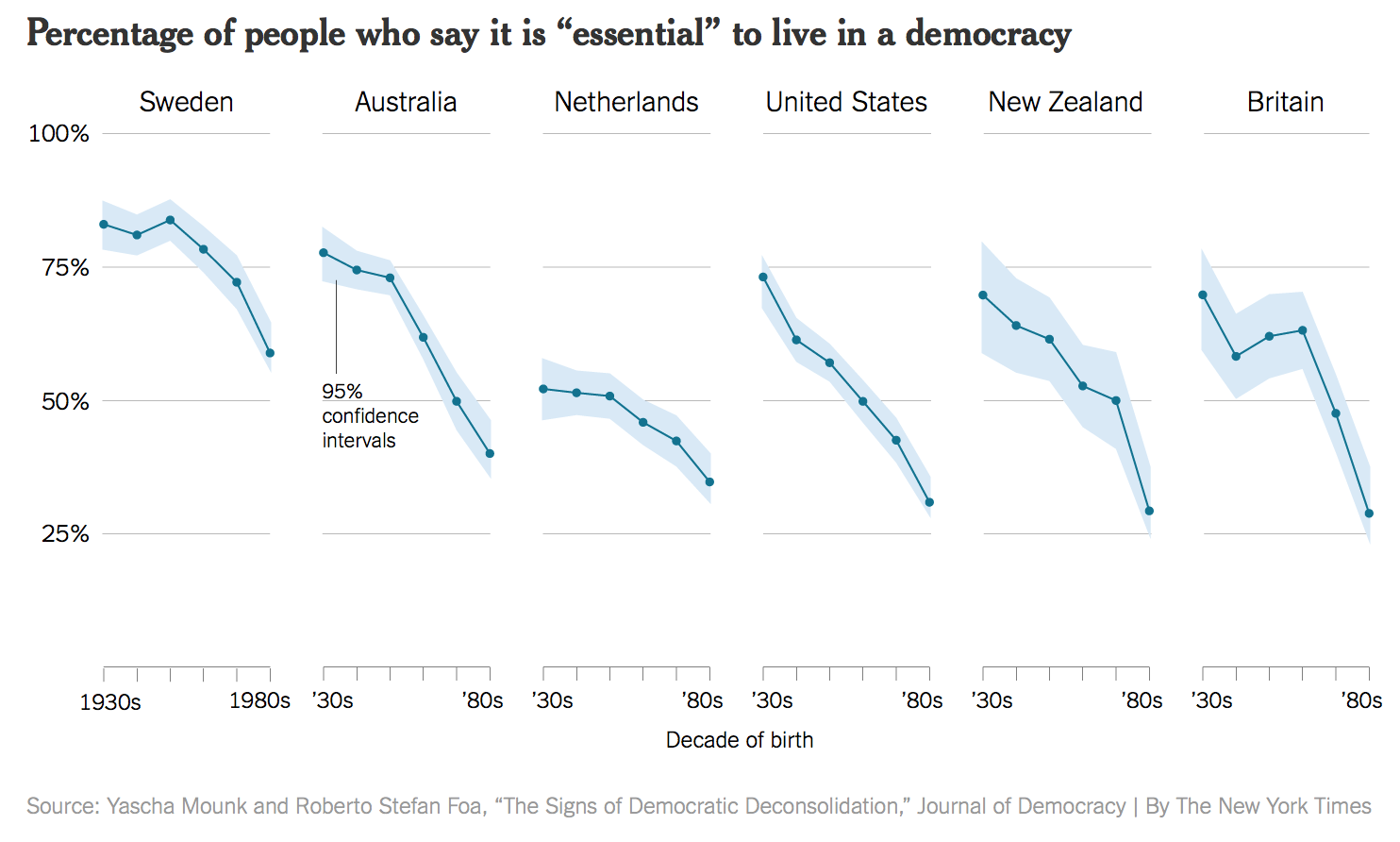
Bad data
Bad perception
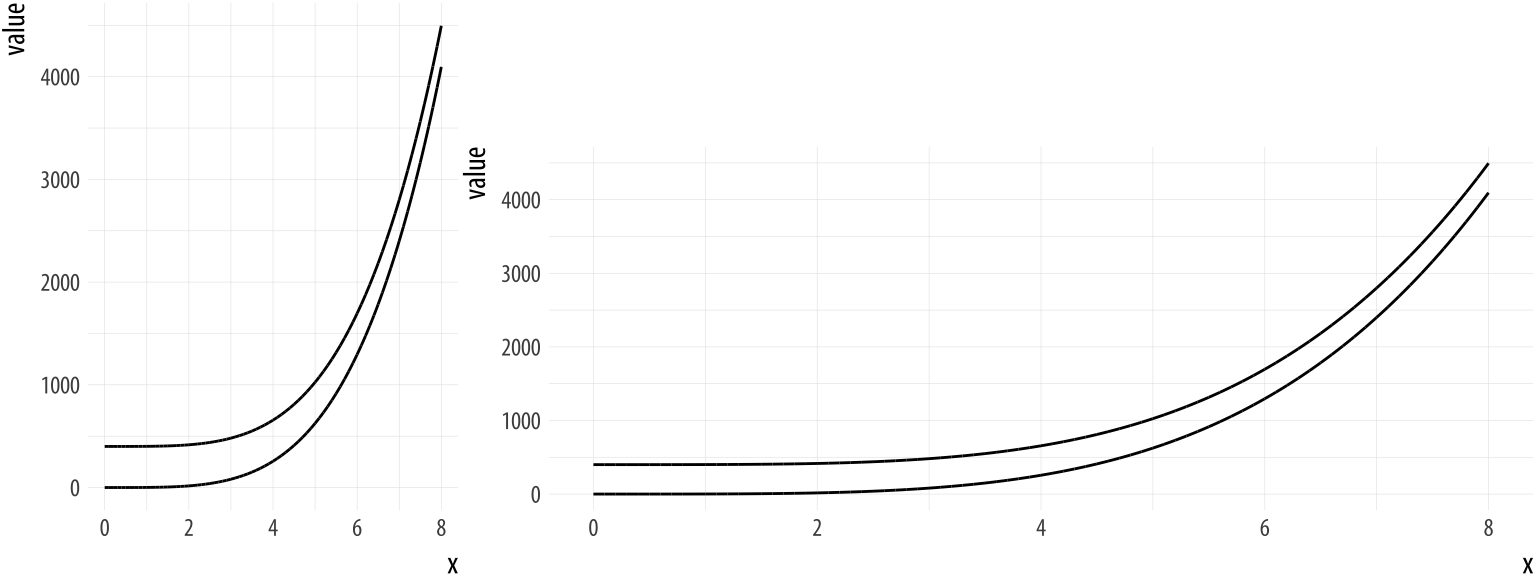
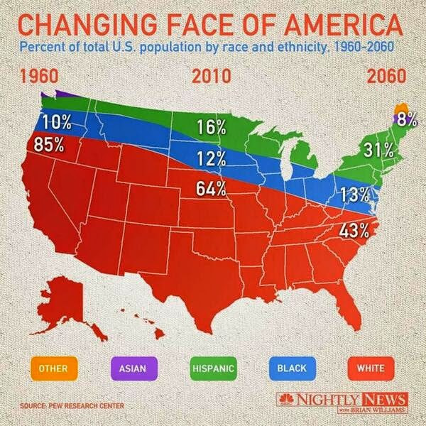
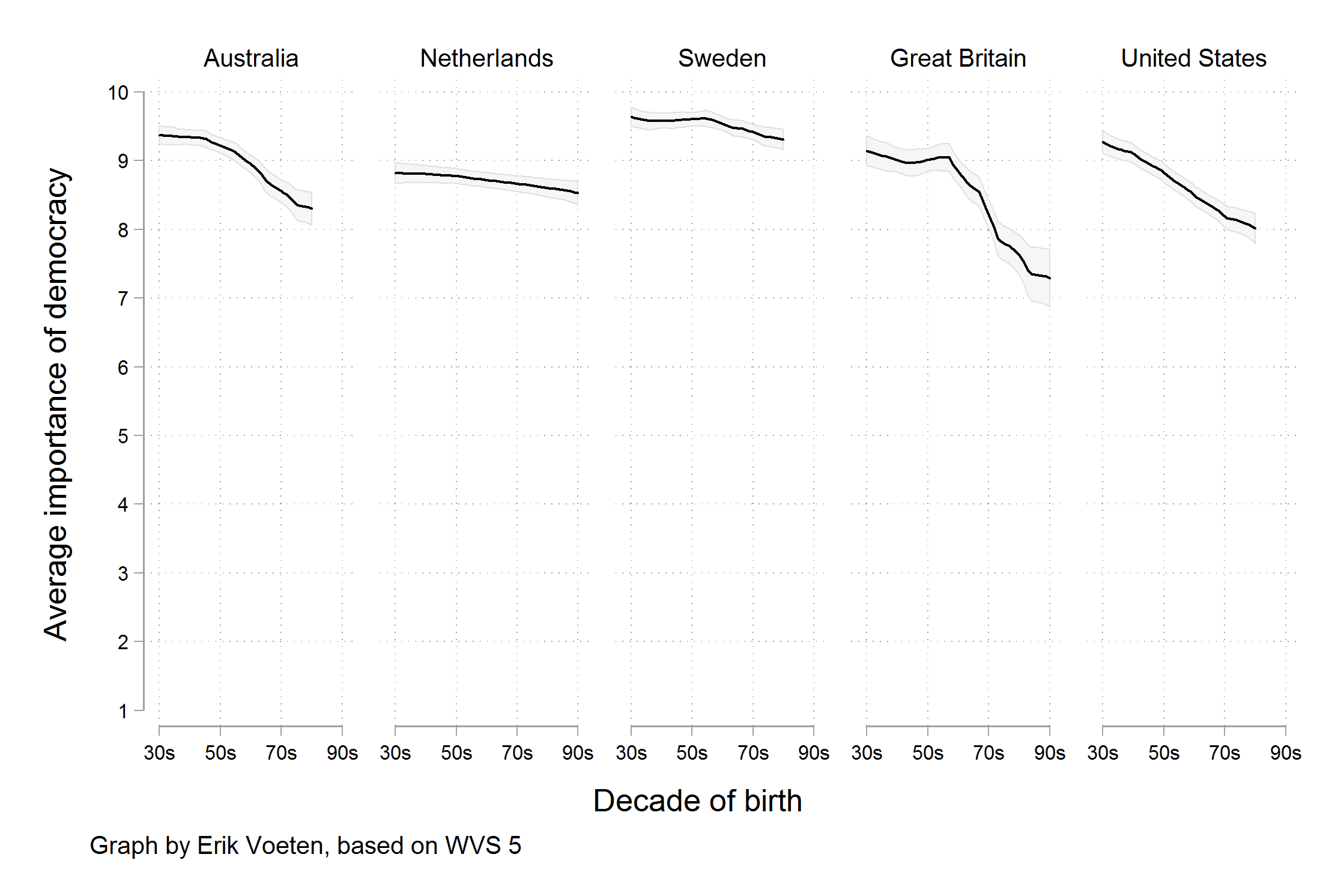
Aspect ratios affect our perception of rates of change, modeled after an example by William S. Cleveland.

Aesthetic mappings in ggplot2

Activity: Spot the differences I

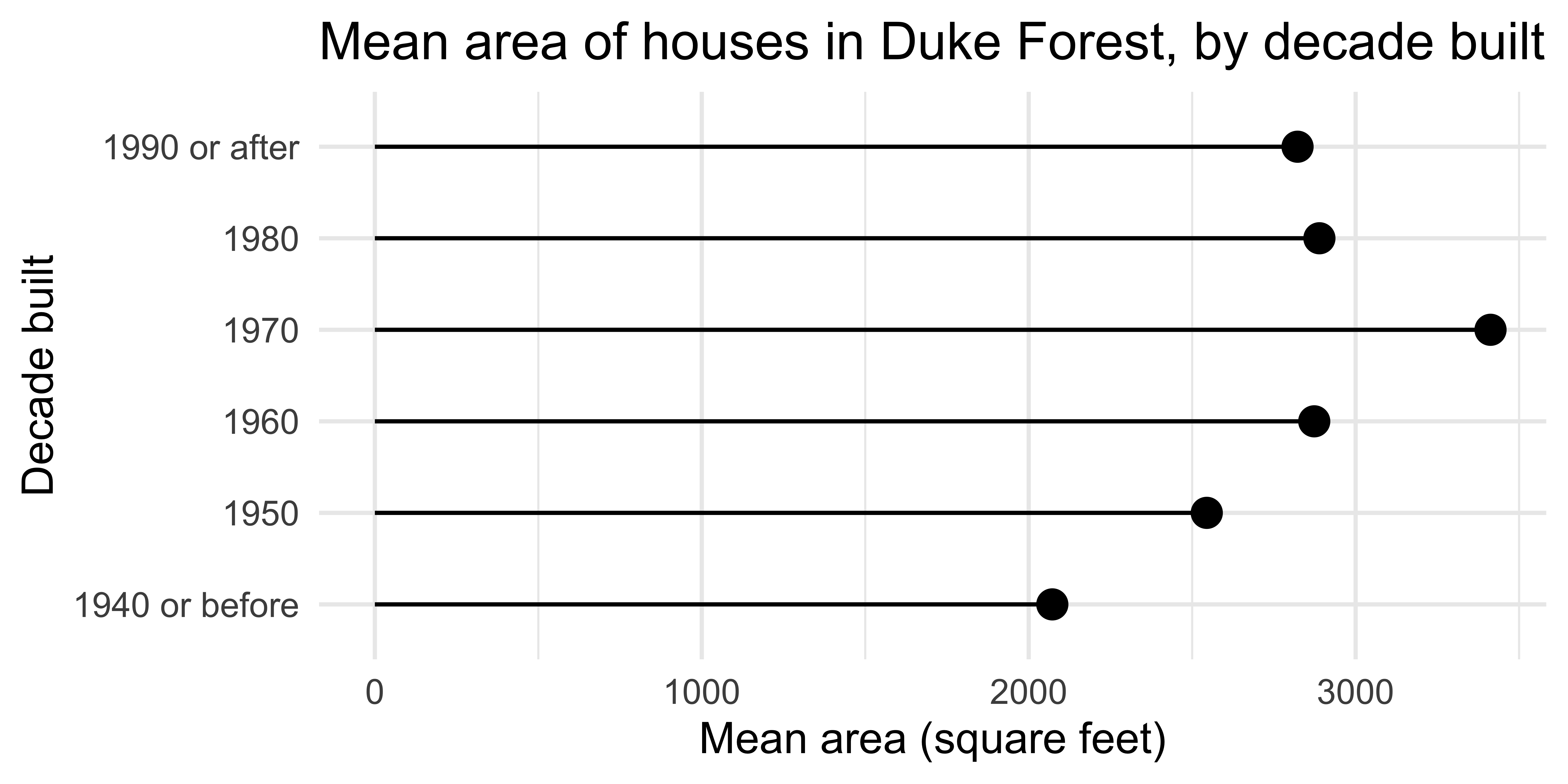
Can you spot differences between plots 1 ans 2? How about differences in codes 1 ans 2?
ggplot(
  mean_area_decade,
  aes(y = decade_built_cat, x = mean_area)
) +
  geom_point(size = 4) +
  geom_segment(
    aes(
      x = 0,
      xend = mean_area,
      y = decade_built_cat,
      yend = decade_built_cat
    )
  ) +
  labs(
    x = "Mean area (square feet)",
    y = "Decade built",
    title = "Mean area of houses in Duke Forest, by decade built"
  )
ggplot(
  mean_area_decade,
  aes(y = decade_built_cat, x = mean_area)
) +
  geom_point(size = 4) +
  geom_segment(
    aes(
      xend = 0,
      yend = decade_built_cat
    )
  ) +
  labs(
    x = "Mean area (square feet)",
    y = "Decade built",
    title = "Mean area of houses in Duke Forest, by decade built"
  )

Global vs. layer-specific aesthetics

  • Aesthetic mappings can be supplied in the initial ggplot() call, in individual layers, or in some combination of both.

  • Within each layer, you can add, override, or remove mappings.

  • If you only have one layer in the plot, the way you specify aesthetics doesn’t make any difference. However, the distinction is important when you start adding additional layers.

Activity: Spot the differences II

Do you expect the following plots to be the same or different? If different, how? Discuss in a pair (or group) without running the code and sketch the resulting plots based on what you think the code will produce.

# Plot A
ggplot(duke_forest, aes(x = area, y = price)) +
  geom_point(aes(color = decade_built_cat))
# Plot B
ggplot(duke_forest, aes(x = area, y = price)) +
  geom_point(color = "blue")
# Plot C
ggplot(duke_forest, aes(x = area, y = price)) +
  geom_point(color = "#a493ba")

Recall

Think back to all the plots you saw in this lecture so far and the previous lecture, without flipping back through the slides. Which plot first comes to mind?

Geoms

Geoms

  • Geometric objects, or geoms for short, perform the actual rendering of the layer, controlling the type of plot that you create

  • You can think of them as “the geometric shape used to represent the data”

One variable

  • Discrete:

    • geom_bar(): display distribution of discrete variable.
  • Continuous:

    • geom_histogram(): bin and count continuous variable, display with bars

    • geom_density(): smoothed density estimate

    • geom_dotplot(): stack individual points into a dot plot

    • geom_freqpoly(): bin and count continuous variable, display with lines

Aside

Always use “typewriter text” (monospace font) when writing function names, and follow with (), e.g.,

  • geom_freqpoly()

  • mean()

  • lm()

geom_dotplot()

What does each point represent? How are their locations determined? What do the x and y axes represent?

ggplot(duke_forest, aes(x = price)) +
  geom_dotplot(binwidth = 50000, dotsize = 0.7)

Comparing across groups

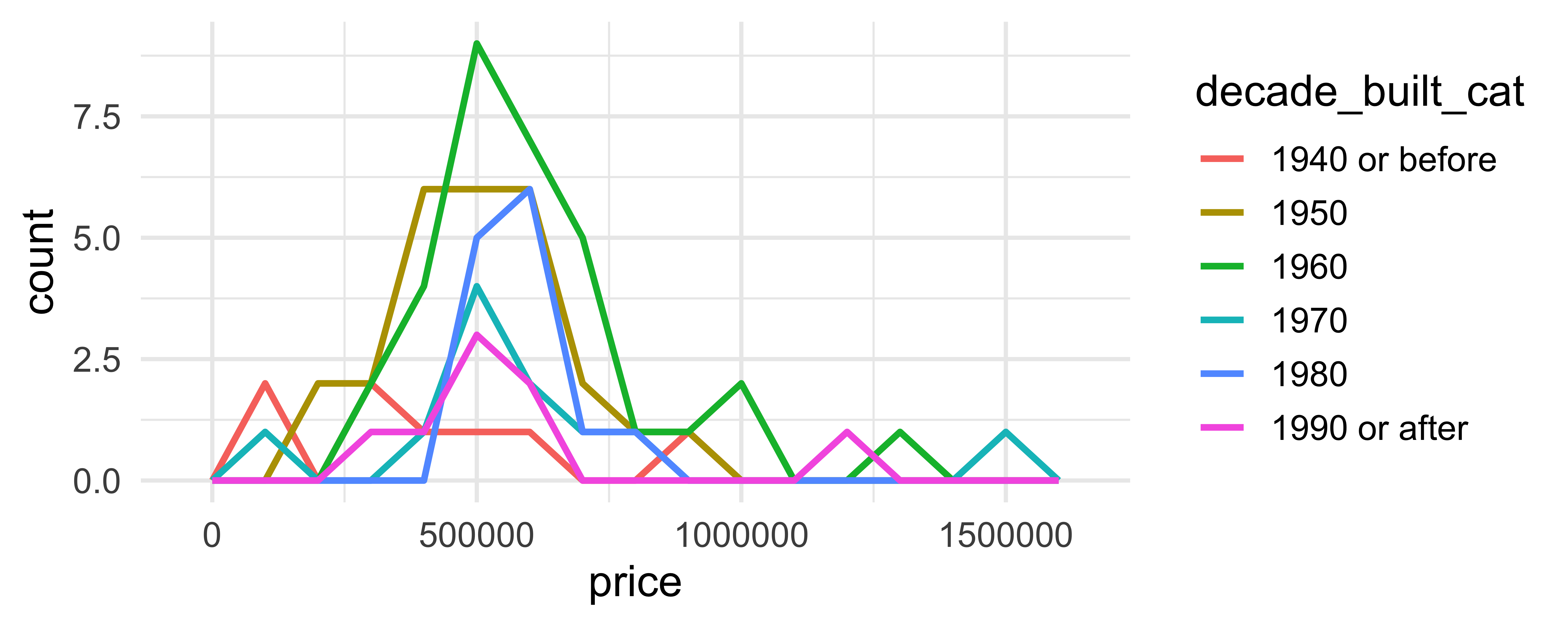
Which of the following allows for easier comparison across groups?
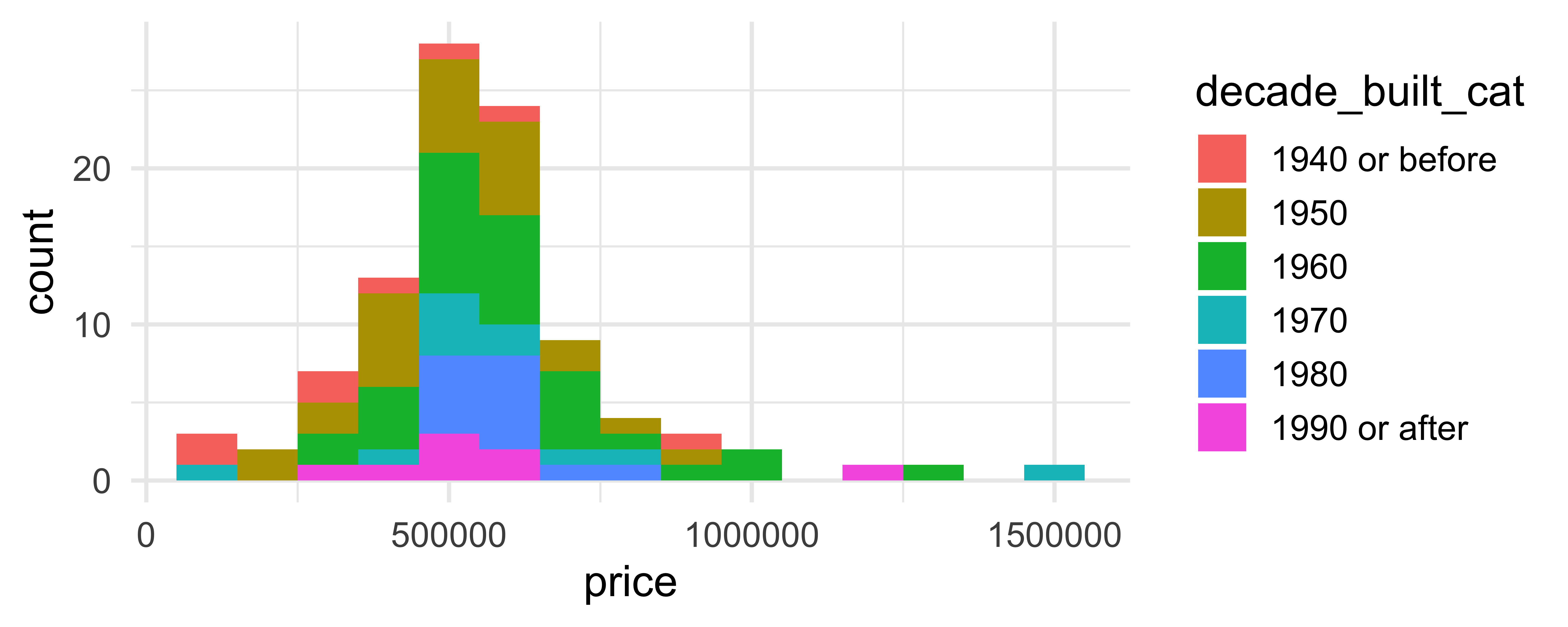
ggplot(duke_forest, aes(x = price, fill = decade_built_cat)) +
  geom_histogram(binwidth = 100000)

ggplot(duke_forest, aes(x = price, color = decade_built_cat)) +
  geom_freqpoly(binwidth = 100000, linewidth = 1)

Two variables - both continuous

  • geom_point(): scatterplot

  • geom_quantile(): smoothed quantile regression

  • geom_rug(): marginal rug plots

  • geom_smooth(): smoothed line of best fit

  • geom_text(): text labels

Two variables - show density

  • geom_bin2d(): bin into rectangles and count

  • geom_density2d(): smoothed 2d density estimate

  • geom_hex(): bin into hexagons and count

geom_hex()

Not very helpful for 98 observations:
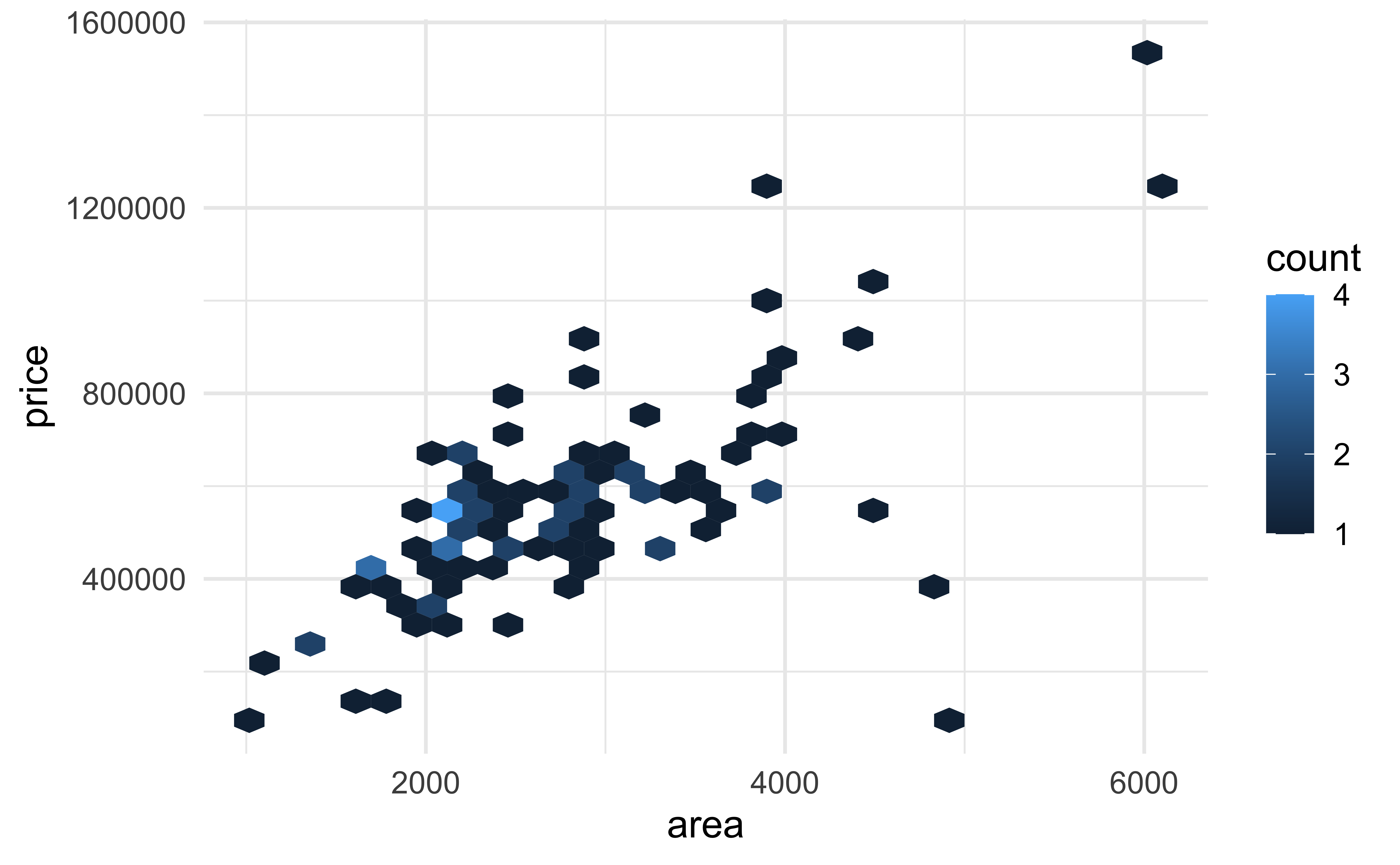
ggplot(duke_forest, aes(x = area, y = price)) +
  geom_hex()

geom_hex()

More helpful for 53940 observations:
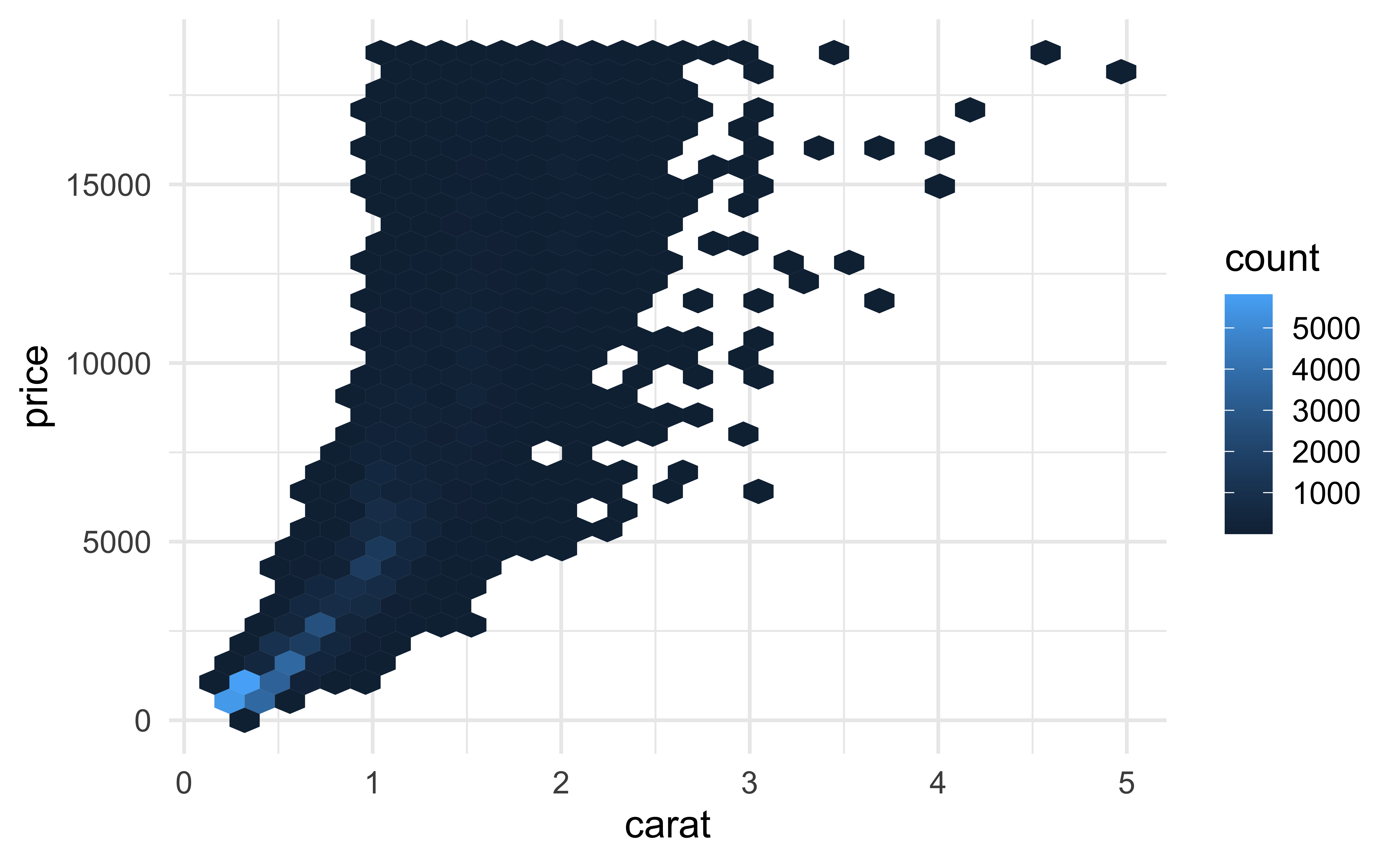
ggplot(diamonds, aes(x = carat, y = price)) +
  geom_hex()

geom_hex()

(Maybe) even more helpful on the (natural) log scale:

ggplot(diamonds, aes(x = carat, y = price)) +
  geom_hex() +
  scale_fill_gradient(trans = "log")

geom_hex() and warnings

  • Requires installing the hexbin package separately!
install.packages("hexbin")
  • Otherwise you might see
Warning: Computation failed in `stat_binhex()`

Two variables

  • At least one discrete:
    • geom_count(): count number of point at distinct locations
    • geom_jitter(): randomly jitter overlapping points
  • One continuous, one discrete:
    • geom_col(): a bar chart of pre-computed summaries
    • geom_boxplot(): boxplots
    • geom_violin(): show density of values in each group

geom_jitter()

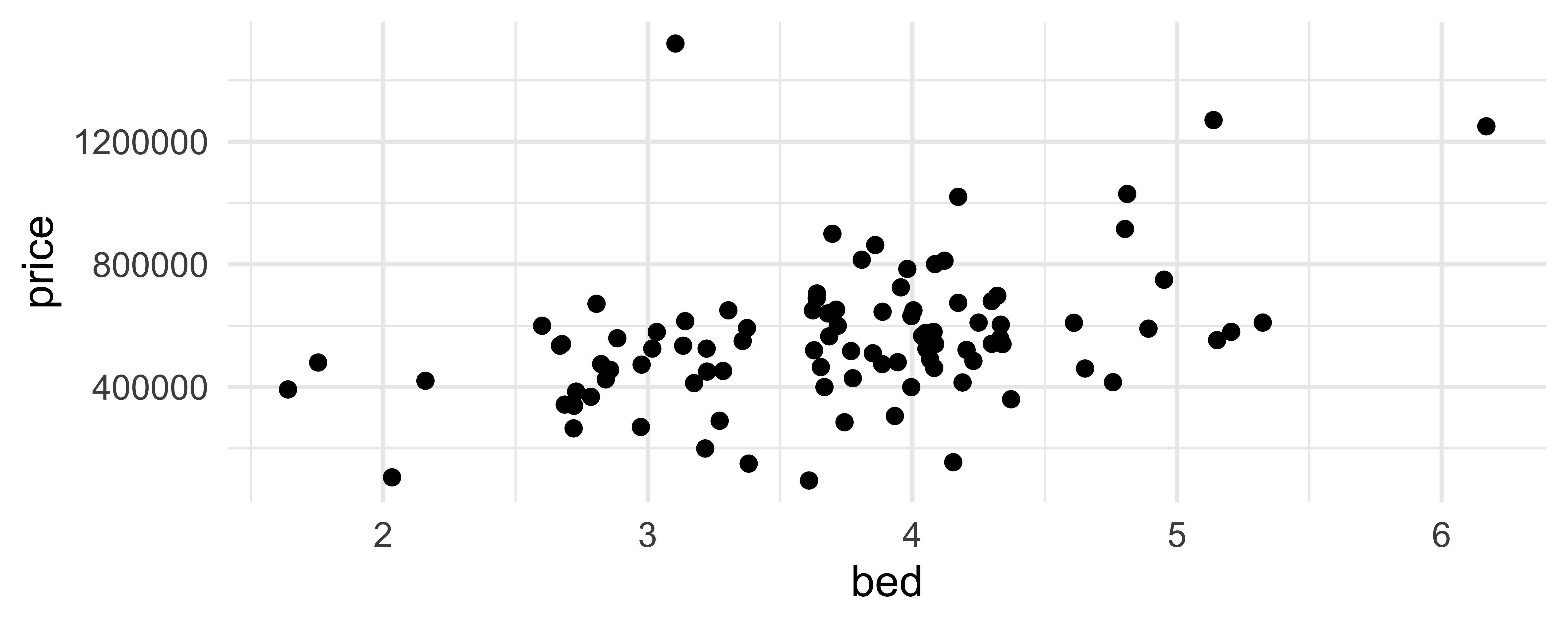
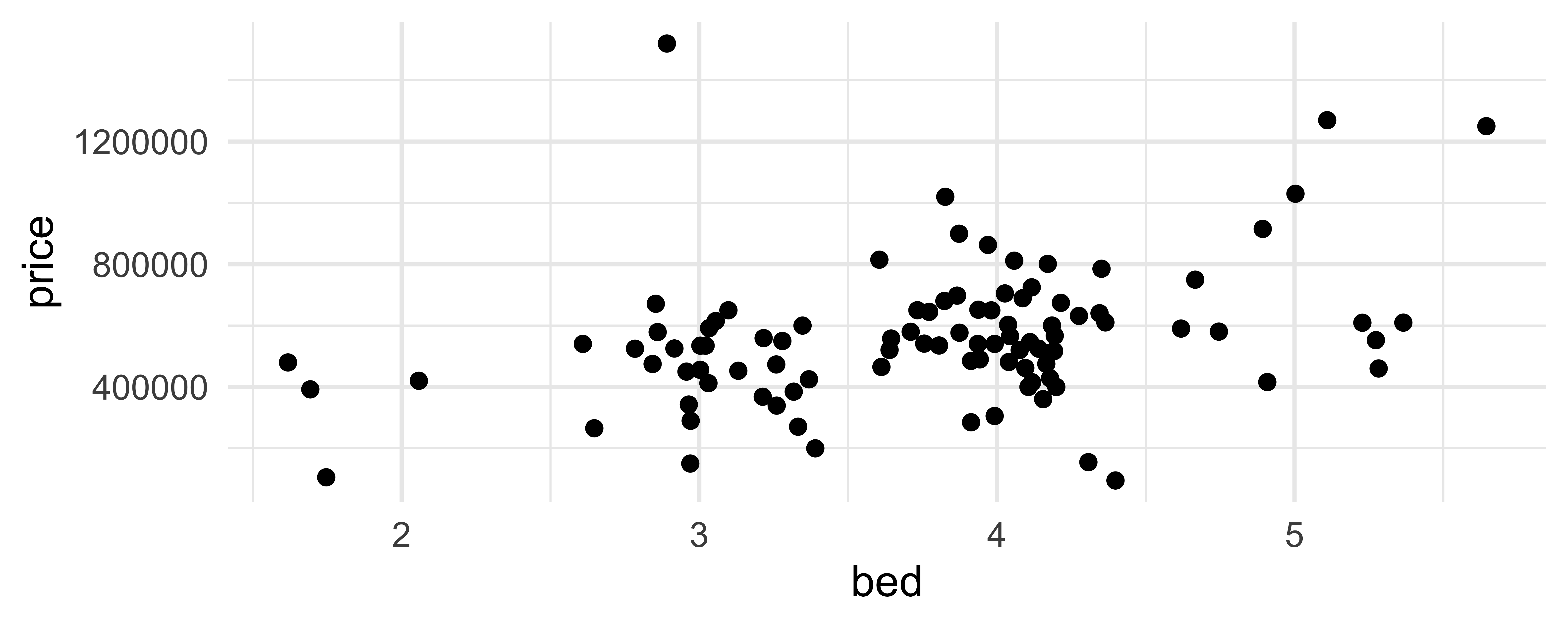
How are the following three plots different?
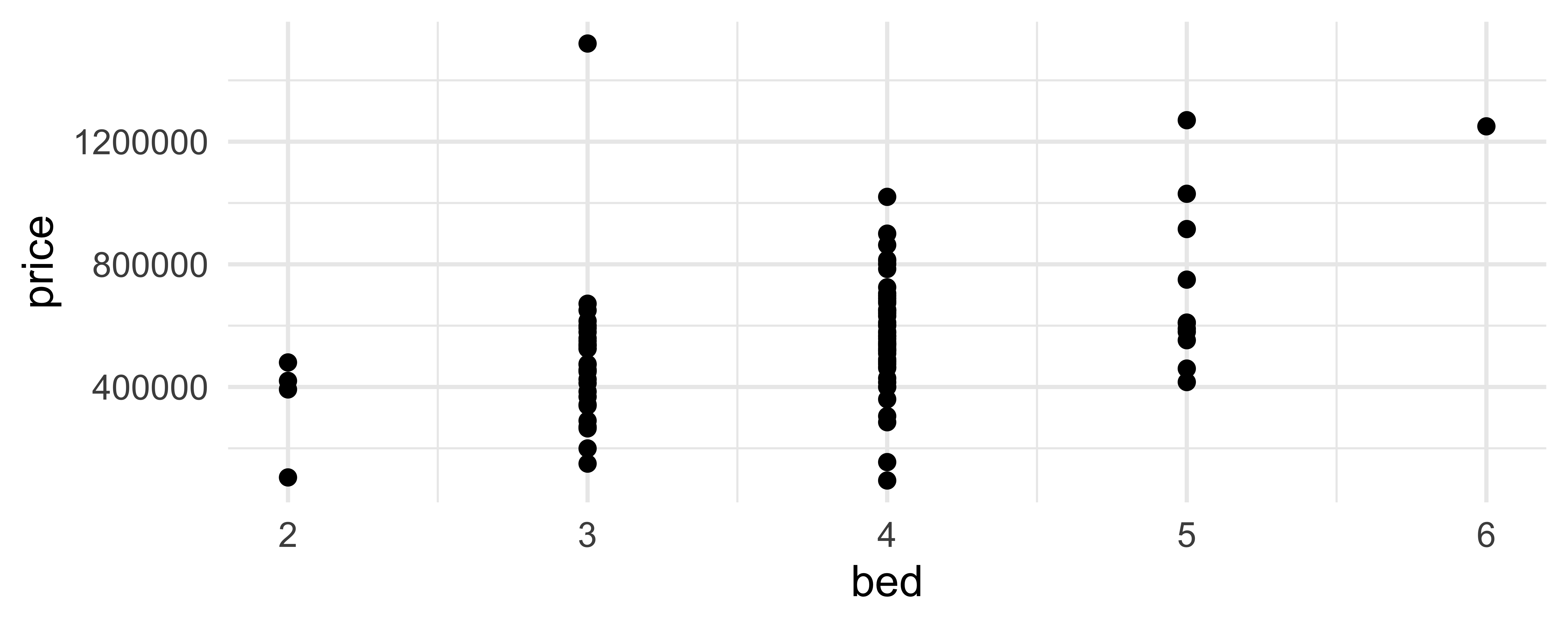
ggplot(duke_forest, aes(x = bed, y = price)) +
  geom_point()

ggplot(duke_forest, aes(x = bed, y = price)) +
  geom_jitter()

ggplot(duke_forest, aes(x = bed, y = price)) +
  geom_jitter()

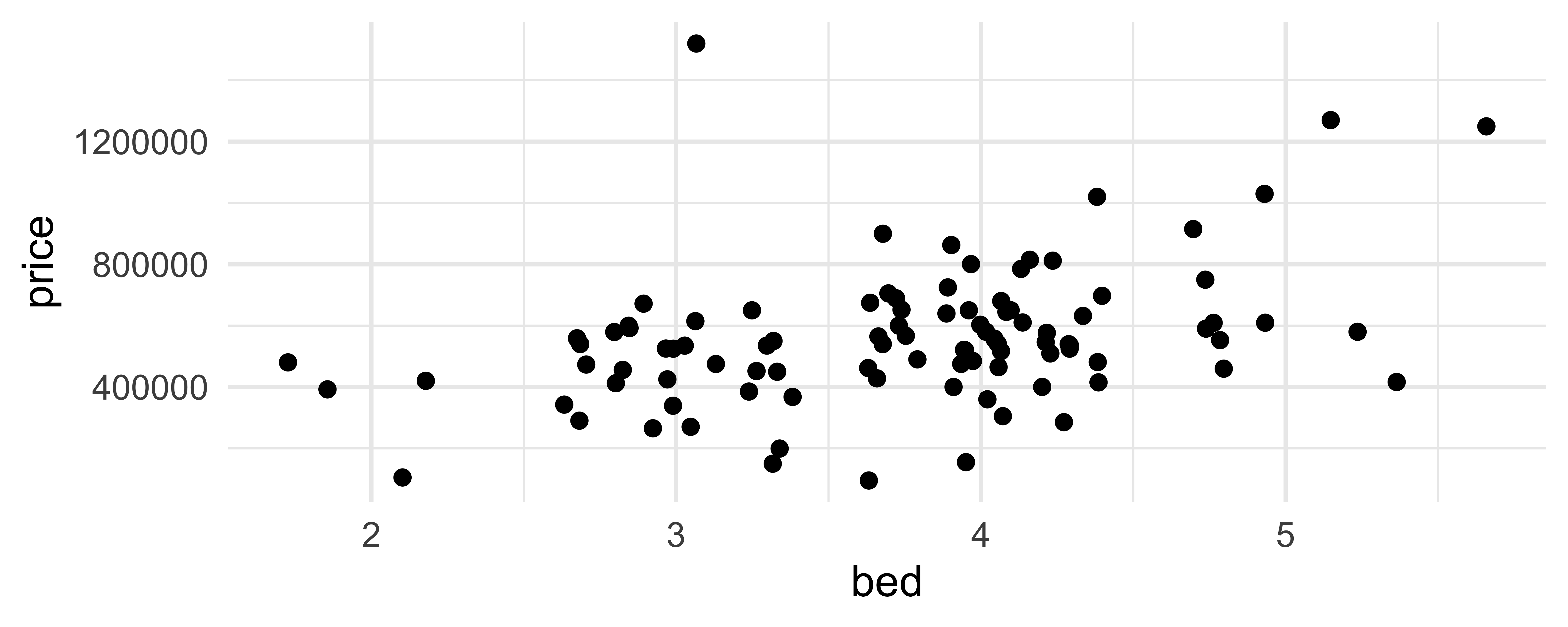
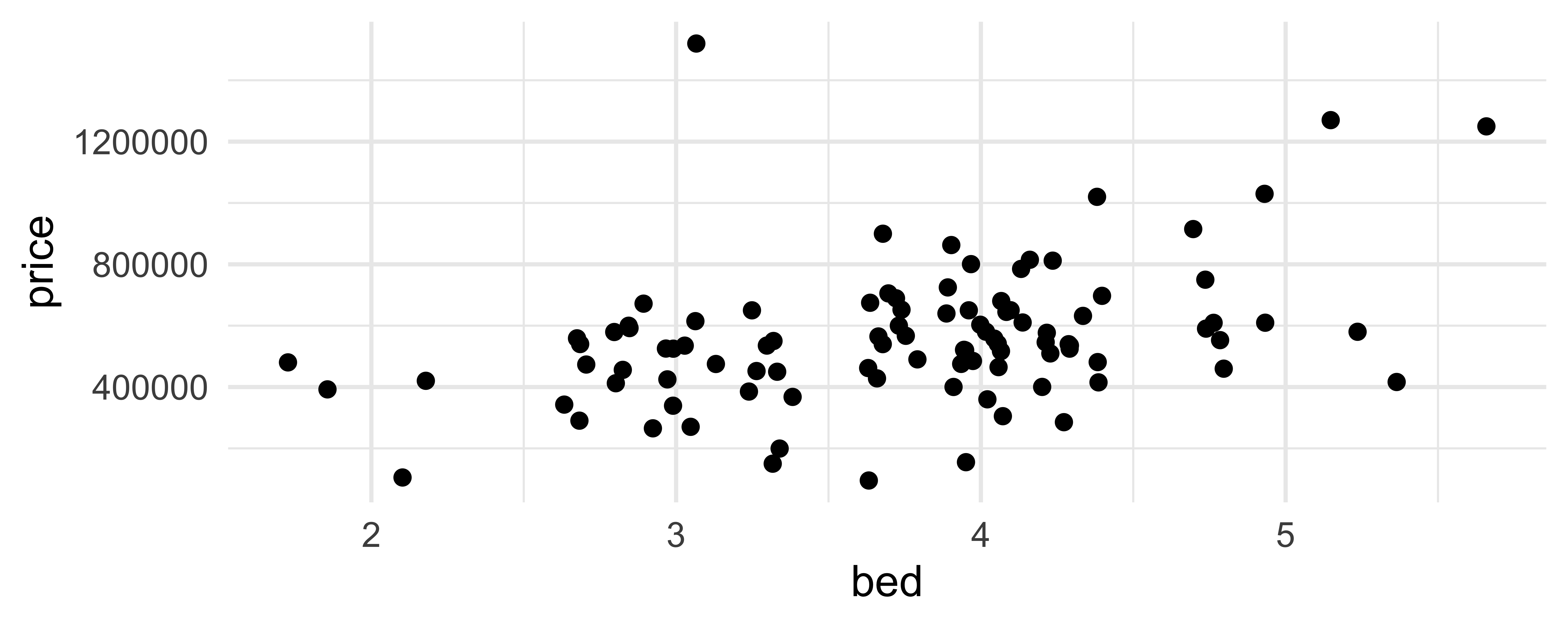
geom_jitter() and set.seed()

set.seed(1234)

ggplot(duke_forest, aes(x = bed, y = price)) +
  geom_jitter()

set.seed(1234)

ggplot(duke_forest, aes(x = bed, y = price)) +
  geom_jitter()

Two variables

  • One time, one continuous
    • geom_area(): area plot
    • geom_line(): line plot
    • geom_step(): step plot
  • Display uncertainty:
    • geom_crossbar(): vertical bar with center
    • geom_errorbar(): error bars
    • geom_linerange(): vertical line
    • geom_pointrange(): vertical line with center
  • Spatial
    • geom_sf(): for map data (more on this later…)

Average price per year built

mean_price_year <- duke_forest |>
  group_by(year_built) |>
  summarize(
    n = n(),
    mean_price = mean(price),
    sd_price = sd(price)
  )

mean_price_year
# A tibble: 44 × 4
   year_built     n mean_price sd_price
        <dbl> <int>      <dbl>    <dbl>
 1       1923     1     285000      NA 
 2       1934     1     600000      NA 
 3       1938     1     265000      NA 
 4       1940     1     105000      NA 
 5       1941     2     432500   28284.
 6       1945     2     525000  530330.
 7       1951     2     567500  258094.
 8       1952     2     531250  469165.
 9       1953     2     575000   35355.
10       1954     4     600000   33912.
# ℹ 34 more rows

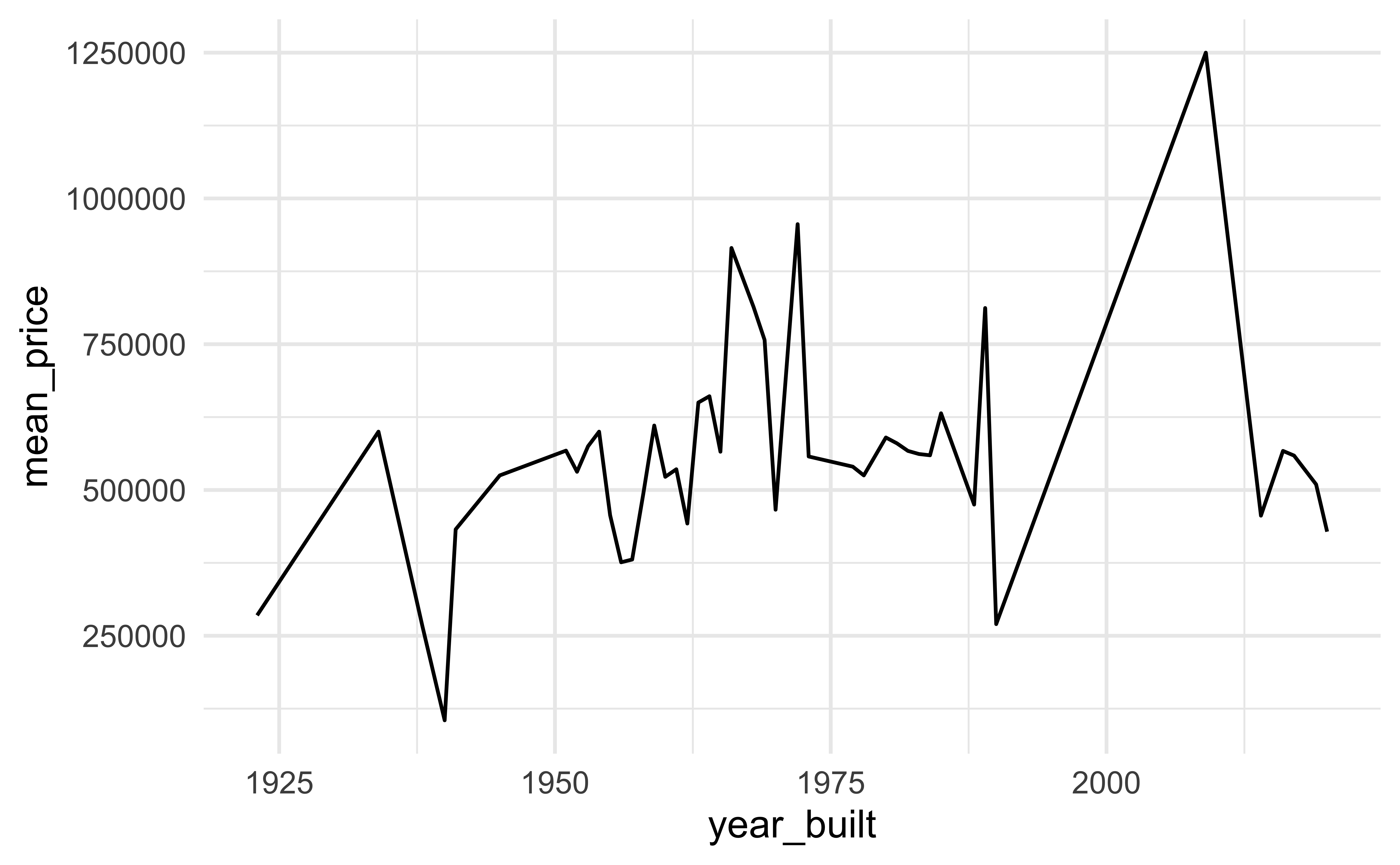
geom_line()

ggplot(mean_price_year, aes(x = year_built, y = mean_price)) +
  geom_line()

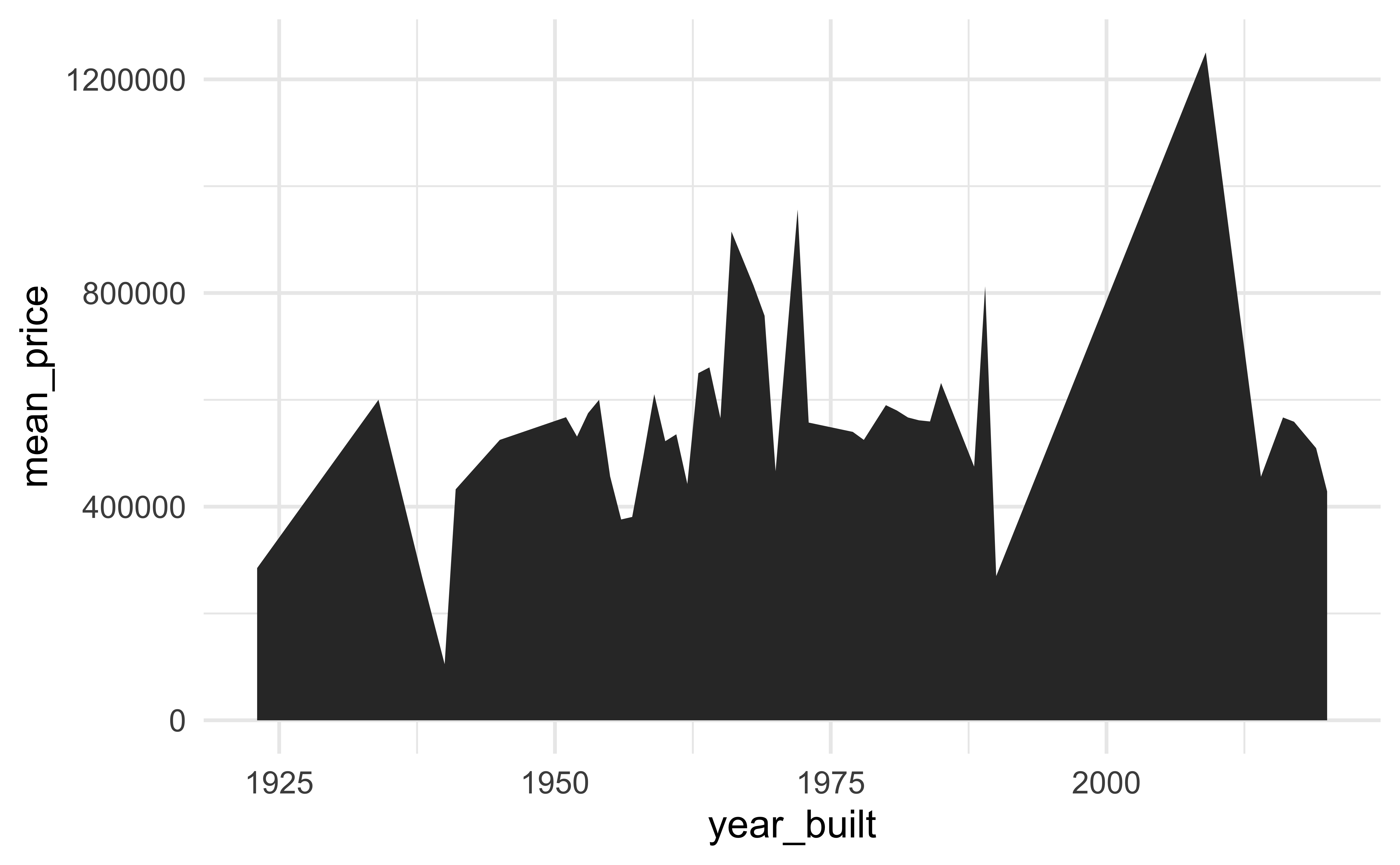
geom_area()

ggplot(mean_price_year, aes(x = year_built, y = mean_price)) +
  geom_area()

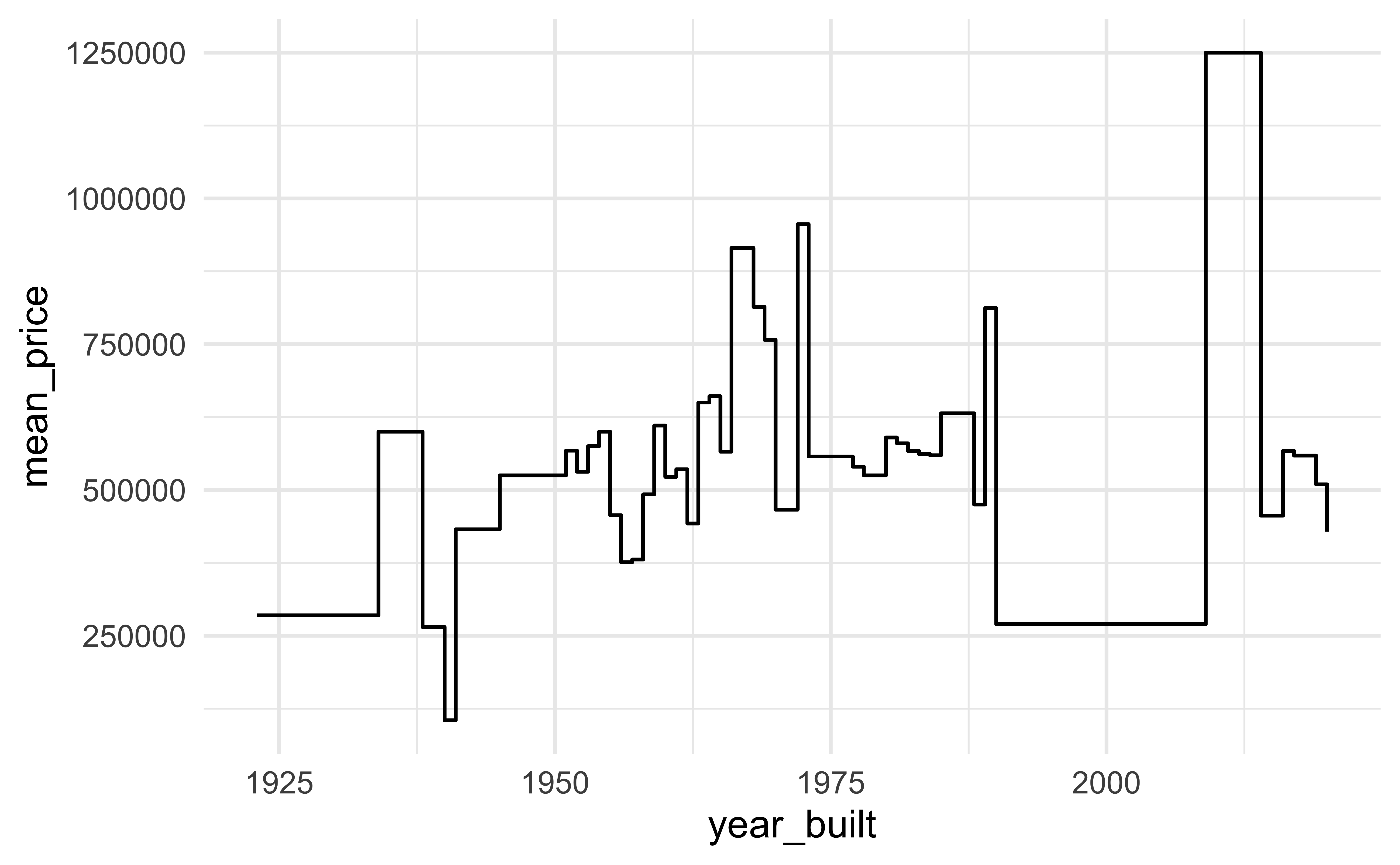
geom_step()

ggplot(mean_price_year, aes(x = year_built, y = mean_price)) +
  geom_step()

Transforming and reshaping a single data frame

Scenario 1

We…

have a single data frame

want to slice it, and dice it, and juice it, and process it, so we can plot it

Data: Hotel bookings

  • Data from two hotels: one resort and one city hotel
  • Observations: Each row represents a hotel booking
hotels <- read_csv(
  "https://raw.githubusercontent.com/rfordatascience/tidytuesday/master/data/2020/2020-02-11/hotels.csv"
)
names(hotels)
 [1] "hotel"                          "is_canceled"                   
 [3] "lead_time"                      "arrival_date_year"             
 [5] "arrival_date_month"             "arrival_date_week_number"      
 [7] "arrival_date_day_of_month"      "stays_in_weekend_nights"       
 [9] "stays_in_week_nights"           "adults"                        
[11] "children"                       "babies"                        
[13] "meal"                           "country"                       
[15] "market_segment"                 "distribution_channel"          
[17] "is_repeated_guest"              "previous_cancellations"        
[19] "previous_bookings_not_canceled" "reserved_room_type"            
[21] "assigned_room_type"             "booking_changes"               
[23] "deposit_type"                   "agent"                         
[25] "company"                        "days_in_waiting_list"          
[27] "customer_type"                  "adr"                           
[29] "required_car_parking_spaces"    "total_of_special_requests"     
[31] "reservation_status"             "reservation_status_date"       

dplyr 101

Which of the following (if any) are unfamiliar to you?

  • distinct()
  • select(), relocate()
  • arrange(), arrange(desc())
  • slice(), slice_head(), slice_tail(), slice_sample()
  • filter()
  • mutate()
  • summarize(), count()

Average cost of daily stay

ae-02 - Part 1: Let’s recreate this visualization!
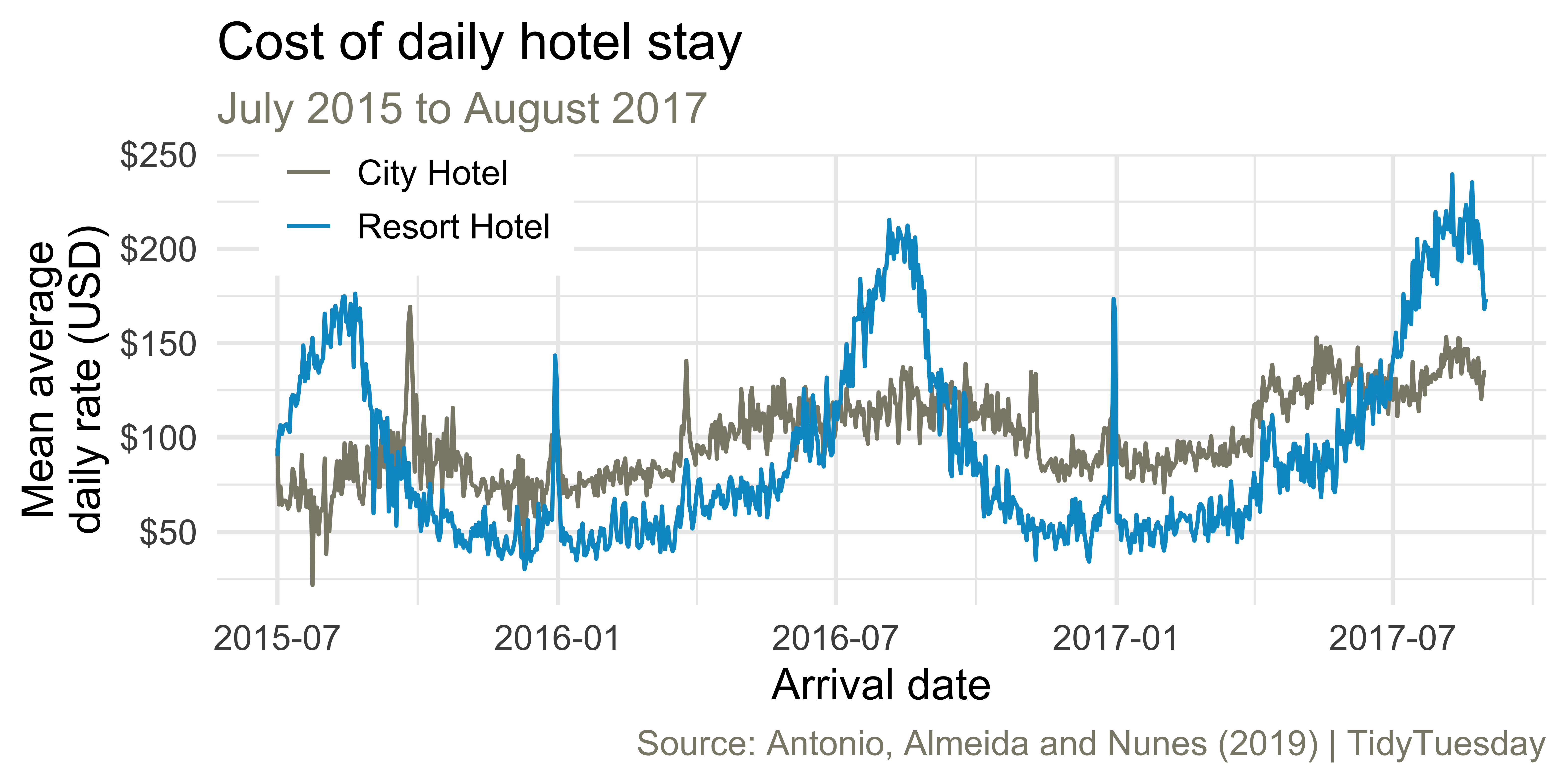
Monthly bookings

Come up with a plan for making the following visualization and write the pseudocode.

Monthly bookings

ae-02 - Part 2: Let’s recreate this visualization!