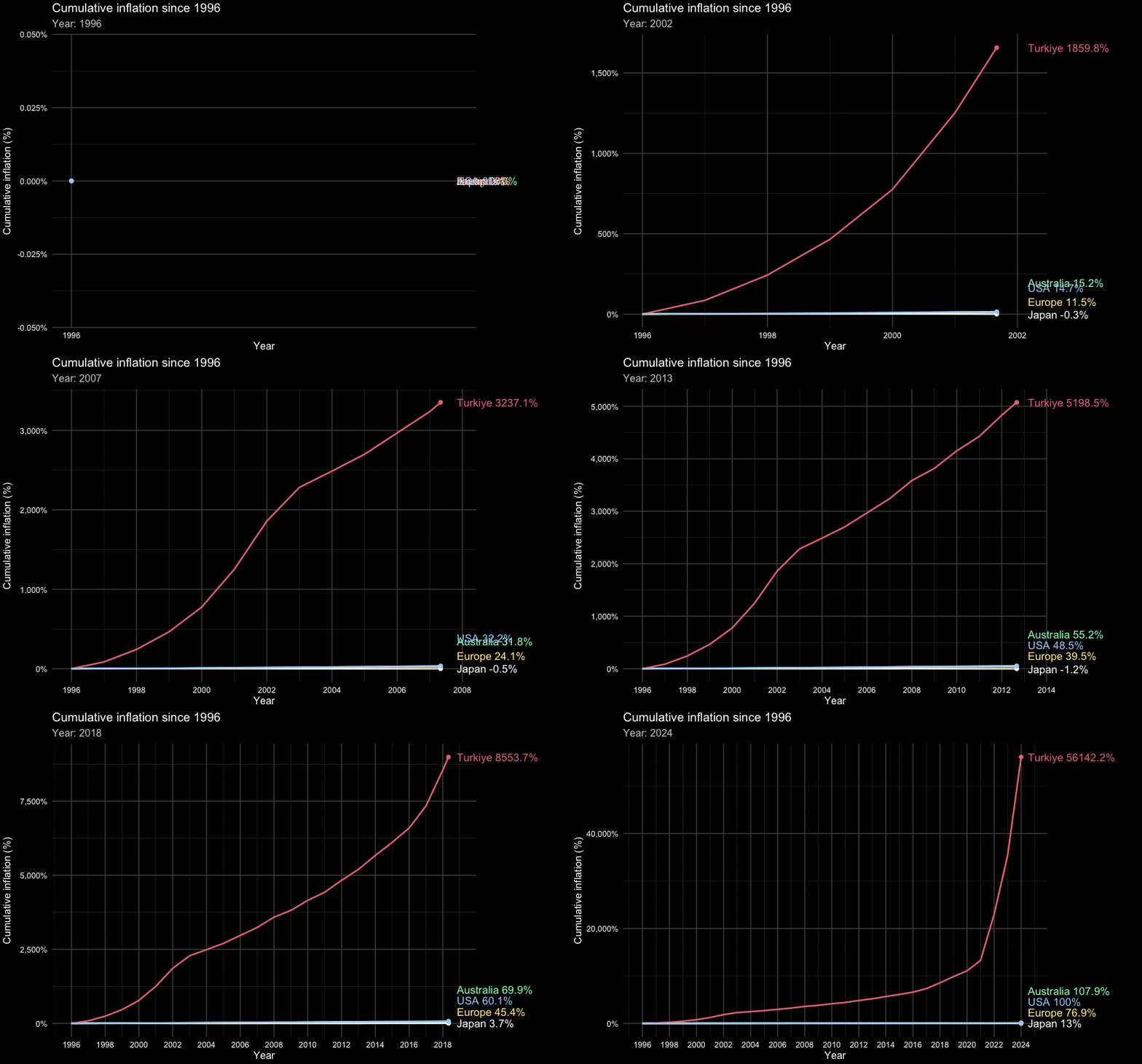
Animation

Lecture 25

Dr. Mine Çetinkaya-Rundel

Duke University
STA 313 - Spring 2026

Warm up

Announcements

  • Lab tomorrow: Project code review – you must be there to earn the points for it

  • My remaining office hours:

    • Thursday (tomorrow) 9-10 am – No OH on Friday
    • Monday 9-10 am
    • Wednesday 12-1 pm
    • Or by apppointment
  • Monday’s class: Guest lecturer Hadley Wickham

Setup

# load packages
library(tidyverse)
library(gganimate)
library(gifski)
library(scales)
library(gt)
library(palmerpenguins)
library(datasauRus)

# set theme for ggplot2
ggplot2::theme_set(ggplot2::theme_minimal(base_size = 16))

# set figure parameters for knitr
knitr::opts_chunk$set(
  fig.width = 7, # 7" width
  fig.asp = 0.618, # the golden ratio
  fig.retina = 3, # dpi multiplier for displaying HTML output on retina
  fig.align = "center", # center align figures
  dpi = 300 # higher dpi, sharper image
)

Animation

Insta-piration

Re-construction

Philosophy

  • The purpose of interactivity is to display more than can be achieved with persistent plot elements, and to invite the reader to engage with the plot.

  • Animation allows more information to be displayed, but developer keeps control

  • Beware that it is easy to forget what was just displayed, so keeping some elements persistent, maybe faint, can be useful for the reader

gganimate

  • gganimate extends the grammar of graphics as implemented by ggplot2 to include the description of animation

  • It provides a range of new grammar classes that can be added to the plot object in order to customize how it should change with time

How does gganimate work?

  • Start with a ggplot2 specification

  • Add layers with graphical primitives (geoms)

  • Add formatting specification

  • Add animation specification

Data

Data source

Consumer Price Index (CPI) data from FRED (Federal Reserve Economic Data):

Country Series ID Description
USA CPIAUCSL CPI for All Urban Consumers: All Items
Turkiye TURCPIALLMINMEI CPI: All Items for Turkey
Australia AUSCPIALLQINMEI CPI: All Items for Australia
Europe CP0000EZ19M086NEST HICP: All Items for Euro Area
Japan FPCPITOTLZGJPN Inflation, consumer prices (annual %)

All series use annual averages with data from 1996-2024.

Methodology

Goal: Calculate cumulative percentage change in prices since 1996, rebased to 0% at inception.

  • For countries with CPI index levels (USA, Turkiye, Australia, Europe):

\[\text{Cumulative Inflation}_t = \left( \frac{\text{CPI}_t}{\text{CPI}_{1996}} - 1 \right) \times 100\]

  • For Japan (only annual inflation rates available):

    1. Construct index starting at 100 in 1996
    2. Compound forward: \(\text{Index}_t = \text{Index}_{t-1} \times (1 + r_t / 100)\)
    3. Calculate cumulative change: \(\text{Cumulative}_t = \text{Index}_t - 100\)

Construct the data - download

Load the data

usa <- read_csv(here::here("slides/25", "data/data-raw/CPIAUCSL.csv"))
turkiye <- read_csv(here::here(
  "slides/25",
  "data/data-raw/TURCPIALLMINMEI.csv"
))
australia <- read_csv(here::here(
  "slides/25",
  "data/data-raw/AUSCPIALLQINMEI.csv"
))
europe <- read_csv(here::here(
  "slides/25",
  "data/data-raw/CP0000EZ19M086NEST.csv"
))
japan <- read_csv(here::here("slides/25", "data/data-raw/FPCPITOTLZGJPN.csv"))

Cumulative inflation calculation I

US:

usa_inflation <- usa |>
  mutate(
    year = year(mdy(observation_date)),
    cumulative_pct = (CPIAUCSL / CPIAUCSL[1] - 1) * 100
  ) |>
  select(year, USA = cumulative_pct)

usa_inflation
# A tibble: 29 × 2
    year   USA
   <dbl> <dbl>
 1  1996  0   
 2  1997  2.34
 3  1998  3.92
 4  1999  6.20
 5  2000  9.78
 6  2001 12.9 
 7  2002 14.7 
 8  2003 17.3 
 9  2004 20.4 
10  2005 24.5 
# ℹ 19 more rows

Cumulative inflation calculation II

Turkiye, Australia, and Europe:

turkiye_inflation <- turkiye |>
  mutate(
    year = year(mdy(observation_date)),
    cumulative_pct = (TURCPIALLMINMEI / TURCPIALLMINMEI[1] - 1) * 100
  ) |>
  select(year, Turkiye = cumulative_pct)

australia_inflation <- australia |>
  mutate(
    year = year(mdy(observation_date)),
    cumulative_pct = (AUSCPIALLQINMEI / AUSCPIALLQINMEI[1] - 1) * 100
  ) |>
  select(year, Australia = cumulative_pct)

europe_inflation <- europe |>
  mutate(
    year = year(mdy(observation_date)),
    cumulative_pct = (CP0000EZ19M086NEST / CP0000EZ19M086NEST[1] - 1) * 100
  ) |>
  select(year, Europe = cumulative_pct)

Cumulative inflation III

Japan:

japan_inflation <- japan |>
  mutate(
    year = year(mdy(observation_date)),
    index = 100 * cumprod(1 + FPCPITOTLZGJPN / 100),
    cumulative_pct = index - 100,
    cumulative_pct = cumulative_pct - cumulative_pct[1]
  ) |>
  select(year, Japan = cumulative_pct)

japan_inflation
# A tibble: 29 × 2
    year  Japan
   <dbl>  <dbl>
 1  1996  0    
 2  1997  1.75 
 3  1998  2.42 
 4  1999  2.07 
 5  2000  1.38 
 6  2001  0.632
 7  2002 -0.299
 8  2003 -0.555
 9  2004 -0.563
10  2005 -0.845
# ℹ 19 more rows

Putting it altogether

inflation <- usa_inflation |>
  left_join(turkiye_inflation, by = "year") |>
  left_join(australia_inflation, by = "year") |>
  left_join(europe_inflation, by = "year") |>
  left_join(japan_inflation, by = "year")

inflation
# A tibble: 29 × 6
    year   USA Turkiye Australia Europe  Japan
   <dbl> <dbl>   <dbl>     <dbl>  <dbl>  <dbl>
 1  1996  0        0       0       0     0    
 2  1997  2.34    85.7     0.225   1.70  1.75 
 3  1998  3.92   243.      1.09    2.95  2.42 
 4  1999  6.20   465.      2.59    4.16  2.07 
 5  2000  9.78   776.      7.16    6.43  1.38 
 6  2001 12.9   1252.     11.9     9.00  0.632
 7  2002 14.7   1860.     15.2    11.5  -0.299
 8  2003 17.3   2283.     18.4    13.8  -0.555
 9  2004 20.4   2488.     21.1    16.3  -0.563
10  2005 24.5   2700.     24.4    18.9  -0.845
# ℹ 19 more rows

Results summary

inflation |>
  filter(year == max(year)) |>
  pivot_longer(
    cols = -year,
    names_to = "country",
    values_to = "cumulative_pct"
  ) |>
  arrange(desc(cumulative_pct))
# A tibble: 5 × 3
   year country   cumulative_pct
  <dbl> <chr>              <dbl>
1  2024 Turkiye          56142. 
2  2024 Australia          108. 
3  2024 USA                100.0
4  2024 Europe              76.9
5  2024 Japan               13.0


What are some key findings about how prices have changed in these countries since 1996?

Reshape data for plotting

inflation_long <- inflation |>
  pivot_longer(
    cols = -year,
    names_to = "country",
    values_to = "cumulative_pct"
  )

inflation_long
# A tibble: 145 × 3
    year country   cumulative_pct
   <dbl> <chr>              <dbl>
 1  1996 USA                0    
 2  1996 Turkiye            0    
 3  1996 Australia          0    
 4  1996 Europe             0    
 5  1996 Japan              0    
 6  1997 USA                2.34 
 7  1997 Turkiye           85.7  
 8  1997 Australia          0.225
 9  1997 Europe             1.70 
10  1997 Japan              1.75 
# ℹ 135 more rows

Colors

flag_colors <- c(
  "USA" = "#207ae8", # blue
  "Turkiye" = "#B22234", # red
  "Australia" = "#009C3D", # green
  "Europe" = "#FFCC00", # yellow
  "Japan" = "#000000" # black
)

Building up

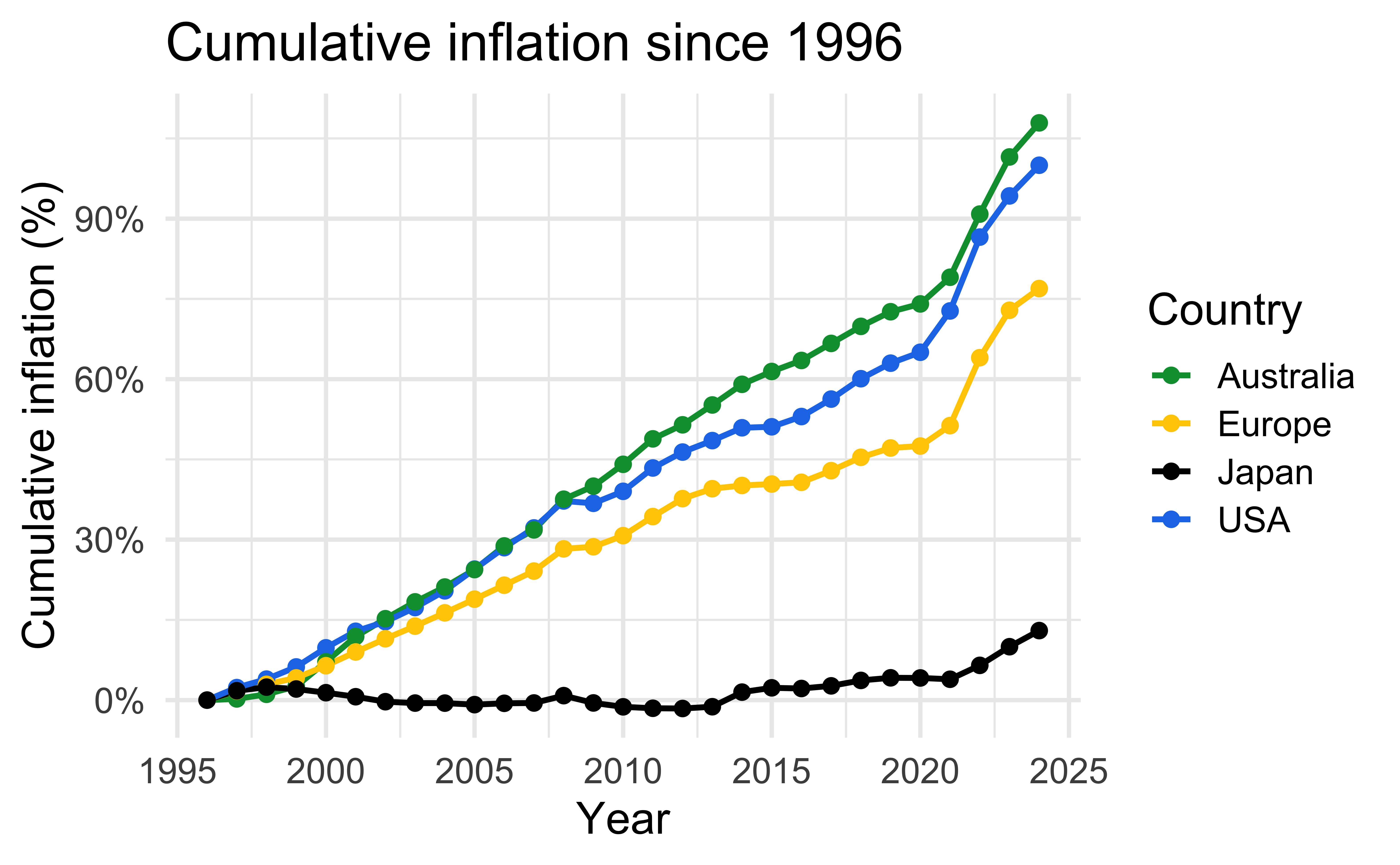
Static plot (excluding Turkiye)

inflation_long |>
  filter(country != "Turkiye") |>
  ggplot(aes(x = year, y = cumulative_pct, color = country)) +
  geom_line(linewidth = 1) +
  geom_point(size = 2) +
  scale_color_manual(values = flag_colors) +
  scale_y_continuous(labels = label_comma(suffix = "%")) +
  labs(
    title = "Cumulative inflation since 1996",
    x = "Year",
    y = "Cumulative inflation (%)",
    color = "Country"
  )
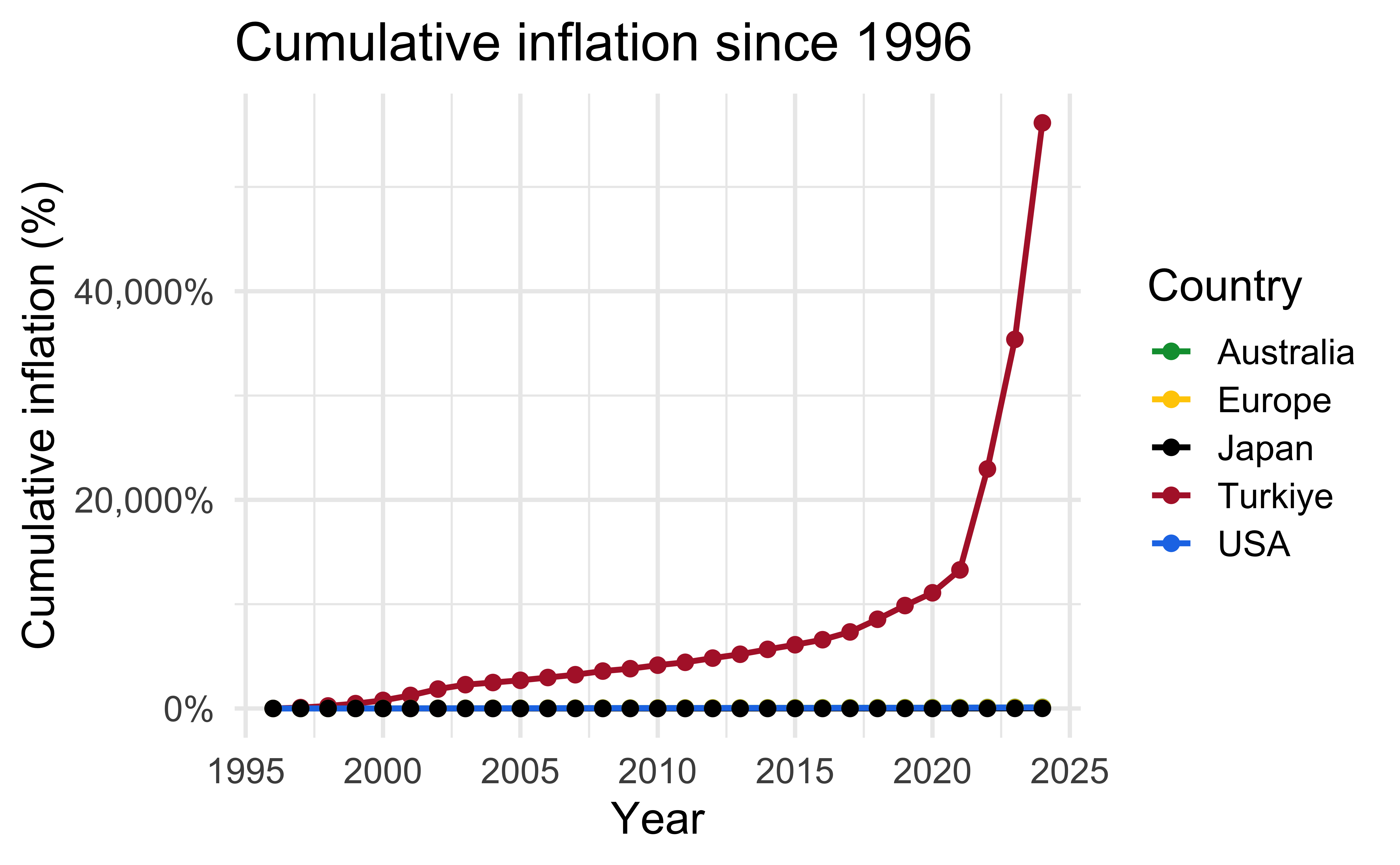
Static plot (with Turkiye)

inflation_long |>
  ggplot(aes(x = year, y = cumulative_pct, color = country)) +
  geom_line(linewidth = 1) +
  geom_point(size = 2) +
  scale_color_manual(values = flag_colors) +
  scale_y_continuous(labels = label_comma(suffix = "%")) +
  labs(
    title = "Cumulative inflation since 1996",
    x = "Year",
    y = "Cumulative inflation (%)",
    color = "Country"
  )
Animate

inflation_long |>
  ggplot(
    aes(
      x = year,
      y = cumulative_pct,
      color = country,
      group = country
    )
  ) +
  geom_line(linewidth = 1) +
  geom_point(size = 2) +
  scale_color_manual(values = flag_colors) +
  scale_y_continuous(labels = label_comma(suffix = "%")) +
  labs(
    title = "Cumulative inflation since 1996",
    subtitle = "Year: {round(frame_along)}",
    x = "Year",
    y = "Cumulative inflation (%)",
    color = "Country"
  ) +
  transition_reveal(year)
Animate with expanding y-axis

inflation_long |>
  ggplot(
    aes(
      x = year,
      y = cumulative_pct,
      color = country,
      group = country
    )
  ) +
  geom_line(linewidth = 1) +
  geom_point(size = 2) +
  scale_color_manual(values = flag_colors) +
  scale_y_continuous(labels = label_comma(suffix = "%")) +
  labs(
    title = "Cumulative inflation since 1996",
    subtitle = "Year: {round(frame_along)}",
    x = "Year",
    y = "Cumulative inflation (%)",
    color = "Country"
  ) +
  transition_reveal(year) +
  view_follow(fixed_x = TRUE)
Grammar of animation

Grammar of animation

  • Transitions: transition_*() defines how the data should be spread out and how it relates to itself across time

  • Views: view_*() defines how the positional scales should change along the animation

  • Shadows: shadow_*() defines how data from other points in time should be presented in the given point in time

  • Entrances/Exits: enter_*()/exit_*() defines how new data should appear and how old data should disappear during the course of the animation

  • Easing: ease_aes() defines how different aesthetics should be eased during transitions

Transitions

How the data changes through the animation.

Function Description
transition_manual Build an animation frame by frame (no tweening applied).
transition_states Transition between frames of a plot (like moving between facets).
transition_time Like transition_states, except animation pacing respects time.
transition_components Independent animation of plot elements (by group).
transition_reveal Gradually extends the data used to reveal more information.
transition_layers Animate the addition of layers to the plot. Can also remove layers.
transition_filter Transition between a collection of subsets from the data.
transition_events Define entrance and exit times of each visual element (row of data).

Transitions

Which transition was used in the following animations?
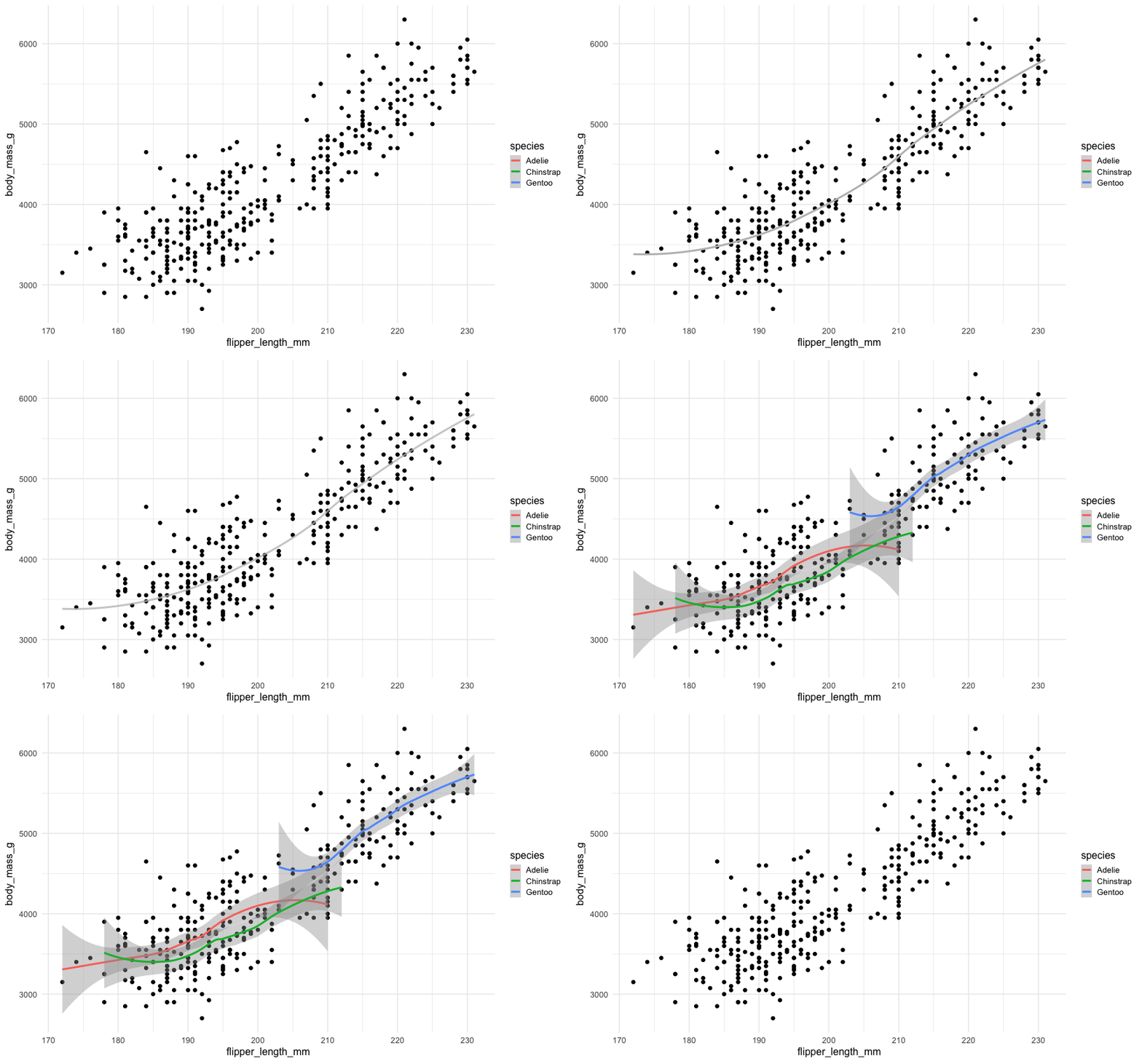
transition_layers()

New layers are being added (and removed) over the dots.

Views

How the plot window changes through the animation.

Function Description
view_follow Change the view to follow the range of current data.
view_step Similar to view_follow, except the view is static between transitions.
view_step_manual Same as view_step, except view ranges are manually defined.
view_zoom Similar to view_step, but appears smoother by zooming out then in.
view_zoom_manual Same as view_zoom, except view ranges are manually defined.

Views

Which view was used in the following animations?
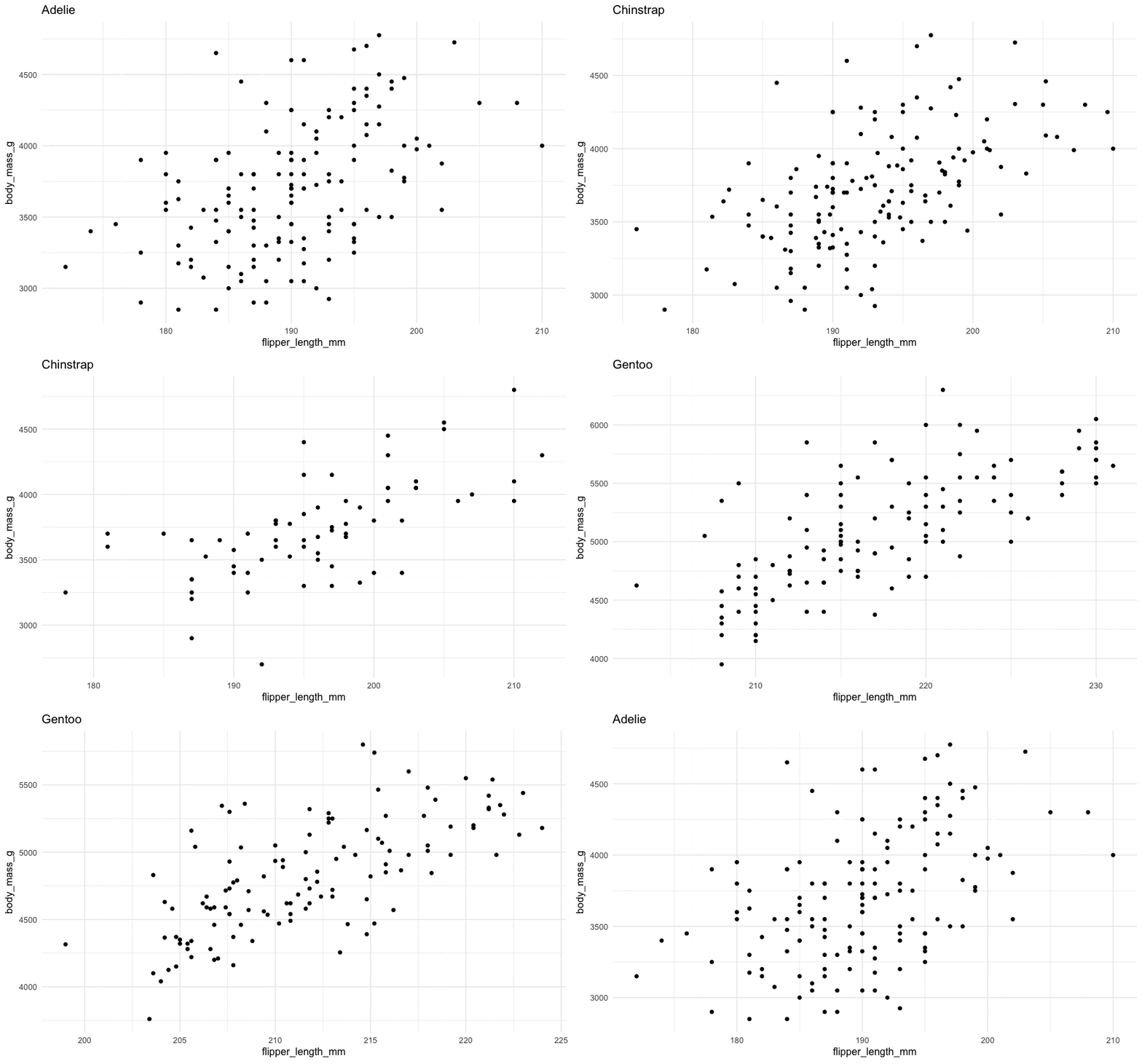
view_follow()

Plot axis follows the range of the data.

Shadows

How the history of the animation is shown. Useful to indicate speed of changes.

Function Description
shadow_mark Previous (and/or future) frames leave permananent background marks.
shadow_trail Similar to shadow_mark, except marks are from tweened data.
shadow_wake Shows a shadow which diminishes in size and/or opacity over time.

Shadows

Which shadow was used in the following animations?
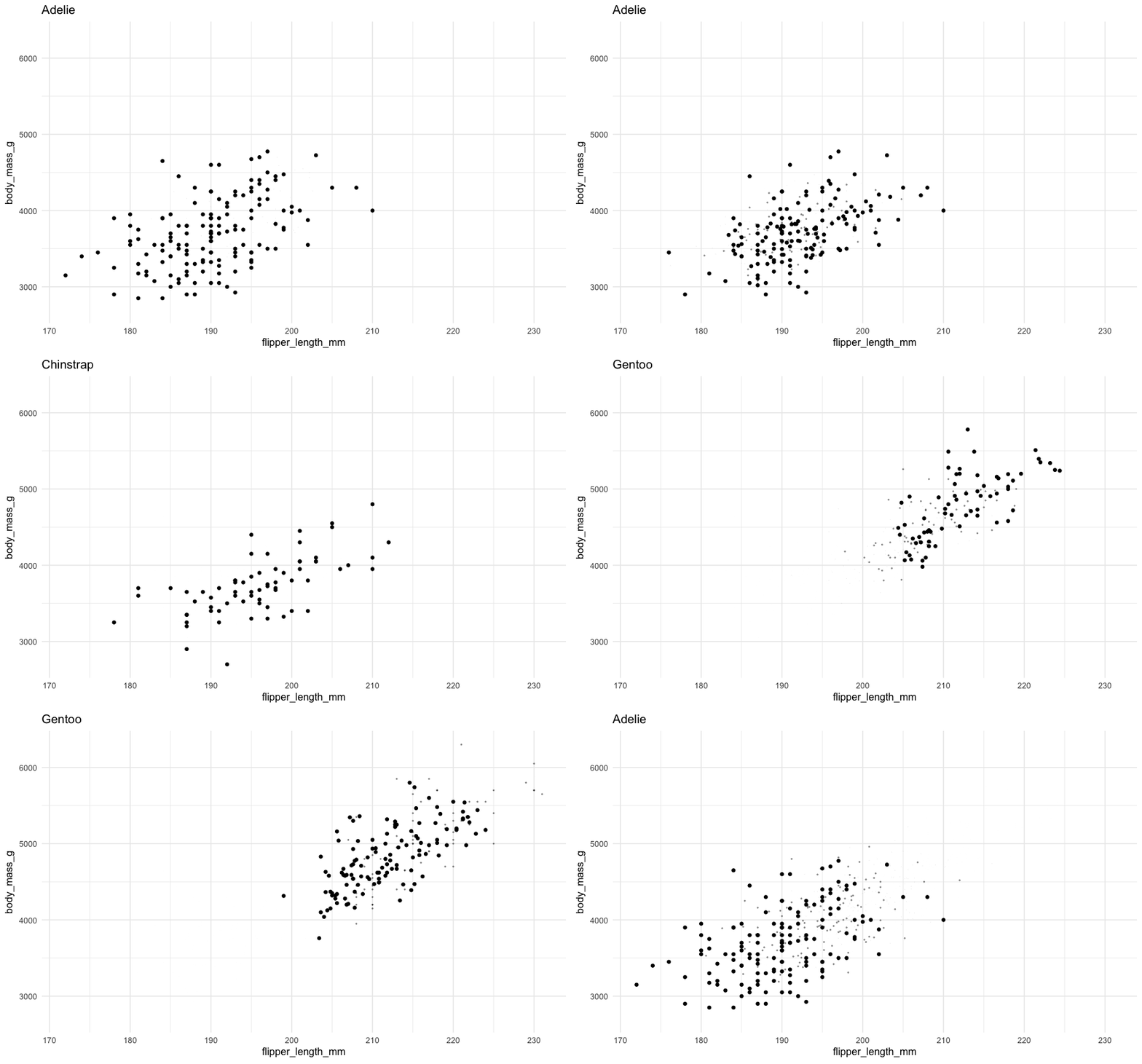
shadow_wake()

The older tails of the points shrink in size, leaving a “wake” behind it.

Shadows

Which shadow was used in the following animations?
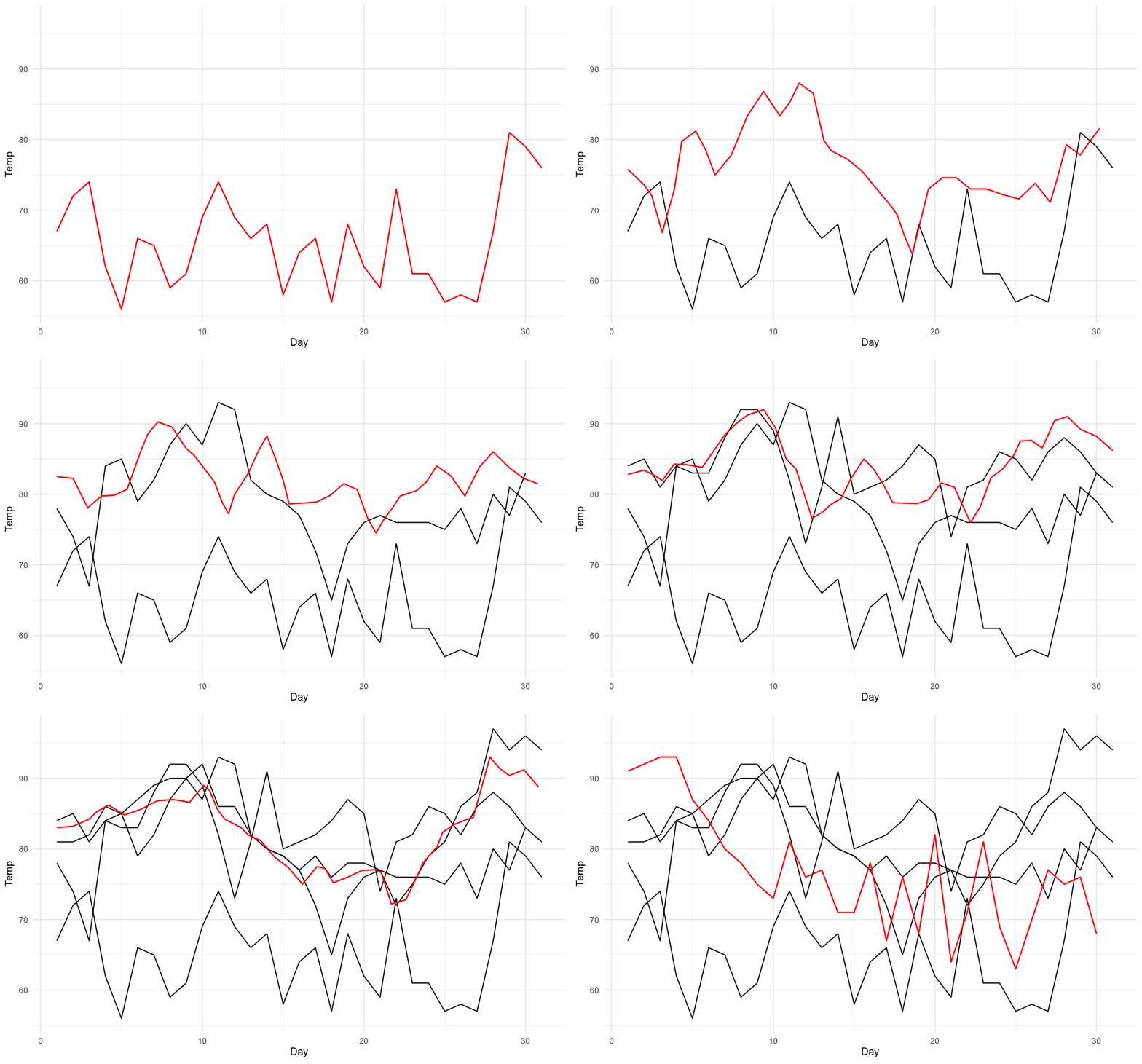
shadow_mark()

Permanent marks are left by previous points in the animation.

Entrances and exits

How elements of the plot appear and disappear.

Function Description
enter_appear/exit_disappear Poof! Instantly appears or disappears.
enter_fade/exit_fade Opacity is used to fade in or out the elements.
enter_grow/exit_shrink Element size will grow from or shrink to zero.
enter_recolor/exit_recolor Change element colors to blend into the background.
enter_fly/exit_fly Elements will move from/to a specific x,y position.
enter_drift/exit_drift Elements will shift relative from/to their x,y position.
enter_reset/exit_reset Clear all previously added entrace/exits.

Animation controls

How data moves from one position to another.
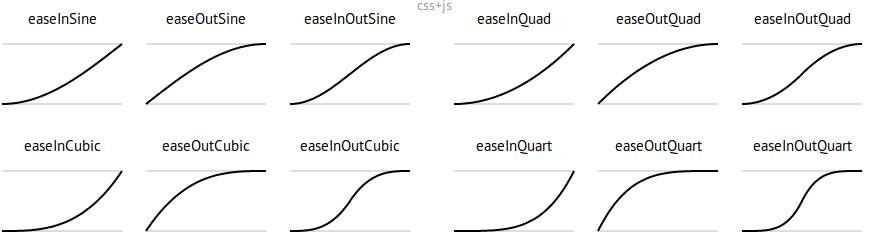
p + ease_aes({aesthetic} = {ease})
p + ease_aes(x = "cubic")

ease examples

Deeper dive

A not-so-simple example

Pass in the dataset to ggplot

ggplot(datasaurus_dozen)

A not-so-simple example

For each dataset we have x and y values, in addition we can map dataset to color
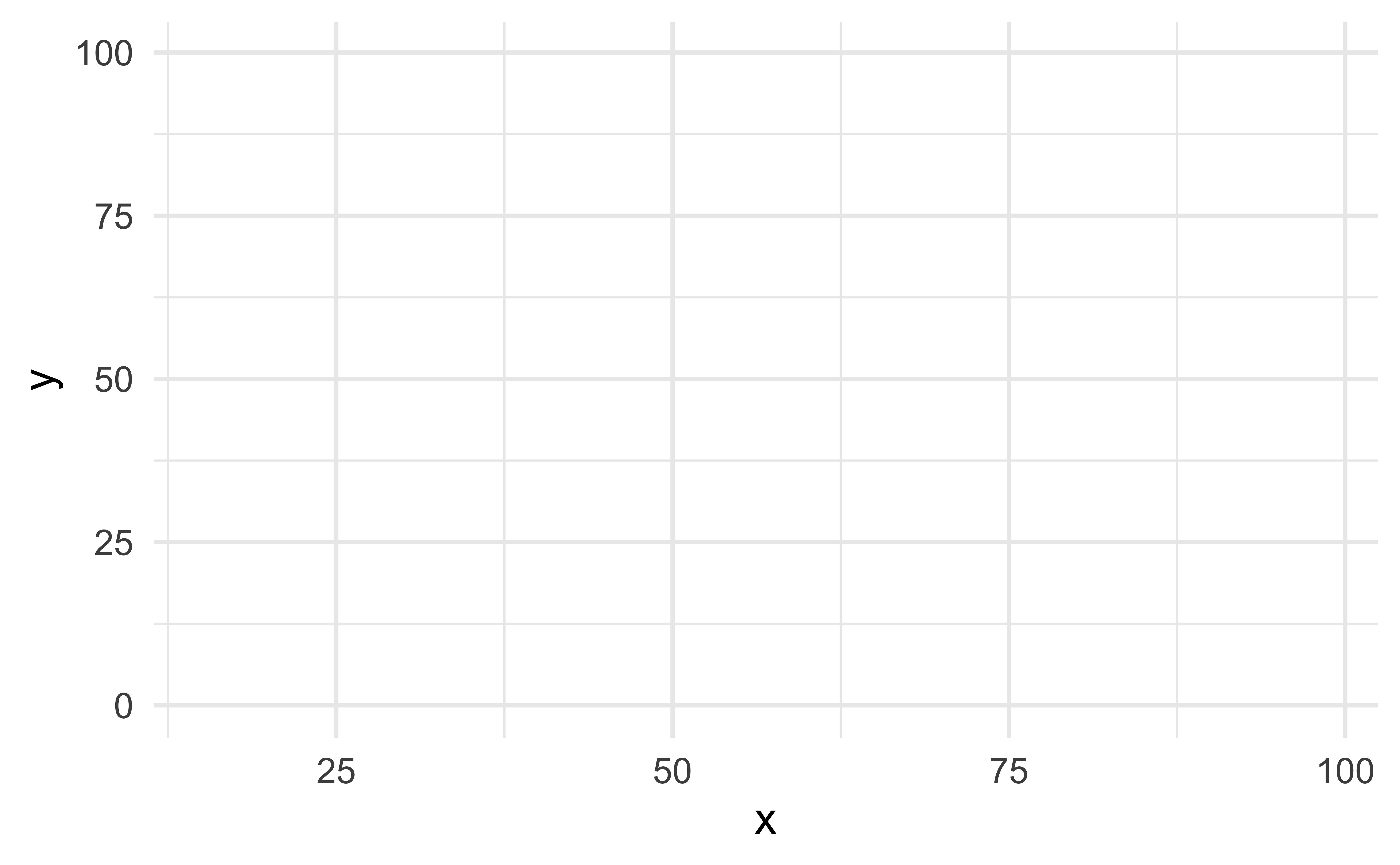
ggplot(
  datasaurus_dozen,
  aes(x, y, color = dataset)
)

A not-so-simple example

Trying a simple scatter plot first, but there is too much information
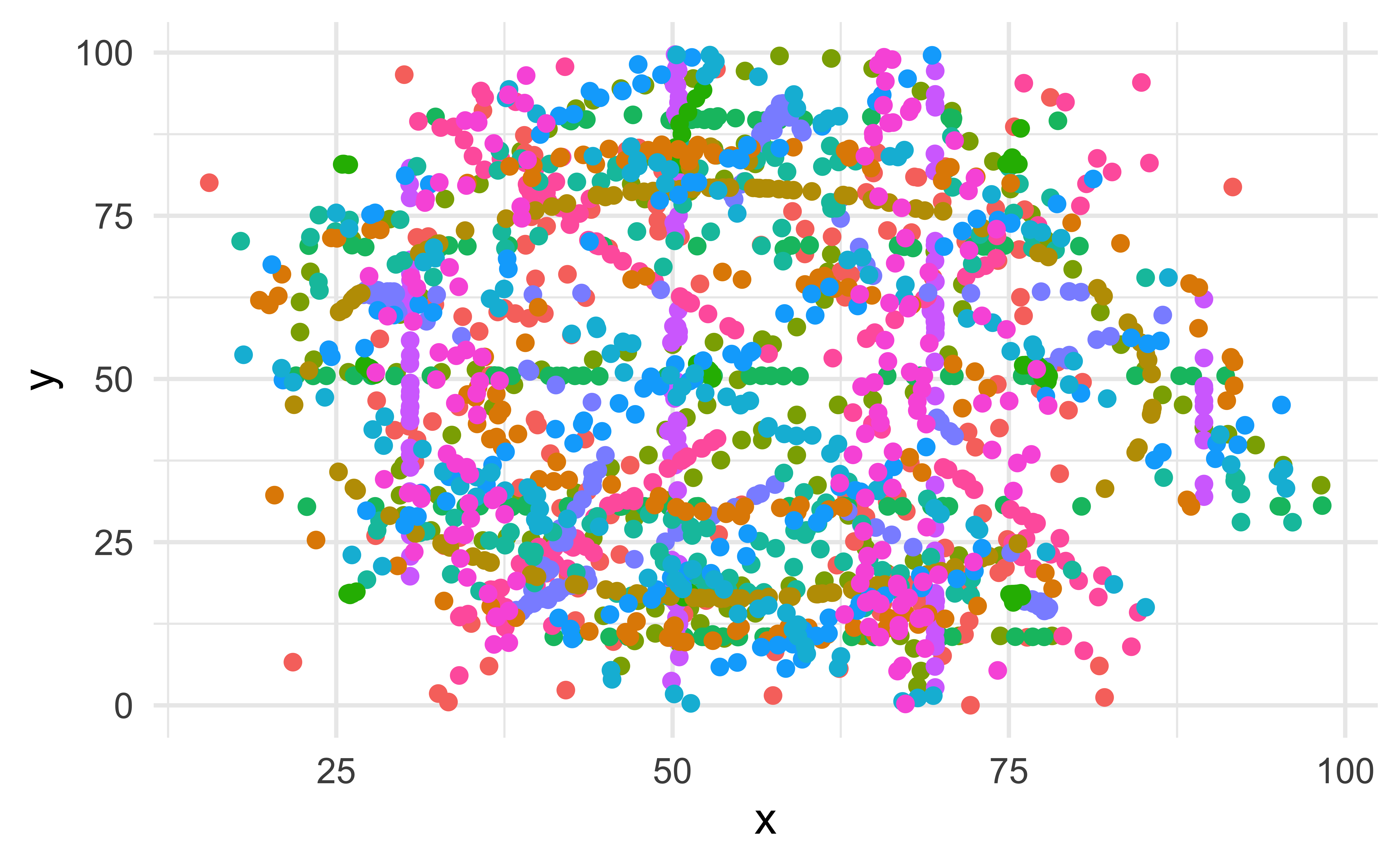
ggplot(
  datasaurus_dozen,
  aes(x, y, color = dataset)
) +
  geom_point(show.legend = FALSE)

A not-so-simple example

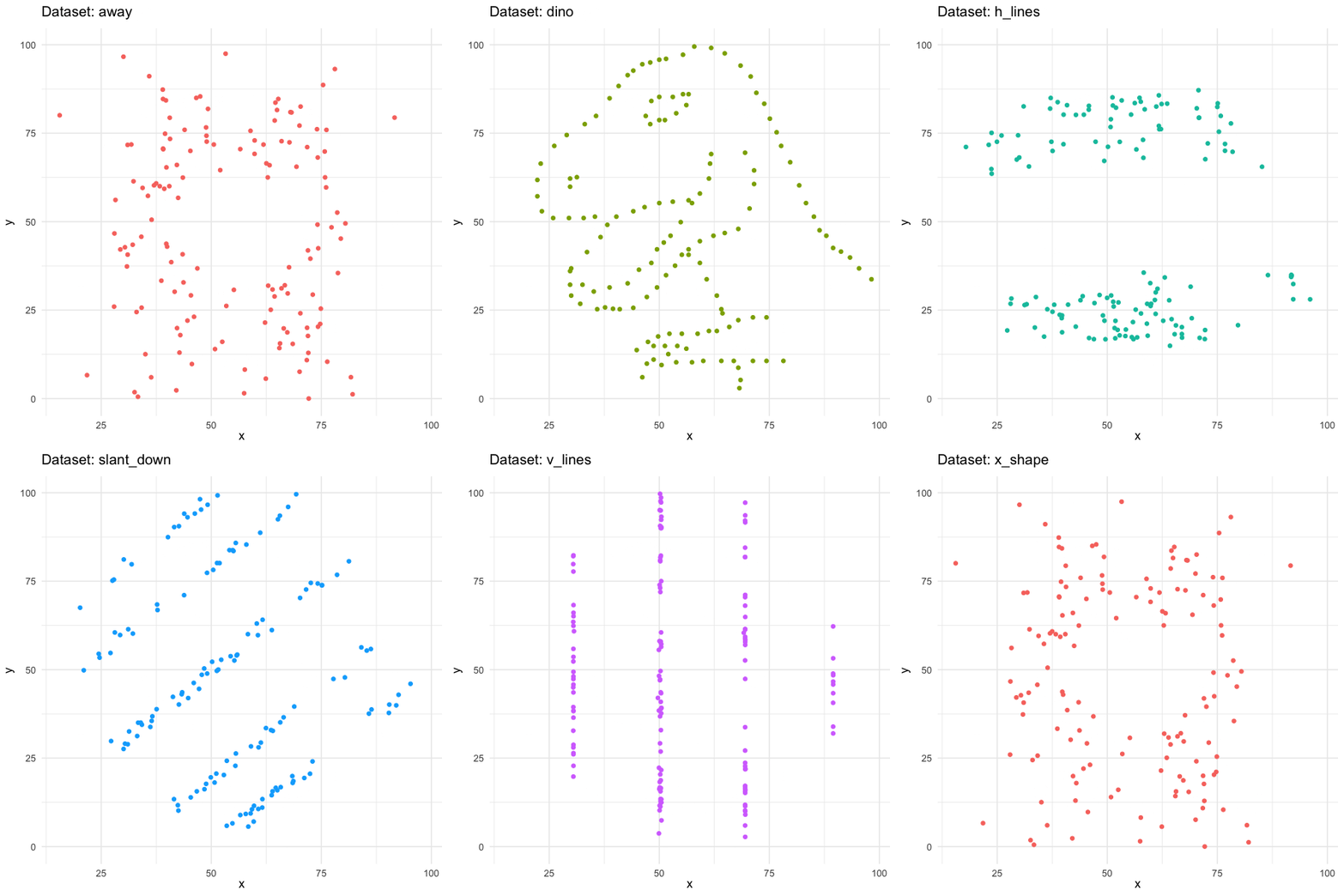
We can use facets to split up by dataset, revealing the different distributions
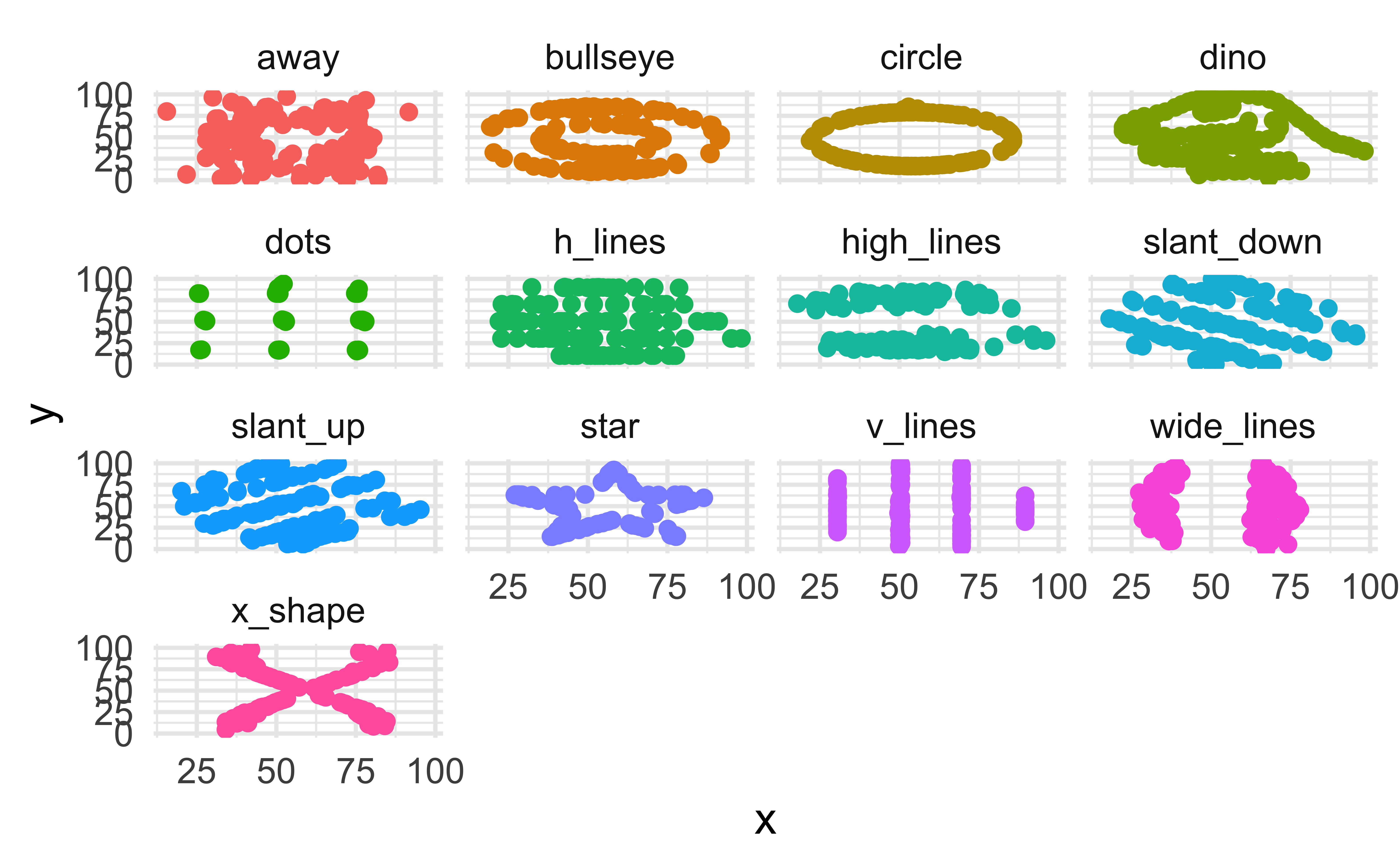
ggplot(
  datasaurus_dozen,
  aes(x, y, color = dataset)
) +
  geom_point(show.legend = FALSE) +
  facet_wrap(~dataset)

A not-so-simple example

We can just as easily turn it into an animation, transitioning between dataset states!

datasaurus_dozen <- ggplot(
  datasaurus_dozen,
  aes(x, y, color = dataset)
) +
  geom_point(size = 2, show.legend = FALSE) +
  transition_states(
    dataset,
    transition_length = 3,
    state_length = 1
  ) +
  labs(
    title = "Dataset: {closest_state}"
  )

A not-so-simple example

Tips

Animation options

Sometimes you need more frames, sometimes fewer

  • Save plot object, and use animate() with arguments like
    • nframes: number of frames to render (default 100)
    • fps: framerate of the animation in frames/sec (default 10)
    • duration: length of the animation in seconds (unset by default)
    • etc.
  • In Quarto, save the plot and animate it with animate().

Considerations in making effective animations

  • Pace: speed of animation. Quick animations may be hard to follow. Slow animations are boring and tedious.

  • Perplexity: amount of information. It is easy for animations to be overwhelming and confusing. Multiple simple animations can be easier to digest.

  • Purpose: Usefulness of using animation. Is animation needed? Does it provide additional value?

Cumulative inflation, the making of

Work on ae-18 to recreate our inspiration animation.

Acknowledgements