Colors

Lecture 14

Dr. Mine Çetinkaya-Rundel

Duke University
STA 313 - Spring 2026

Warm up

Announcements

  • HW 3 due on Thursday at 5 pm

  • (Optional, but hugely appreciated) Anonymous midterm course feedback survey due Sunday at 11:59 pm, available on Canvas

  • No OH on Friday

Setup

# load packages
library(tidyverse)
library(tidymodels)
library(openintro)
library(scales)
library(ggrepel)
library(colorspace)
library(ggthemes)
library(paletteer)

# set theme for ggplot2
ggplot2::theme_set(ggplot2::theme_minimal(base_size = 16))

# set figure parameters for knitr
knitr::opts_chunk$set(
  fig.width = 7, # 7" width
  fig.asp = 0.618, # the golden ratio
  fig.retina = 3, # dpi multiplier for displaying HTML output on retina
  fig.align = "center", # center align figures
  dpi = 300 # higher dpi, sharper image
)

From last time

Visualizing uncertainty of model estimates

Data: House prices in Duke Forest

openintro::duke_forest
# A tibble: 98 × 13
   address      price   bed  bath  area type  year_built heating cooling parking
   <chr>        <dbl> <dbl> <dbl> <dbl> <chr>      <dbl> <chr>   <fct>   <chr>  
 1 1 Learned … 1.52e6     3     4  6040 Sing…       1972 Other,… central 0 spac…
 2 1616 Pinec… 1.03e6     5     4  4475 Sing…       1969 Forced… central Carpor…
 3 2418 Wrigh… 4.20e5     2     3  1745 Sing…       1959 Forced… central Garage…
 4 2527 Sevie… 6.80e5     4     3  2091 Sing…       1961 Heat p… central Carpor…
 5 2218 Myers… 4.29e5     4     3  1772 Sing…       2020 Forced… central 0 spac…
 6 2619 Vesso… 4.56e5     3     3  1950 Sing…       2014 Forced… central Off-st…
 7 1803 Woodb… 1.27e6     5     5  3909 Sing…       1968 Forced… central Carpor…
 8 19 Learned… 5.57e5     4     3  2841 Sing…       1973 Heat p… central Carpor…
 9 2827 Mcdow… 6.97e5     4     5  3924 Sing…       1972 Other,… central Covered
10 2709 Mcdow… 6.5 e5     3     2  2173 Sing…       1964 Forced… other   0 spac…
# ℹ 88 more rows
# ℹ 3 more variables: lot <dbl>, hoa <chr>, url <chr>

Data prep

  • Remove 6 bedroom houeses
  • Make bed a factor variable
duke_forest <- duke_forest |>
  filter(bed != 6) |>
  mutate(bed = as.factor(bed))

Bootstrap

n_rep <- 500

set.seed(25)

duke_forest_bootstraps <- map_dfr(
  seq_len(n_rep),
  function(i) {
    duke_forest |>
      slice_sample(prop = 1, by = bed, replace = TRUE) |>
      mutate(resample = i, .before = address)
  }
)

Bootstrap samples

duke_forest_bootstraps
# A tibble: 48,500 × 14
   resample address     price bed    bath  area type  year_built heating cooling
      <int> <chr>       <dbl> <fct> <dbl> <dbl> <chr>      <dbl> <chr>   <fct>  
 1        1 1601 Ande… 270000 3       3    1416 Sing…       1990 No Data other  
 2        1 1103 Ande… 525000 3       3    2256 Sing…       2016 Heat p… other  
 3        1 2703 Sevi… 475000 3       2    2425 Sing…       1961 Forced… other  
 4        1 2401 Perk… 550000 3       3    2109 Sing…       1953 Forced… central
 5        1 2618 Pick… 412500 3       2    1661 Sing…       1941 Other,… other  
 6        1 147 Pinec… 600000 3       2.5  2514 Sing…       1934 Other   other  
 7        1 2809 Mcdo… 525000 3       2    1932 Sing…       1978 Forced… central
 8        1 2413 Perk… 385000 3       2    1831 Sing…       1951 Forced… central
 9        1 2813 Mont… 540000 3       3    2165 Sing…       1983 Forced… central
10        1 2749 Dogw… 592000 3       2    2378 Sing…       1960 Forced… other  
# ℹ 48,490 more rows
# ℹ 4 more variables: parking <chr>, lot <dbl>, hoa <chr>, url <chr>

ae-09: Part 1

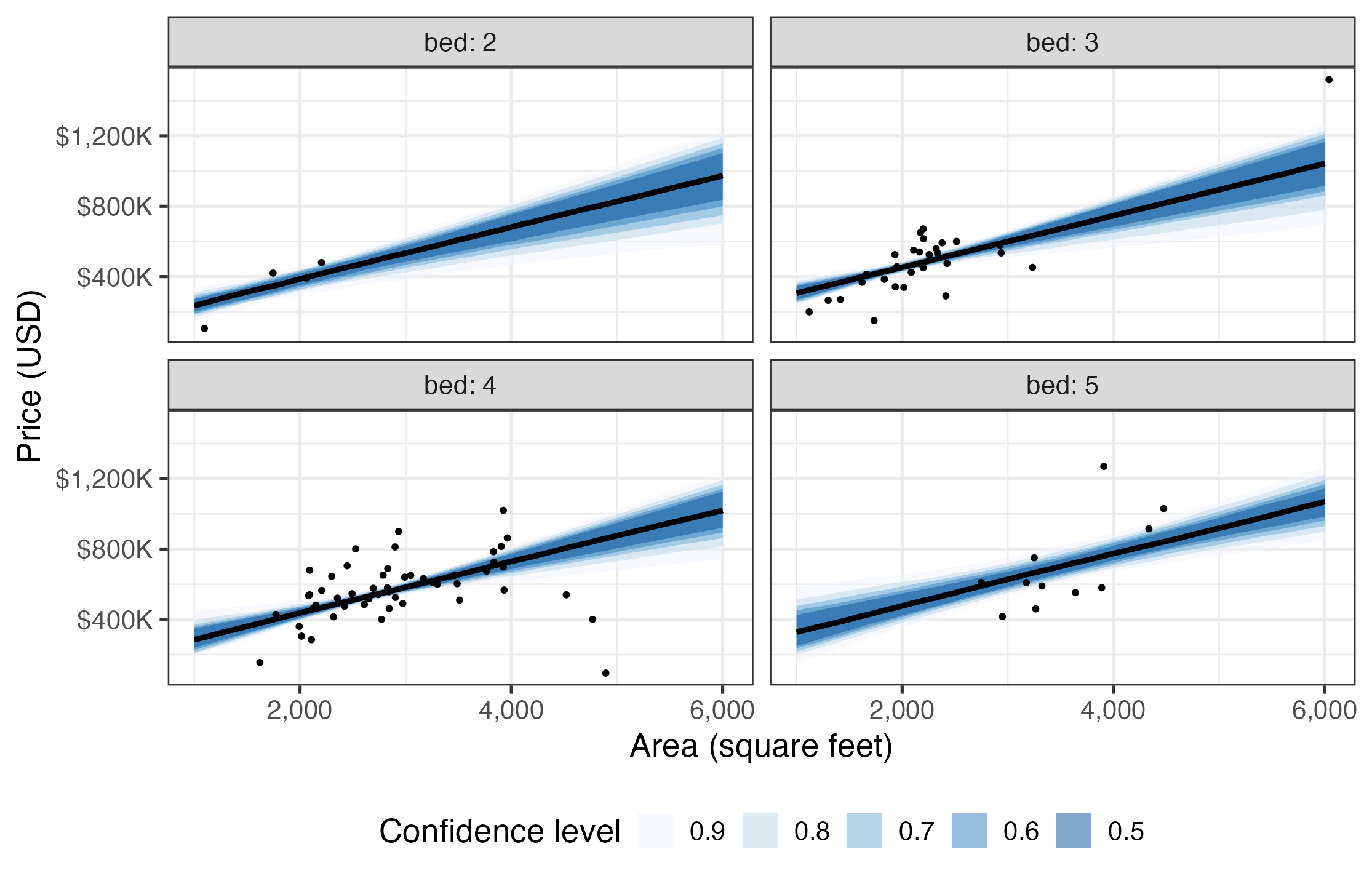
The following visualization shows bootstrap confidence intervals for predictions from additive (main effects) models for predicting price from area and number of bedrooms. Recreate the visualization.
ae-09: Part 2

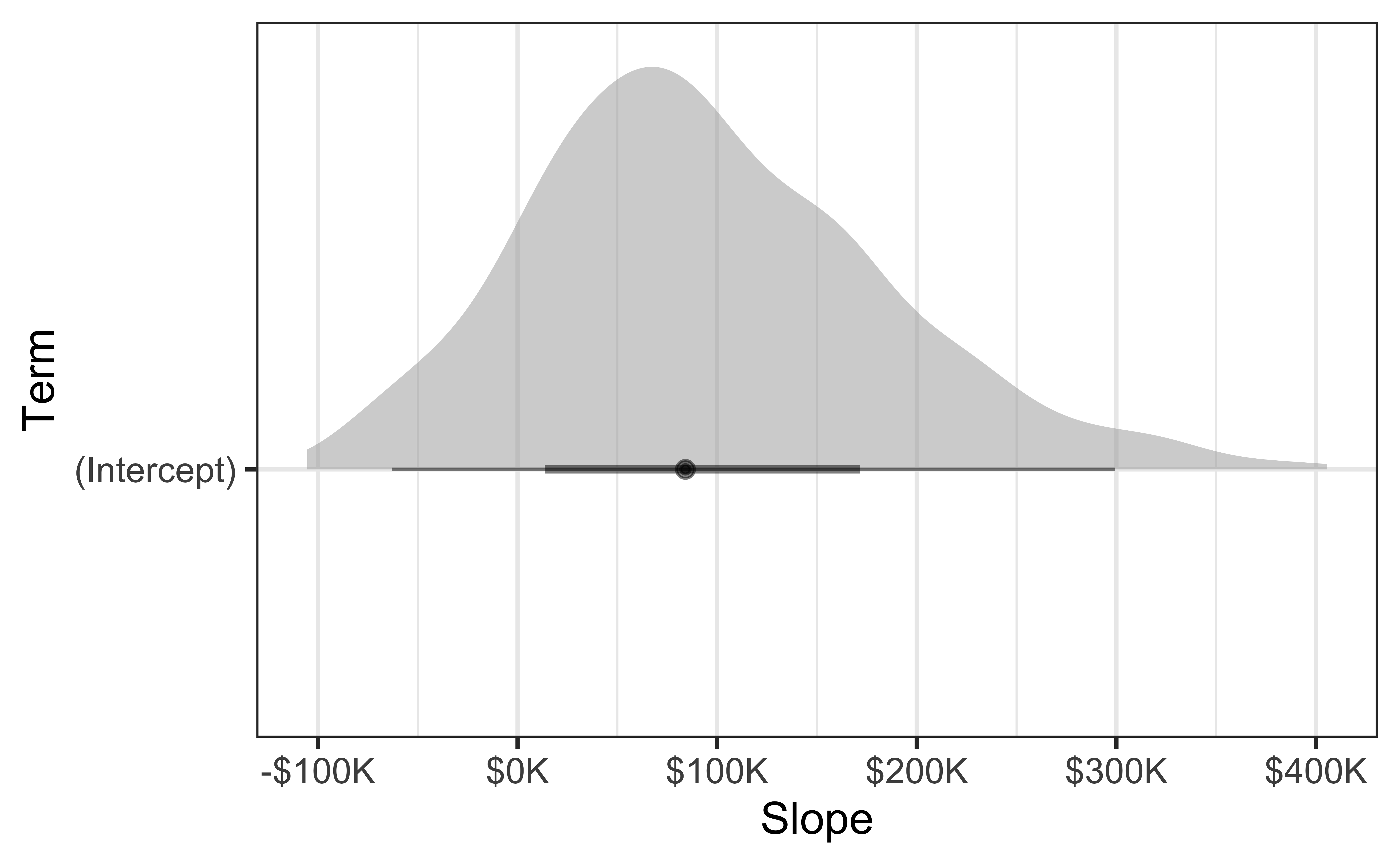
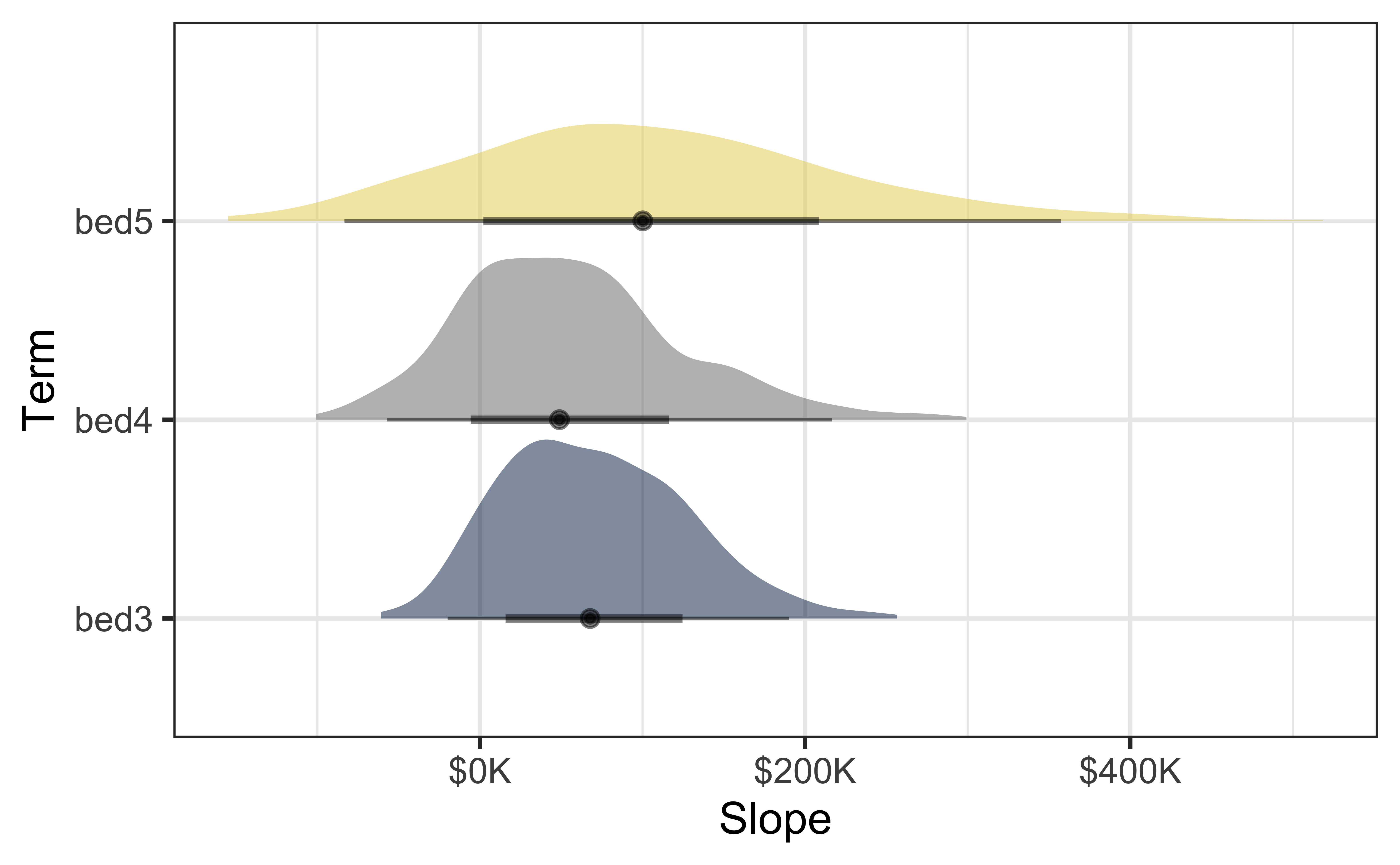
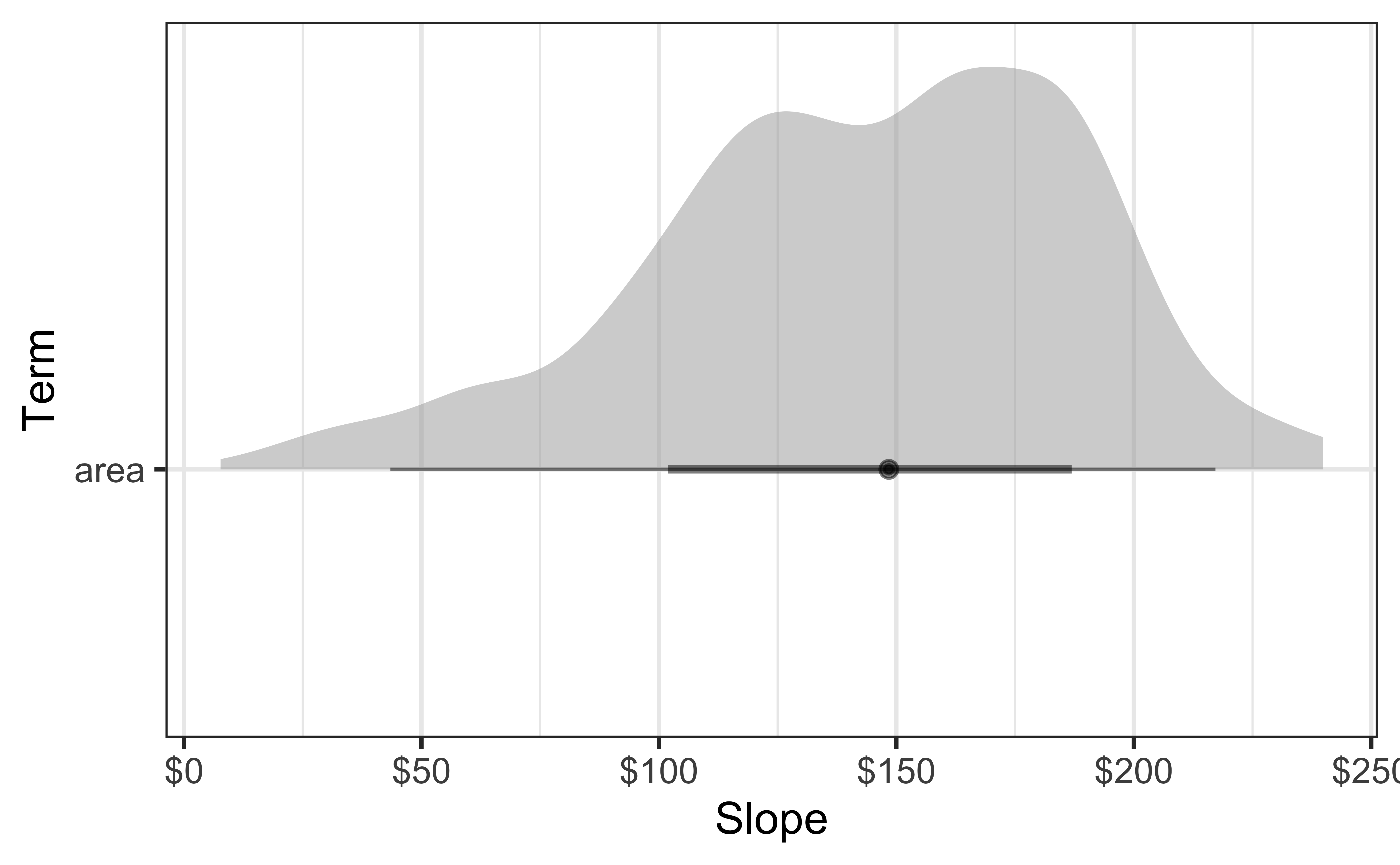
Construct and visualize bootstrap distributions of model estimates using halfeye plots, i.e., recreate the following visualization. Then, try other stats (other ways of visualizing the distributions) from the ggdist package.
Color scales

Uses of color in data visualization

  1. Distinguish categories (qualitative)

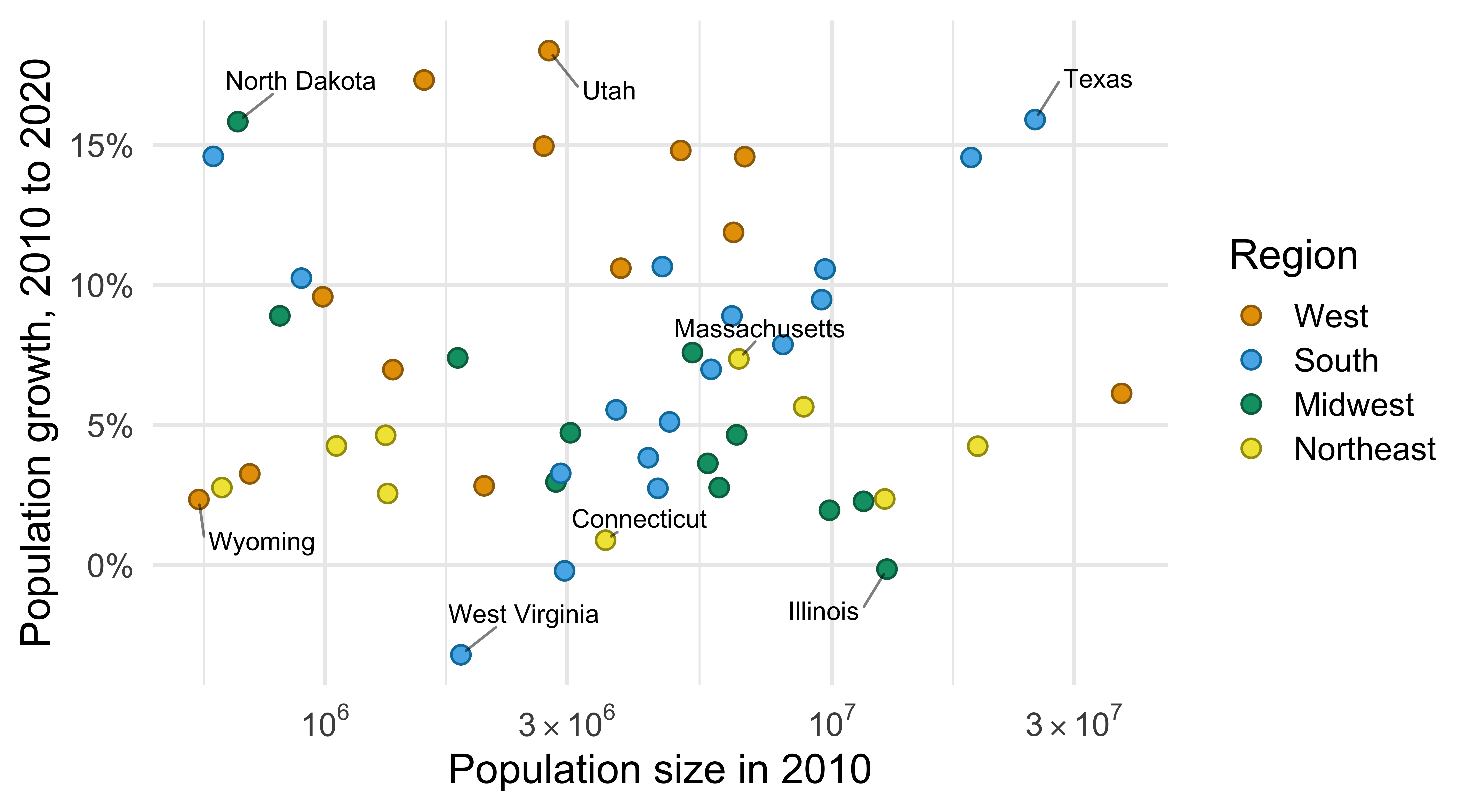
Qualitative scale: Okabe-Ito palette
Qualitative scale: ColorBrewer Set1
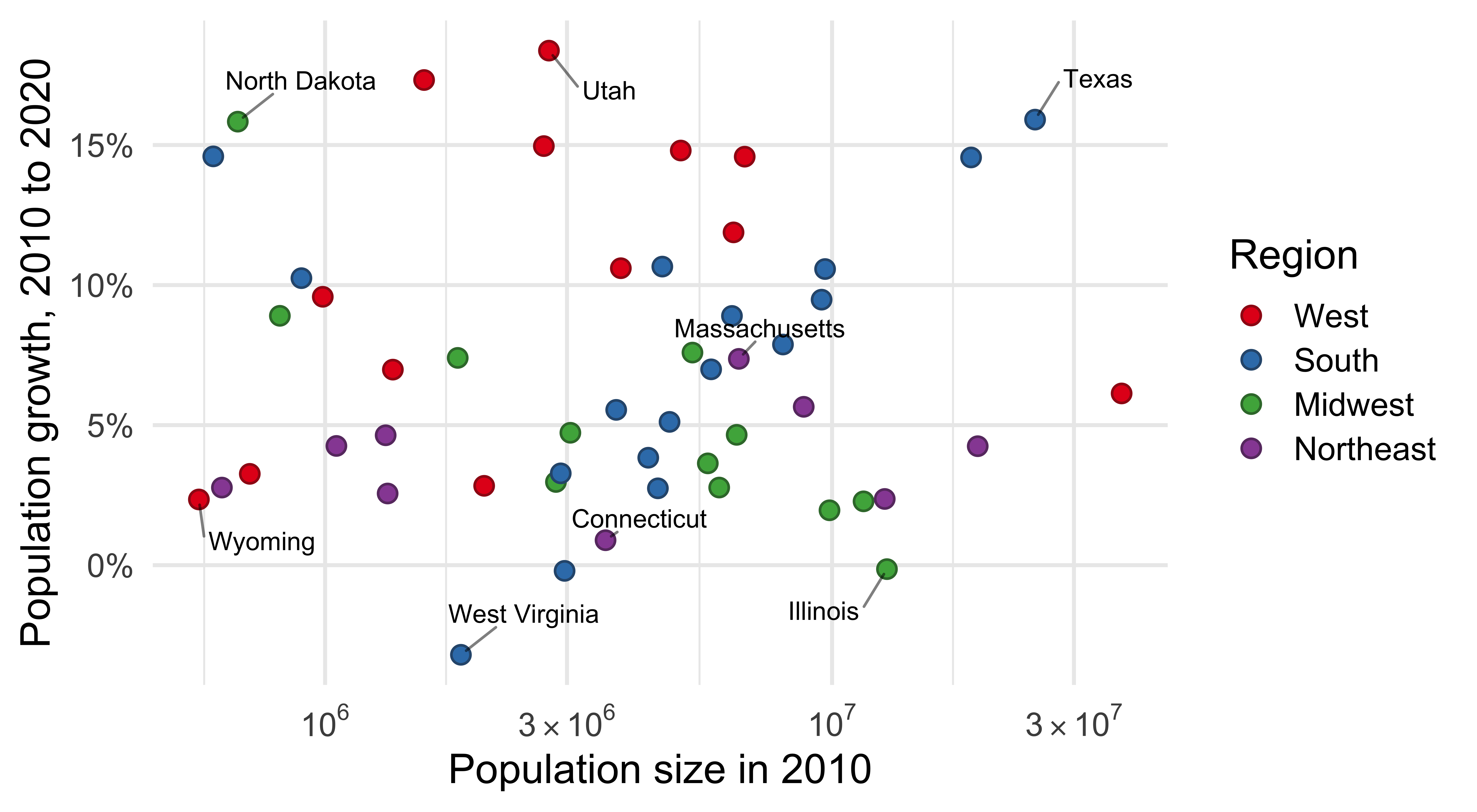
Aside: ColorBrewer

ColorBrewer is an online tool developed in 2002 for selecting thematic map color schemes based on Dr. Cynthia Brewer’s palettes.
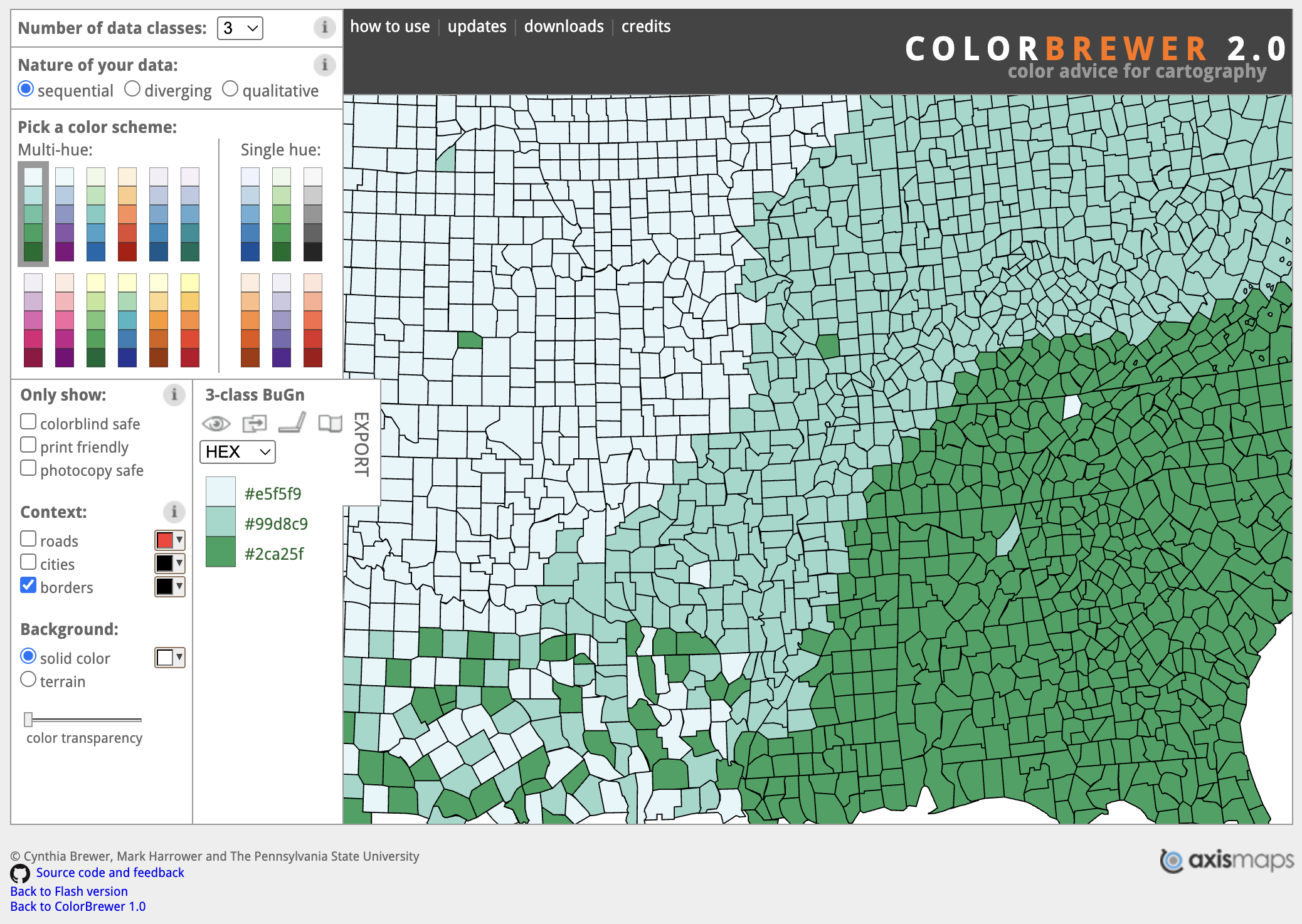
colorbrewer2.org

Qualitative scale: ColorBrewer Set3

Uses of color in data visualization

  1. Distinguish categories (qualitative)
  2. Represent numeric values (sequential)

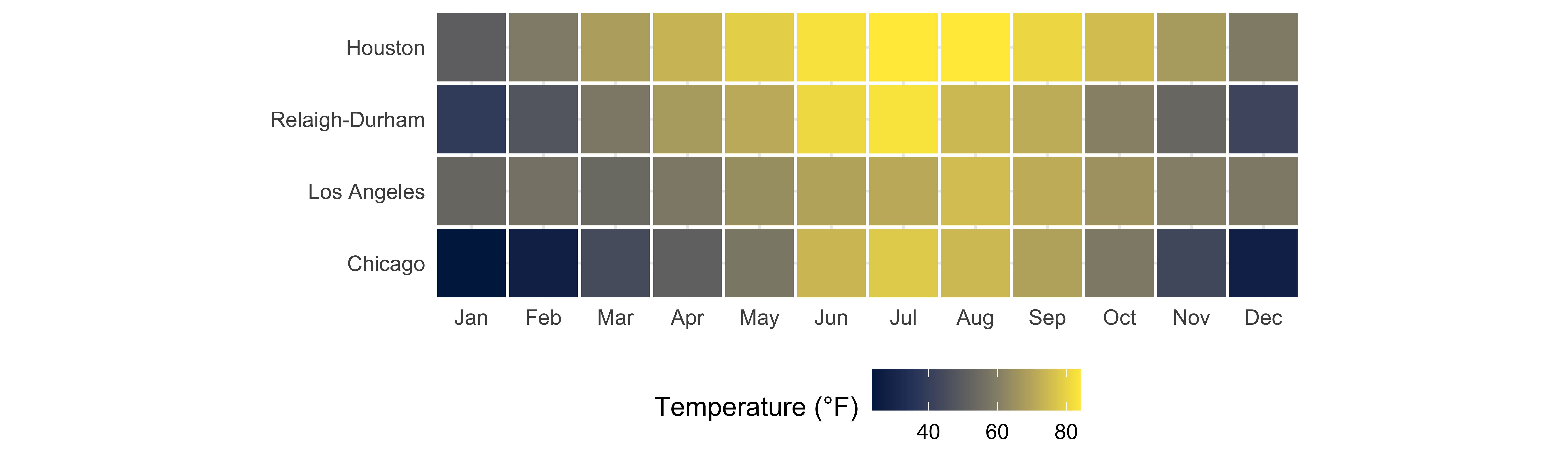
Sequential scale: Viridis palette
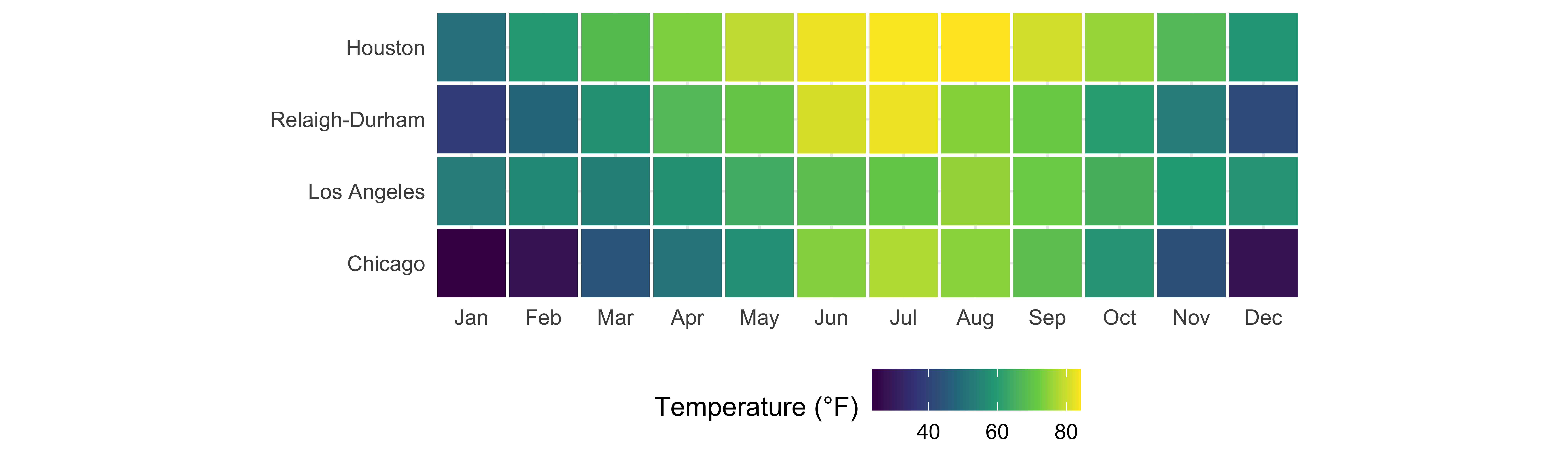
Sequential scale: Inferno palette
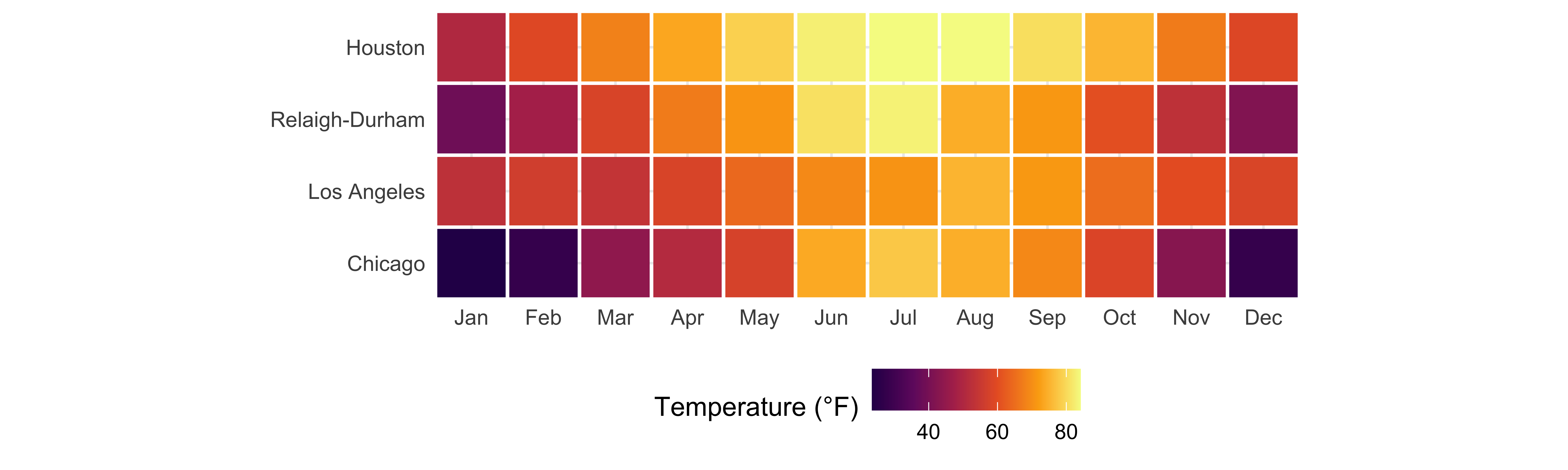
Sequential scale: Cividis palette
Uses of color in data visualization

  1. Distinguish categories (qualitative)
  2. Represent numeric values (sequential)
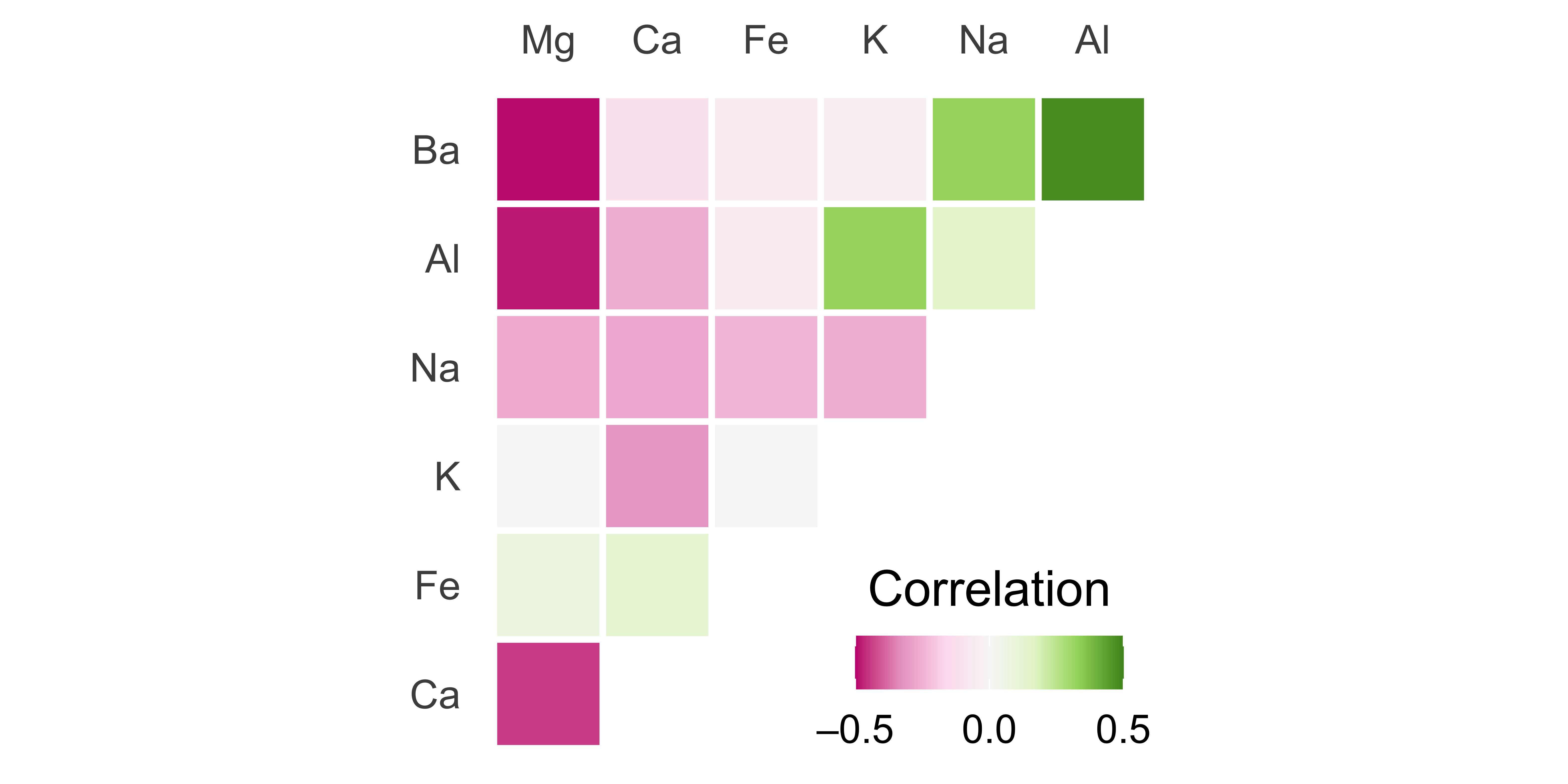
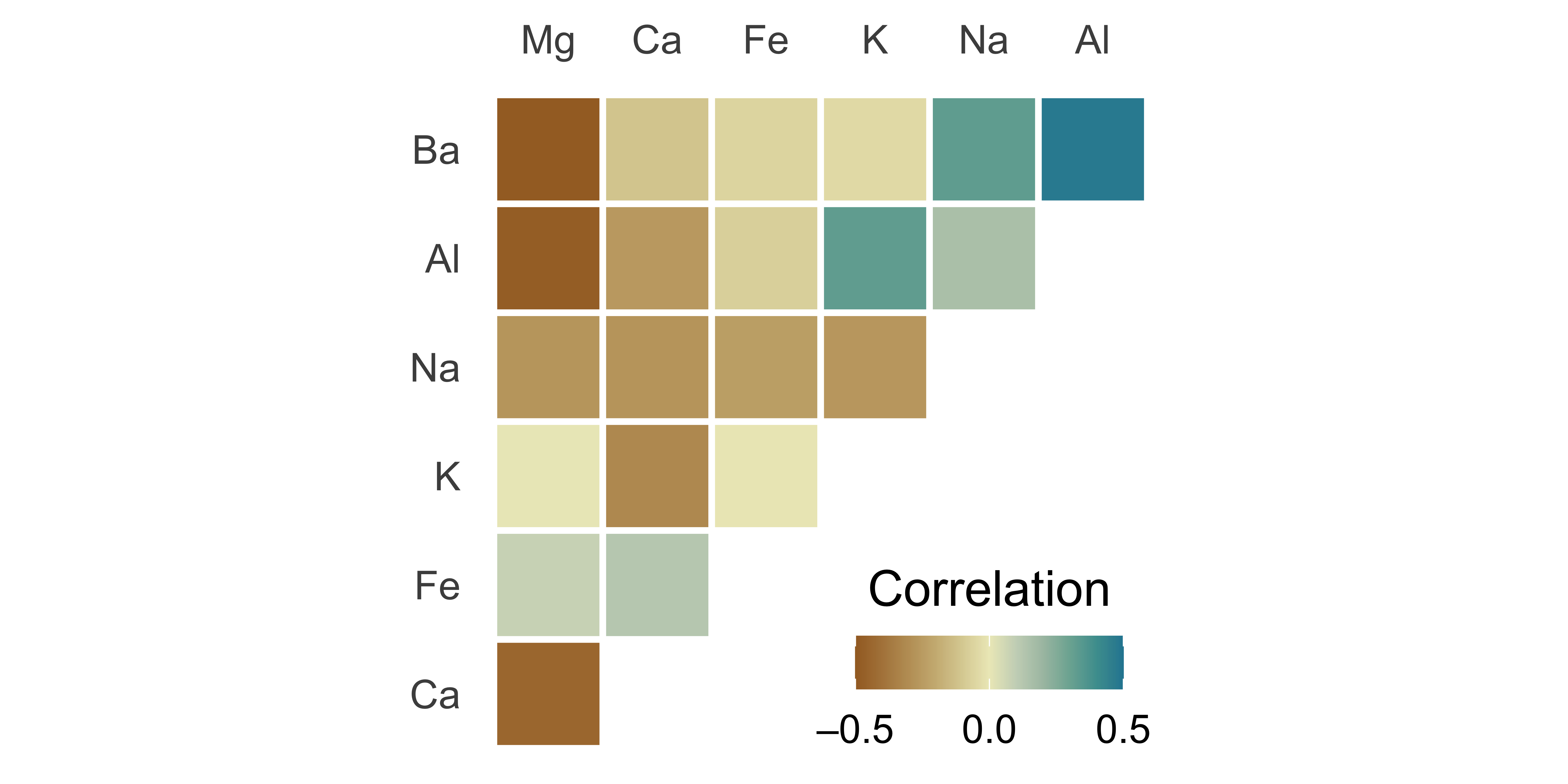
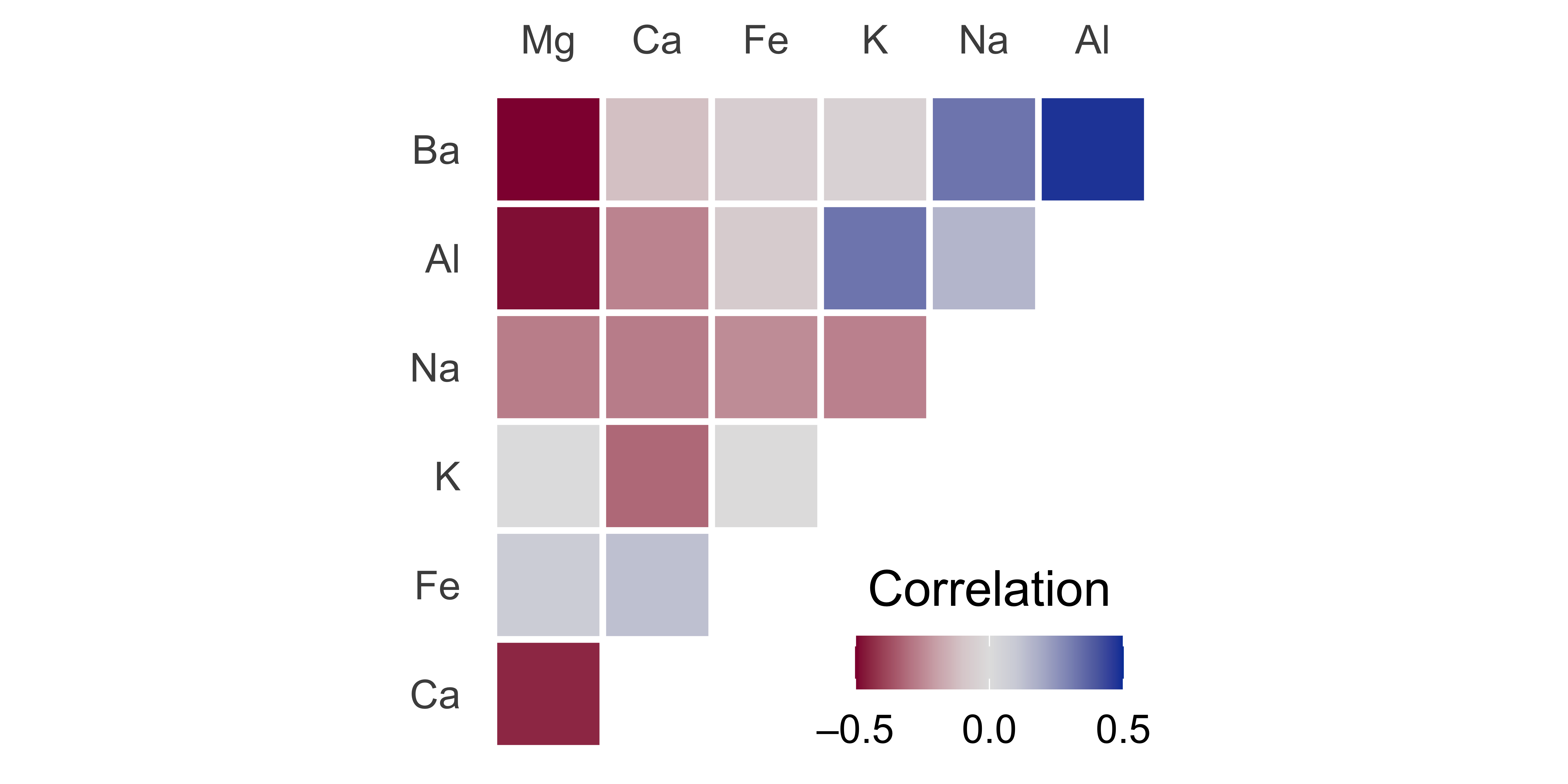
  3. Represent numeric values (diverging)

Diverging scale: ColorBrewer PiYG palette
Diverging scale: ColorBrewer CartoEarth palette
Diverging scale: Blue-Red palette
Uses of color in data visualization

  1. Distinguish categories (qualitative)
  2. Represent numeric values (sequential)
  3. Represent numeric values (diverging)
  4. Highlight

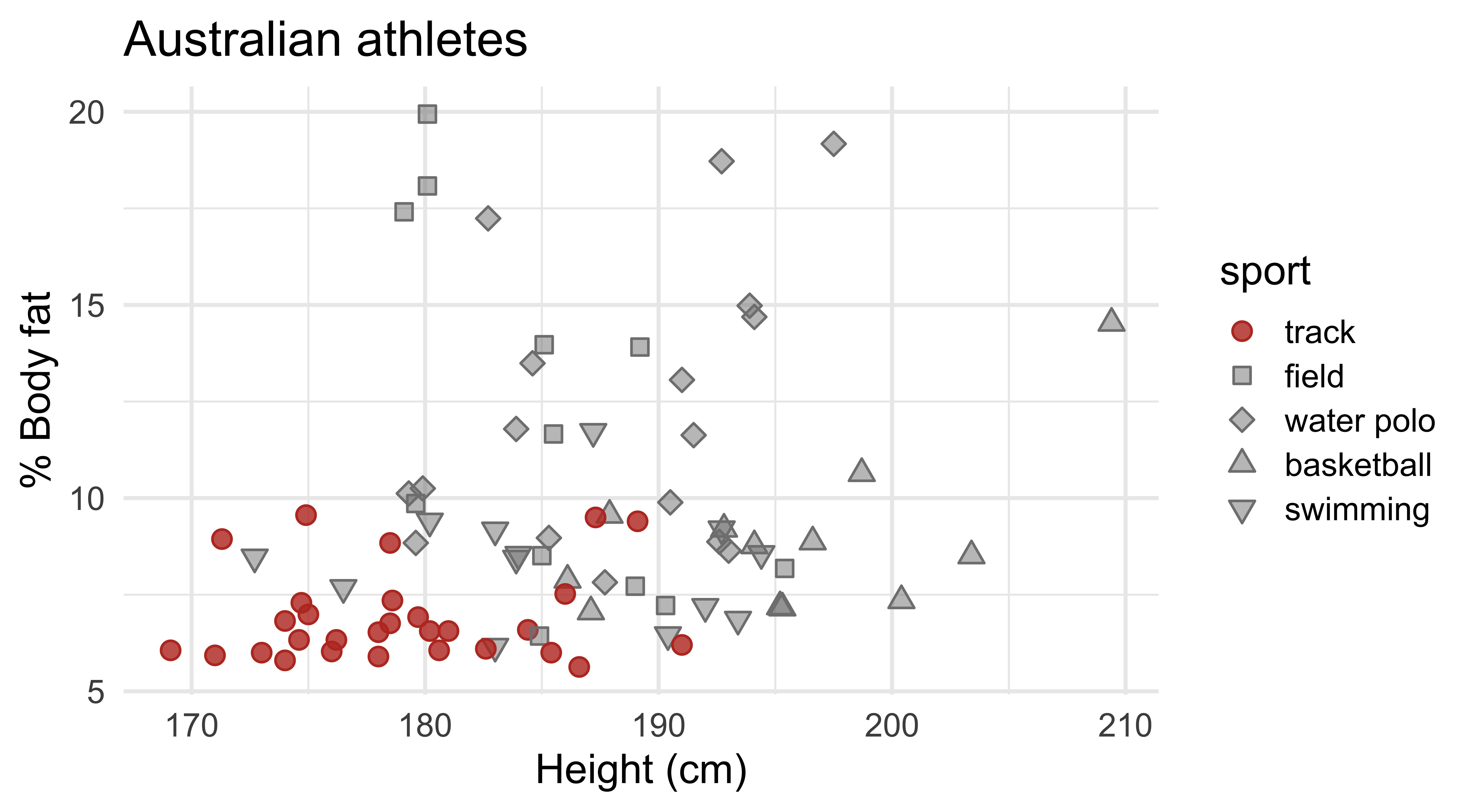
Highlighting: Grays with accents
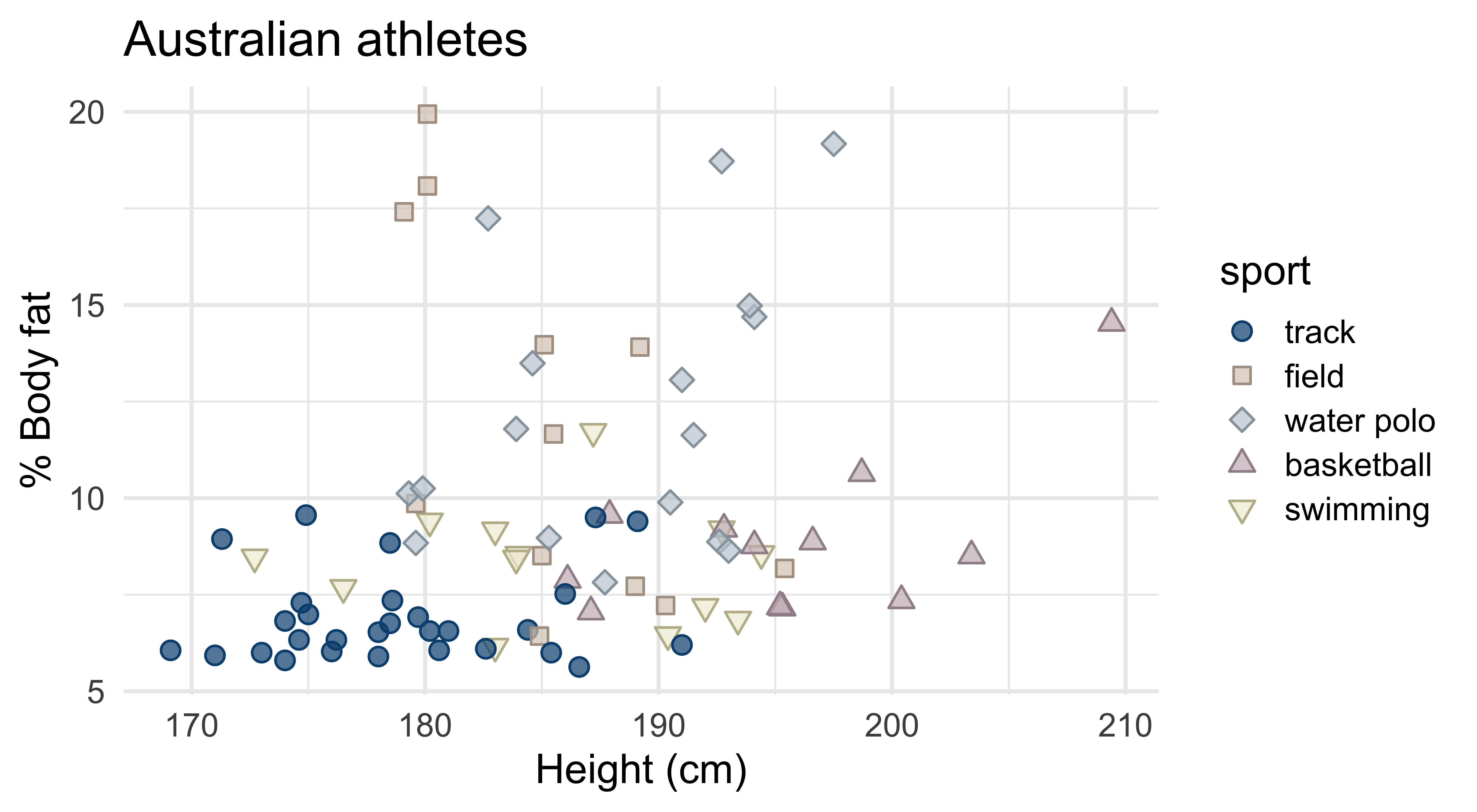
Highlighting: Okabe-Ito accent
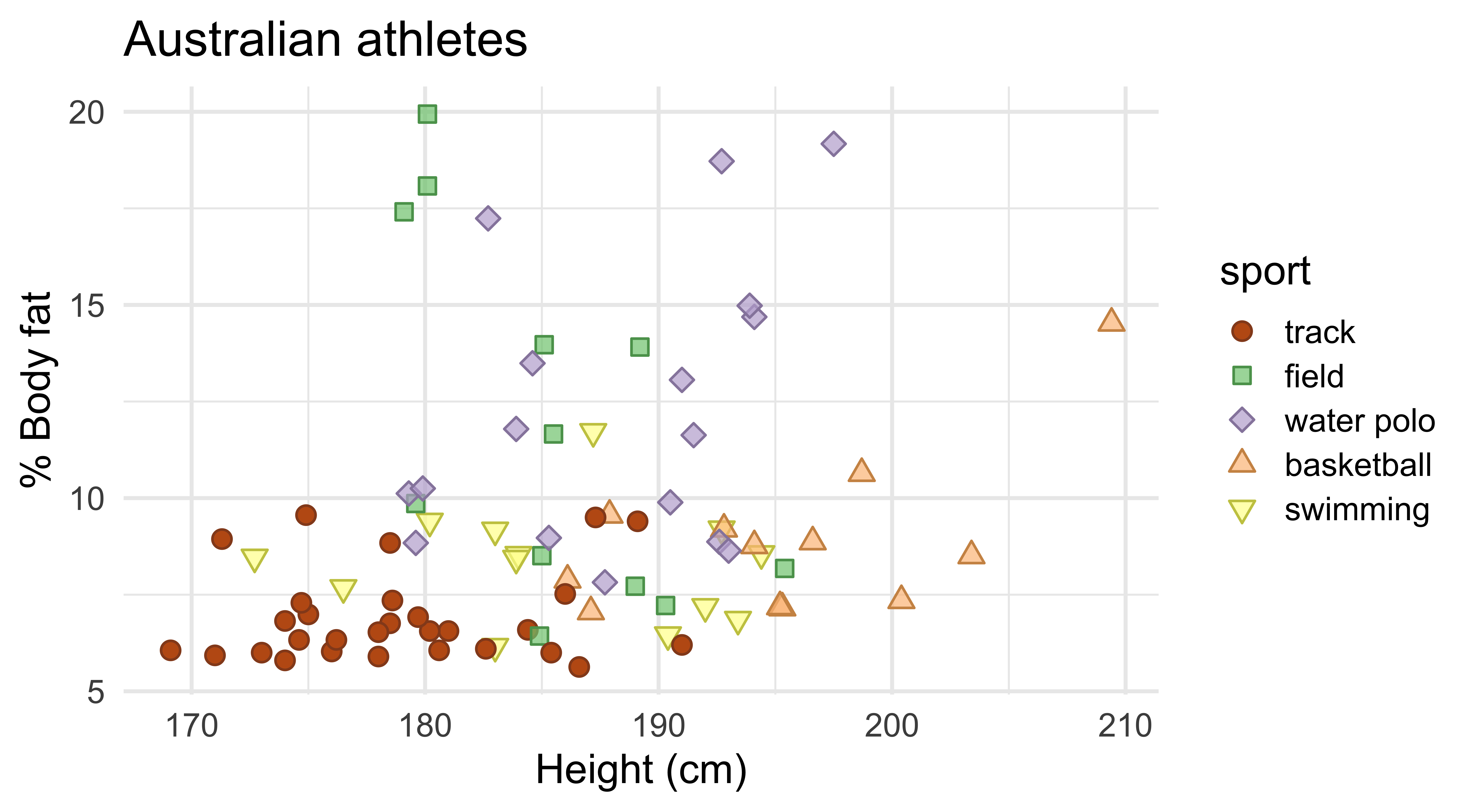
Highlighting: ColorBrewer accent
Uses of color in data visualization

  1. Distinguish categories (qualitative)
  2. Represent numeric values (sequential)
  3. Represent numeric values (diverging)
  4. Highlight

Color scales in ggplot2

ggplot2 color scale functions

Scale function Aesthetic Data type Palette type
scale_color_hue() color discrete qualitative

ggplot2 color scale functions

Scale function Aesthetic Data type Palette type
scale_color_hue() color discrete qualitative
scale_fill_hue() fill discrete qualitative

ggplot2 color scale functions

Scale function Aesthetic Data type Palette type
scale_color_hue() color discrete qualitative
scale_fill_hue() fill discrete qualitative
scale_color_gradient() color continuous sequential

ggplot2 color scale functions

Scale function Aesthetic Data type Palette type
scale_color_hue() color discrete qualitative
scale_fill_hue() fill discrete qualitative
scale_color_gradient() color continuous sequential
scale_color_gradient2() color continuous diverging

ggplot2 color scale functions

Scale function Aesthetic Data type Palette type
scale_color_hue() color discrete qualitative
scale_fill_hue() fill discrete qualitative
scale_color_gradient() color continuous sequential
scale_color_gradient2() color continuous diverging
scale_fill_viridis_c() color continuous sequential
scale_fill_viridis_d() fill discrete sequential
scale_color_brewer() color discrete qualitative, diverging, sequential
scale_fill_brewer() fill discrete qualitative, diverging, sequential
scale_color_distiller() color continuous qualitative, diverging, sequential

and there are many many more

Default scale

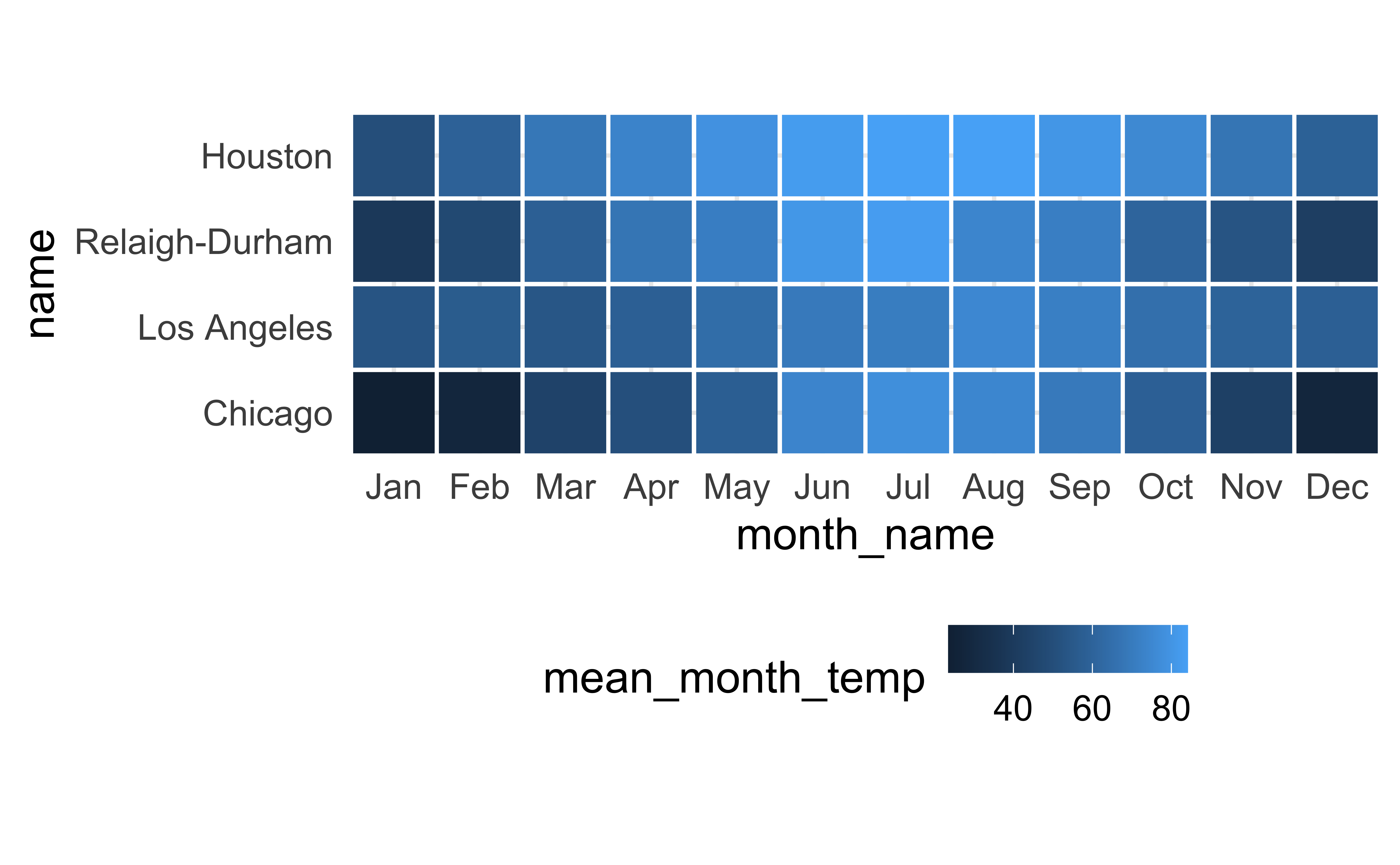
No fill scale defined, default is scale_fill_gradient():
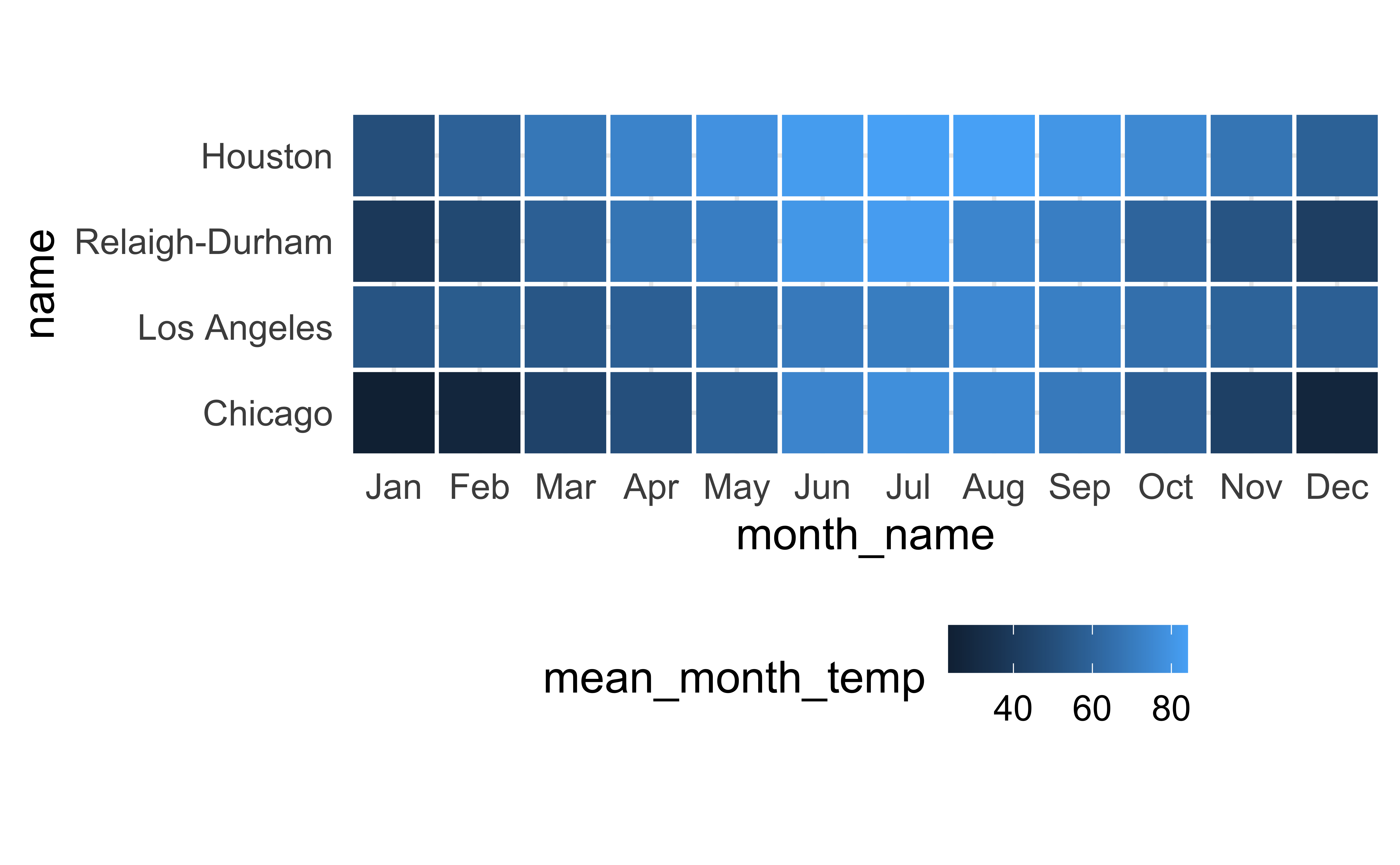
p_temp_months <- ggplot(
  temperatures_months,
  aes(
    x = month_name,
    y = name,
    fill = mean_month_temp
  )
) +
  geom_tile(
    width = 0.95,
    height = 0.95
  ) +
  coord_fixed(expand = FALSE) +
  theme(legend.position = "bottom")

p_temp_months

scale_fill_gradient()

p_temp_months +
  scale_fill_gradient()

scale_fill_viridis_c()
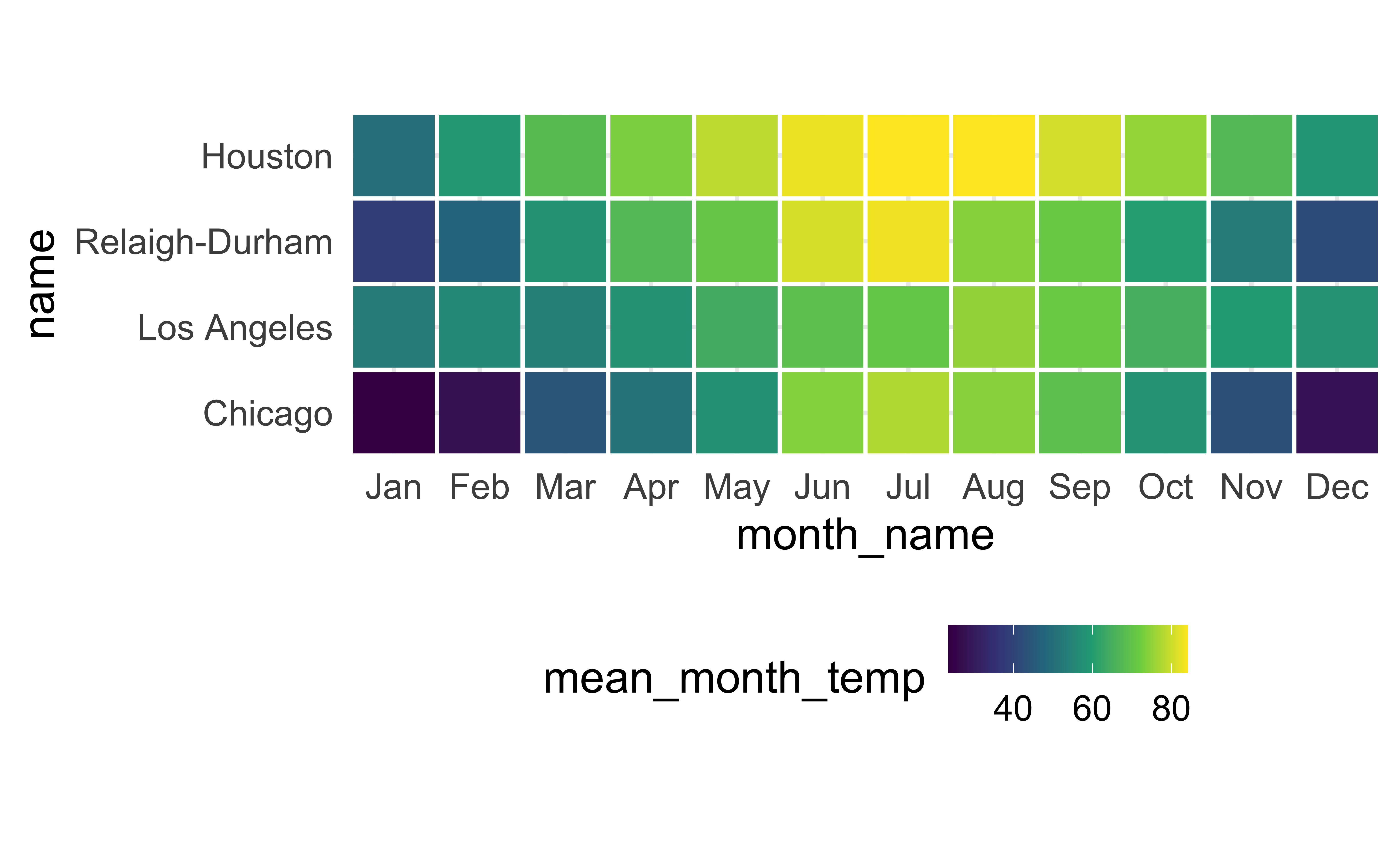
p_temp_months +
  scale_fill_viridis_c()

Viridis palette options
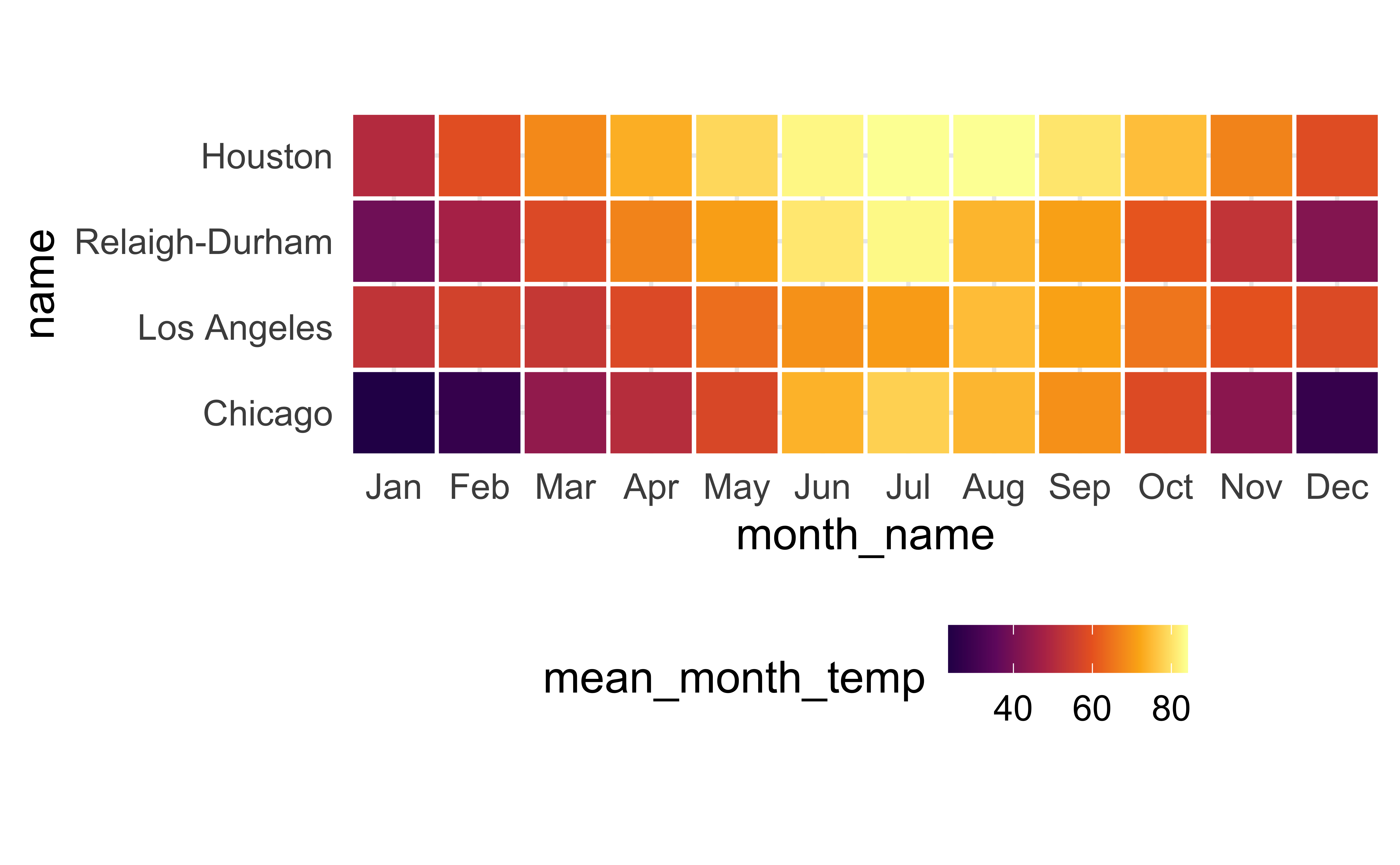
p_temp_months +
  scale_fill_viridis_c(
    option = "B",
    begin = 0.15
  )

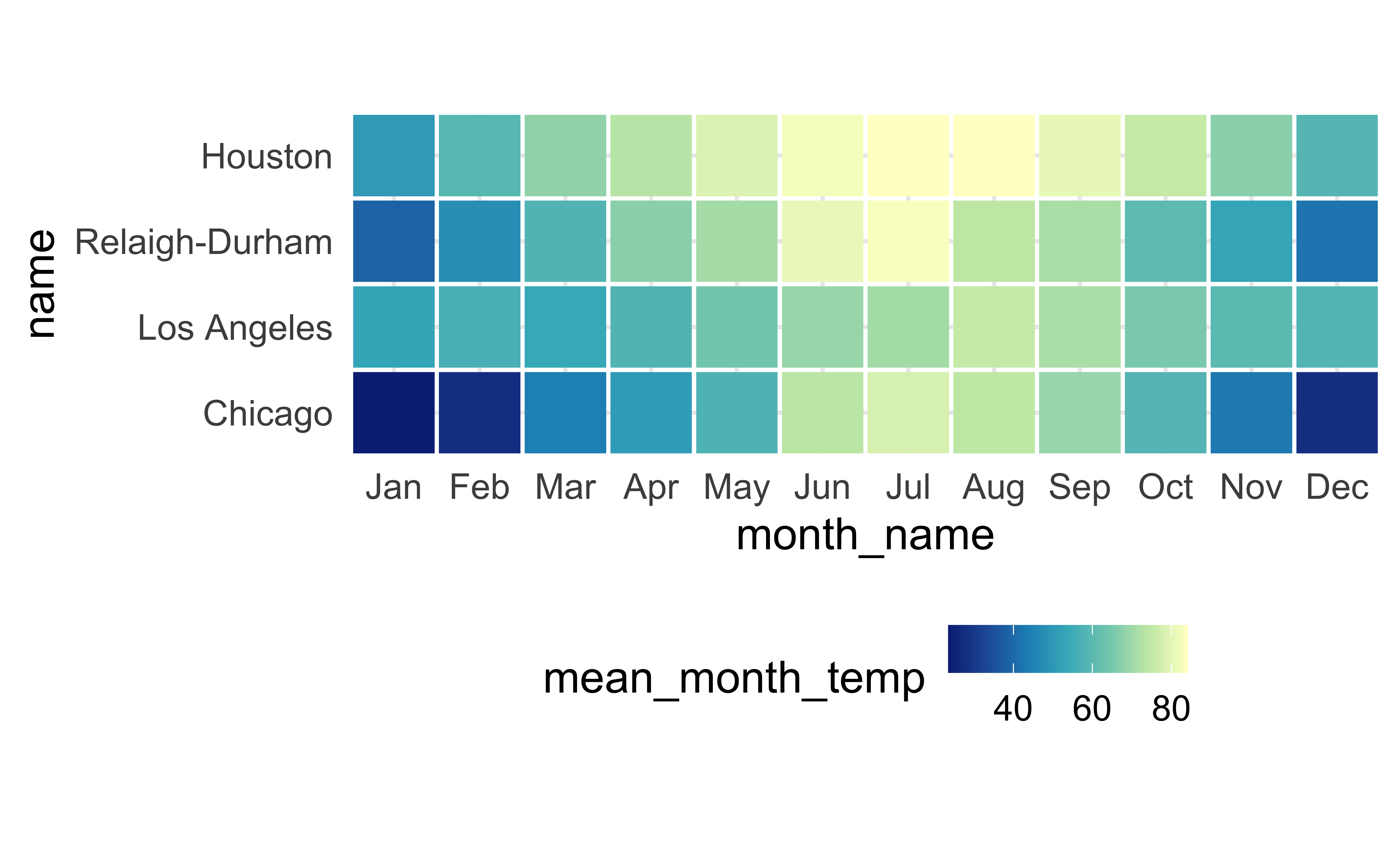
scale_fill_distiller()

p_temp_months +
  scale_fill_distiller(palette = "YlGnBu")

Color scales in the colorspace package

colorspace package offers some order

Scale name: scale_<aesthetic>_<datatype>_<colorscale>()

  • <aesthetic>: name of the aesthetic (fill, color, colour)
  • <datatype>: type of variable plotted (discrete, continuous, binned)
  • <colorscale>: type of the color scale (qualitative, sequential, diverging, divergingx)
Scale function Aesthetic Data type Palette type
scale_color_discrete_qualitative() color discrete qualitative
scale_fill_continuous_sequential() fill continuous sequential
scale_colour_continous_divergingx() colour continuous diverging

scale_fill_continuous_sequential() + Multi-hue
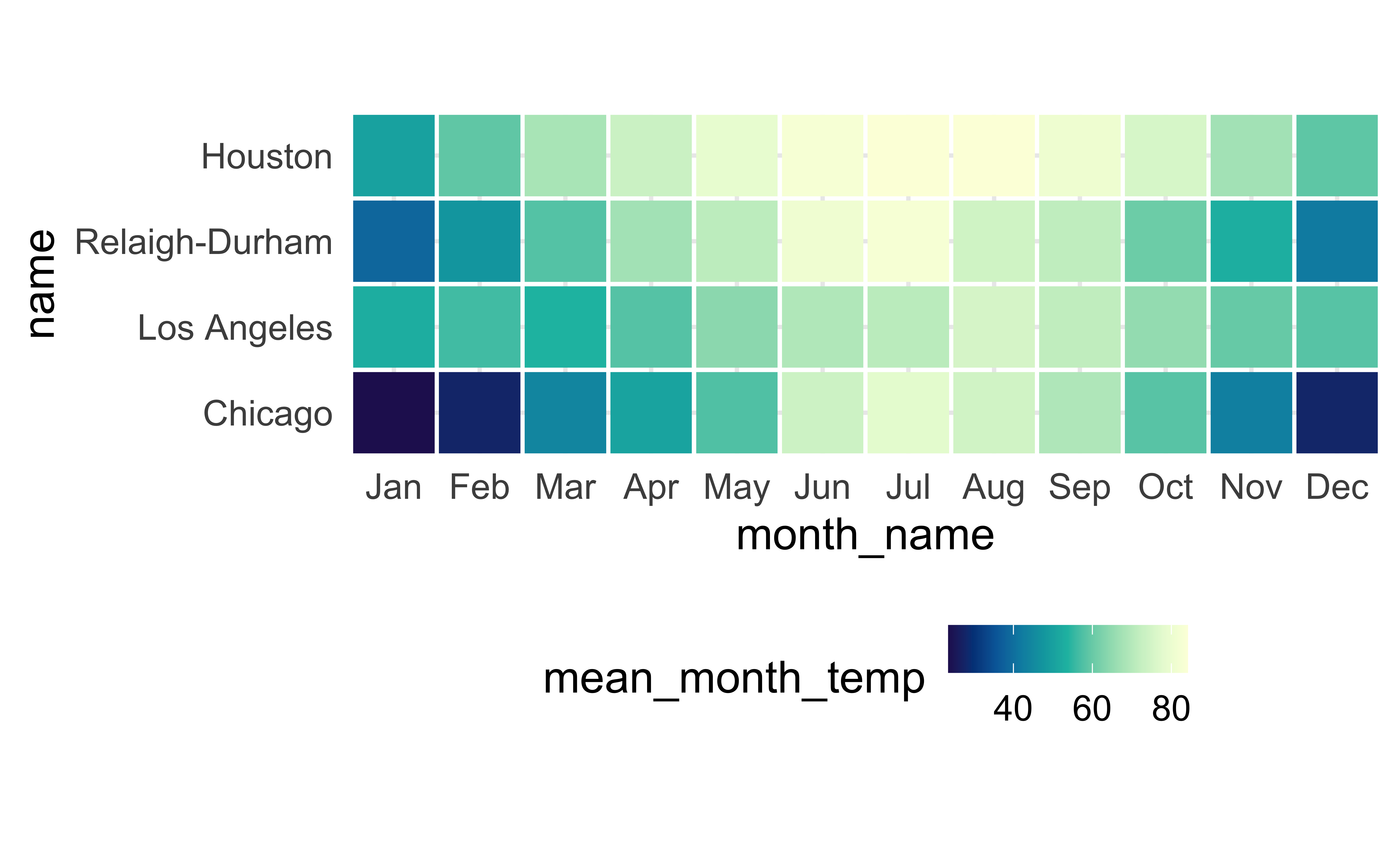
p_temp_months +
  scale_fill_continuous_sequential(
    palette = "YlGnBu",
    rev = FALSE
  )

scale_fill_continuous_sequential() + Viridis
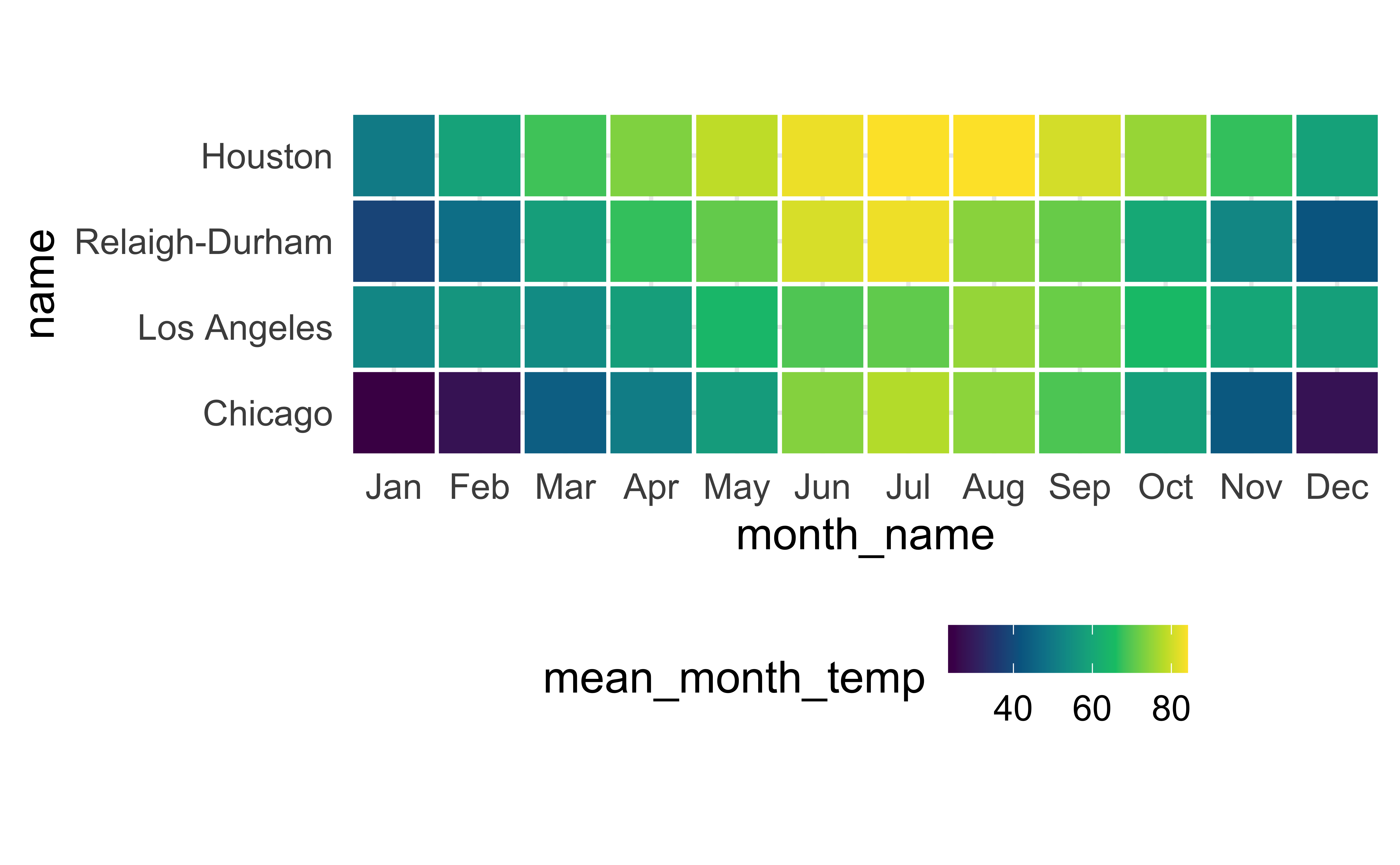
p_temp_months +
  scale_fill_continuous_sequential(
    palette = "Viridis",
    rev = FALSE
  )

scale_fill_continuous_sequential() + Inferno
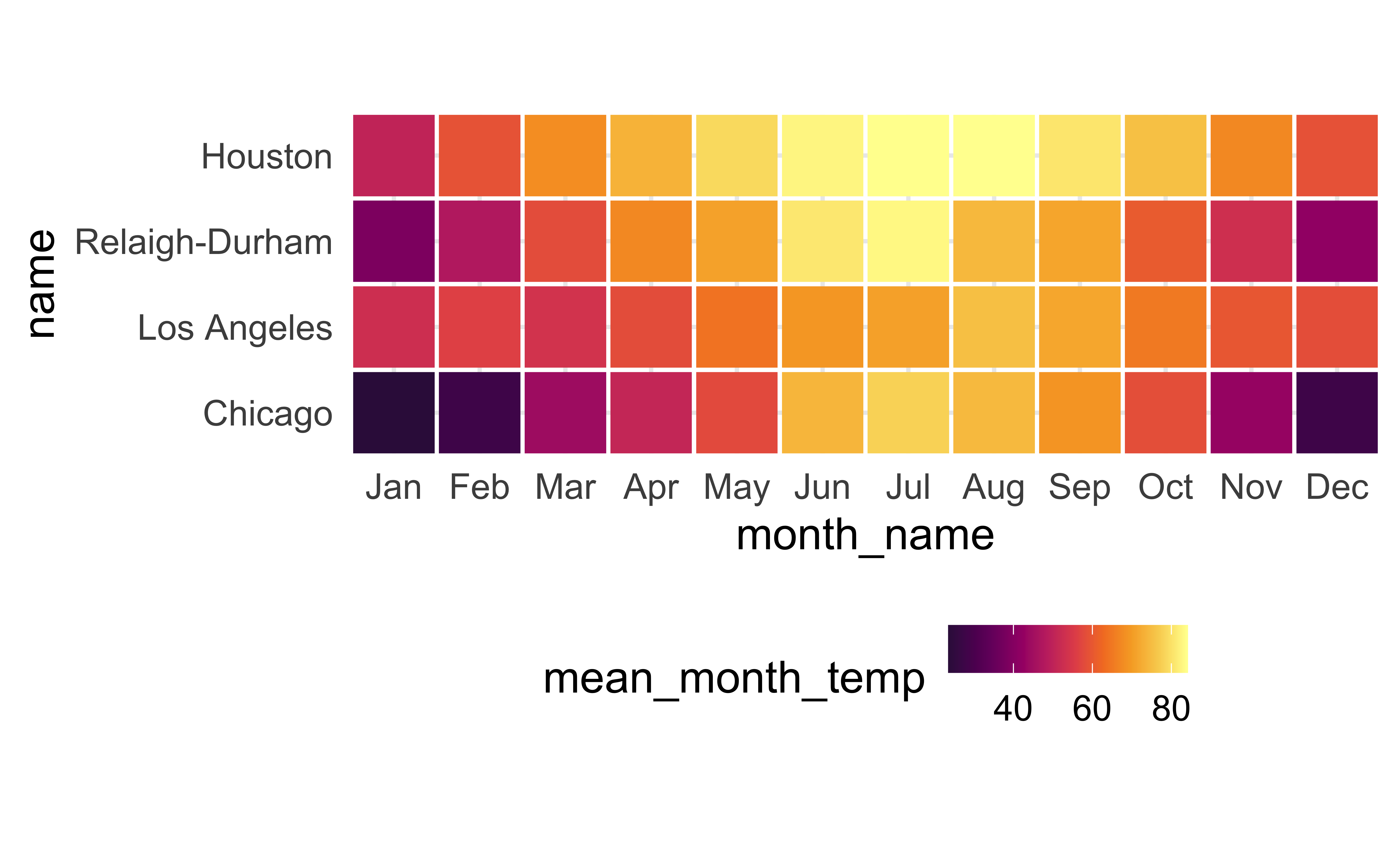
p_temp_months +
  scale_fill_continuous_sequential(
    palette = "Inferno",
    begin = 0.15,
    rev = FALSE
  )

HCL palettes: Sequential

HCL: Hue-Chroma-Luminance
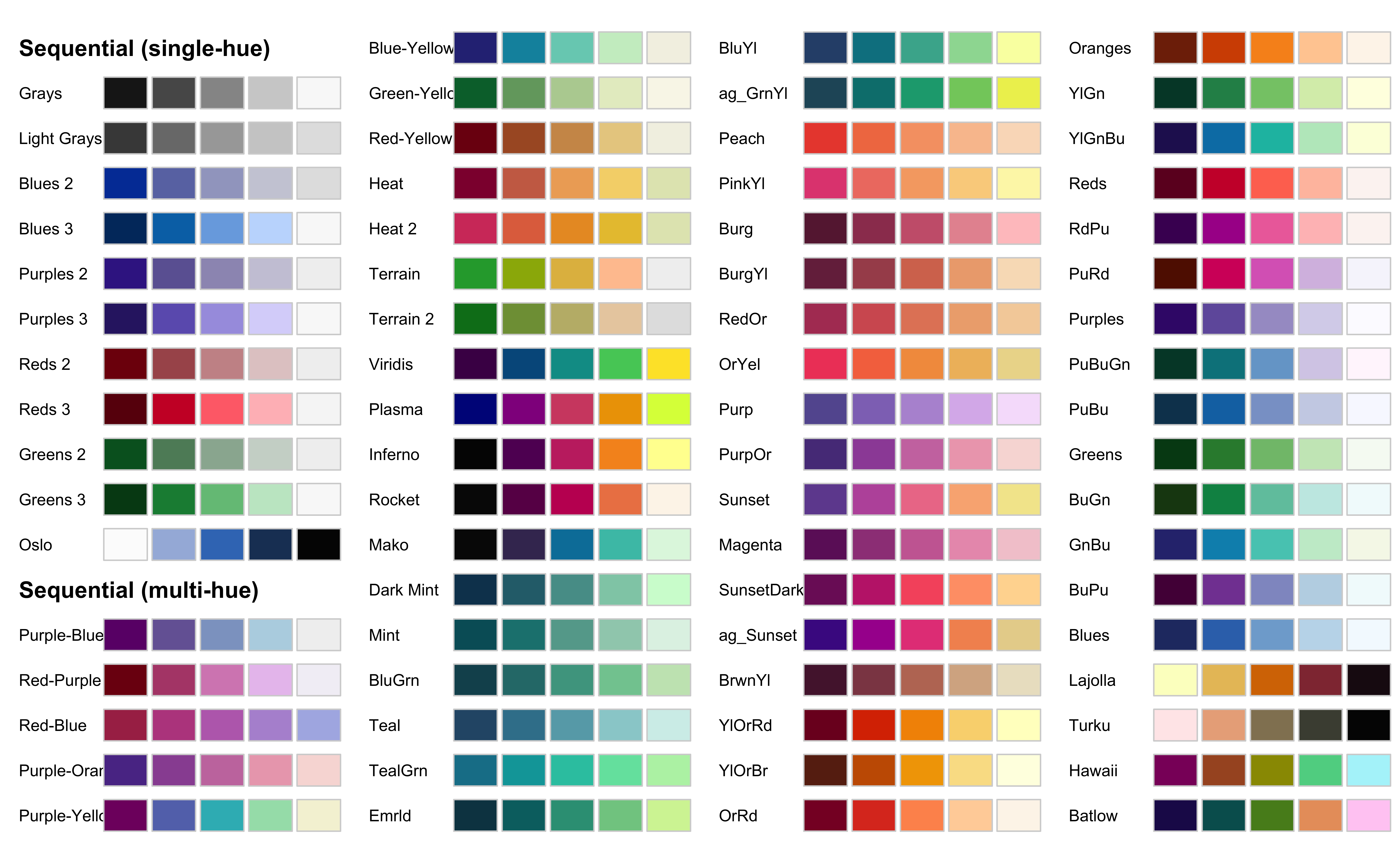
colorspace::hcl_palettes(type = "sequential", plot = TRUE)

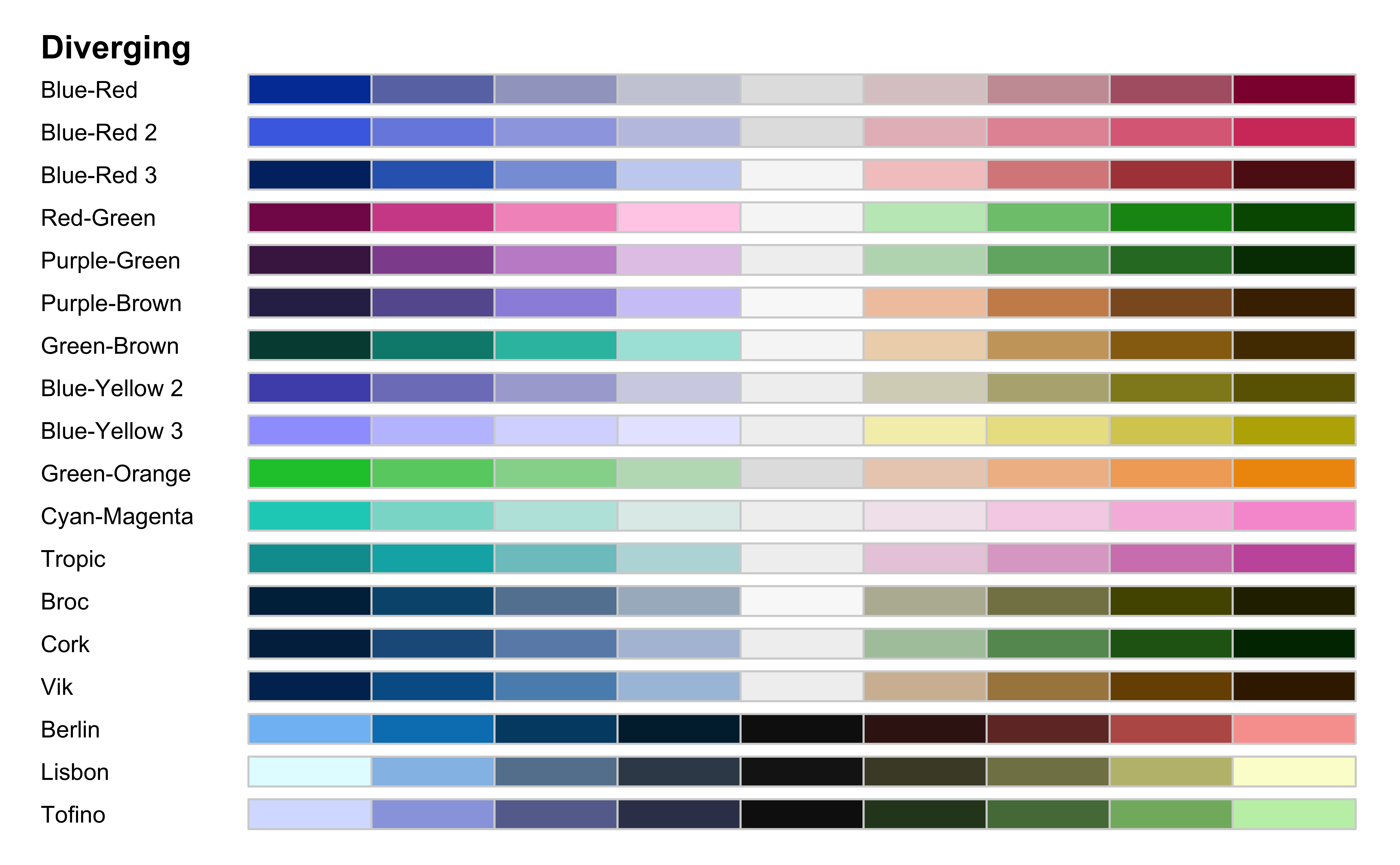
HCL palettes: Diverging

colorspace::hcl_palettes(type = "diverging", plot = TRUE, n = 9)

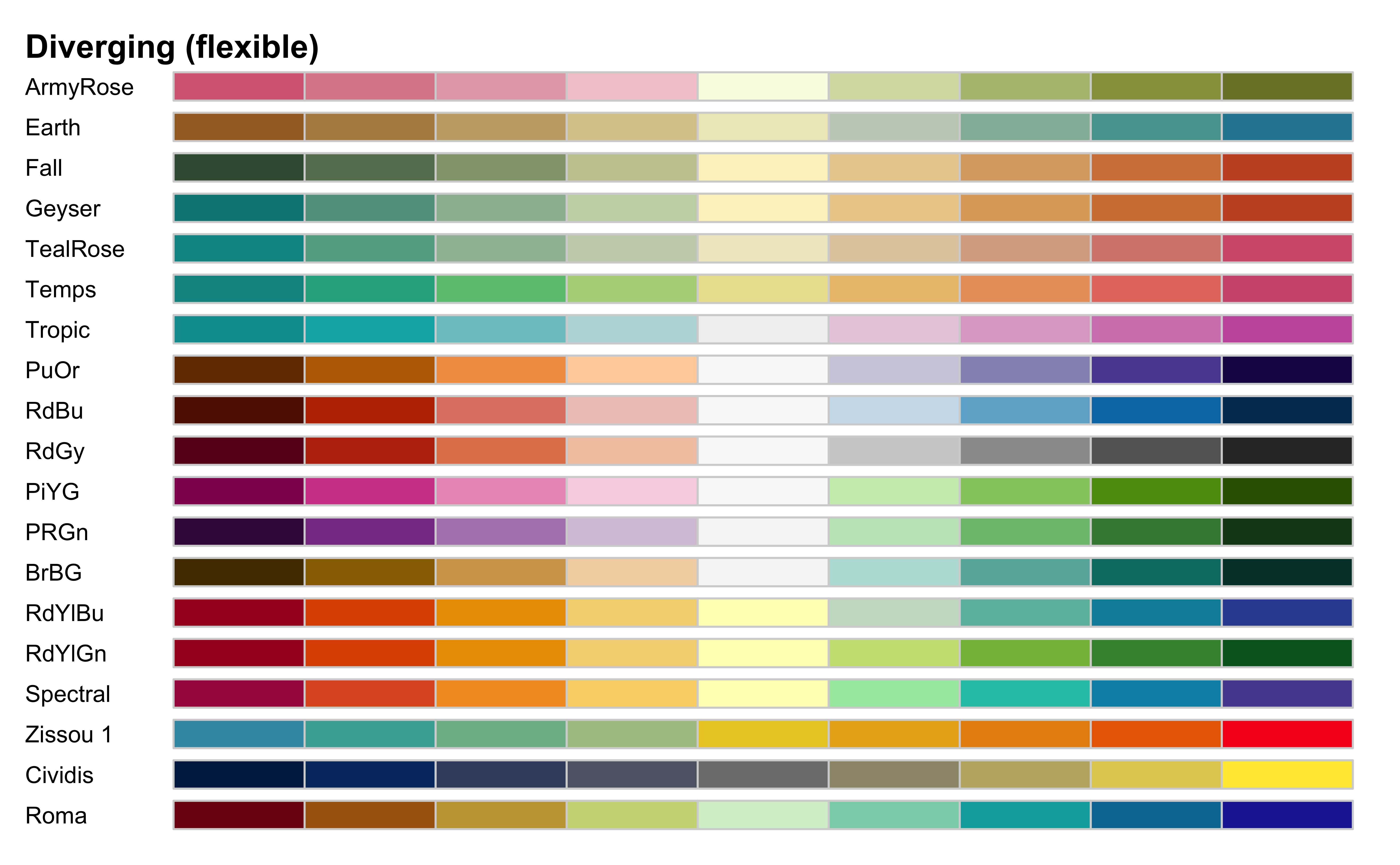
HCL palettes: Divergingx

colorspace::divergingx_palettes(plot = TRUE, n = 9)

Setting colors manually

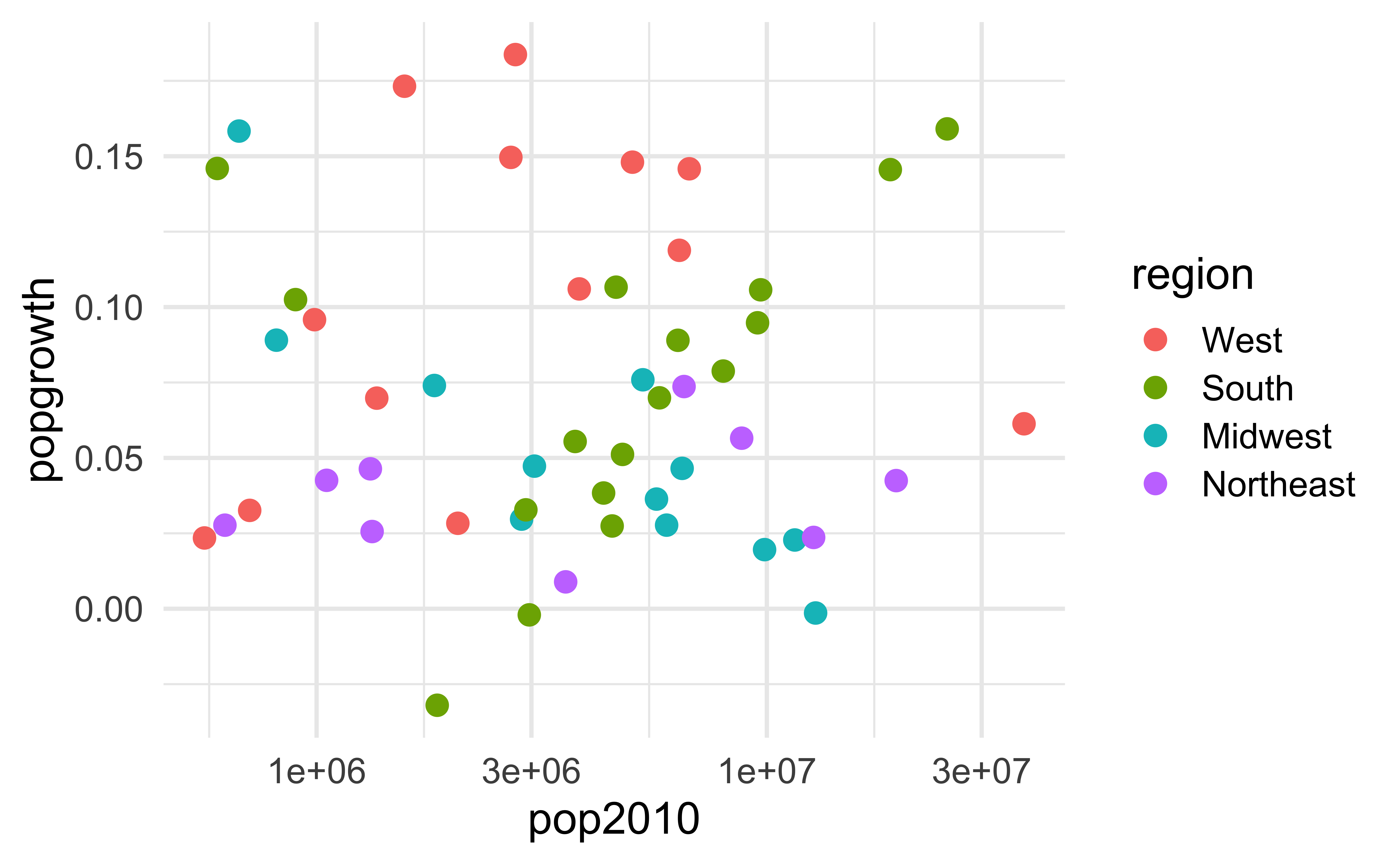
Default discrete scale

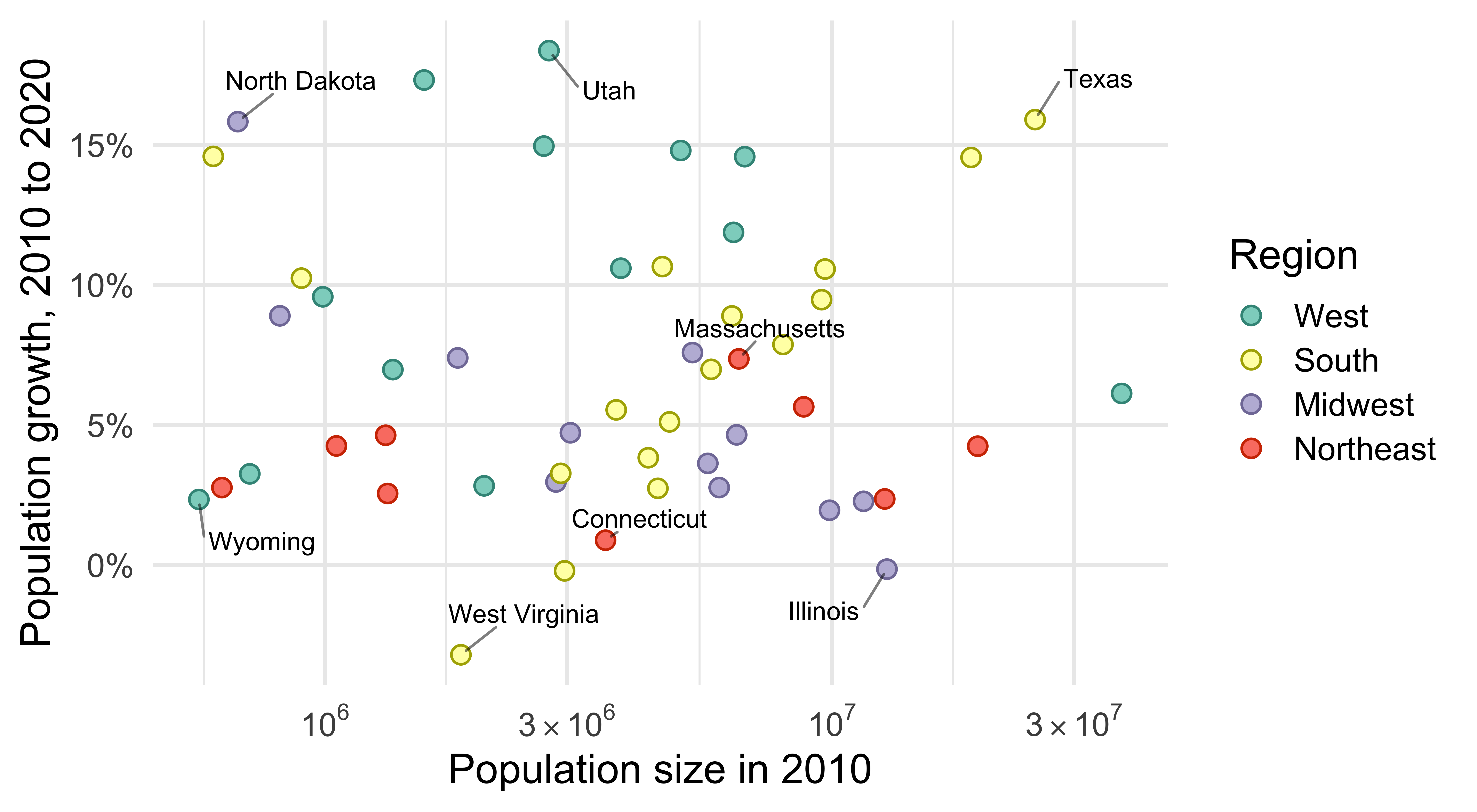
No color scale defined, default is scale_color_hue():
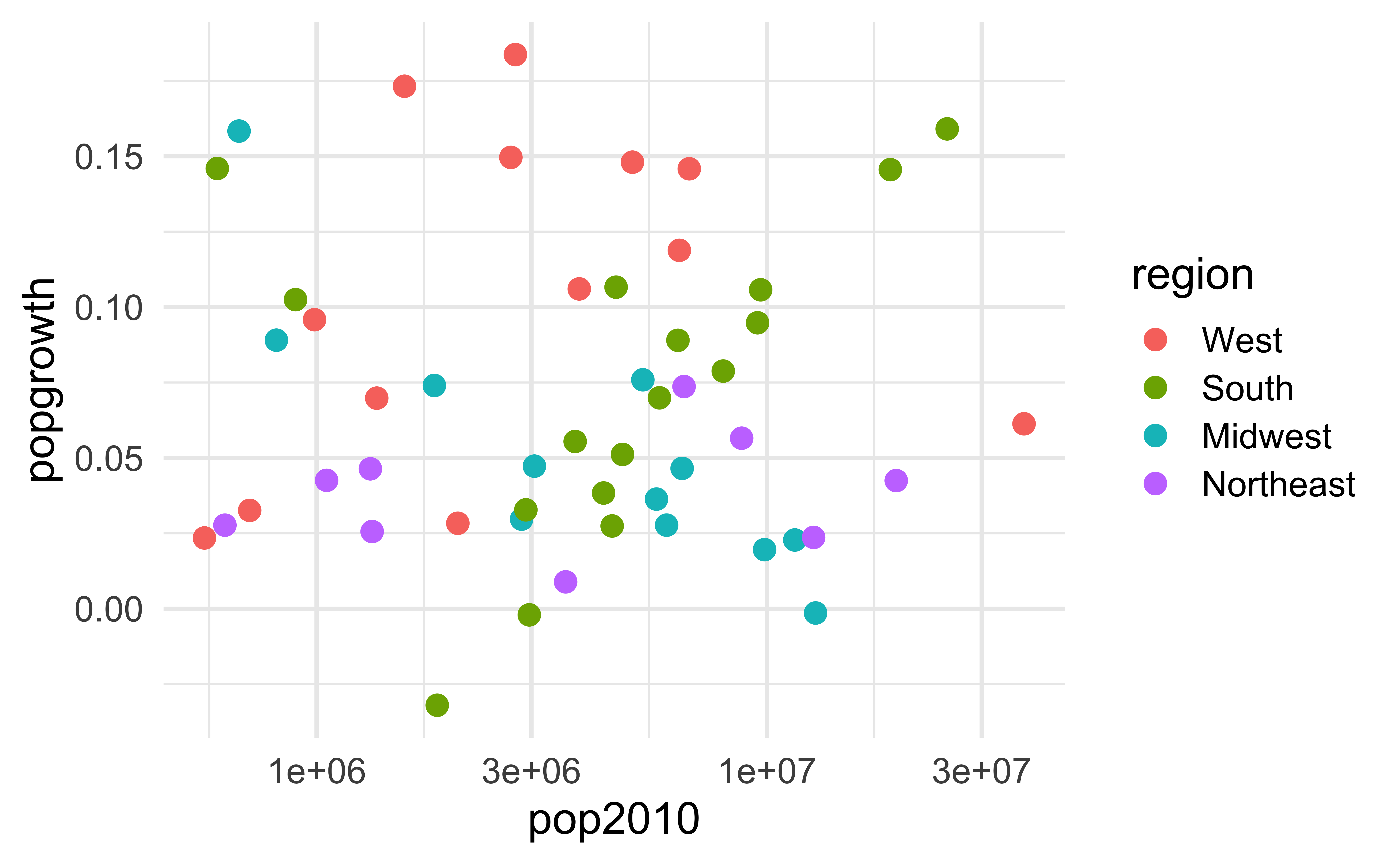
p_popgrowth <- ggplot(
  popgrowth,
  aes(
    x = pop2010,
    y = popgrowth,
    color = region
  )
) +
  geom_point(size = 3) +
  scale_x_log10()

p_popgrowth

scale_color_hue()

p_popgrowth +
  scale_color_hue()

scale_color_colorblind()

Uses Okabe-Ito colors:
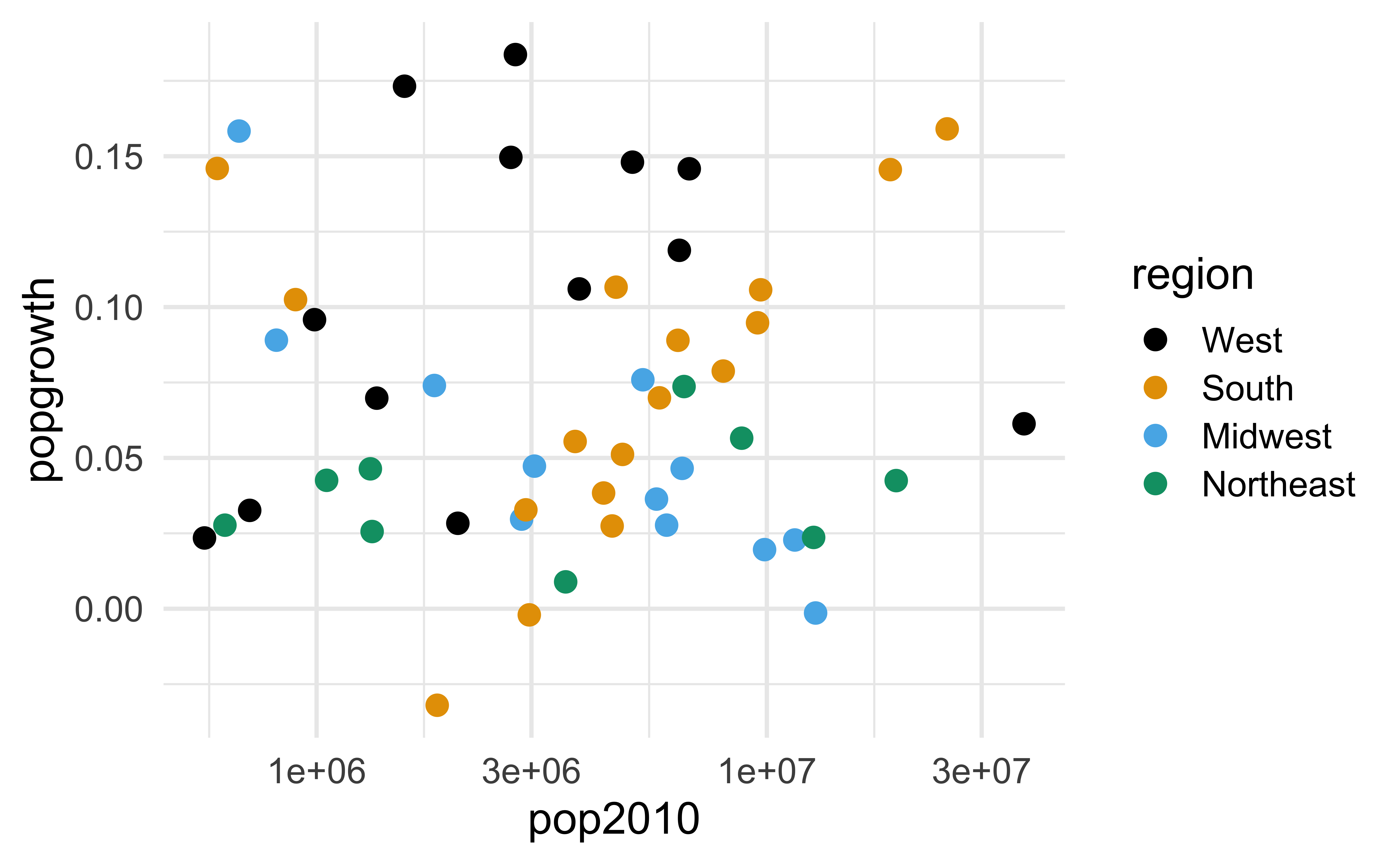
p_popgrowth +
  scale_color_colorblind()

scale_color_manual()

Qualitative scales are best set manually:
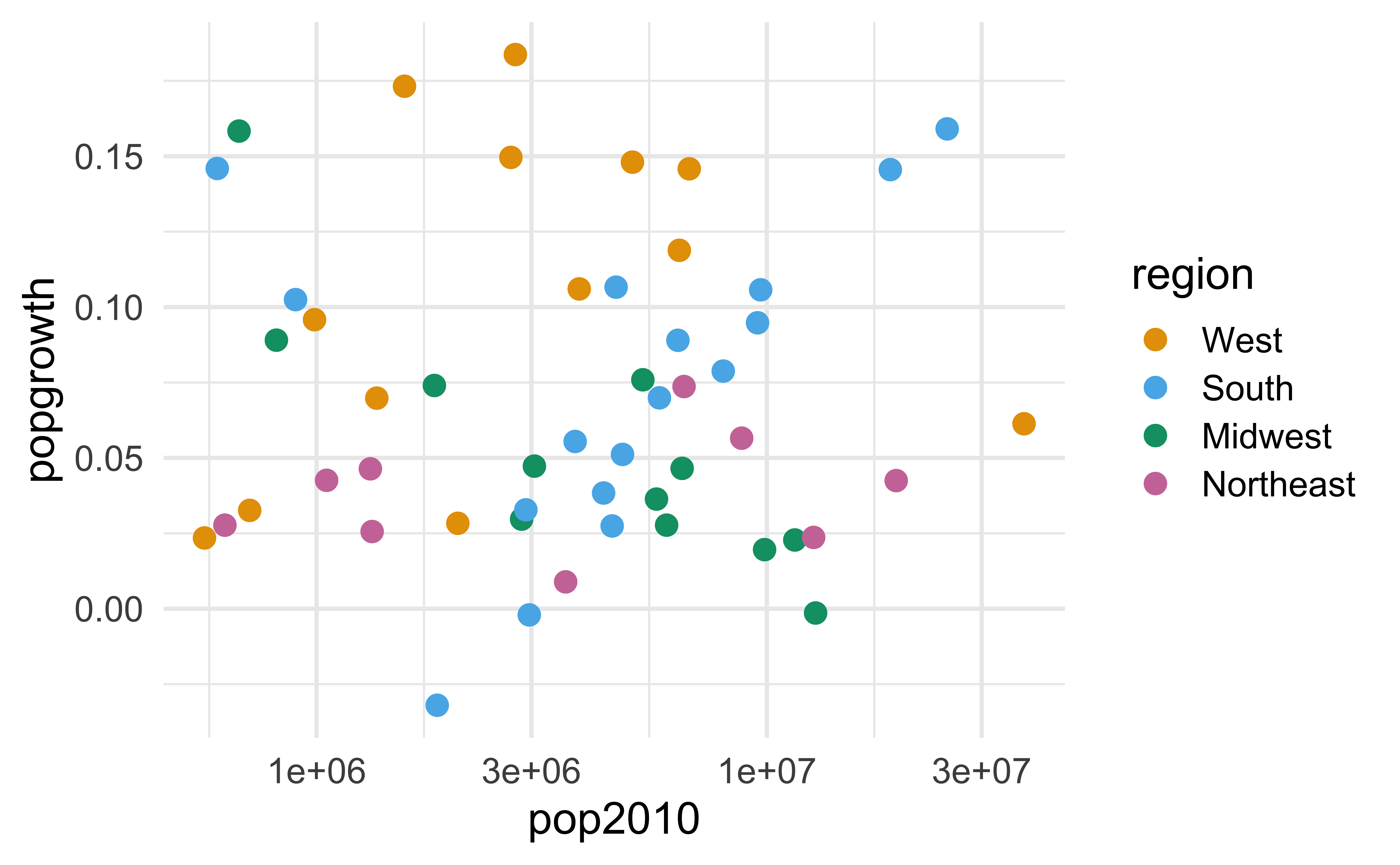
p_popgrowth +
  scale_color_manual(
    values = c(
      West = "#E69F00",
      South = "#56B4E9",
      Midwest = "#009E73",
      Northeast = "#CC79A7"
    )
  )

Okabe-Ito RGB codes

Name Hex code R, G, B (0-255)
orange #E69F00 230, 159, 0
sky blue #56B4E9 86, 180, 233
bluish green #009E73 0, 158, 115
yellow #F0E442 240, 228, 66
blue #0072B2 0, 114, 178
vermilion #D55E00 213, 94, 0
reddish purple #CC79A7 204, 121, 167
black #000000 0, 0, 0

Other color scales

palateeer package

paletteer is a comprehensive collection of color palettes in R using a common interface:

emilhvitfeldt.github.io/paletteer

palateeer + nord::aurora

https://github.com/jkaupp/nord
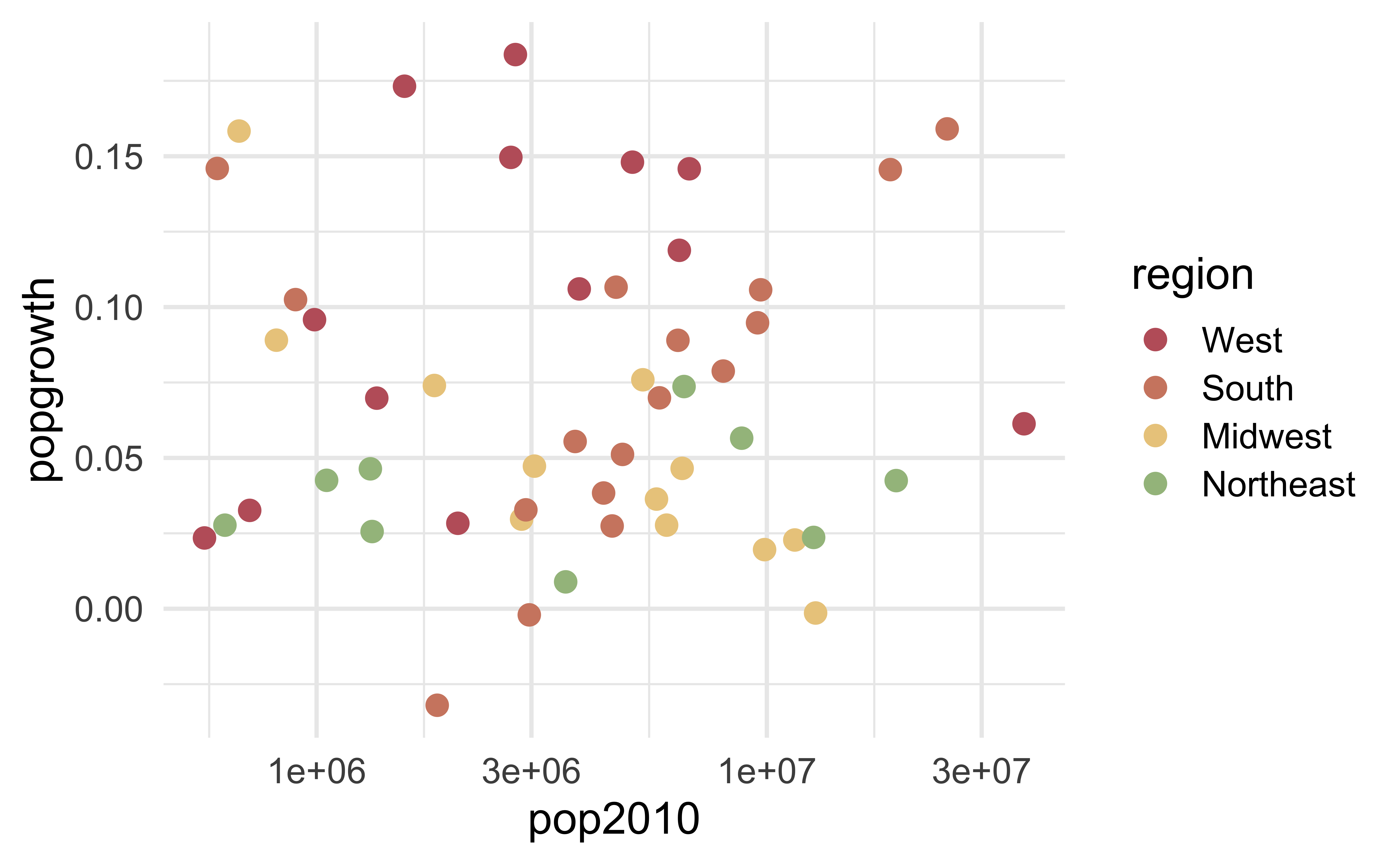
p_popgrowth +
  scale_color_paletteer_d("nord::aurora")

palateeer + LaCroixColoR::PassionFruit

https://github.com/johannesbjork/LaCroixColoR
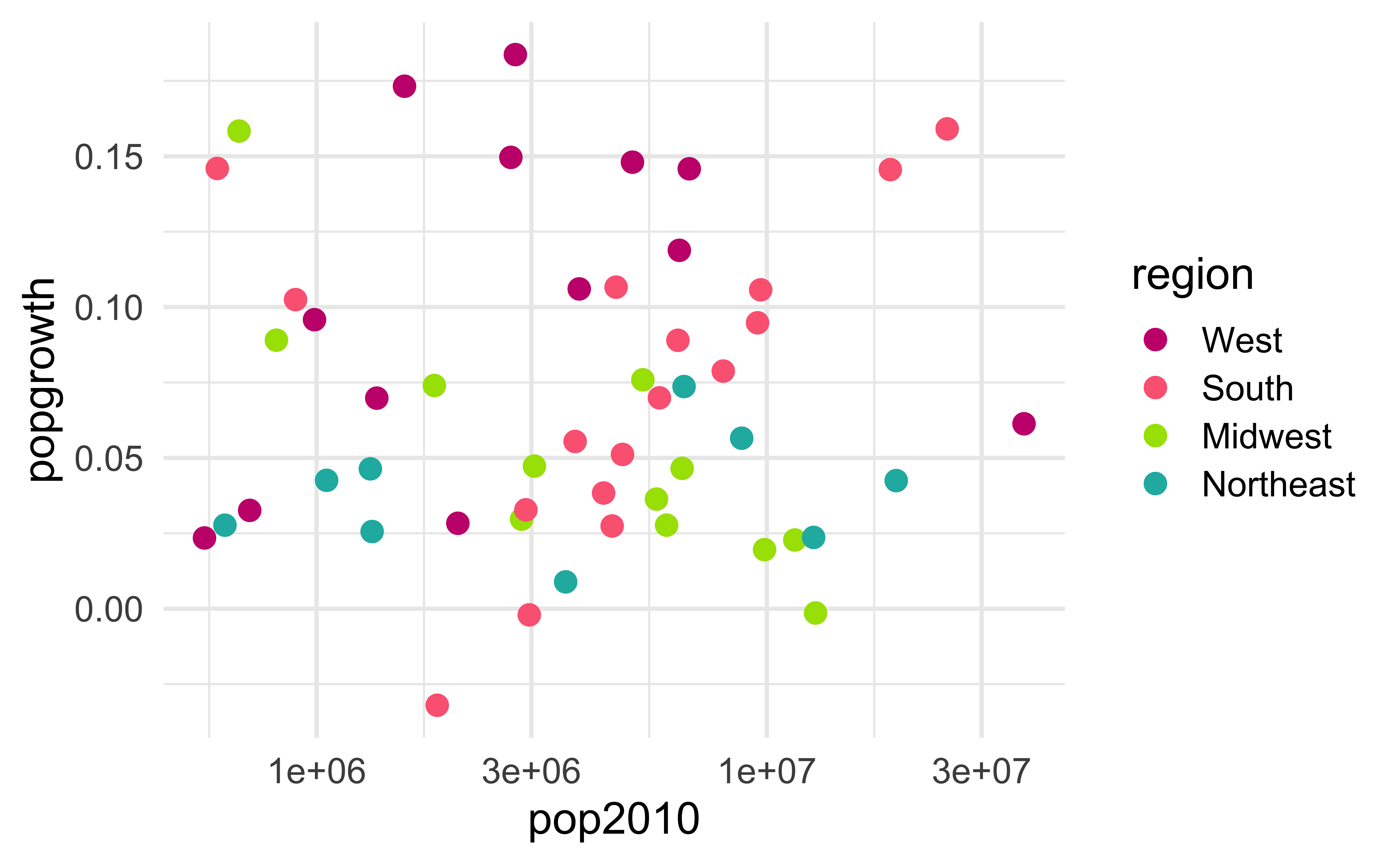
p_popgrowth +
  scale_color_paletteer_d("LaCroixColoR::PassionFruit")

palateeer + tayloRswift::taylor1989

https://asteves.github.io/tayloRswift/
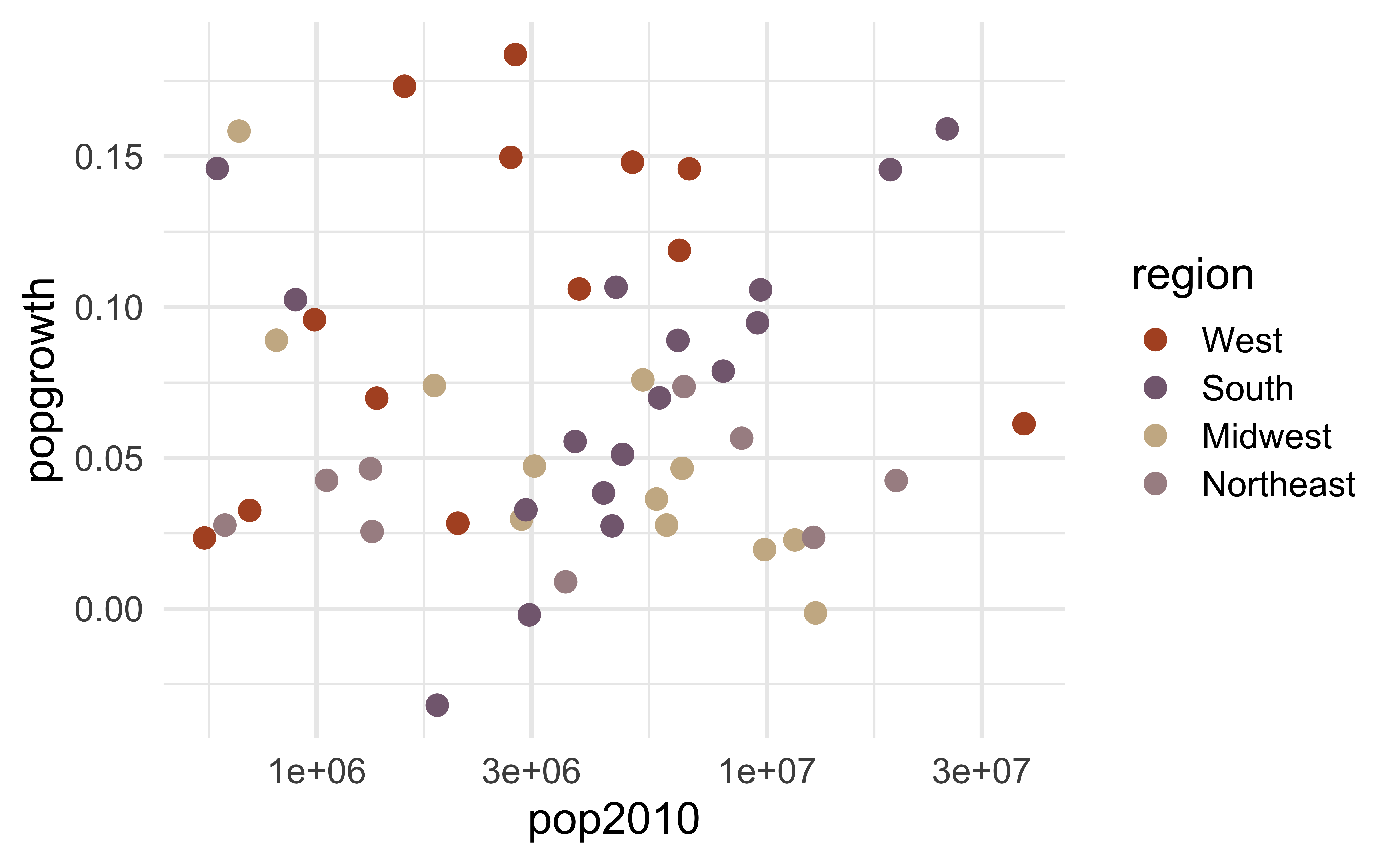
p_popgrowth +
  scale_color_paletteer_d("tayloRswift::taylor1989")

palateeer + scico::lajolla

https://github.com/thomasp85/scico
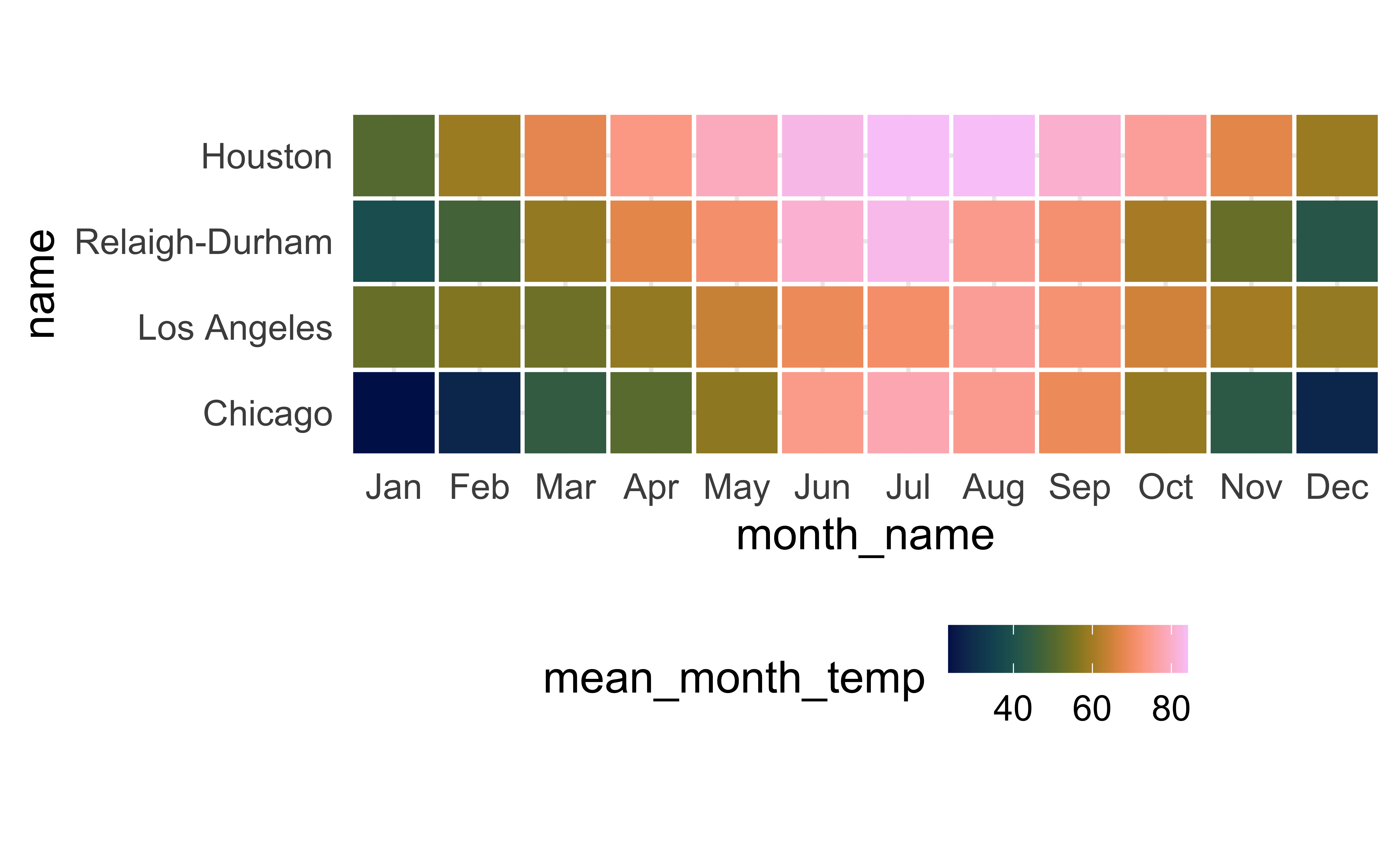
p_temp_months +
  scale_fill_paletteer_c("scico::batlow")

Good practices for using colors

1. Don’t use too many colors

  • Qualitative color scales work best with 3 to 5 categories

  • Once you reach 8-10 or more categories, matching colors to categories becomes too burdensome for viewers

Tip

Use direct labeling instead of relying on color legends when you have many categories.

2. Avoid gratuitous coloring

Only use color when it serves a clear communicative purpose:

Problems with unnecessary color:

  • Overly saturated colors make figures hard to examine
  • “Rainbow effects” provide no analytical benefit
  • Visual clutter distracts from the data

When to use color:

  • Distinguish meaningful categories
  • Encode quantitative values
  • Highlight specific elements
  • Support your narrative

3. Don’t use rainbow color scales

The rainbow (or “jet”) color scale is non-monotonic – it violates sequential design principles:

  • Colors change at inconsistent rates across the scale
  • Similar colors appear at both ends (red wraps to red)
  • Creates artificial “bands” that emphasize arbitrary thresholds
  • Perceptually non-uniform (yellow appears brighter than other colors)

4. Keep diverging scales balanced

Diverging scales should progress symmetrically from the neutral center to both extremes, ensuring that equal visual weight is given to positive and negative deviations:

  • Light colors at the center (neutral point)
  • Dark colors at both ends
  • Same rate of change in both directions

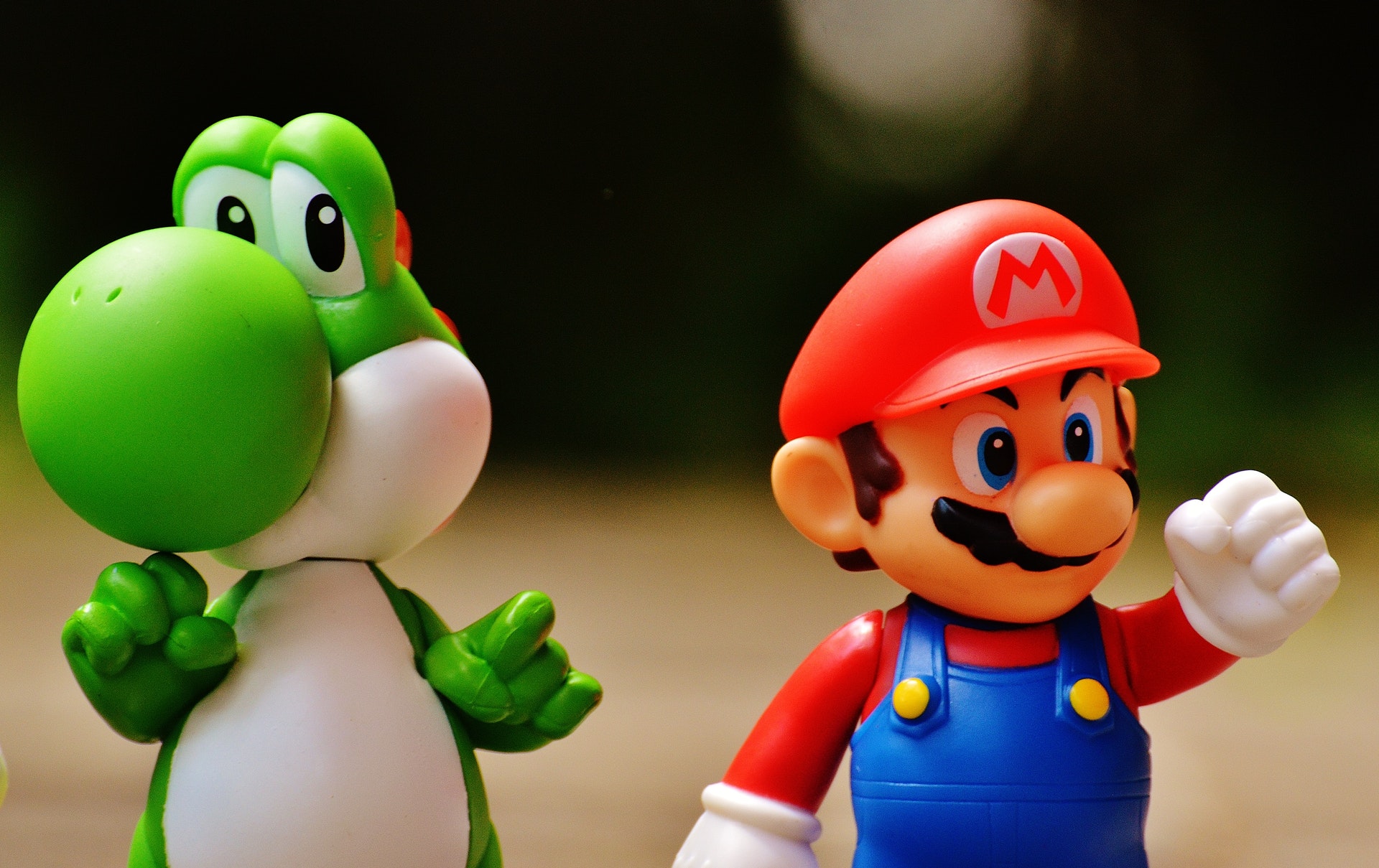
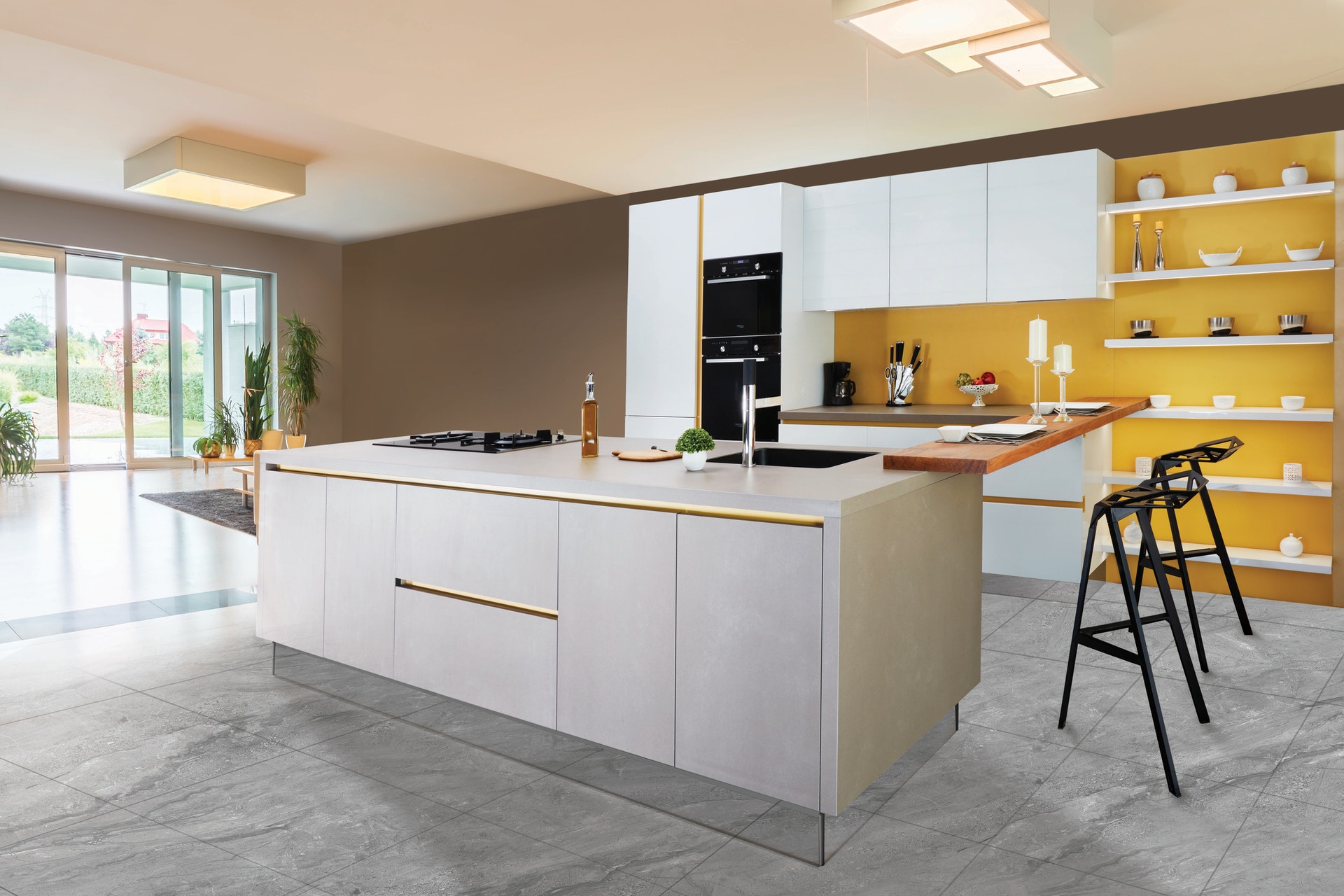
5. Avoid high chroma

High chroma: Toys
Low chroma: “Elegance”
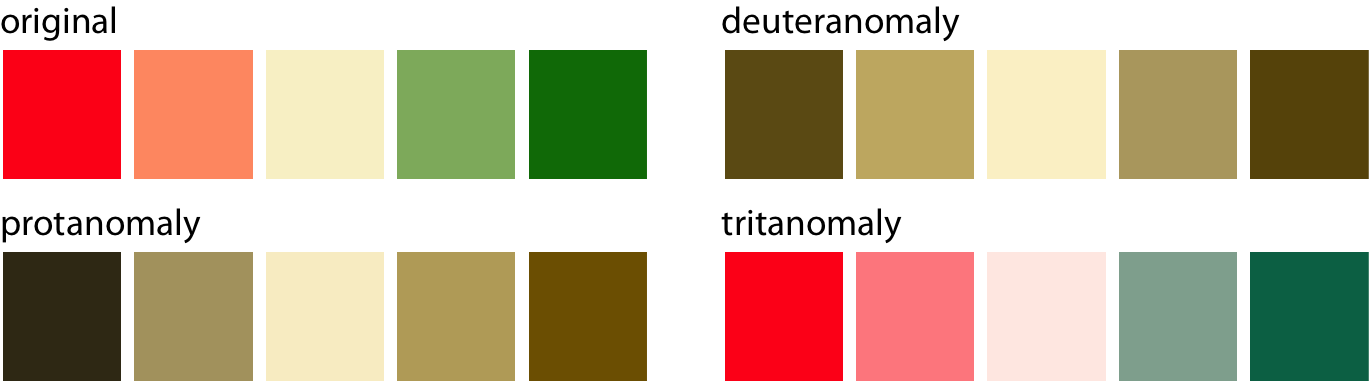
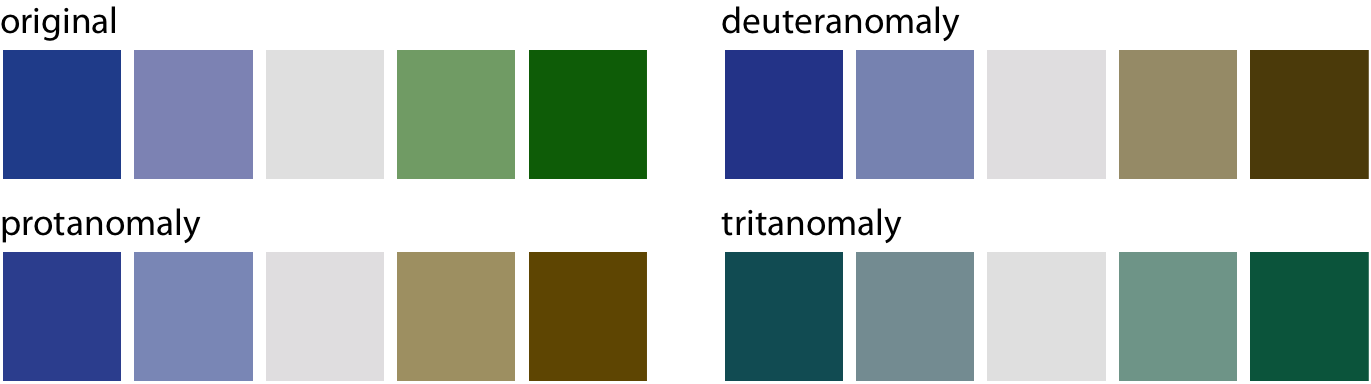
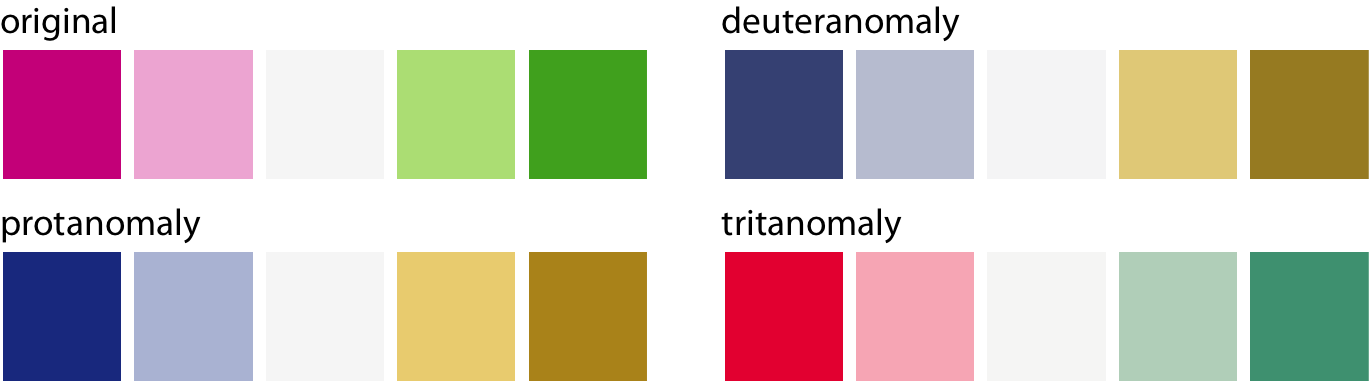
6. Be aware of color-vision deficiency

Roughly 5%–8% of men are color blind and 0.5% of women are color blind, with red-green color-vision deficiency being the most common type:

  • Red-green color-vision deficiency is the most common:

  • Blue-green color-vision deficiency is rare but does occur:

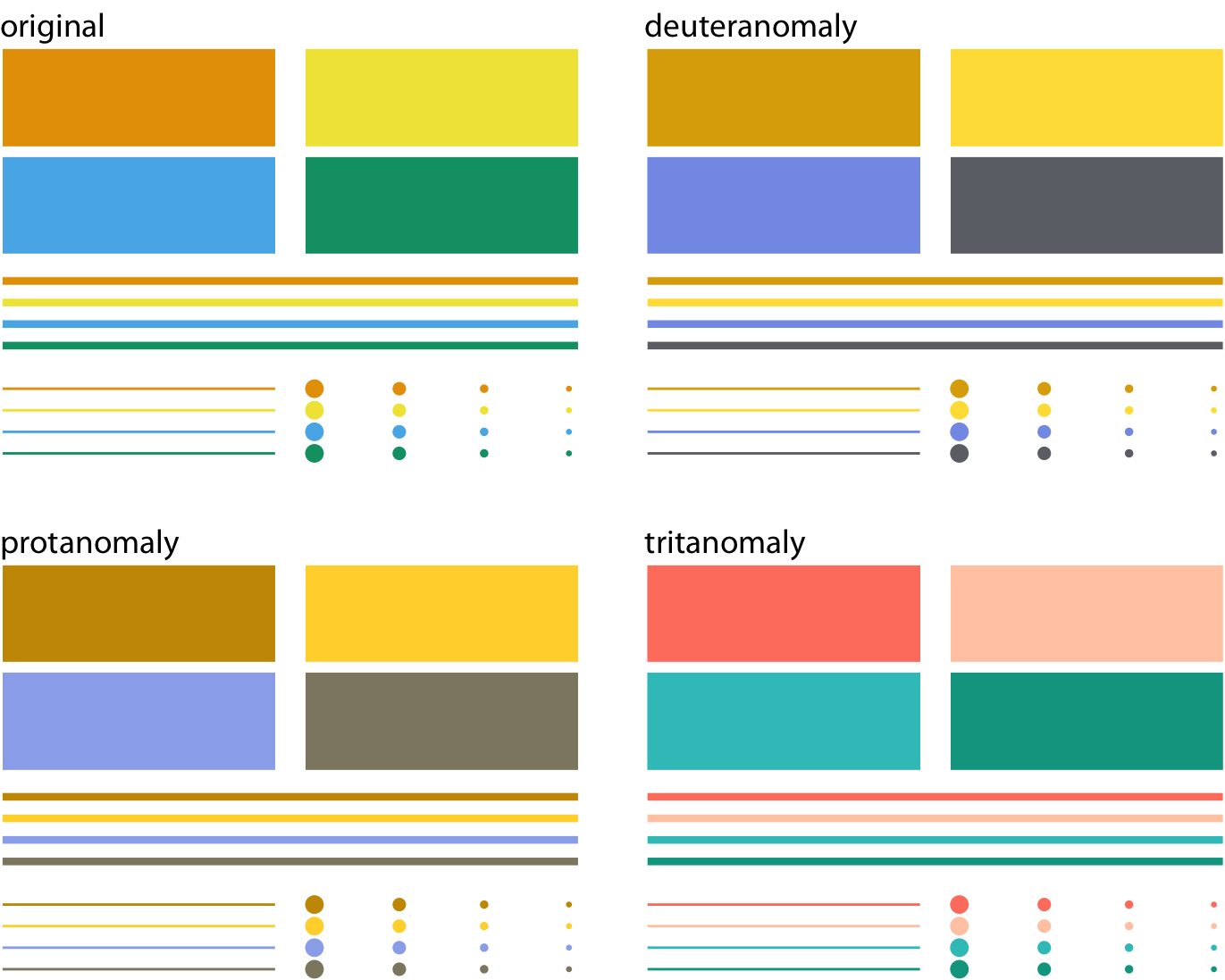
  • Choose colors that can be distinguished with CVD:

CVD + size

  • CVD is worse for thin lines and tiny dots

  • When in doubt, run CVD simulations

Further reading