Presentation-ready plots I

Lecture 11

Dr. Mine Çetinkaya-Rundel

Duke University
STA 313 - Spring 2026

Warm up

Data viz of the day

Important

Please sit with your team today!

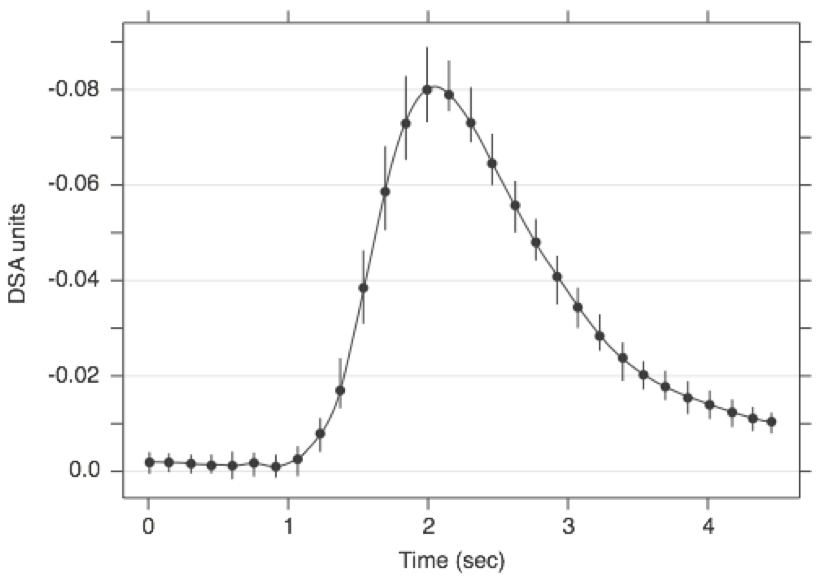
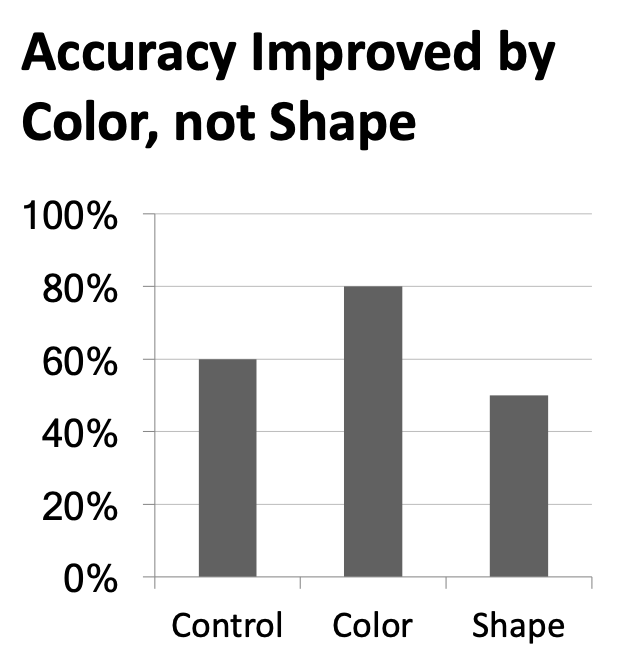
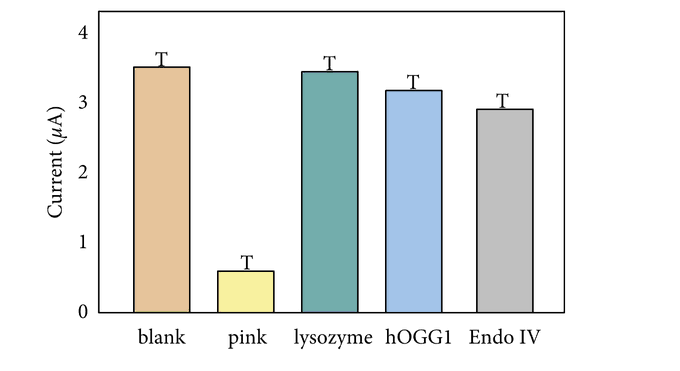
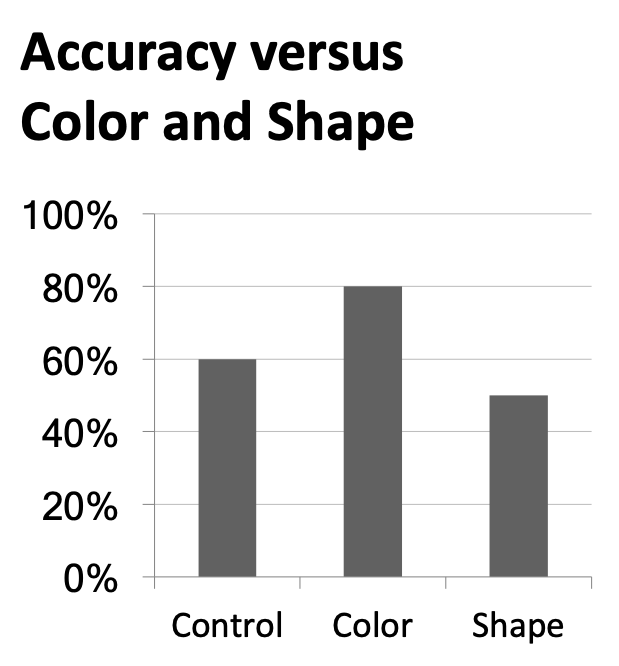
What is wrong with this plot?
Data viz of the day

Retracted: Monitoring of Sports Health Indicators Based on Wearable Nanobiosensors

Advances in Materials Science and Engineering has retracted the articletitled “Monitoring of Sports Health Indicators Based on Wearable Nanobiosensors” [1]. Since publication, readers have raised concerns that the error bars in Figure 9 appear to be the letter “T.” Moreover, it has been noted that the authors state that “no datasets were generated or analyzed during the current study” which is contradictory to the study described. This therefore raises questions about the reliability of the underlying data and the article’s conclusions.

Announcements

  • Suggested answers for AEs posted as stand-alone documents on the course website.

  • My OH this week cancelled, I’ll hold make-up hours next Tuesday, Feb 24, 10-11:30 am.

  • HW 3 posted, due Thur, Mar 5, 5 pm.

Setup

# load packages
library(tidyverse)
library(ggrepel)
library(patchwork)
library(tidytext)
library(hrbrthemes) # pak::pak("hrbrmstr/hrbrthemes")
library(scales)
library(textdata)

# set theme for ggplot2
ggplot2::theme_set(ggplot2::theme_minimal(base_size = 16))

# no plot sizing defaults for this slide deck

Outline

  1. Project workflow overview
  2. Fitting: Plot size and layout
  3. Designing: Make your visualizations more effective
  4. Polishing: Take a sad plot, and make it better
  5. Curating: Choosing the right plots

Project workflow overview

Demo

project-1

  • Rendering individual documents
  • Write-up:
    • Cross referencing figures and tables
    • Citations with bib
  • Presentation:
    • Using Quarto for presentations
    • Pauses
    • Smaller text
  • Website: https://vizdata-s26.github.io/project-1-YOUR_TEAM_NAME/
    • Rendering site
    • Making sure your website reflects your latest changes
    • Customizing the look of your website

Fitting: Plot size and layout

Sample plots

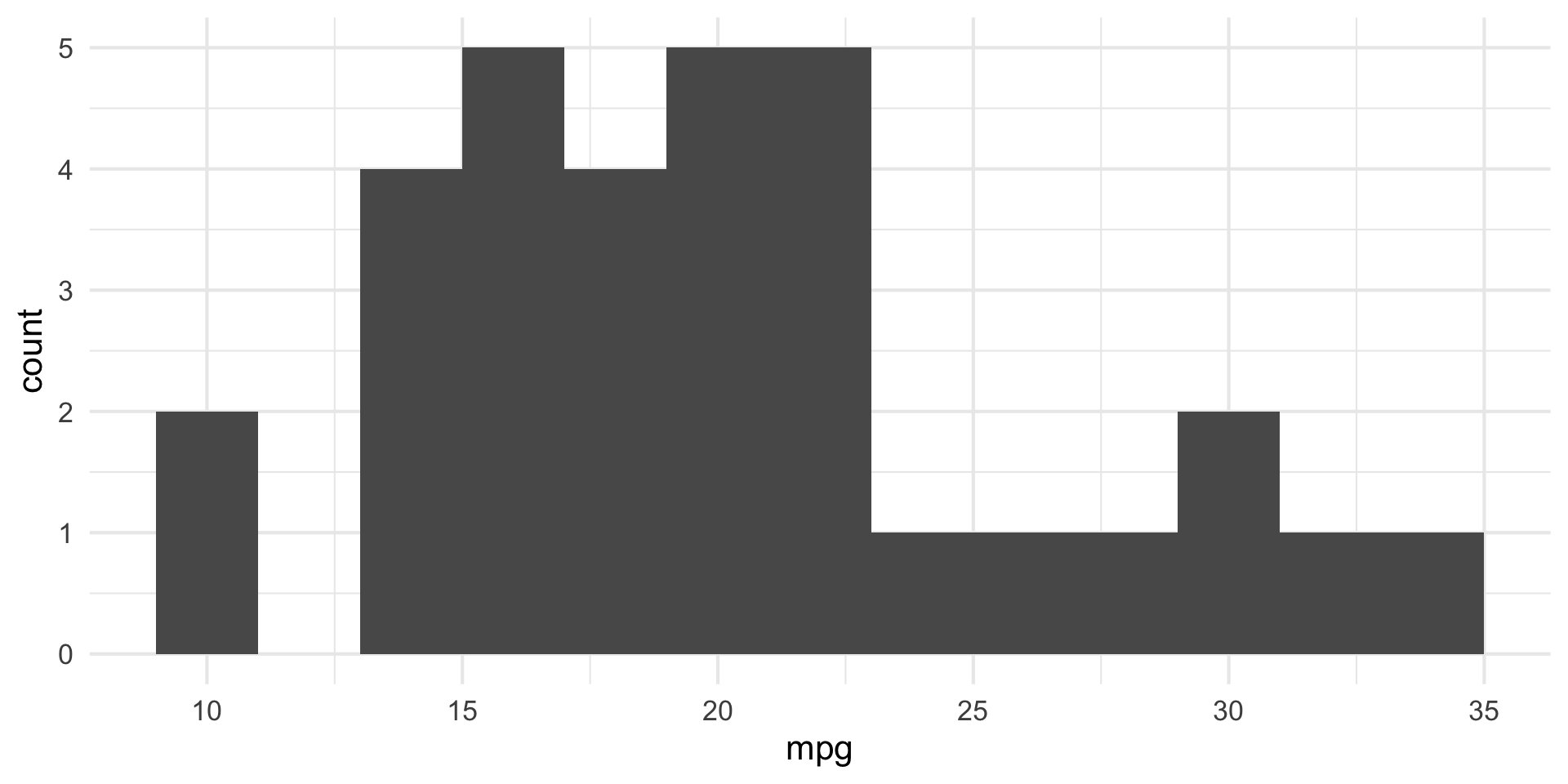
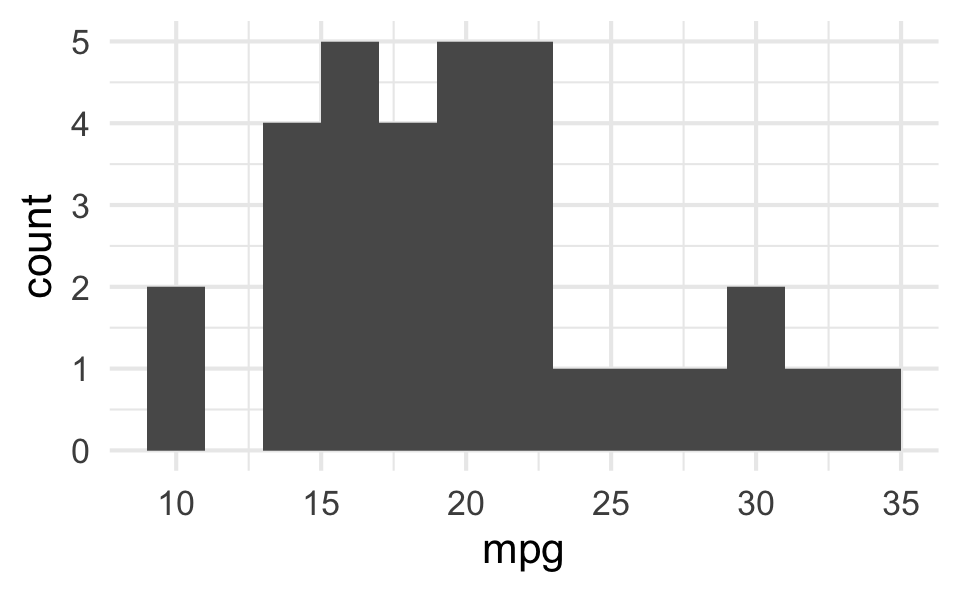
p_hist <- ggplot(mtcars, aes(x = mpg)) +
  geom_histogram(binwidth = 2)
p_box <- ggplot(mtcars, aes(x = factor(vs), y = mpg)) +
  geom_boxplot()
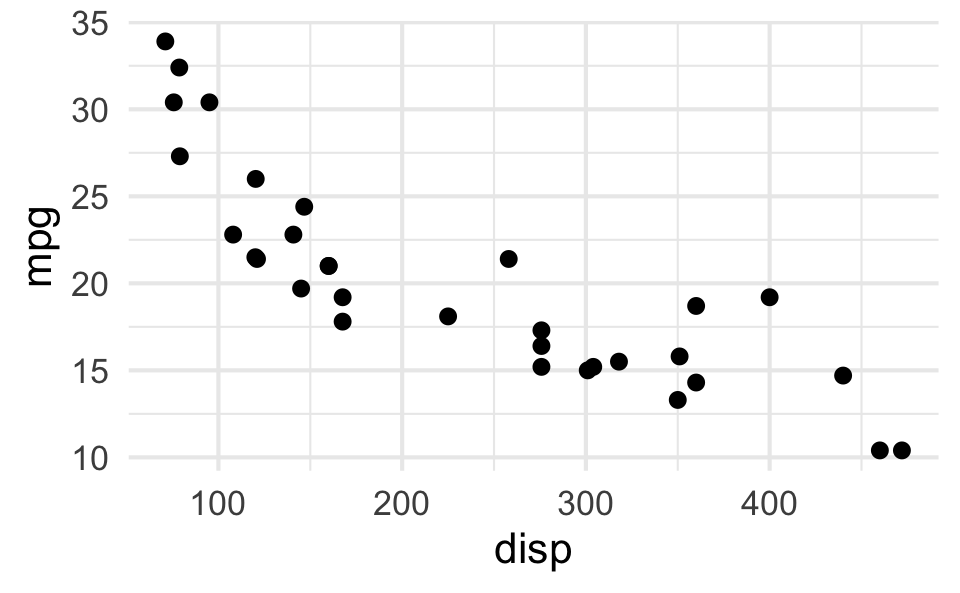
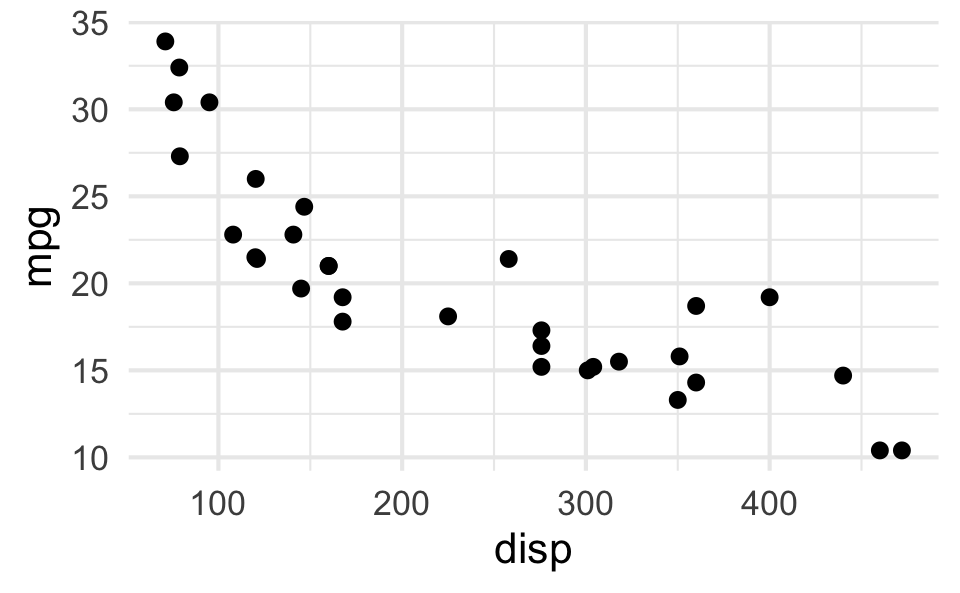
p_scatter <- ggplot(mtcars, aes(x = disp, y = mpg)) +
  geom_point()
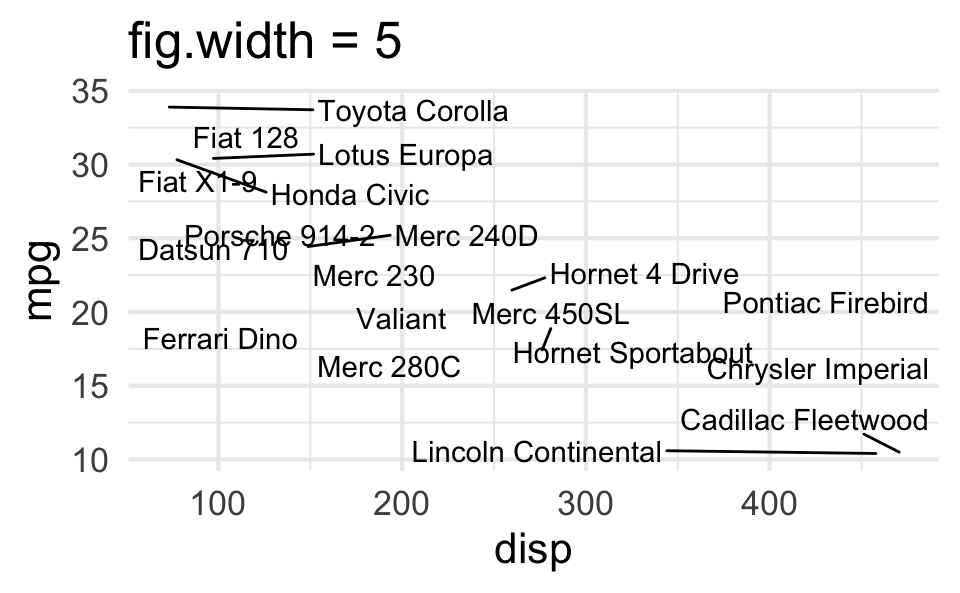
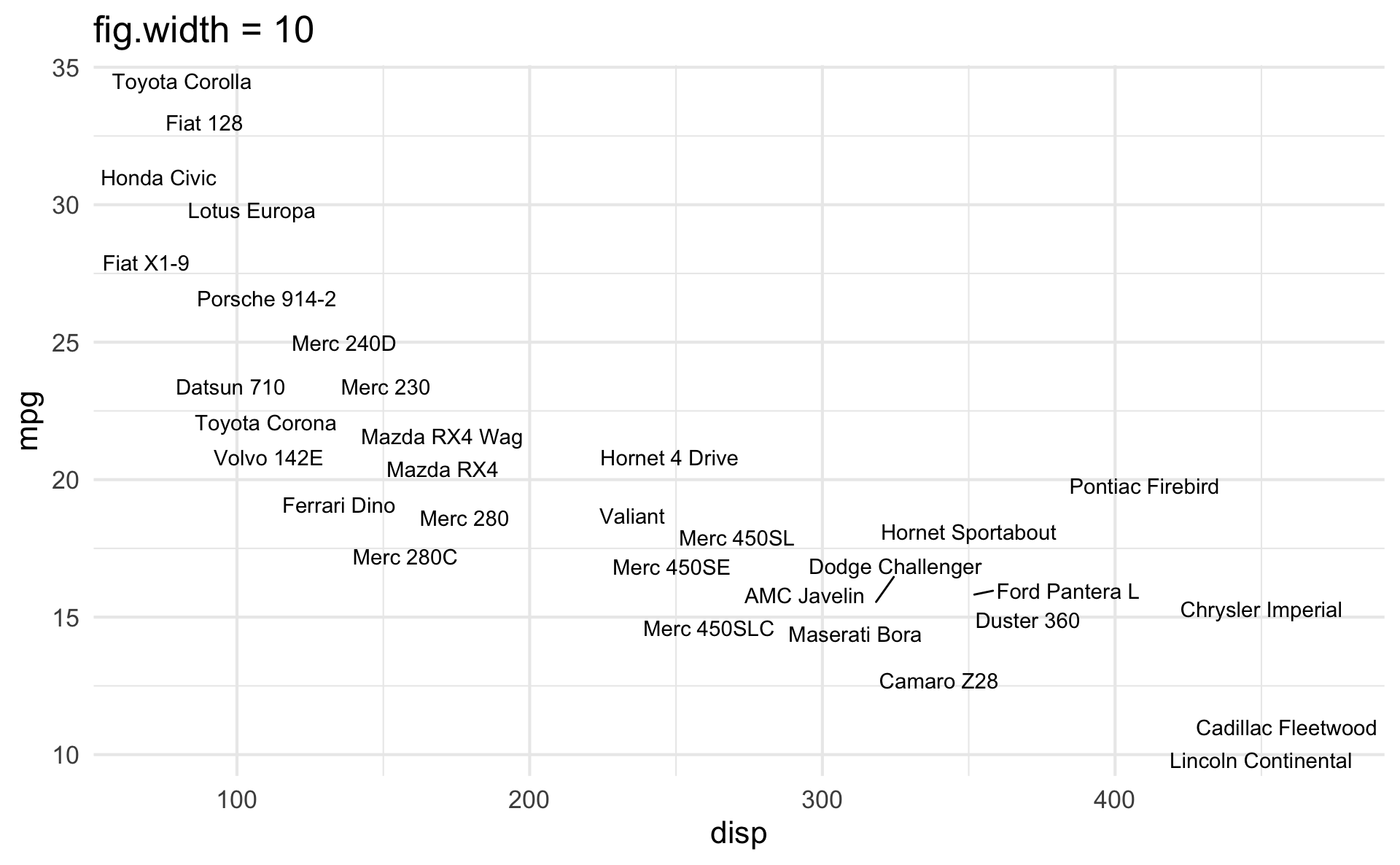
p_text <- mtcars |>
  rownames_to_column() |>
  ggplot(aes(x = disp, y = mpg)) +
  geom_text_repel(aes(label = rowname)) +
  coord_cartesian(clip = "off")

Slide with single plot, little text

The plot will fill the empty space in the slide.
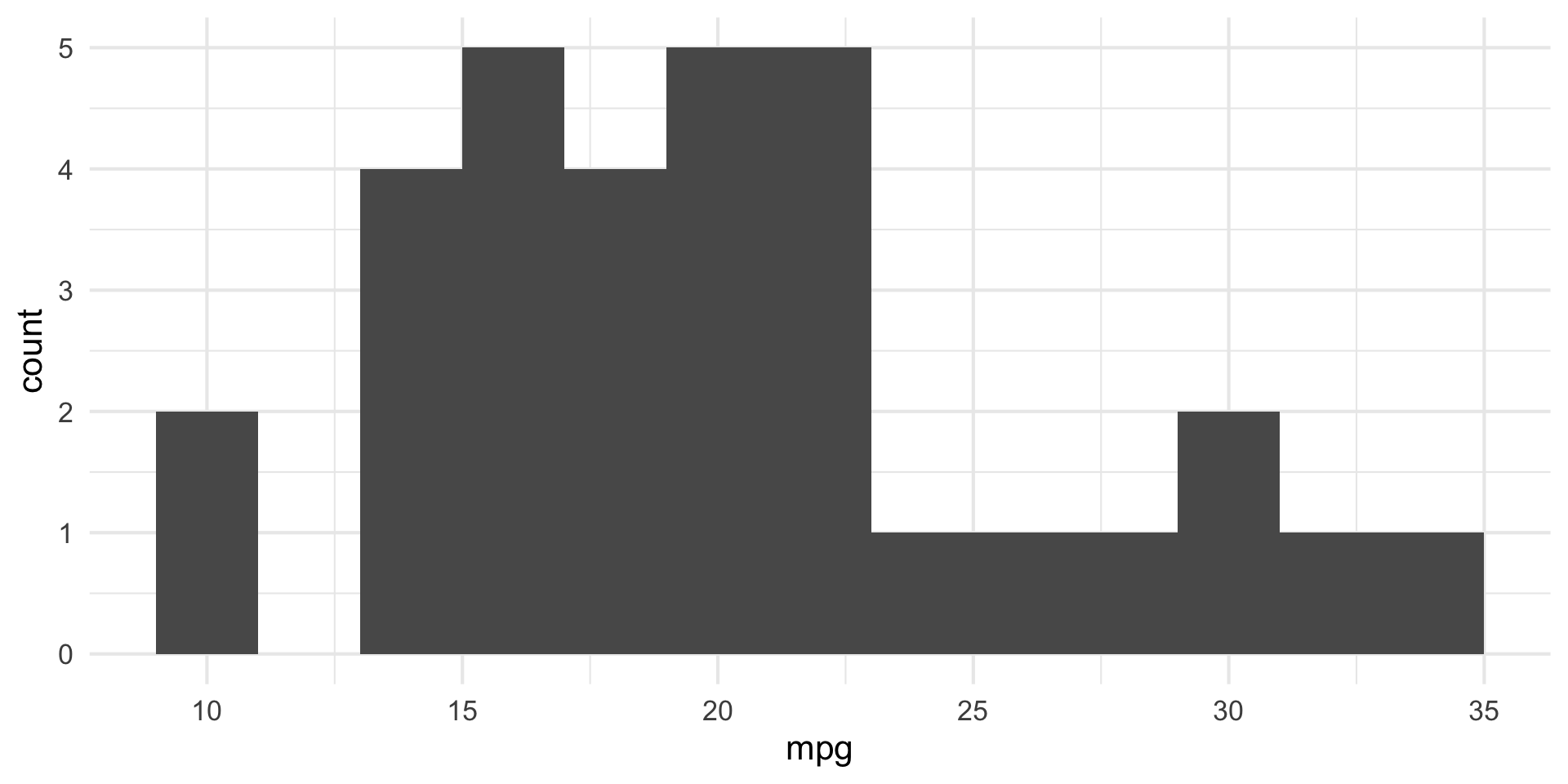
p_hist

Slide with single plot, lots of text

  • If there is more text on the slide

  • The plot will shrink

  • To make room for the text

p_hist

Small fig-width

For a zoomed-in look
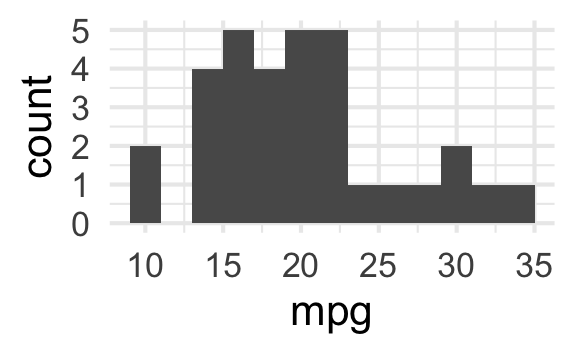
```{r}
#| fig-width: 3
#| fig-asp: 0.618

p_hist
```

Large fig-width

For a zoomed-out look
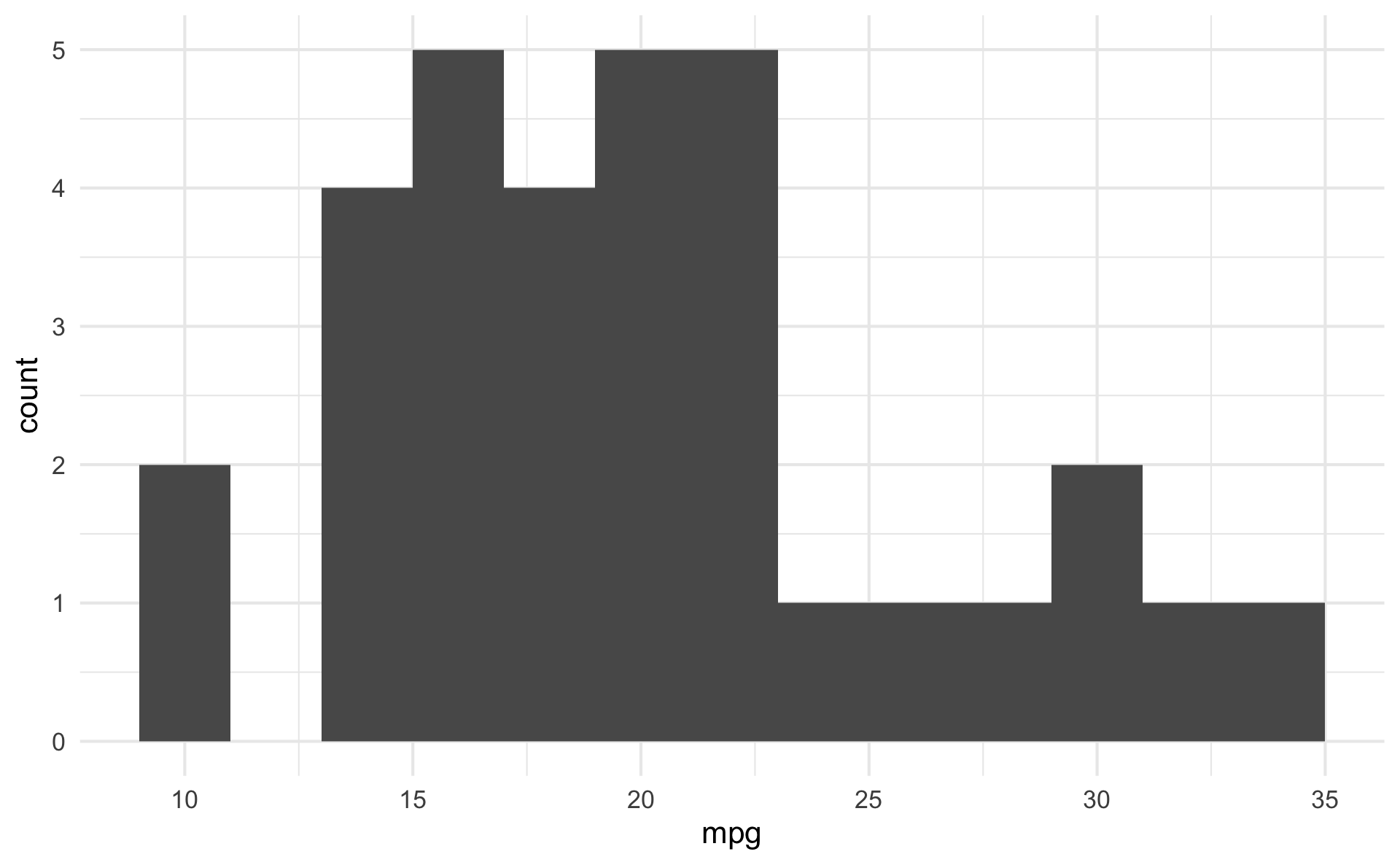
```{r}
#| fig-width: 10
#| fig-asp: 0.618

p_hist
```

fig-width affects text size

Multiple plots on a slide

First, ask yourself, must you include multiple plots on a slide? For example, is your narrative about comparing results from two plots?

  • If no, then don’t! Move the second plot to to the next slide!

  • If yes,

    • Insert columns using the Insert anything tool

    • Use layout-ncol chunk option

    • Use the patchwork package

    • Possibly, use pivoting to reshape your data and then use facets

Columns

Insert > Slide Columns

Quarto will automatically resize your plots to fit side-by-side.
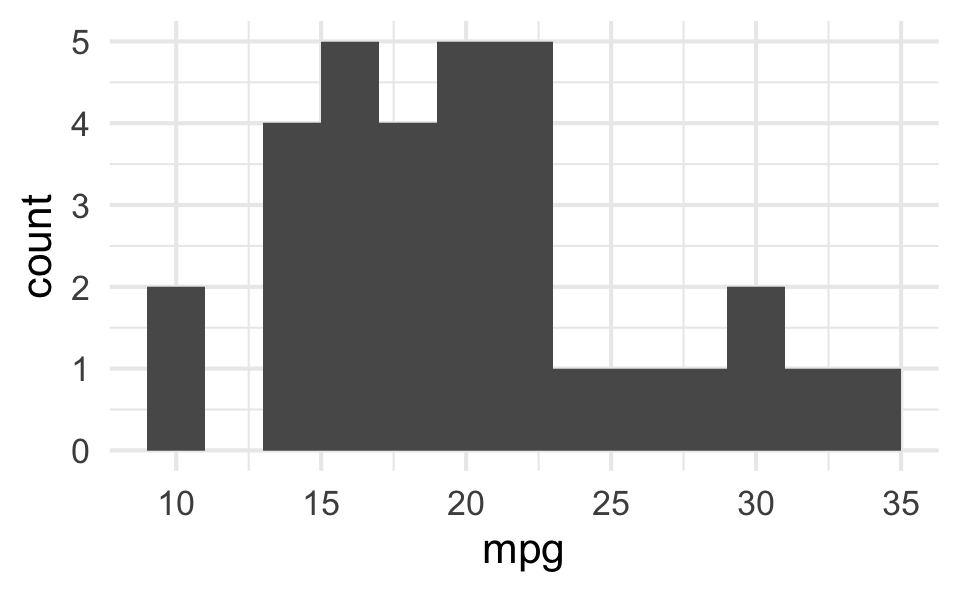
layout-ncol
```{r}
#| fig-width: 5
#| fig-asp: 0.618
#| layout-ncol: 2

p_hist
p_scatter
```

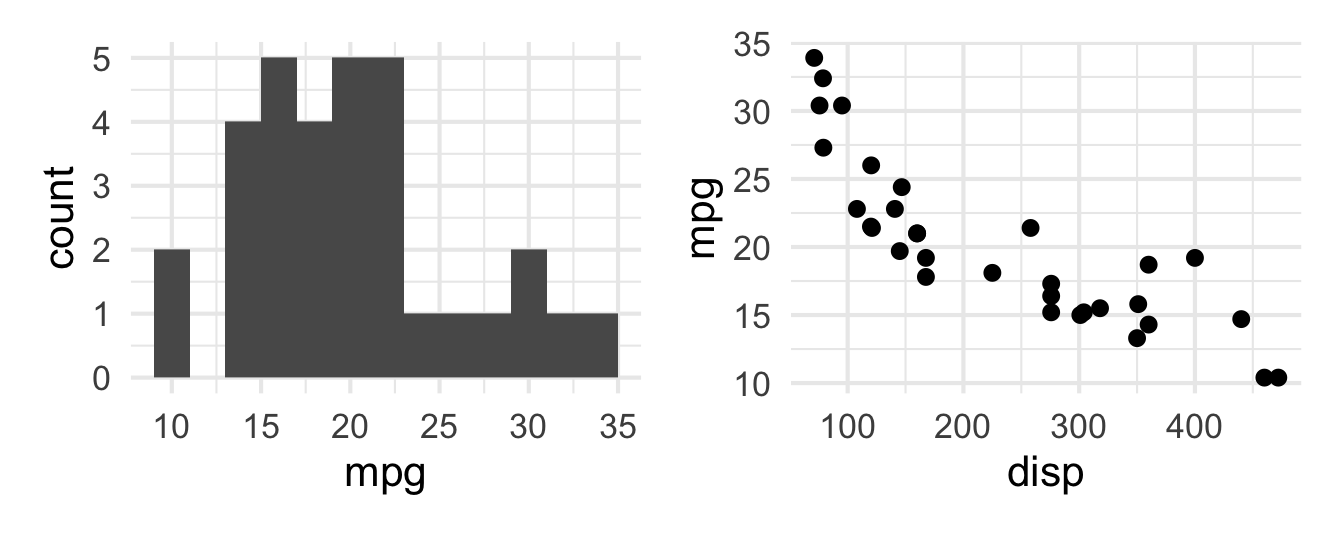
patchwork

```{r}
#| fig-width: 7
#| fig-asp: 0.4

p_hist + p_scatter
```

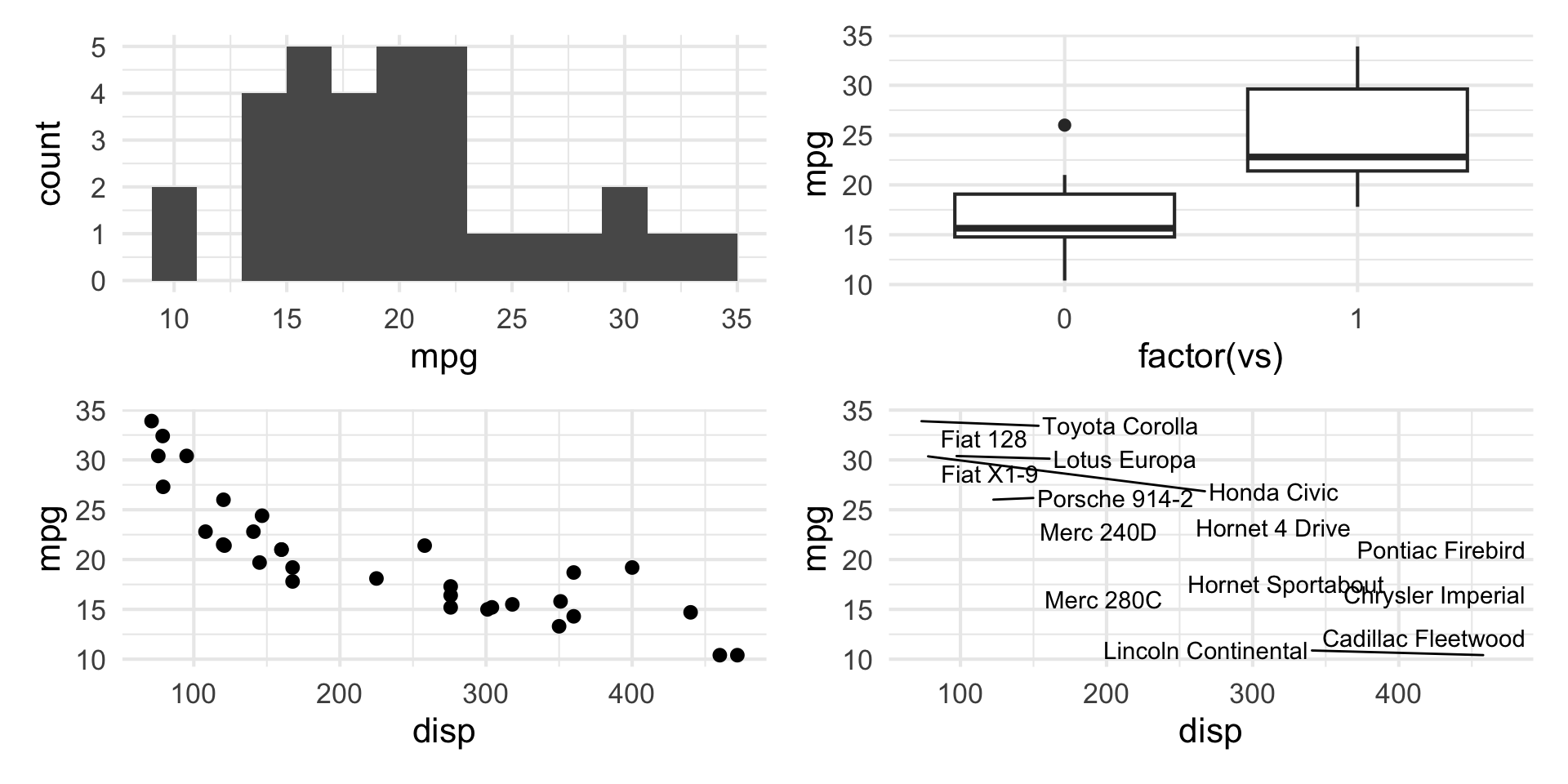
patchwork layout I

(p_hist + p_box) /
  (p_scatter + p_text)

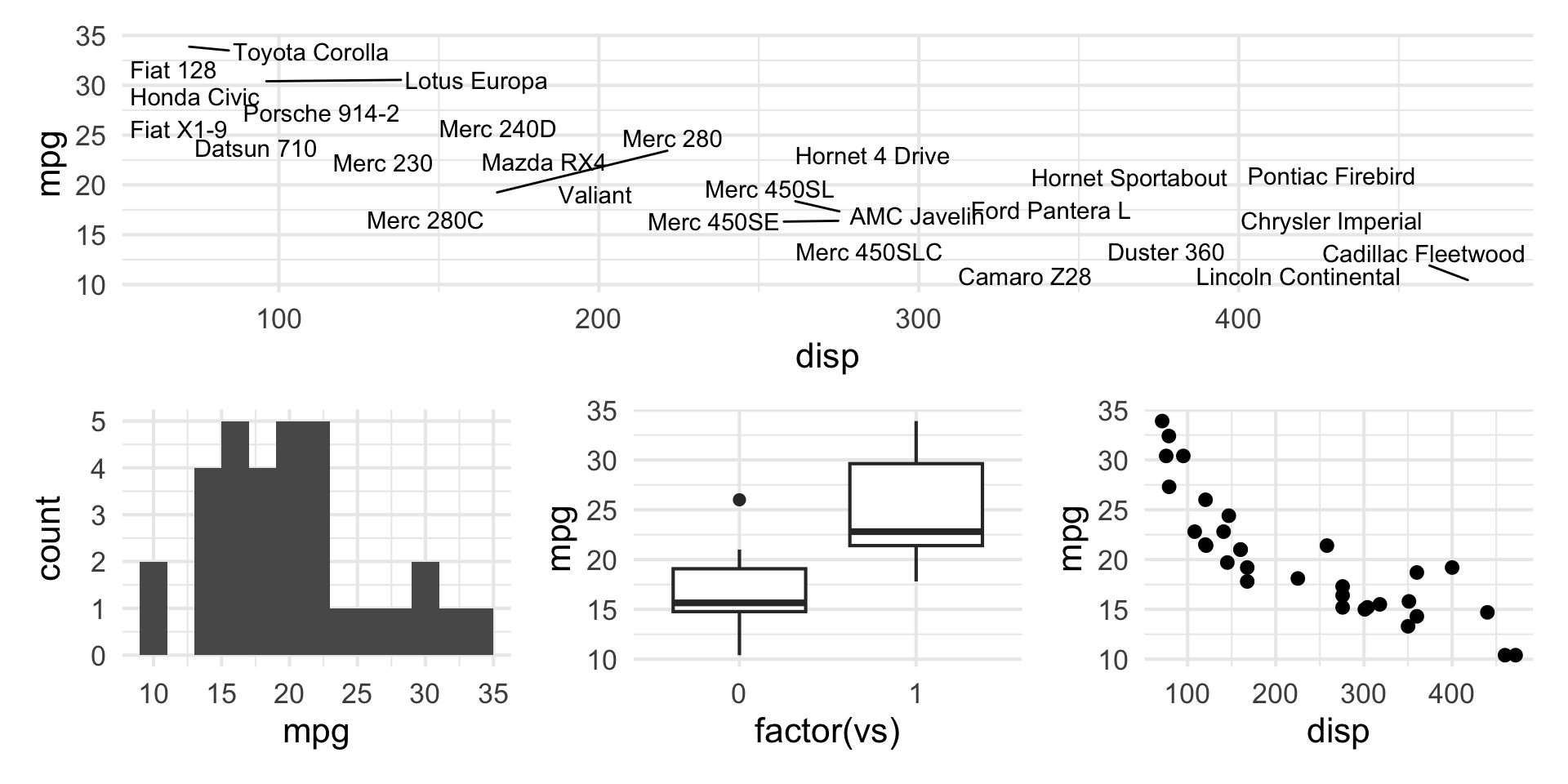
patchwork layout II

p_text / (p_hist + p_box + p_scatter)

patchwork layout III

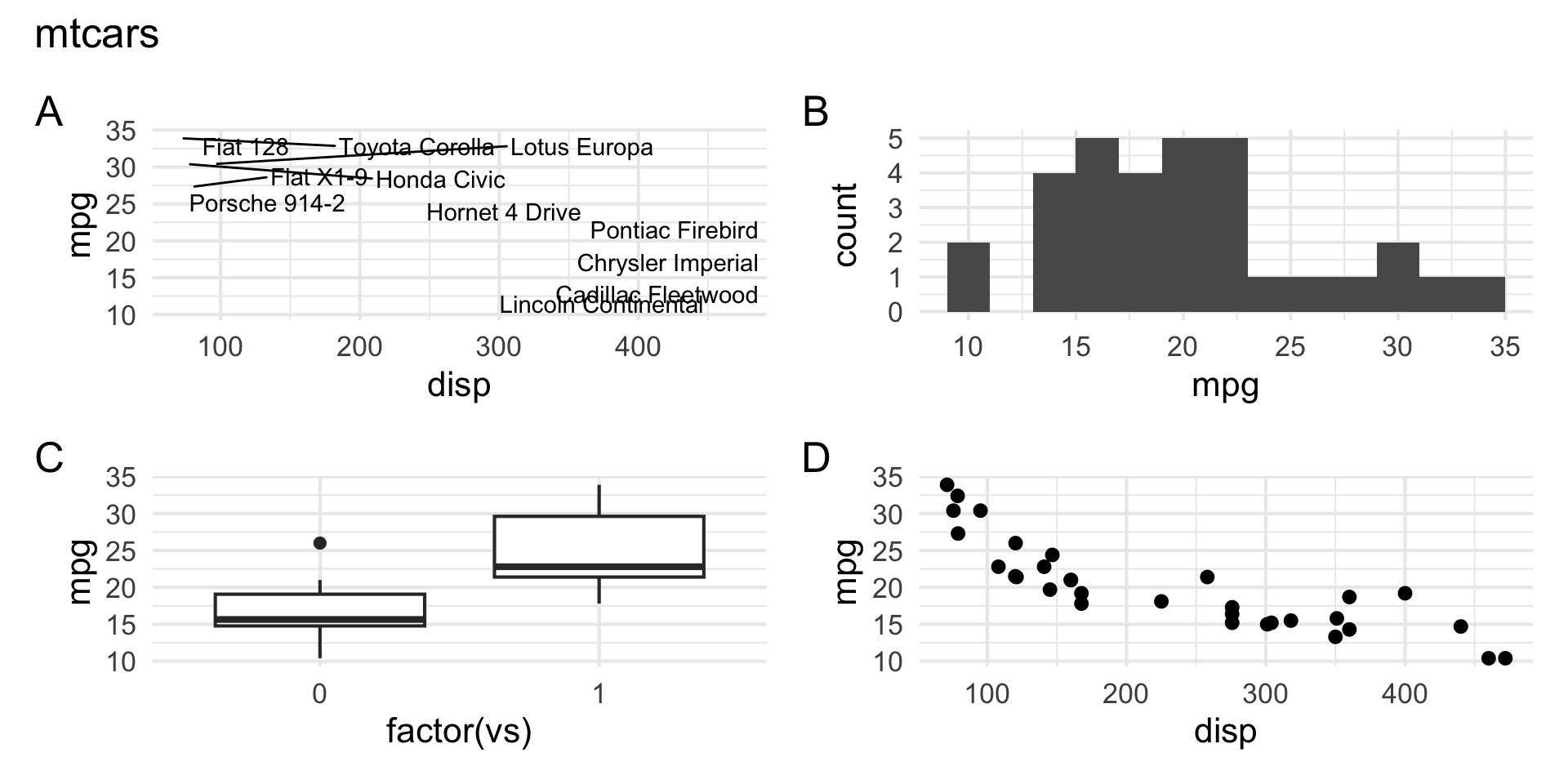
p_text + p_hist + p_box + p_scatter + 
  plot_annotation(title = "mtcars", tag_levels = c("A"))

patchwork layout IV

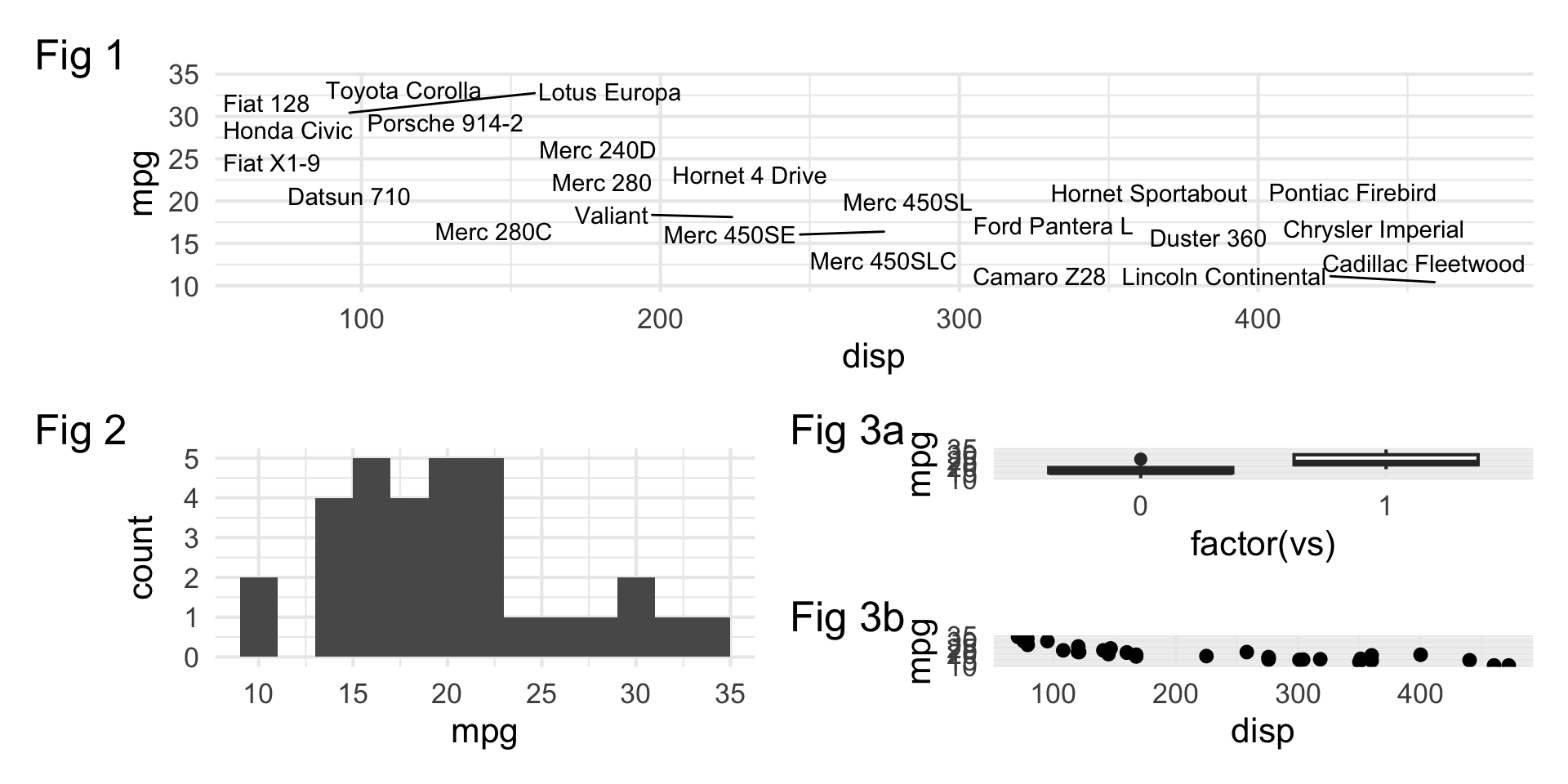
p_text + {
  p_hist + {
    p_box + p_scatter + plot_layout(ncol = 1) + plot_layout(tag_level = 'new')
  }
} + 
  plot_layout(ncol = 1) +
  plot_annotation(tag_levels = c("1","a"), tag_prefix = "Fig ")

More patchwork


Learn more at https://patchwork.data-imaginist.com.

Want to replicate something you saw in my slides?


Look into the source code at https://github.com/vizdata-s24/vizdata-s26/tree/main/slides.

Designing: Make your visualizations more effective

Keep it simple

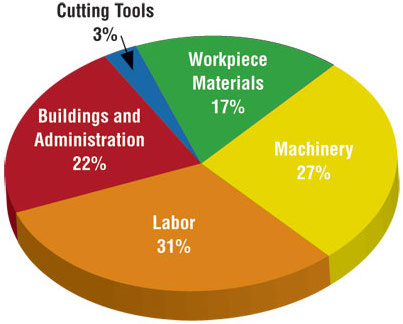
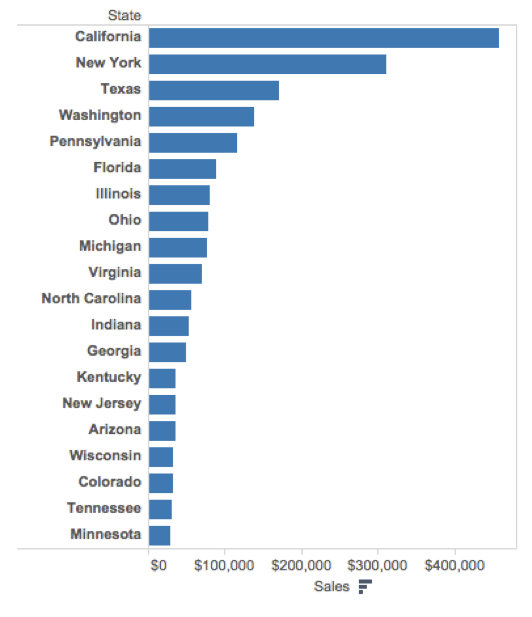
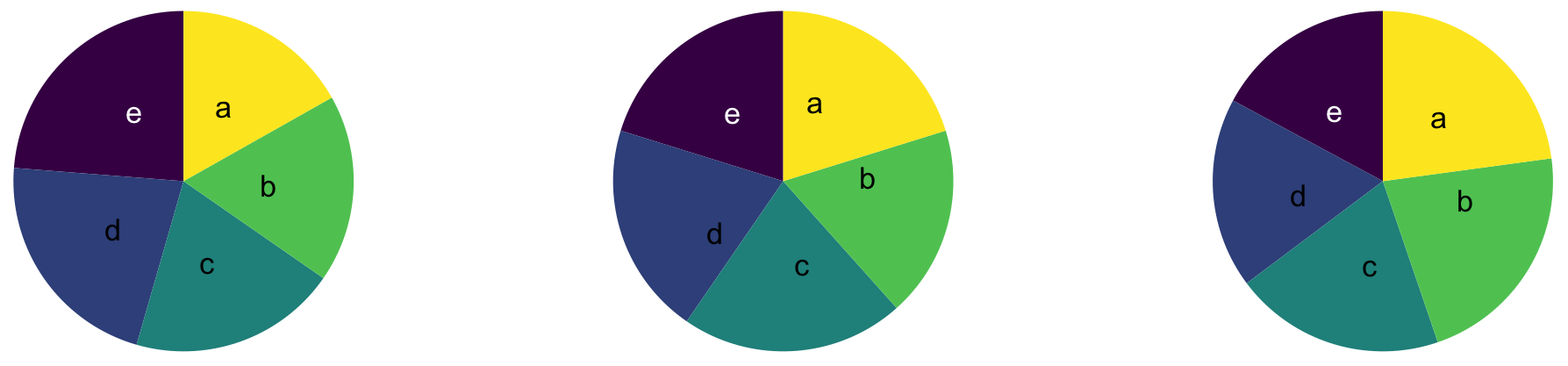
Judging relative area
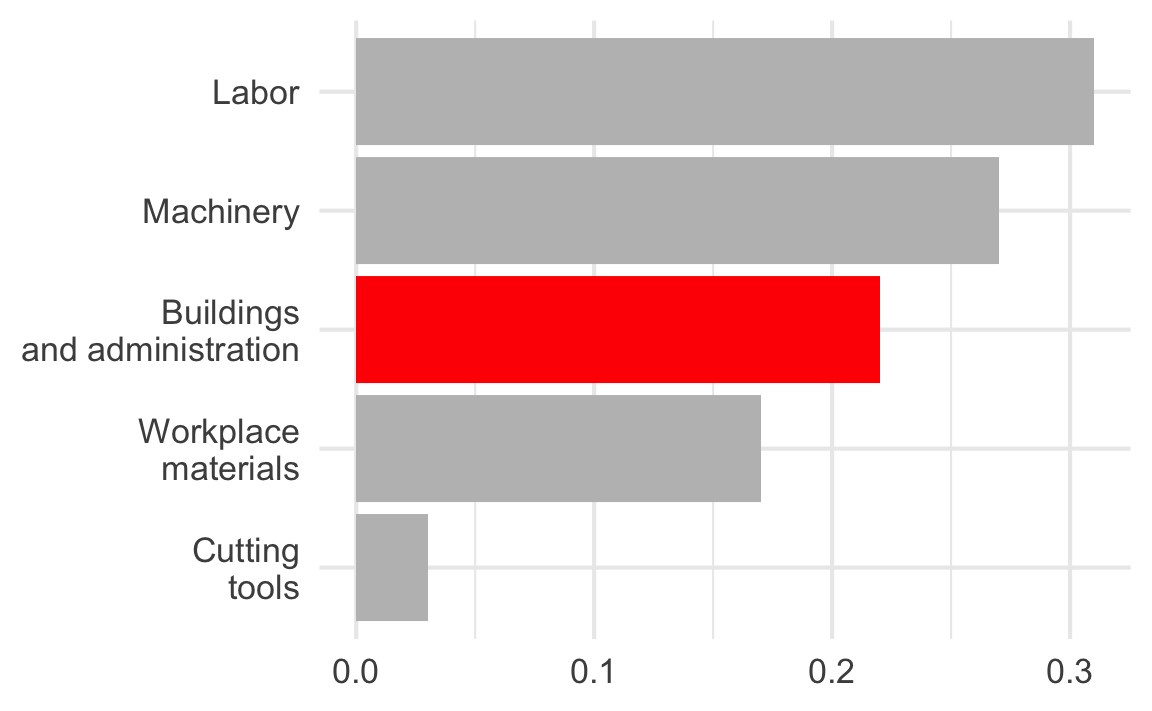
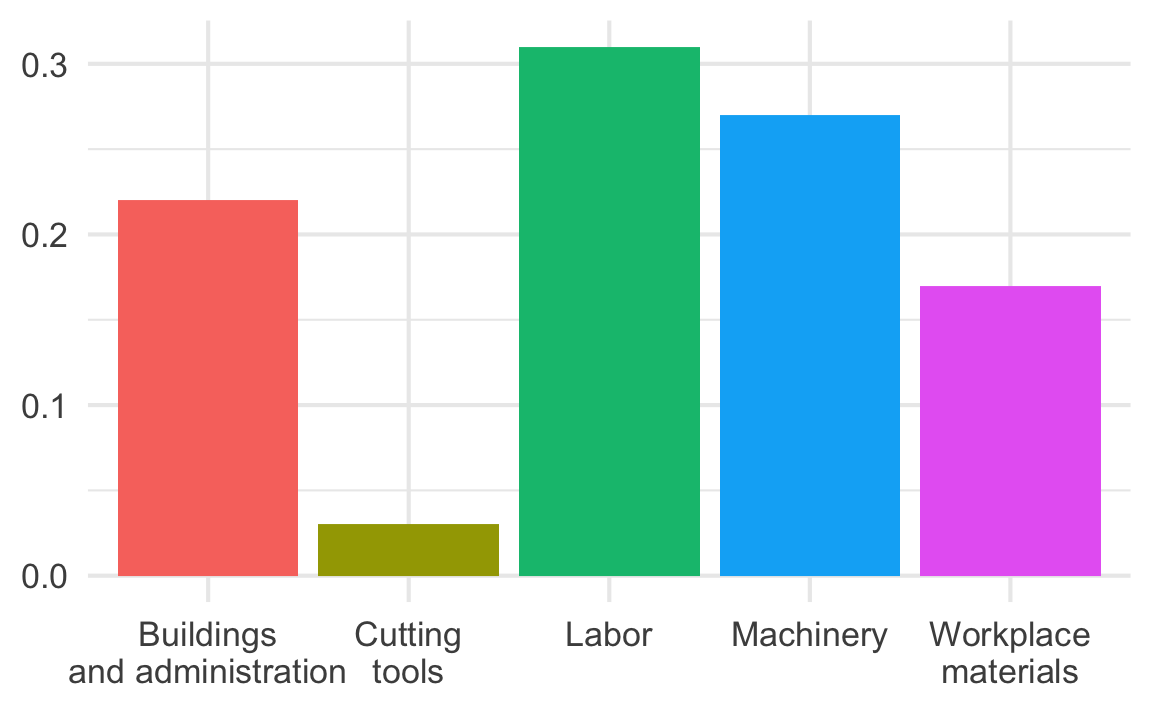
Use color to draw attention


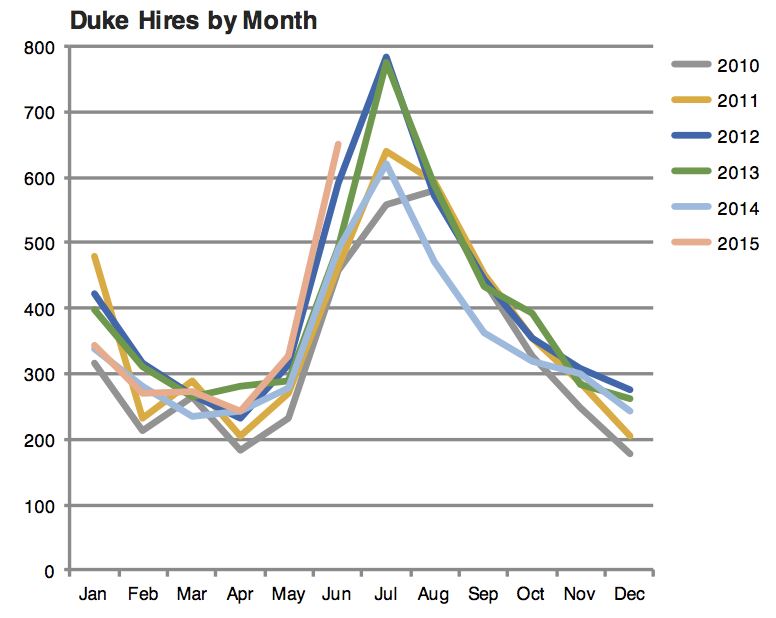
Tell a story
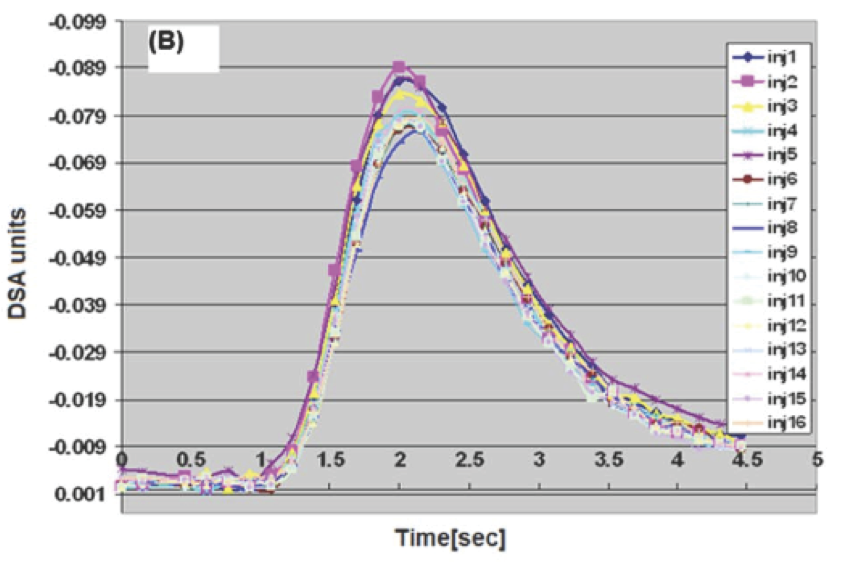
Leave out non-story details
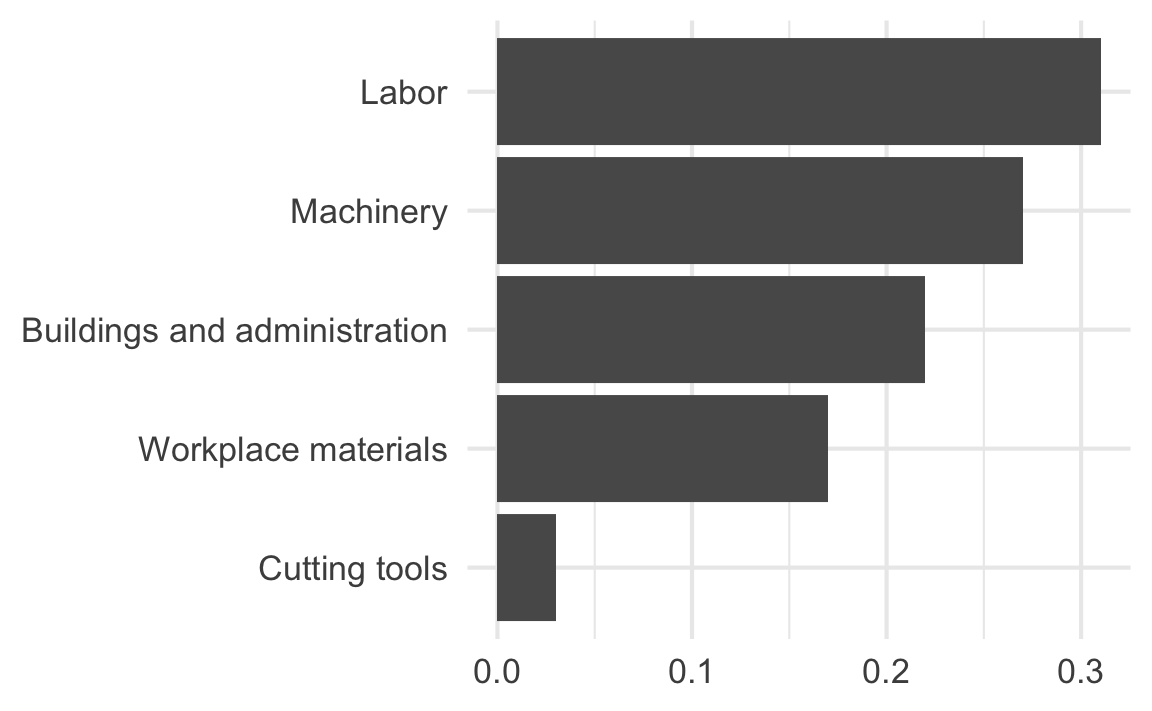
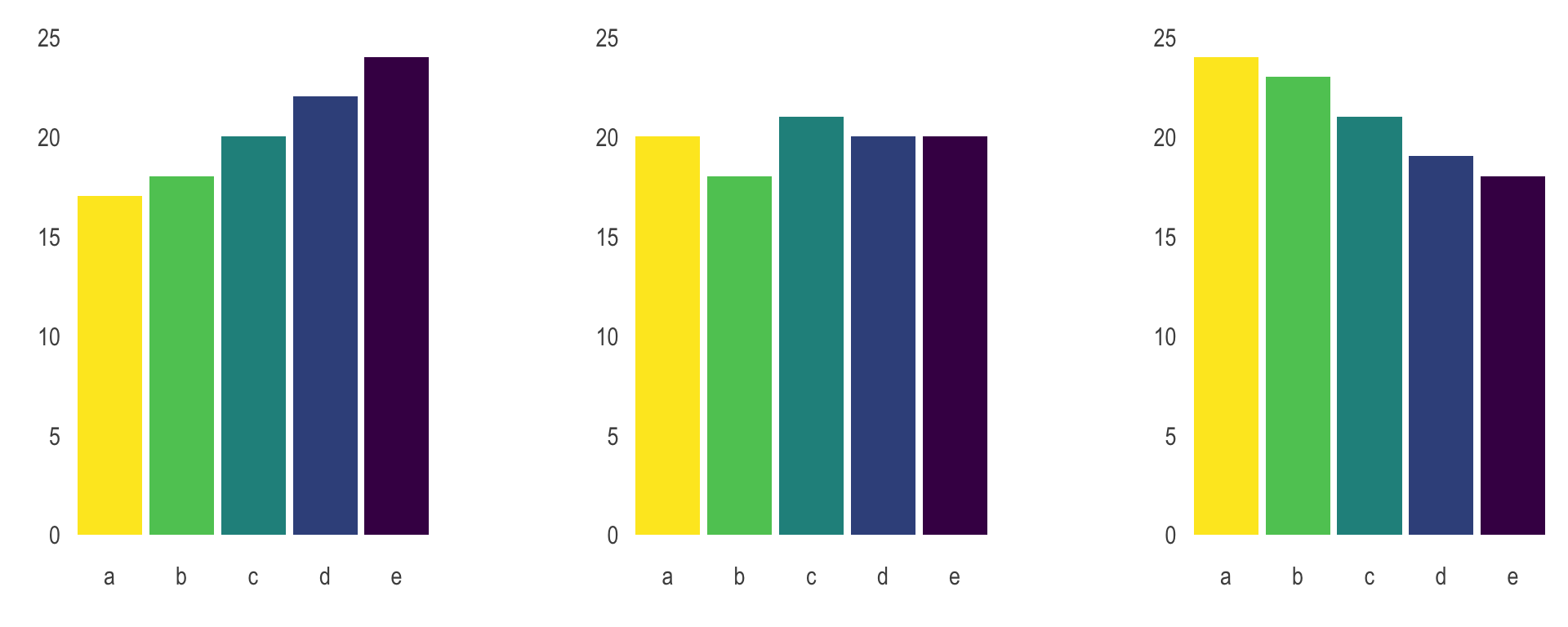
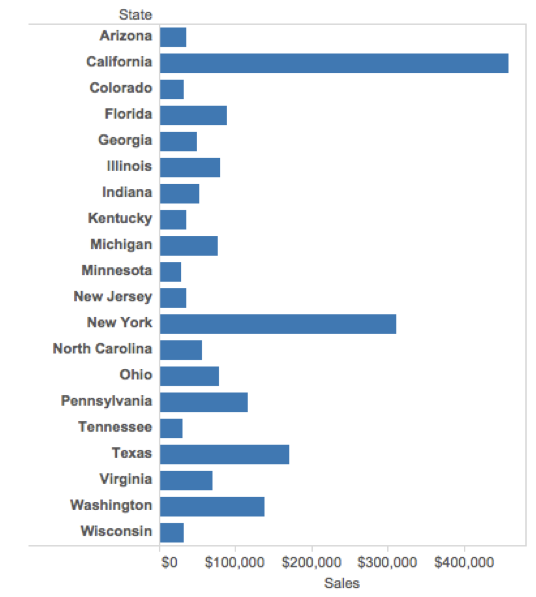
Order matters
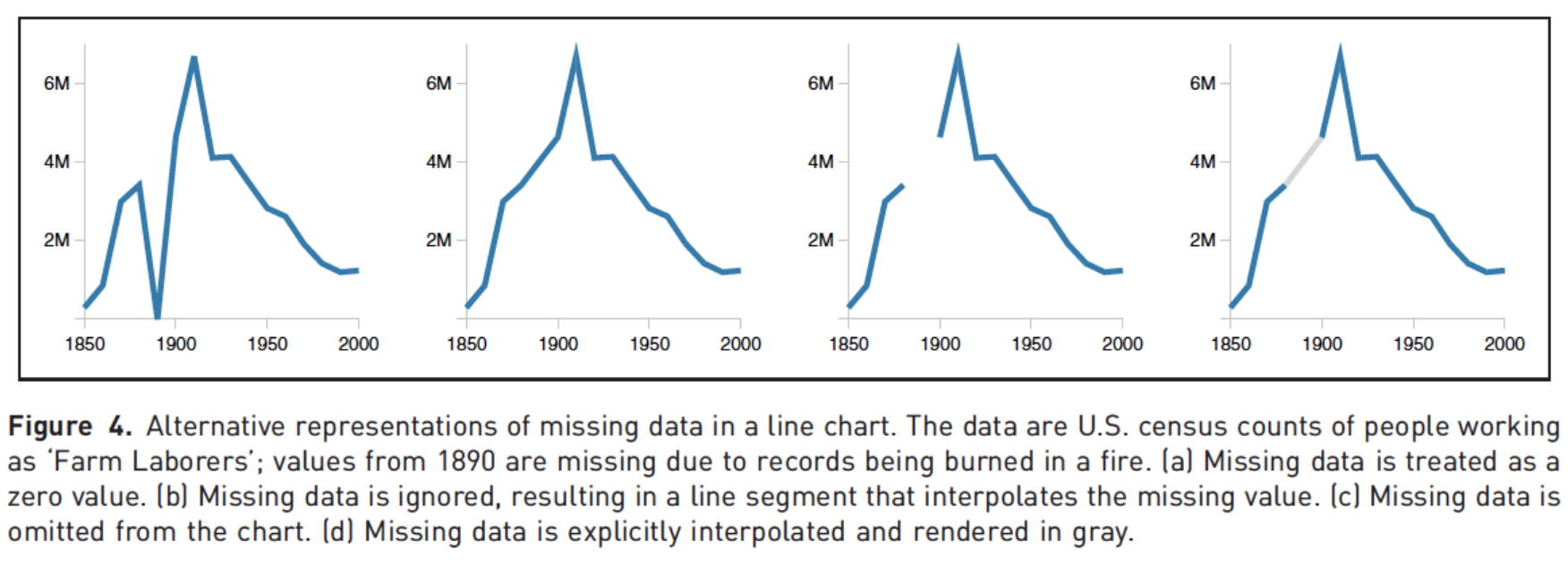
Clearly indicate missing data
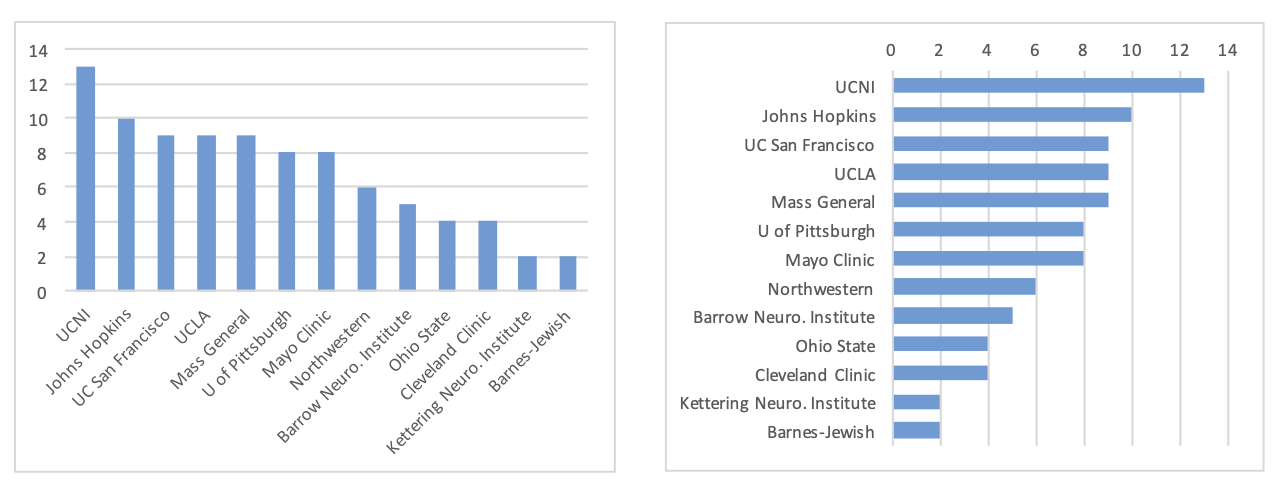
Reduce cognitive load
Use descriptive titles
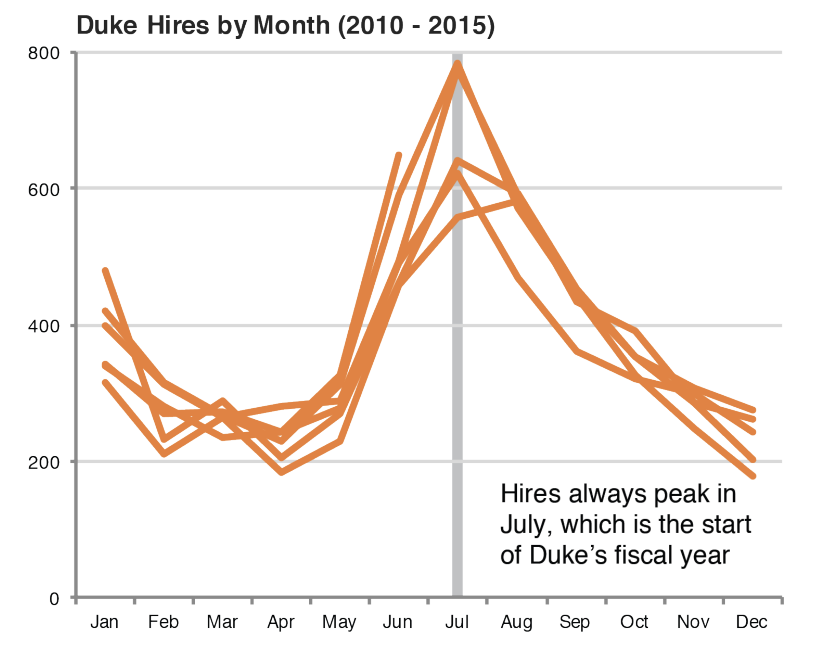
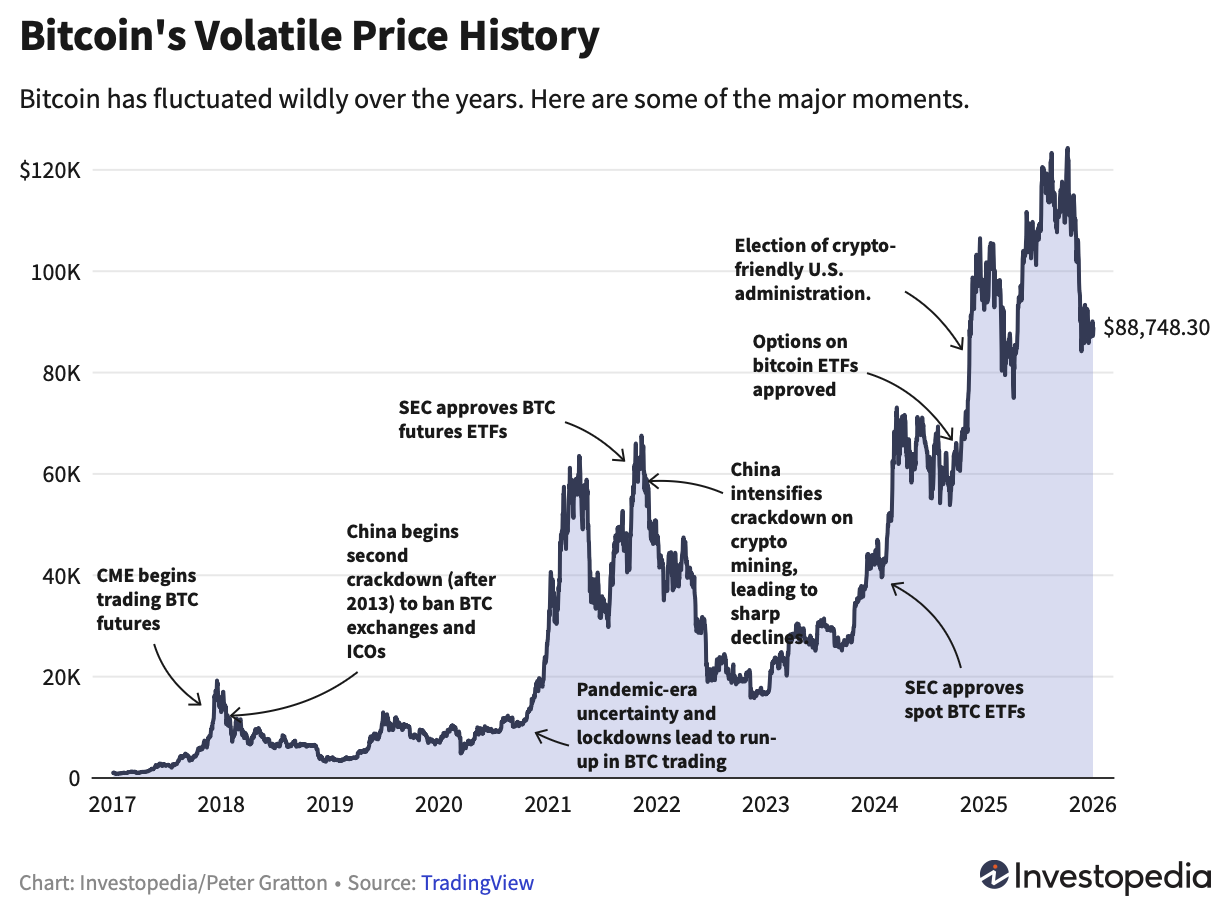
Annotate figures
Polishing: Take a sad plot, and make it better

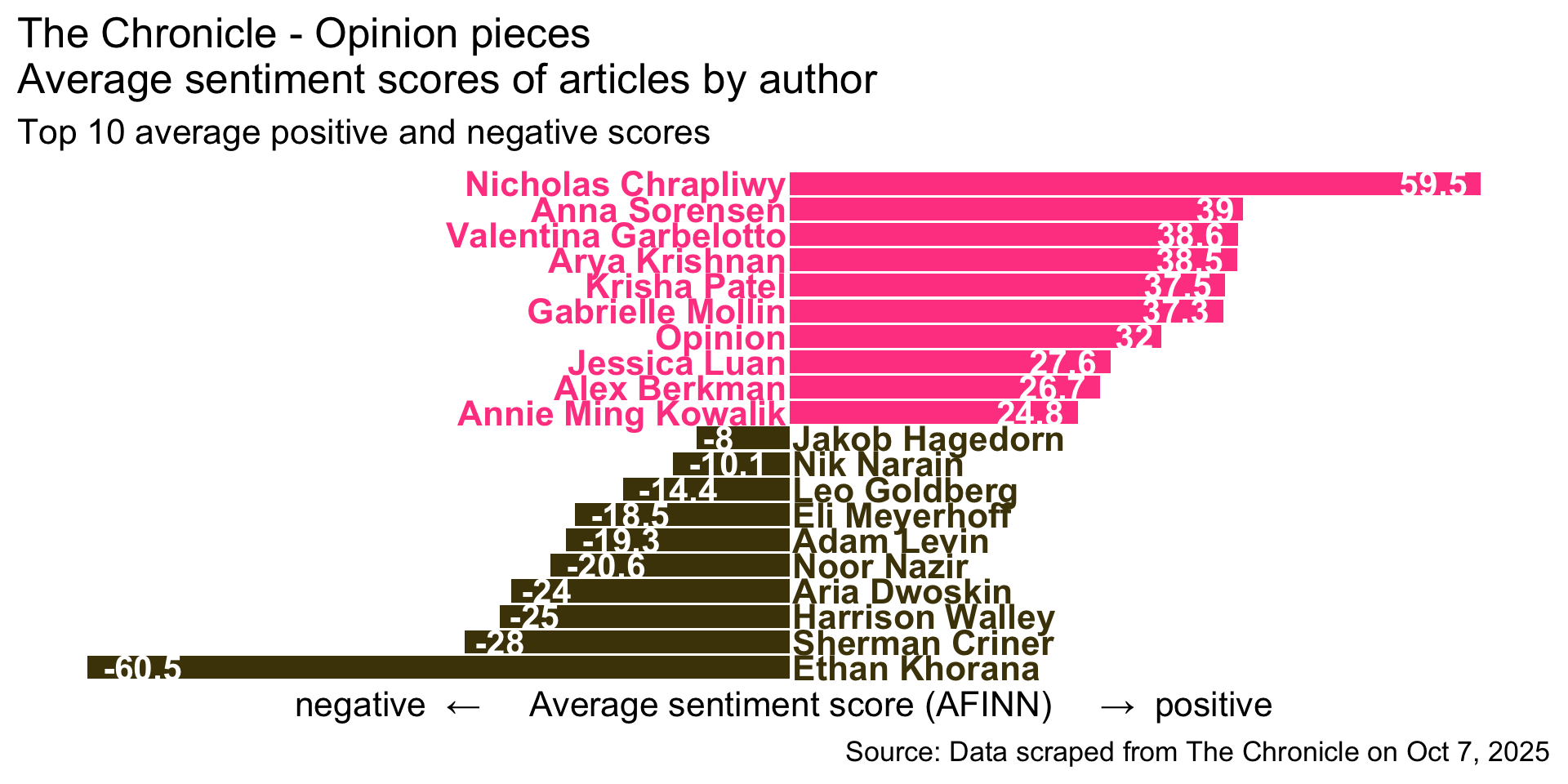
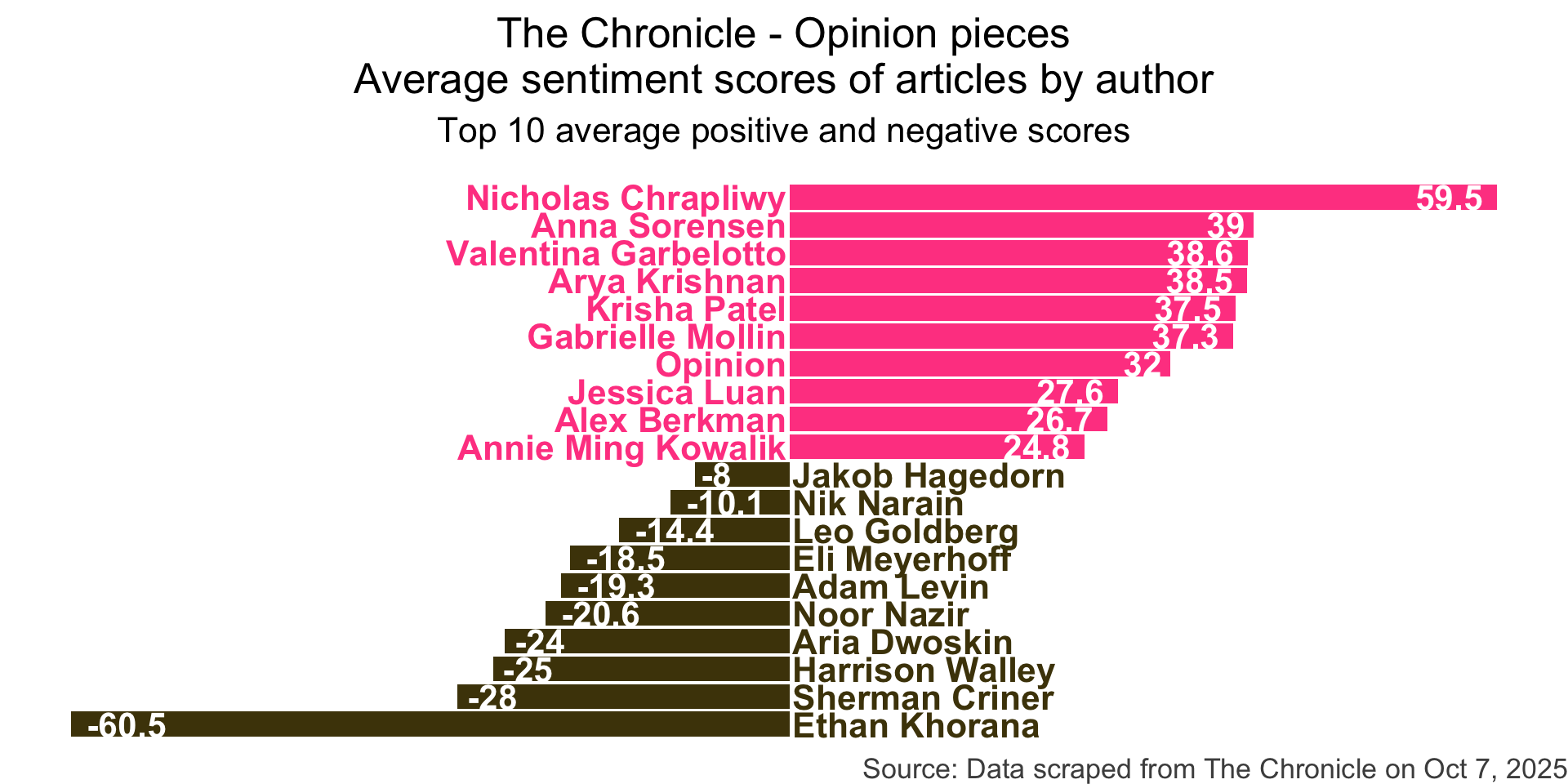
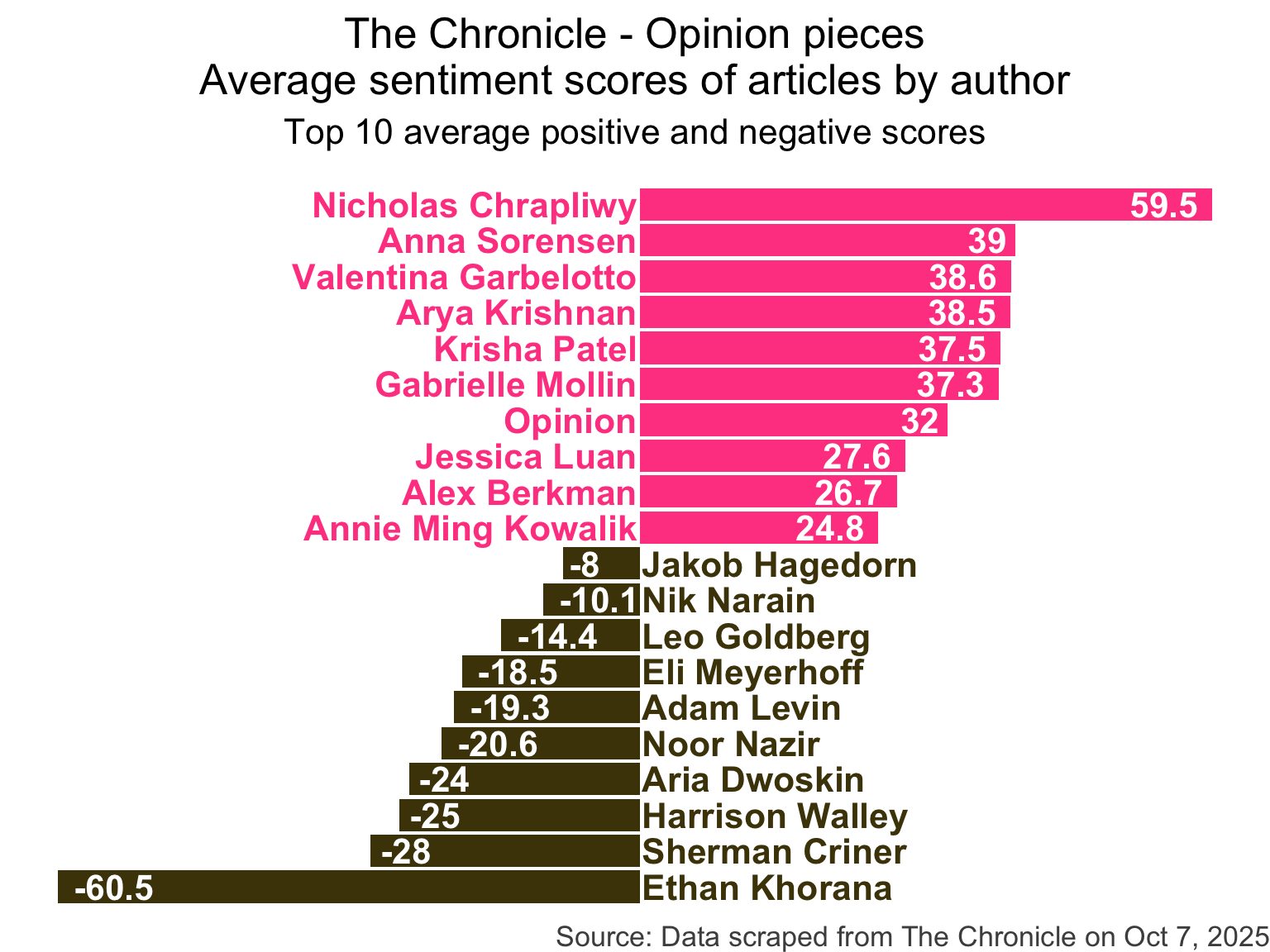
Opinion pieces from The Chronicle

chronicle <- read_csv("data/chronicle-article.csv")
chronicle
# A tibble: 500 × 8
   title             author date_time           month   day column url   article
   <chr>             <chr>  <dttm>              <chr> <dbl> <chr>  <chr> <chr>  
 1 The United State… Noor … 2025-10-07 10:00:00 Oct       7 Opini… http… "Frate…
 2 The problem with… Harri… 2025-10-07 10:00:00 Oct       7 Campu… http… "In th…
 3 The 'Duke Differ… Gabri… 2025-10-06 14:30:00 Oct       6 Campu… http… "A wee…
 4 Death ain’t noth… Luke … 2025-10-06 10:00:00 Oct       6 Campu… http… "Some …
 5 Hazing ban force… Monda… 2025-10-06 04:00:00 Oct       6 Campu… http… "Edito…
 6 Duke’s hold on D… Lucas… 2025-10-04 10:00:00 Oct       4 Campu… http… "Duke …
 7 The world needs … Leo G… 2025-10-03 10:00:00 Oct       3 Campu… http… "Recen…
 8 We’ve grown the … Kayle… 2025-10-02 14:00:00 Oct       2 Opini… http… "As a …
 9 How Duke introdu… Neel … 2025-10-01 10:00:00 Oct       1 Campu… http… "Comin…
10 Why aren’t we al… Ryan … 2025-10-01 10:00:00 Oct       1 Campu… http… "The e…
# ℹ 490 more rows

Step 1

chronicle_sentiments <- chronicle |>
  tidytext::unnest_tokens(word, article) |>
  anti_join(tidytext::stop_words, by = join_by(word)) |>
  left_join(tidytext::get_sentiments("afinn"), by = join_by(word)) |> 
  group_by(author, title) |>
  summarize(total_sentiment = sum(value, na.rm = TRUE), .groups = "drop") |>
  group_by(author) |>
  summarize(
    n_articles = n(),
    avg_sentiment = mean(total_sentiment, na.rm = TRUE),
  ) |>
  filter(n_articles > 1 & !is.na(author)) |>
  arrange(desc(avg_sentiment))

chronicle_sentiments
# A tibble: 58 × 3
   author               n_articles avg_sentiment
   <chr>                     <int>         <dbl>
 1 Nicholas Chrapliwy            2          59.5
 2 Anna Sorensen                 5          39  
 3 Valentina Garbelotto          7          38.6
 4 Arya Krishnan                 4          38.5
 5 Krisha Patel                  2          37.5
 6 Gabrielle Mollin              6          37.3
 7 Opinion                       2          32  
 8 Jessica Luan                  5          27.6
 9 Alex Berkman                 11          26.7
10 Annie Ming Kowalik            5          24.8
# ℹ 48 more rows

Step 1

chronicle_to_plot <- chronicle_sentiments |>
  slice(c(1:10, (nrow(chronicle_sentiments)-9):nrow(chronicle_sentiments))) |>
  mutate(
    author = fct_reorder(author, avg_sentiment),
    neg_pos = if_else(avg_sentiment < 0, "neg", "pos"),
    label_position = if_else(neg_pos == "neg", 0.25, -0.25)
  )

chronicle_to_plot
# A tibble: 20 × 5
   author               n_articles avg_sentiment neg_pos label_position
   <fct>                     <int>         <dbl> <chr>            <dbl>
 1 Nicholas Chrapliwy            2          59.5 pos              -0.25
 2 Anna Sorensen                 5          39   pos              -0.25
 3 Valentina Garbelotto          7          38.6 pos              -0.25
 4 Arya Krishnan                 4          38.5 pos              -0.25
 5 Krisha Patel                  2          37.5 pos              -0.25
 6 Gabrielle Mollin              6          37.3 pos              -0.25
 7 Opinion                       2          32   pos              -0.25
 8 Jessica Luan                  5          27.6 pos              -0.25
 9 Alex Berkman                 11          26.7 pos              -0.25
10 Annie Ming Kowalik            5          24.8 pos              -0.25
11 Jakob Hagedorn                3          -8   neg               0.25
12 Nik Narain                   14         -10.1 neg               0.25
13 Leo Goldberg                 13         -14.4 neg               0.25
14 Eli Meyerhoff                 2         -18.5 neg               0.25
15 Adam Levin                    7         -19.3 neg               0.25
16 Noor Nazir                    5         -20.6 neg               0.25
17 Aria Dwoskin                  5         -24   neg               0.25
18 Harrison Walley               2         -25   neg               0.25
19 Sherman Criner                3         -28   neg               0.25
20 Ethan Khorana                 2         -60.5 neg               0.25

Step 2

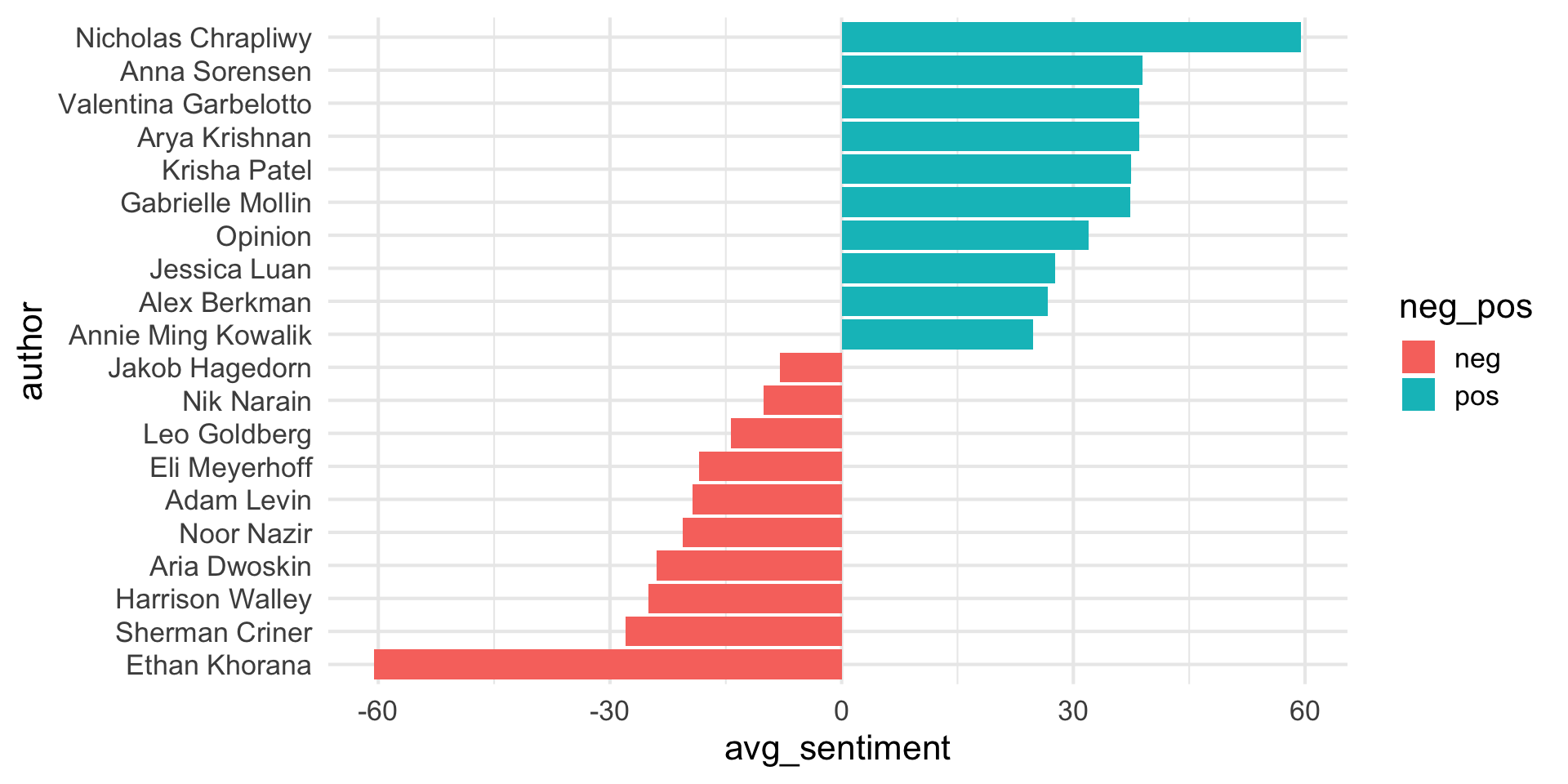
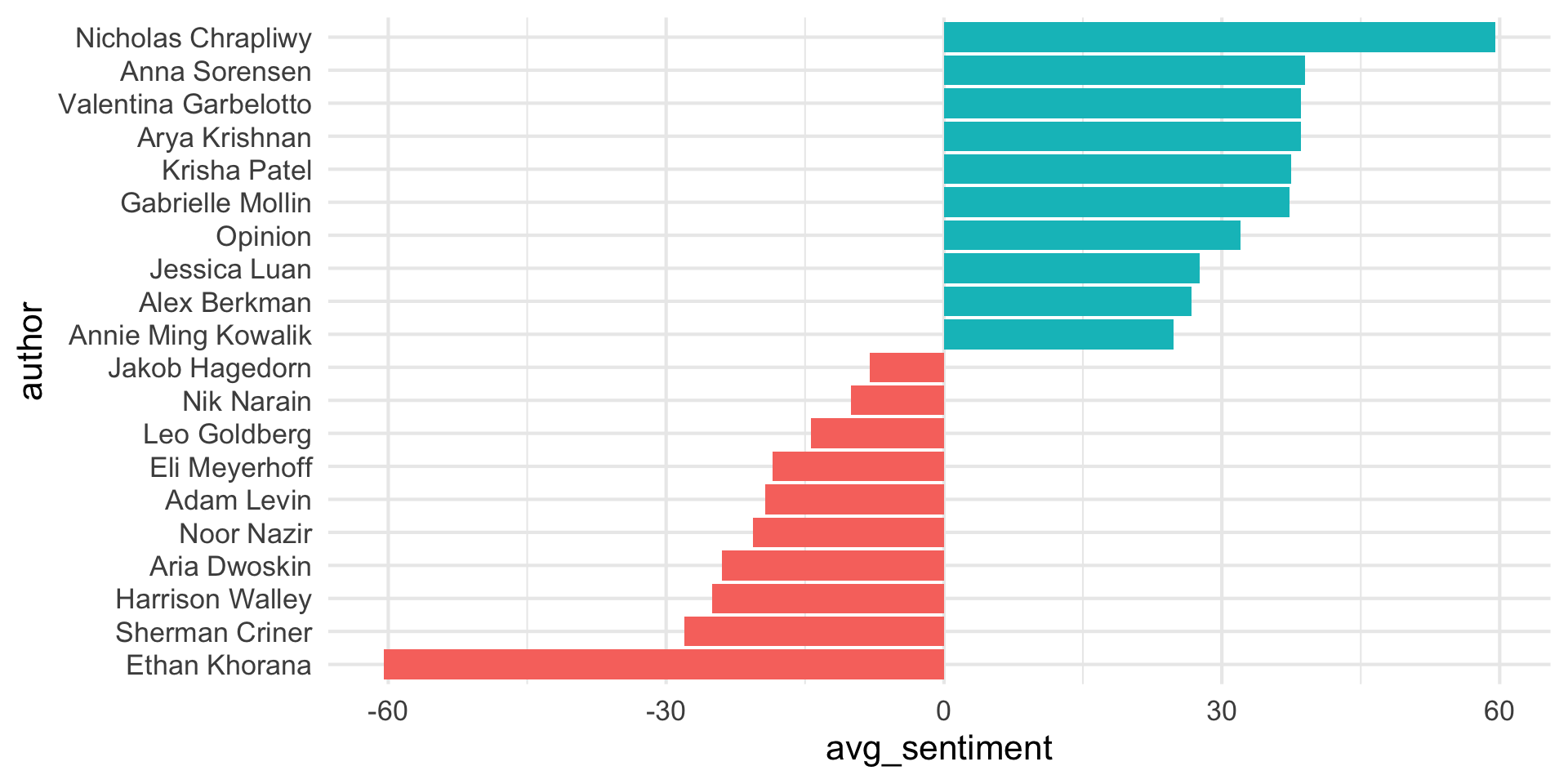
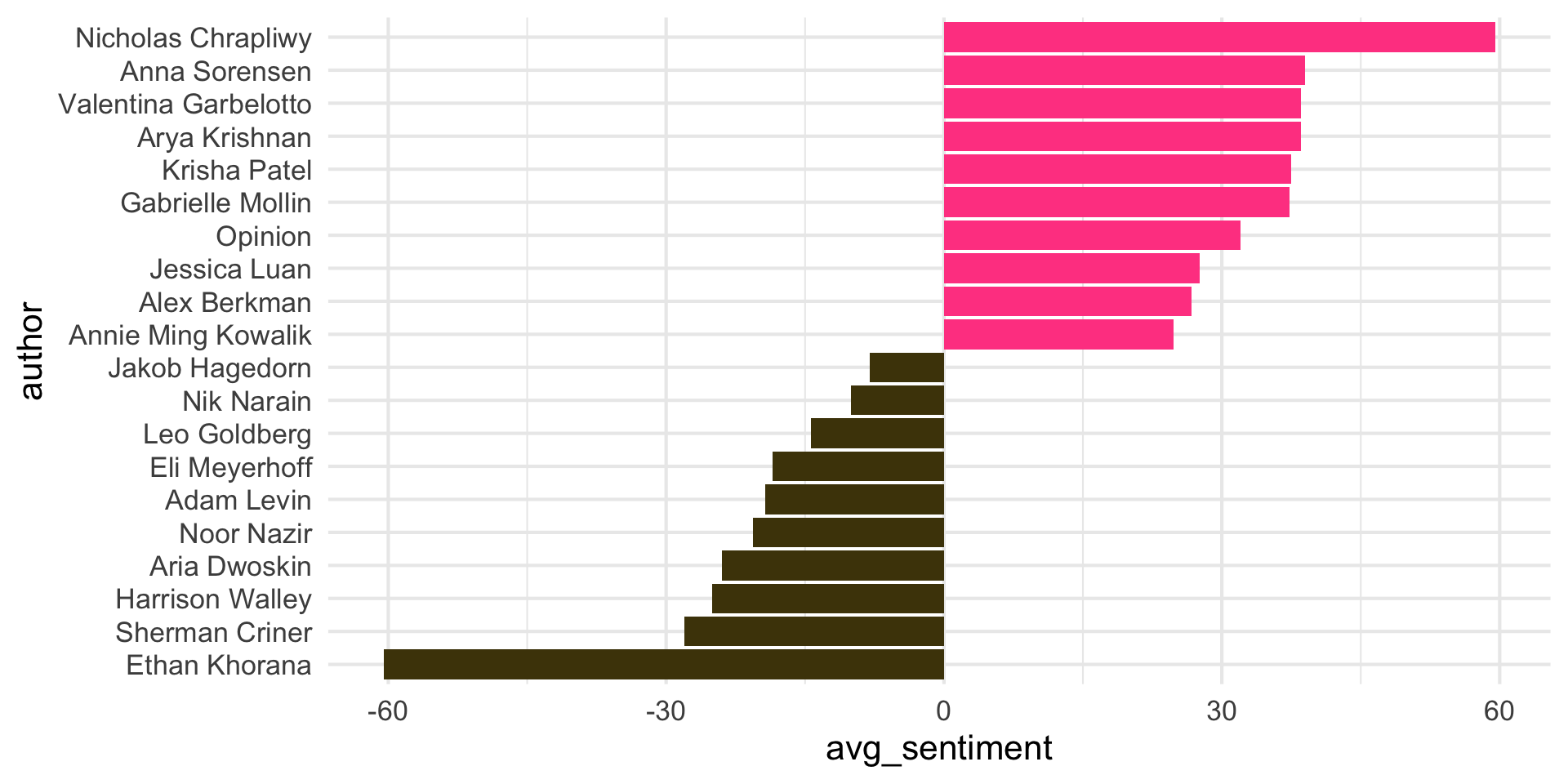
How would you improve this visualization?
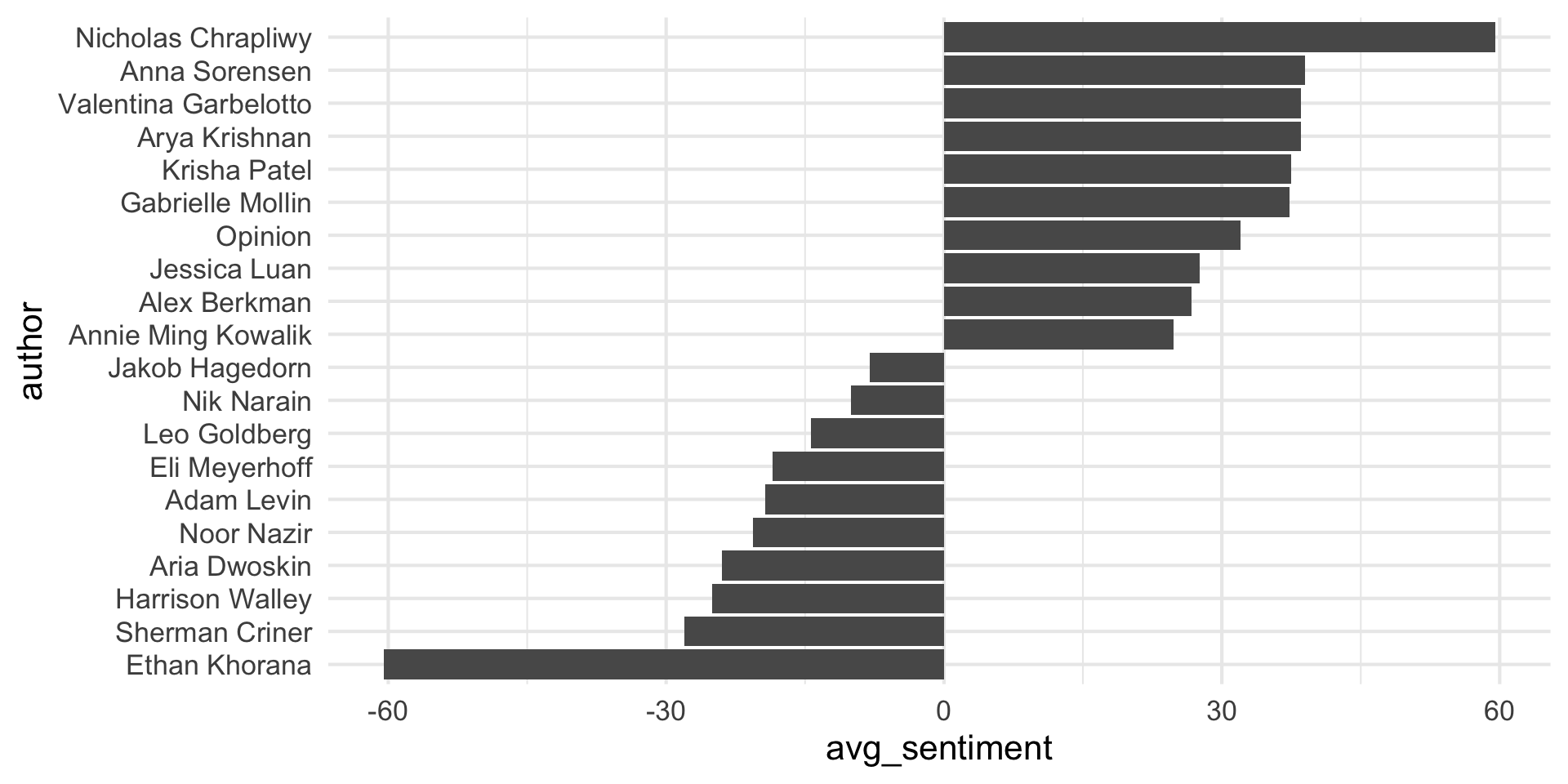
ggplot(chronicle_to_plot, aes(y = author, x = avg_sentiment)) +
  geom_col()

Step 3

chronicle_to_plot |>
  ggplot(aes(y = author, x = avg_sentiment)) +
  geom_col(aes(fill = neg_pos))

Step 4

chronicle_to_plot |>
  ggplot(aes(y = author, x = avg_sentiment)) +
  geom_col(aes(fill = neg_pos), show.legend = FALSE)

Step 5

chronicle_to_plot |>
  ggplot(aes(y = author, x = avg_sentiment)) +
  geom_col(aes(fill = neg_pos), show.legend = FALSE) +
  scale_fill_manual(values = c("neg" = "#4d4009", "pos" = "#FF4B91"))

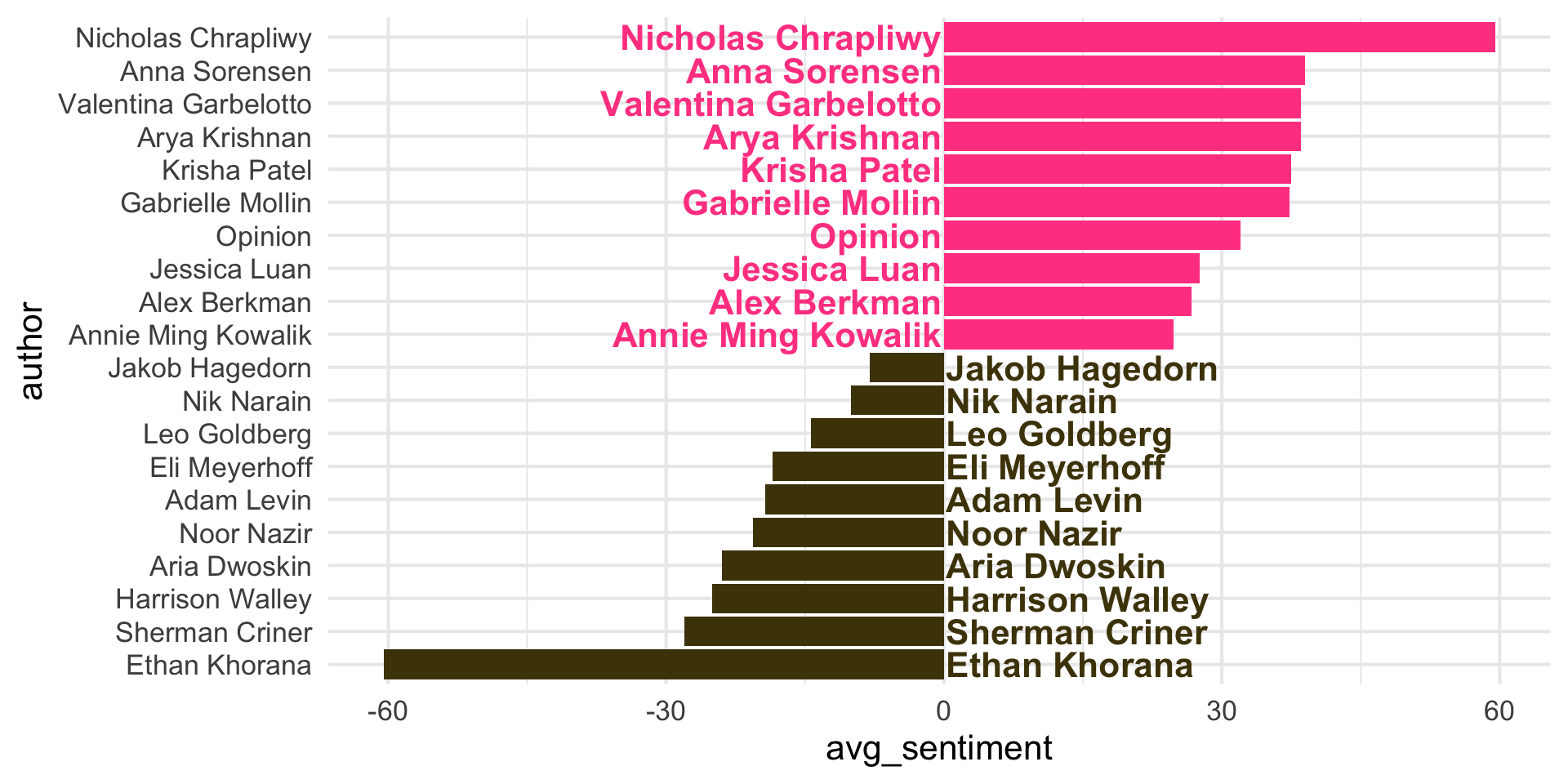
Step 6

chronicle_to_plot |>
  ggplot(aes(y = author, x = avg_sentiment)) +
  geom_col(aes(fill = neg_pos), show.legend = FALSE) +
  geom_text(
    aes(x = label_position, label = author, color = neg_pos),
    hjust = c(rep(1,10), rep(0, 10)),
    show.legend = FALSE,
    fontface = "bold"
  ) +
  scale_fill_manual(values = c("neg" = "#4d4009", "pos" = "#FF4B91")) +
  scale_color_manual(values = c("neg" = "#4d4009", "pos" = "#FF4B91"))

Step 6

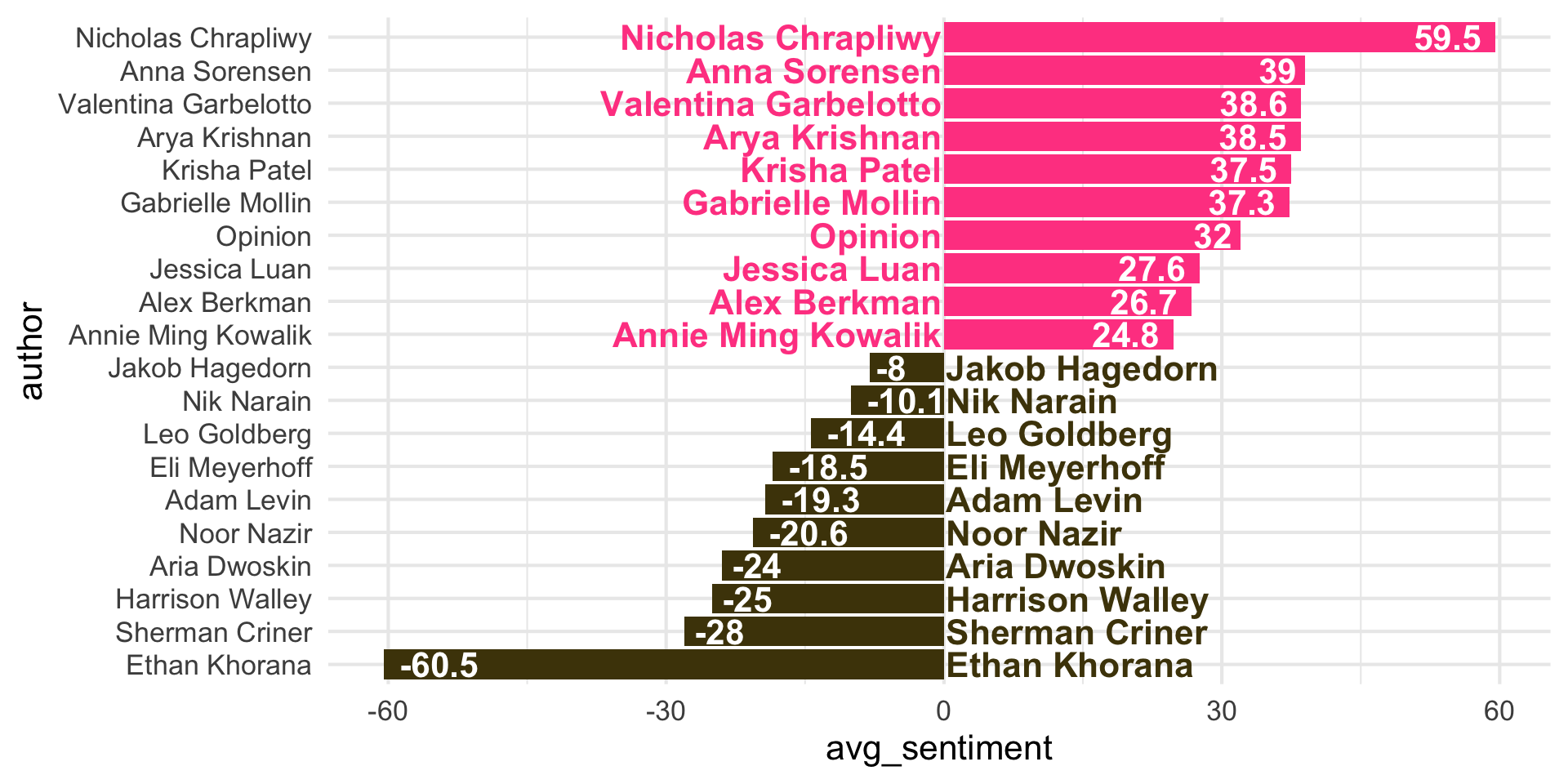
Step 7

chronicle_to_plot |>
  ggplot(aes(y = author, x = avg_sentiment)) +
  geom_col(aes(fill = neg_pos), show.legend = FALSE) +
  geom_text(
    aes(x = label_position, label = author, color = neg_pos),
    hjust = c(rep(1,10), rep(0, 10)),
    show.legend = FALSE,
    fontface = "bold"
  ) +
  geom_text(
    aes(label = round(avg_sentiment, 1)),
    hjust = c(rep(1.2,10), rep(-0.2, 10)),
    color = "white",
    fontface = "bold"
  ) +
  scale_fill_manual(values = c("neg" = "#4d4009", "pos" = "#FF4B91")) +
  scale_color_manual(values = c("neg" = "#4d4009", "pos" = "#FF4B91"))

Step 7

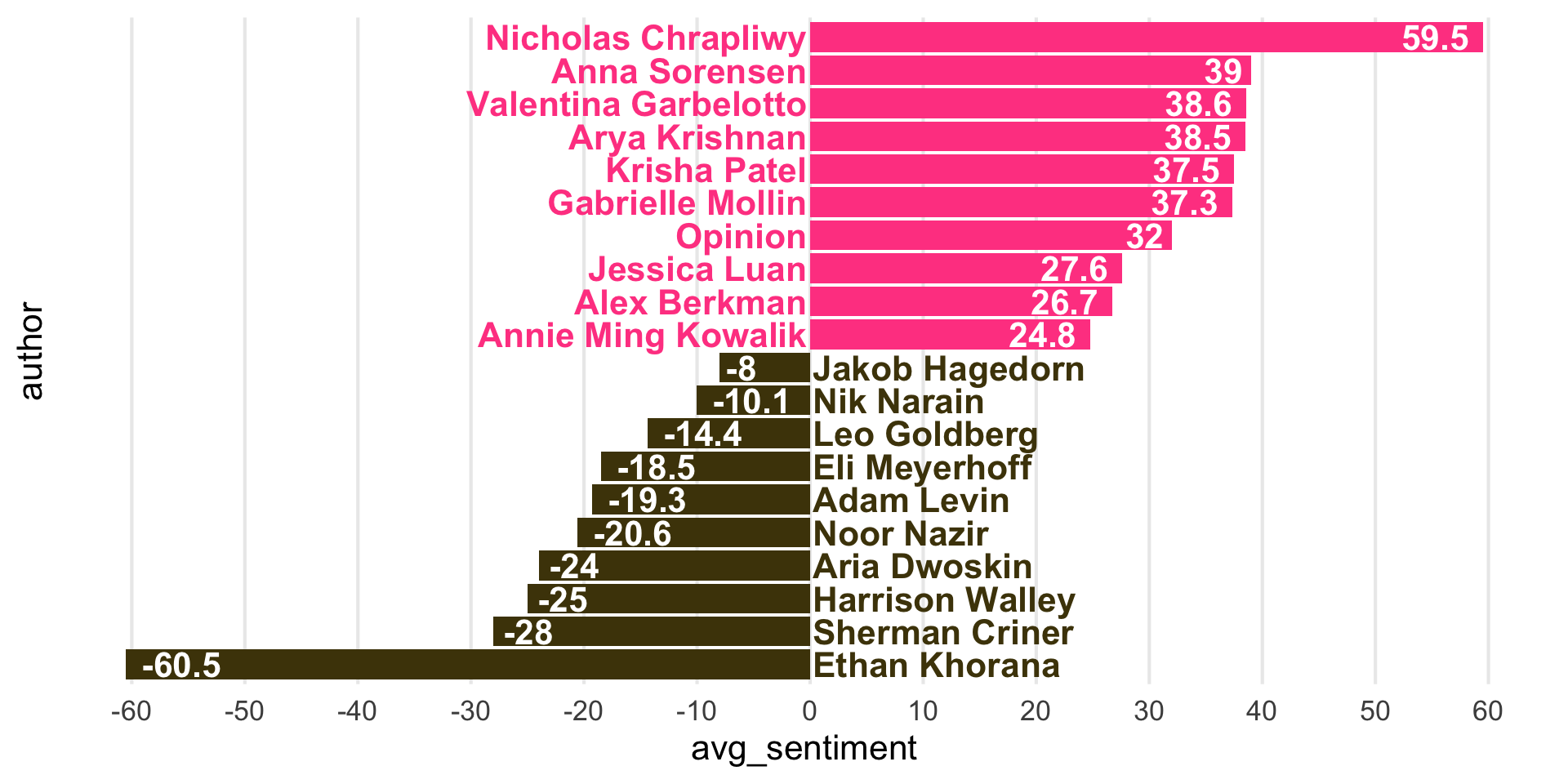
Step 8

chronicle_to_plot |>
  ggplot(aes(y = author, x = avg_sentiment)) +
  geom_col(aes(fill = neg_pos), show.legend = FALSE) +
  geom_text(
    aes(x = label_position, label = author, color = neg_pos),
    hjust = c(rep(1,10), rep(0, 10)),
    show.legend = FALSE,
    fontface = "bold"
  ) +
  geom_text(
    aes(label = round(avg_sentiment, 1)),
    hjust = c(rep(1.2,10), rep(-0.2, 10)),
    color = "white",
    fontface = "bold"
  ) +
  scale_fill_manual(values = c("neg" = "#4d4009", "pos" = "#FF4B91")) +
  scale_color_manual(values = c("neg" = "#4d4009", "pos" = "#FF4B91")) +
  scale_x_continuous(breaks = seq(-60, 60, 10), minor_breaks = NULL) +
  scale_y_discrete(breaks = NULL)

Step 8

Step 9

chronicle_to_plot |>
  ggplot(aes(y = author, x = avg_sentiment)) +
  geom_col(aes(fill = neg_pos), show.legend = FALSE) +
  geom_text(
    aes(x = label_position, label = author, color = neg_pos),
    hjust = c(rep(1,10), rep(0, 10)),
    show.legend = FALSE,
    fontface = "bold"
  ) +
  geom_text(
    aes(label = round(avg_sentiment, 1)),
    hjust = c(rep(1.2,10), rep(-0.2, 10)),
    color = "white",
    fontface = "bold"
  ) +
  scale_fill_manual(values = c("neg" = "#4d4009", "pos" = "#FF4B91")) +
  scale_color_manual(values = c("neg" = "#4d4009", "pos" = "#FF4B91")) +
  scale_x_continuous(breaks = NULL) + # changed from seq(-60, 60, 10) 
  scale_y_discrete(breaks = NULL) +
  labs(
    x = "negative  ←     Average sentiment score (AFINN)     →  positive",
    y = NULL,
    title = "The Chronicle - Opinion pieces\nAverage sentiment scores of articles by author",
    subtitle = "Top 10 average positive and negative scores",
    caption = "Source: Data scraped from The Chronicle on Oct 7, 2025"
  )

Step 9

Step 10

chronicle_to_plot |>
  ggplot(aes(y = author, x = avg_sentiment)) +
  geom_col(aes(fill = neg_pos), show.legend = FALSE) +
  geom_text(
    aes(x = label_position, label = author, color = neg_pos),
    hjust = c(rep(1,10), rep(0, 10)),
    show.legend = FALSE,
    fontface = "bold"
  ) +
  geom_text(
    aes(label = round(avg_sentiment, 1)),
    hjust = c(rep(1.2,10), rep(-0.2, 10)),
    color = "white",
    fontface = "bold"
  ) +
  scale_fill_manual(values = c("neg" = "#4d4009", "pos" = "#FF4B91")) +
  scale_color_manual(values = c("neg" = "#4d4009", "pos" = "#FF4B91")) +
  #scale_x_continuous(breaks = seq(-60, 60, 10), minor_breaks = NULL) +
  #scale_y_discrete(breaks = NULL) +
  labs(
    x = "negative  ←     Average sentiment score (AFINN)     →  positive",
    y = NULL,
    title = "The Chronicle - Opinion pieces\nAverage sentiment scores of articles by author",
    subtitle = "Top 10 average positive and negative scores",
    caption = "Source: Data scraped from The Chronicle on Oct 7, 2025"
  ) +
  theme_void(base_size = 16) +
  theme(
    plot.title = element_text(hjust = 0.5),
    plot.subtitle = element_text(hjust = 0.5, margin = margin(0.5, 0, 1, 0, unit = "lines")),
    axis.text.y = element_blank(),
    plot.caption = element_text(color = "gray30")
  )

Step 10

Step 11

```{r}
#| output-location: slide
#| code-line-numbers: "|4-6"
#| fig-width: 8
#| fig-asp: 0.75
#| fig-align: center
chronicle_to_plot |>
  ggplot(aes(y = author, x = avg_sentiment)) +
  geom_col(aes(fill = neg_pos), show.legend = FALSE) +
  geom_text(
    aes(x = label_position, label = author, color = neg_pos),
    hjust = c(rep(1,10), rep(0, 10)),
    show.legend = FALSE,
    fontface = "bold"
  ) +
  geom_text(
    aes(label = round(avg_sentiment, 1)),
    hjust = c(rep(1.2,10), rep(-0.2, 10)),
    color = "white",
    fontface = "bold"
  ) +
  scale_fill_manual(values = c("neg" = "#4d4009", "pos" = "#FF4B91")) +
  scale_color_manual(values = c("neg" = "#4d4009", "pos" = "#FF4B91")) +
  labs(
    x = "negative  ←     Average sentiment score (AFINN)     →  positive",
    y = NULL,
    title = "The Chronicle - Opinion pieces\nAverage sentiment scores of articles by author",
    subtitle = "Top 10 average positive and negative scores",
    caption = "Source: Data scraped from The Chronicle on Oct 7, 2025"
  ) +
  theme_void(base_size = 16) +
  theme(
    plot.title = element_text(hjust = 0.5),
    plot.subtitle = element_text(hjust = 0.5, margin = margin(0.5, 0, 1, 0, unit = "lines")),
    axis.text.y = element_blank(),
    plot.caption = element_text(color = "gray30")
  )
```

Step 11

Curating: Choosing the right plots

Multiple ways of telling a story

  • Sequential plots: Motivation, then resolution

  • A single plot: Resolution, and hidden in it motivation

Project note: you’re asked to create two plots per question. One possible approach: Start with a plot showing the raw data, and show derived quantities (e.g. percent increases, averages, coefficients of fitted models) in the subsequent plot.

Simplicity vs. complexity

When you’re trying to show too much data at once you may end up not showing anything.

  • Never assume your audience can rapidly process complex visual displays

  • Don’t add variables to your plot that are tangential to your story

  • Don’t jump straight to a highly complex figure; first show an easily digestible subset (e.g., show one facet first)

  • Aim for memorable, but clear

Project note: Make sure to leave time to iterate on your plots after you practice your presentation. If certain plots are getting too wordy to explain, take time to simplify them!

Consistency vs. repetitiveness

Be consistent but don’t be repetitive.

  • Use consistent features throughout plots (e.g., same color represents same level on all plots)

  • Aim to use a different type of visualization for each distinct analysis

Project note: If possible, ask a friend who is not in the class to listen to your presentation and then ask them what they remember. Then, ask yourself: is that what you wanted them to remember?