Themes + axes + annotation

Lecture 4

Dr. Mine Çetinkaya-Rundel

Duke University
STA 313 - Spring 2026

Warm up

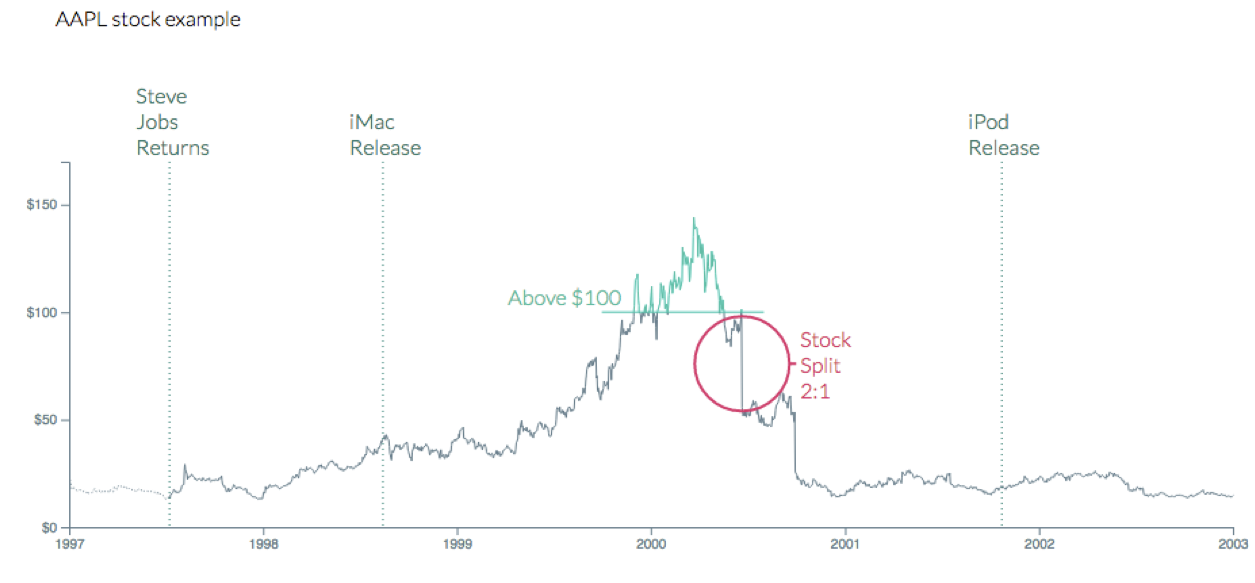
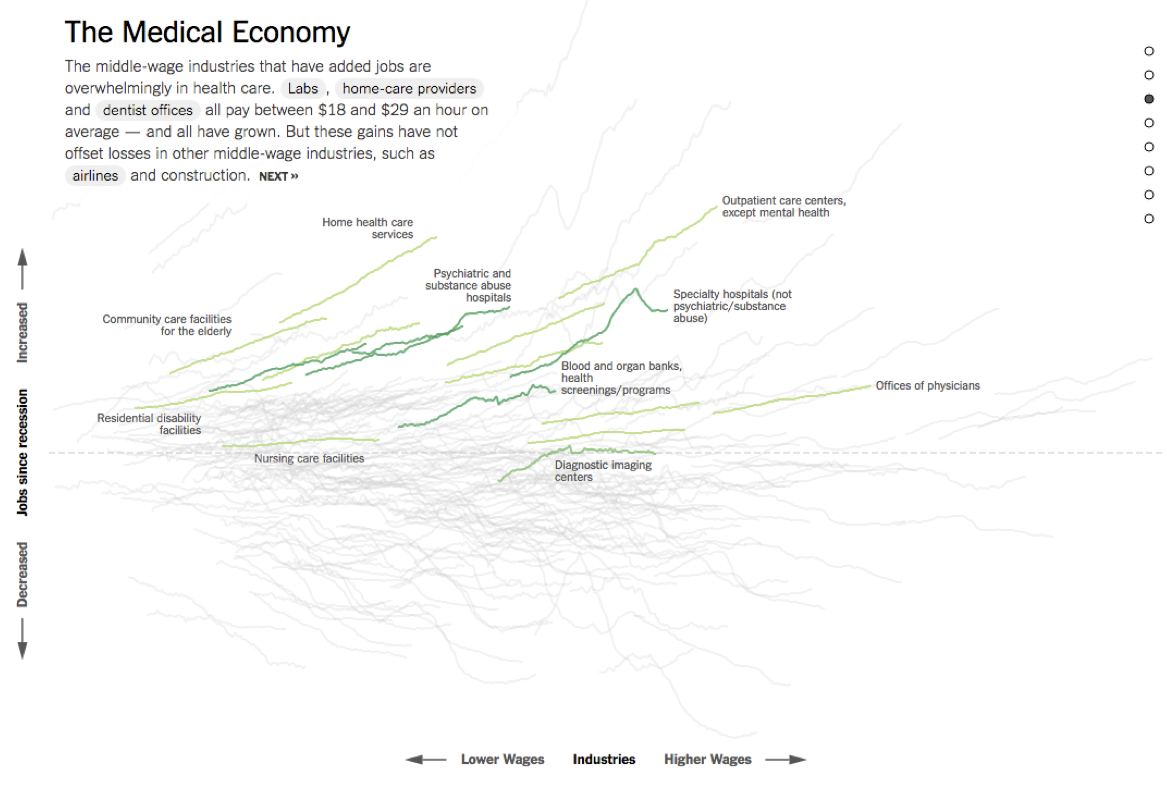
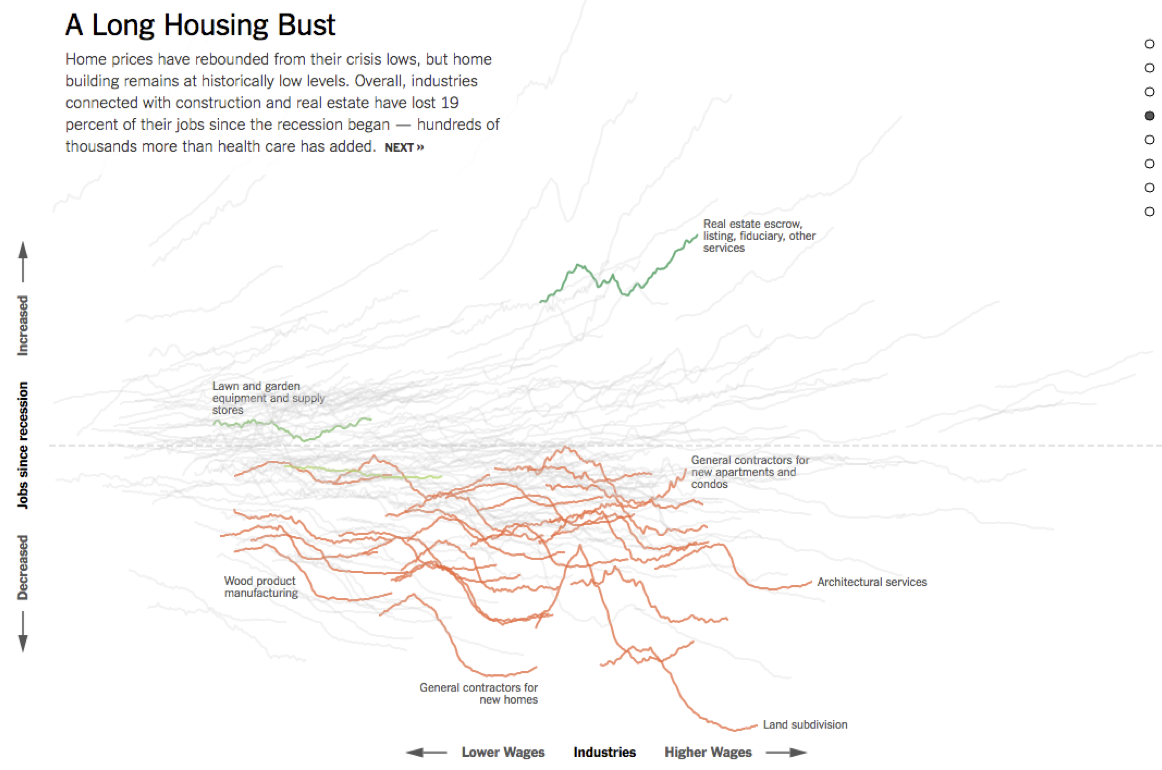
Dataviz of the day

Disclosing and citing external resources

TL;DR - Read your email / Canvas announcement.
### AI disclosure

Did you use an LLM or any other Generative AI for this question? If so, how? Select all that apply.

- [ ] No, I didn't use one.
- [ ] Yes, I asked clarifying questions on how something worked.
- [ ] Yes, I asked clarifying questions on a concept.
- [ ] Yes, I gave my code and asked for help to fix it.
- [ ] Yes, I asked about an error or why the code would do something I didn't want.
- [ ] Yes, I pasted the question prompt in and asked for help, but I wrote my answer myself.
- [ ] Yes, I pasted the question prompt in and copied and pasted at least some of the answer into my Quarto document.

If you selected any option(s) other than *No*, list your prompt(s) and include the name of the model you used and a link to the chat thread.

### Non-AI reference disclosure

Did you use any non-AI references (e.g., blog posts, books, StackOverflow answers, etc.) for this question?

- [ ] No, I didn't use any non-AI references.
- [ ] Yes, I used non-AI references.

If you selected *Yes*, list your resource(s) and include a link to each one.

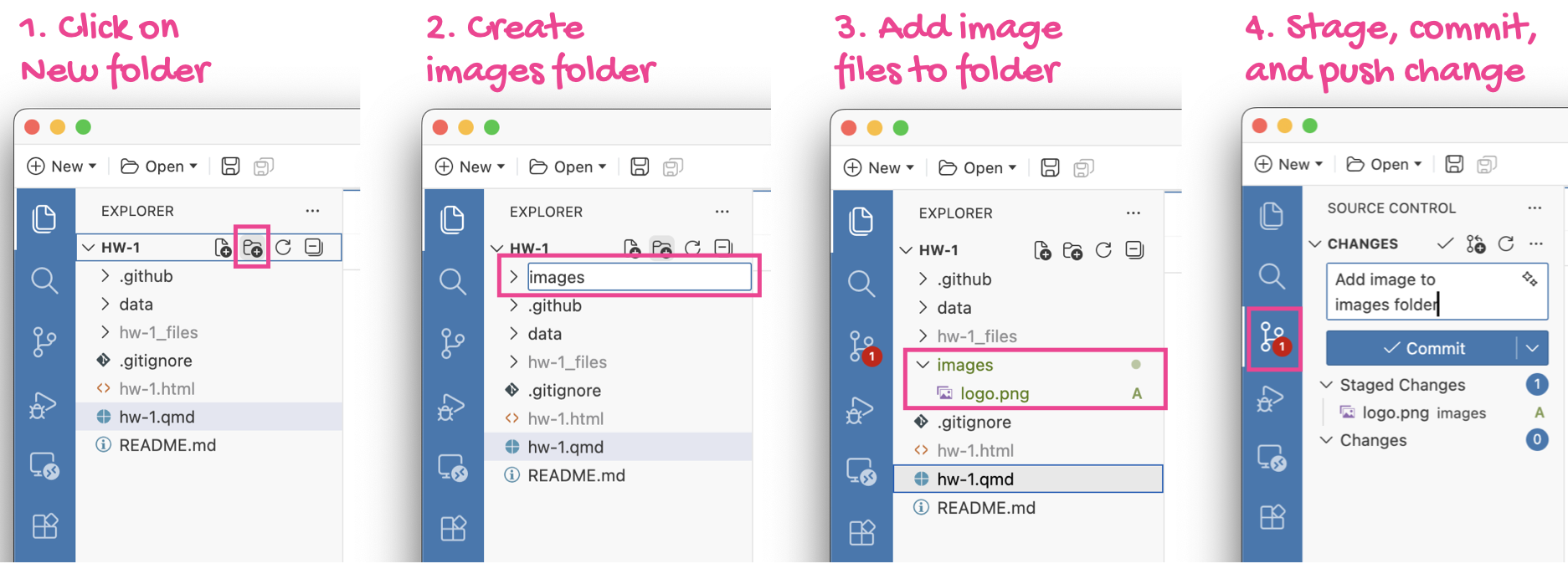
Images folder

TL;DR - Read your email / Canvas announcement.

Pause

Setup

# load packages
library(tidyverse)
library(scales)
library(openintro)
library(ggthemes)
library(palmerpenguins)
library(ThemePark)
library(tidykids)
library(colorspace)
library(glue)

# set theme for ggplot2
ggplot2::theme_set(ggplot2::theme_minimal(base_size = 14))

# set figure parameters for knitr
knitr::opts_chunk$set(
  fig.width = 7, # 7" width
  fig.asp = 0.618, # the golden ratio
  fig.retina = 3, # dpi multiplier for displaying HTML output on retina
  fig.align = "center", # center align figures
  dpi = 300 # higher dpi, sharper image
)

From last time

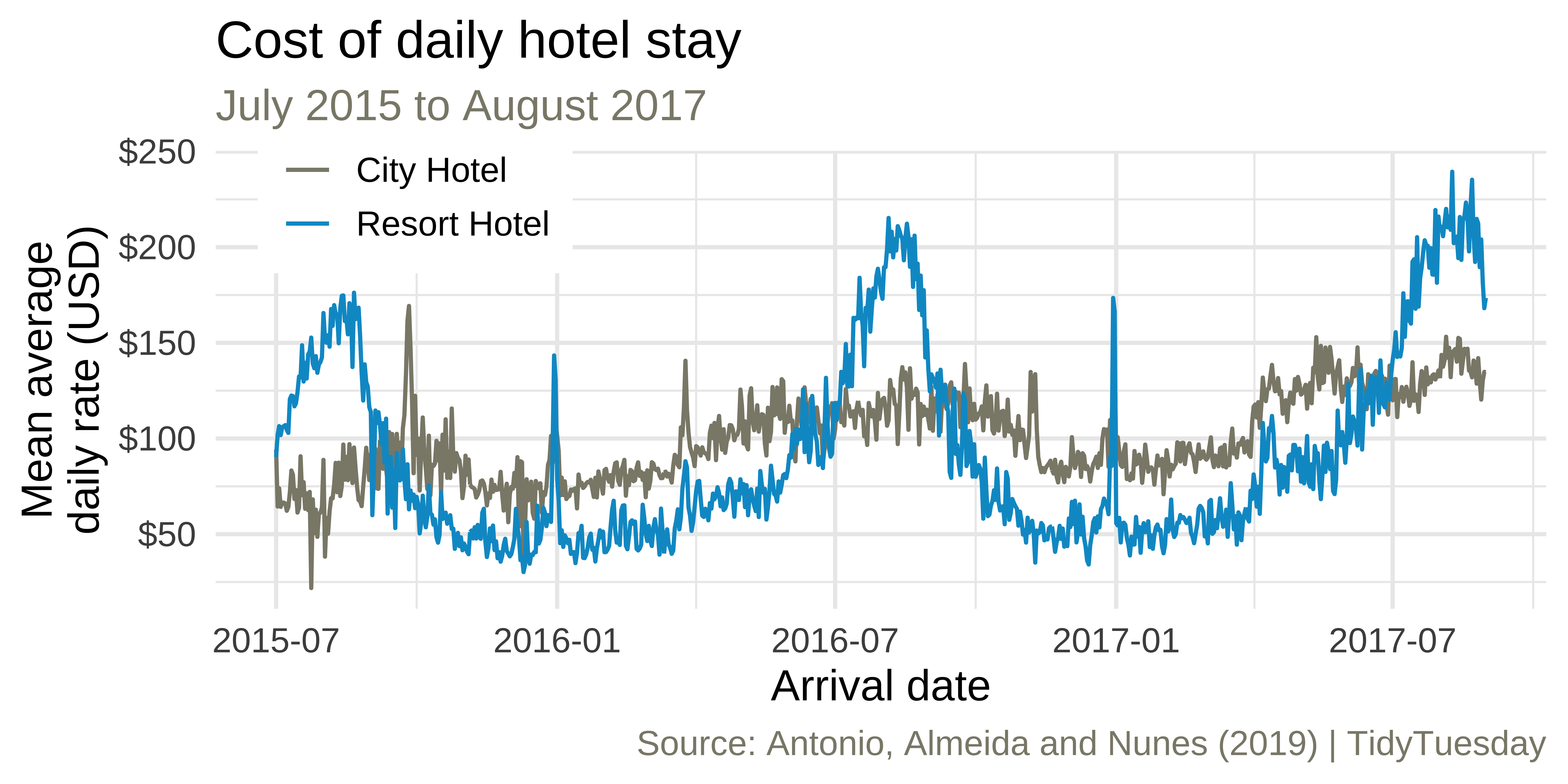
Average cost of daily stay

We recreated this visualization in ae-02 - Part 1. Any questions?
Monthly bookings
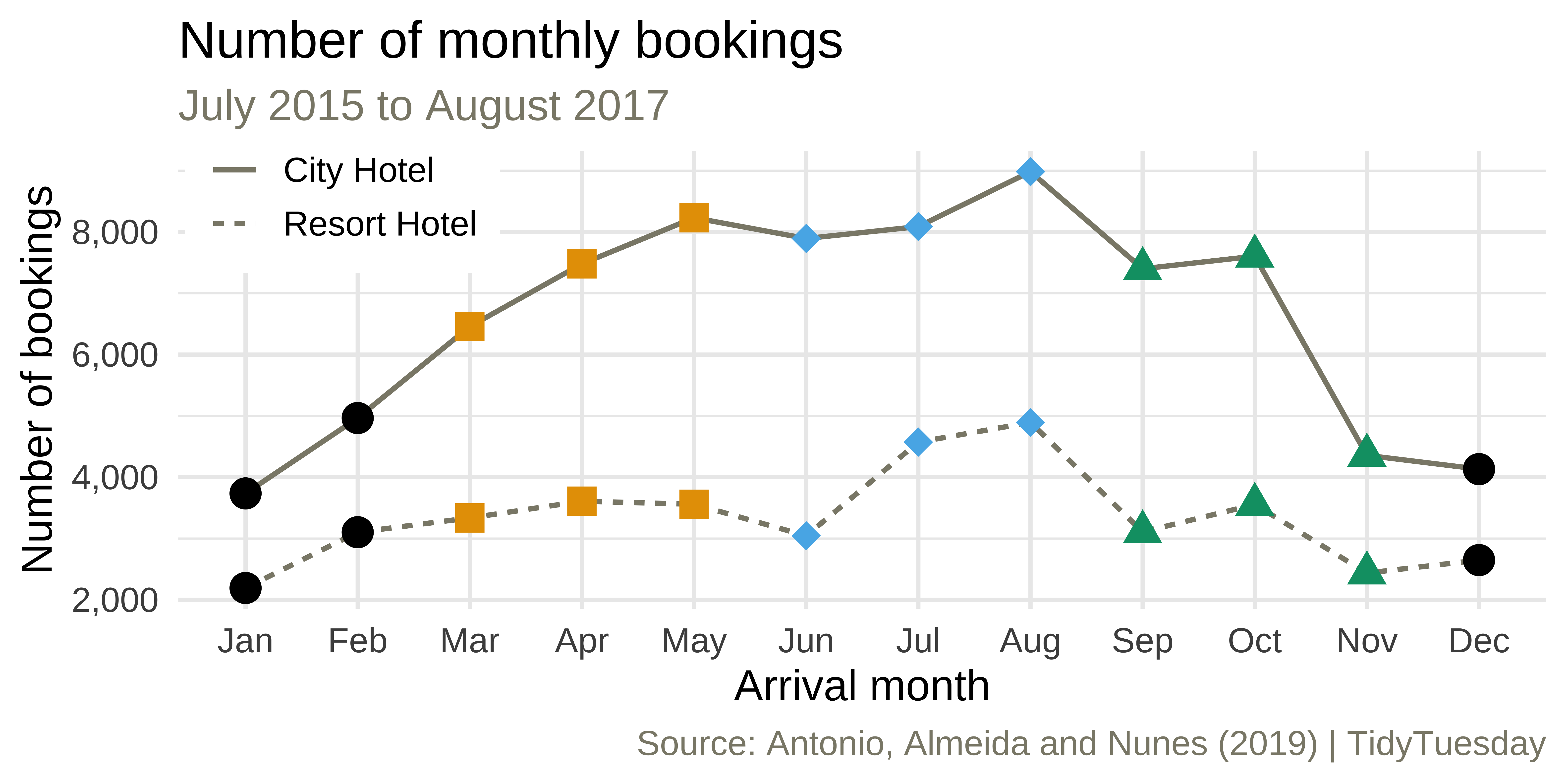
Come up with a plan for making the following visualization and write the pseudocode.

Monthly bookings

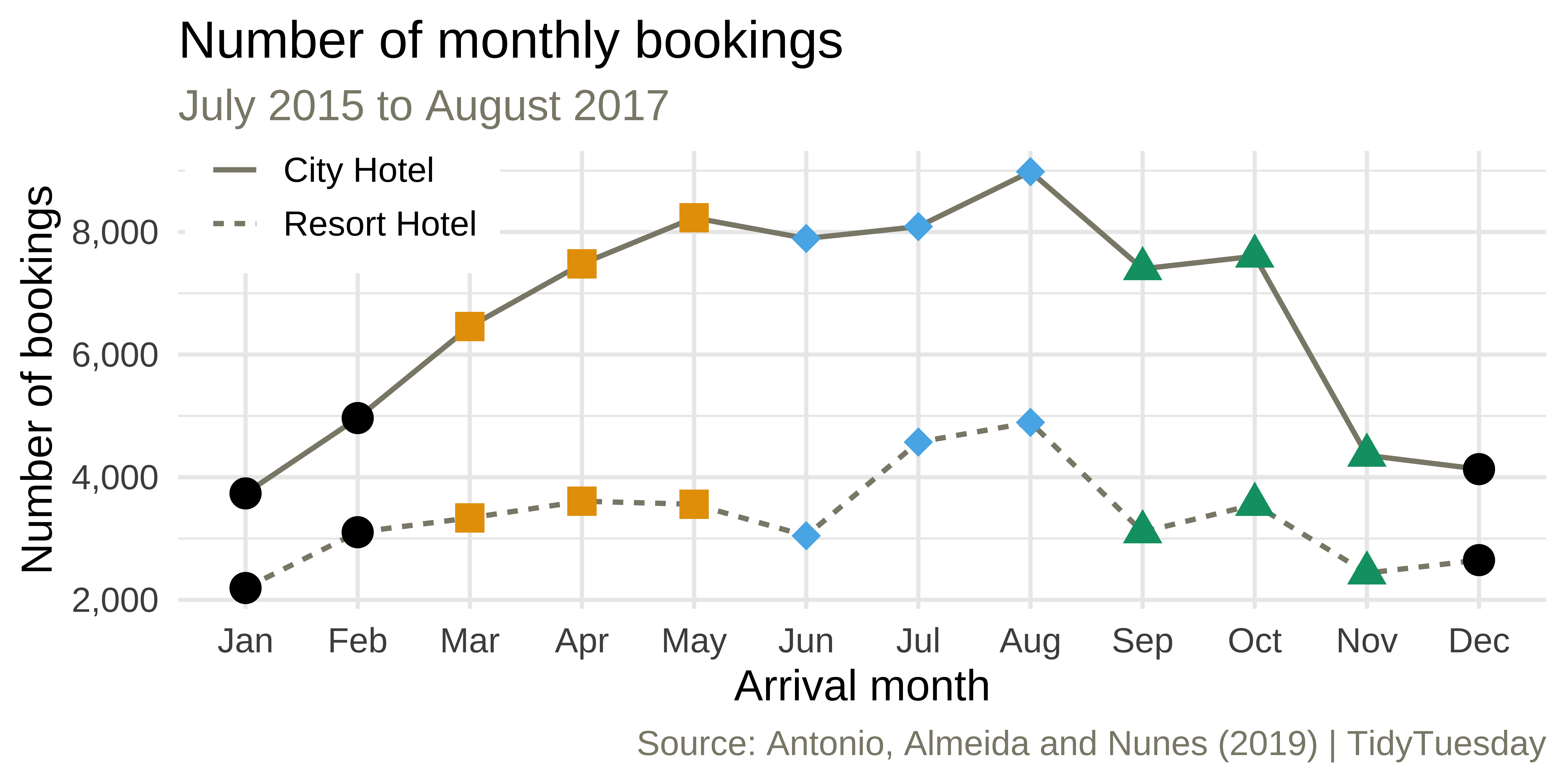
ae-02 - Part 2: Let’s recreate this visualization!
Themes

Complete themes

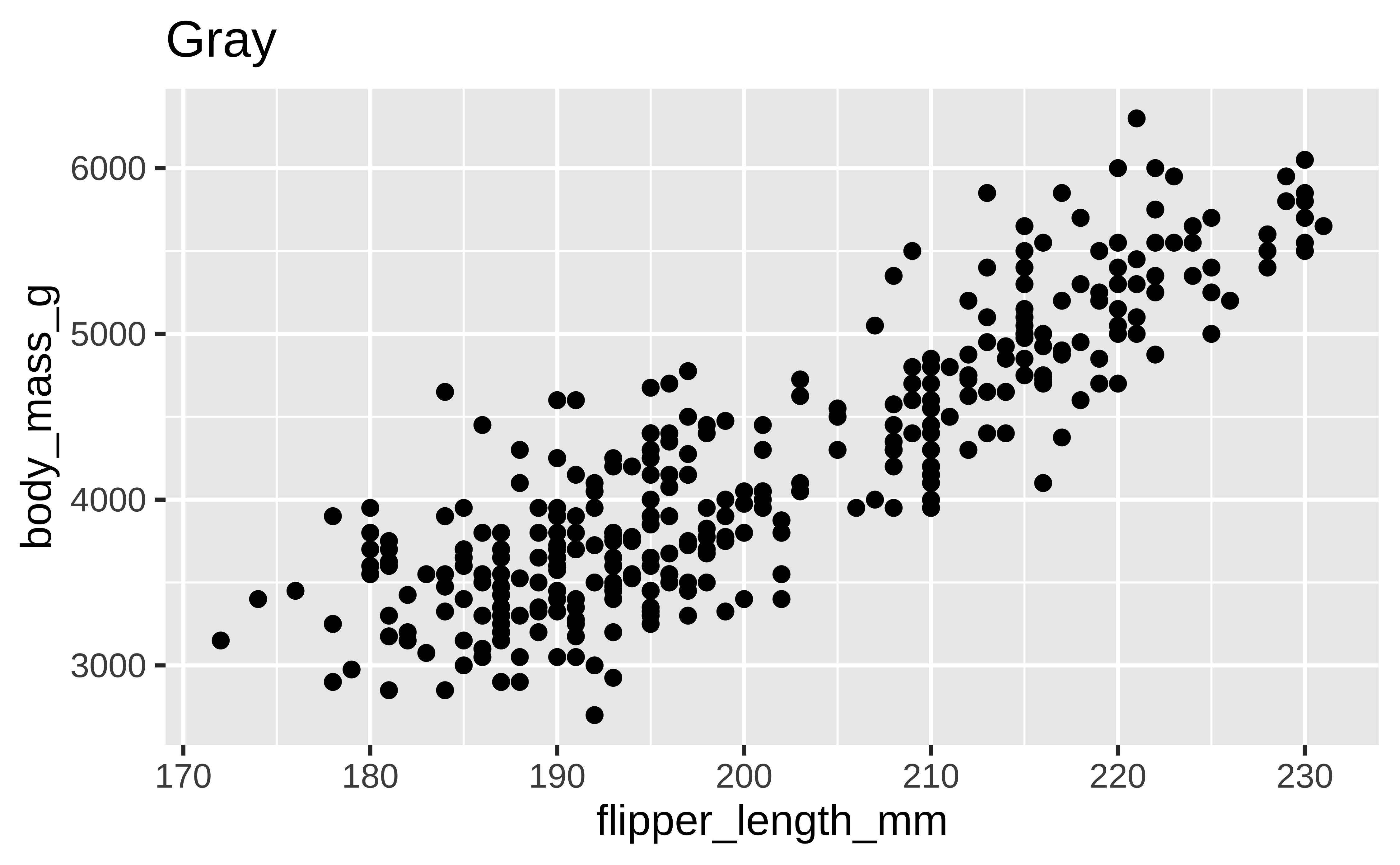
p <- ggplot(penguins, aes(x = flipper_length_mm, y = body_mass_g)) +
  geom_point()

p + theme_gray() + labs(title = "Gray")
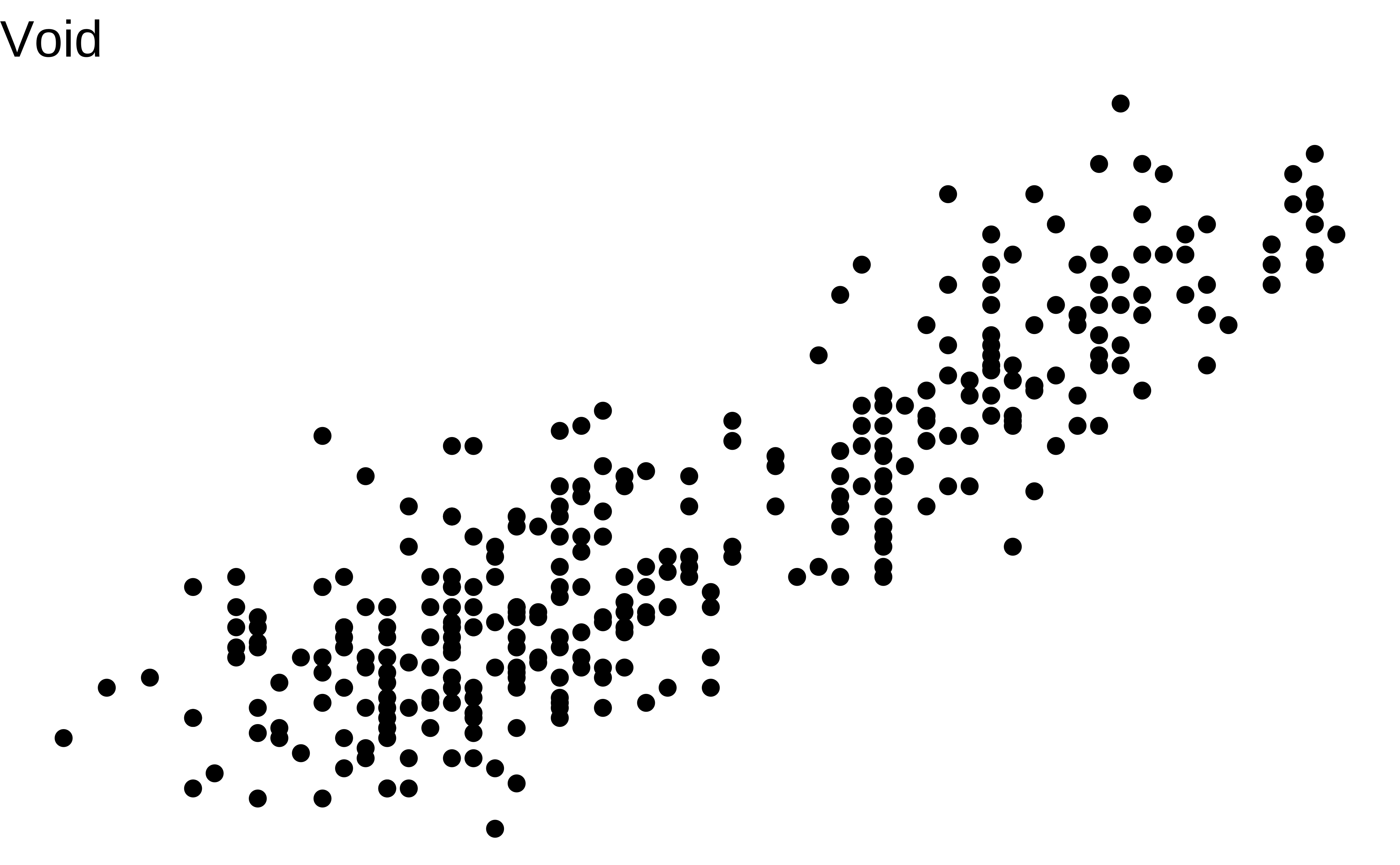
p + theme_void() + labs(title = "Void")
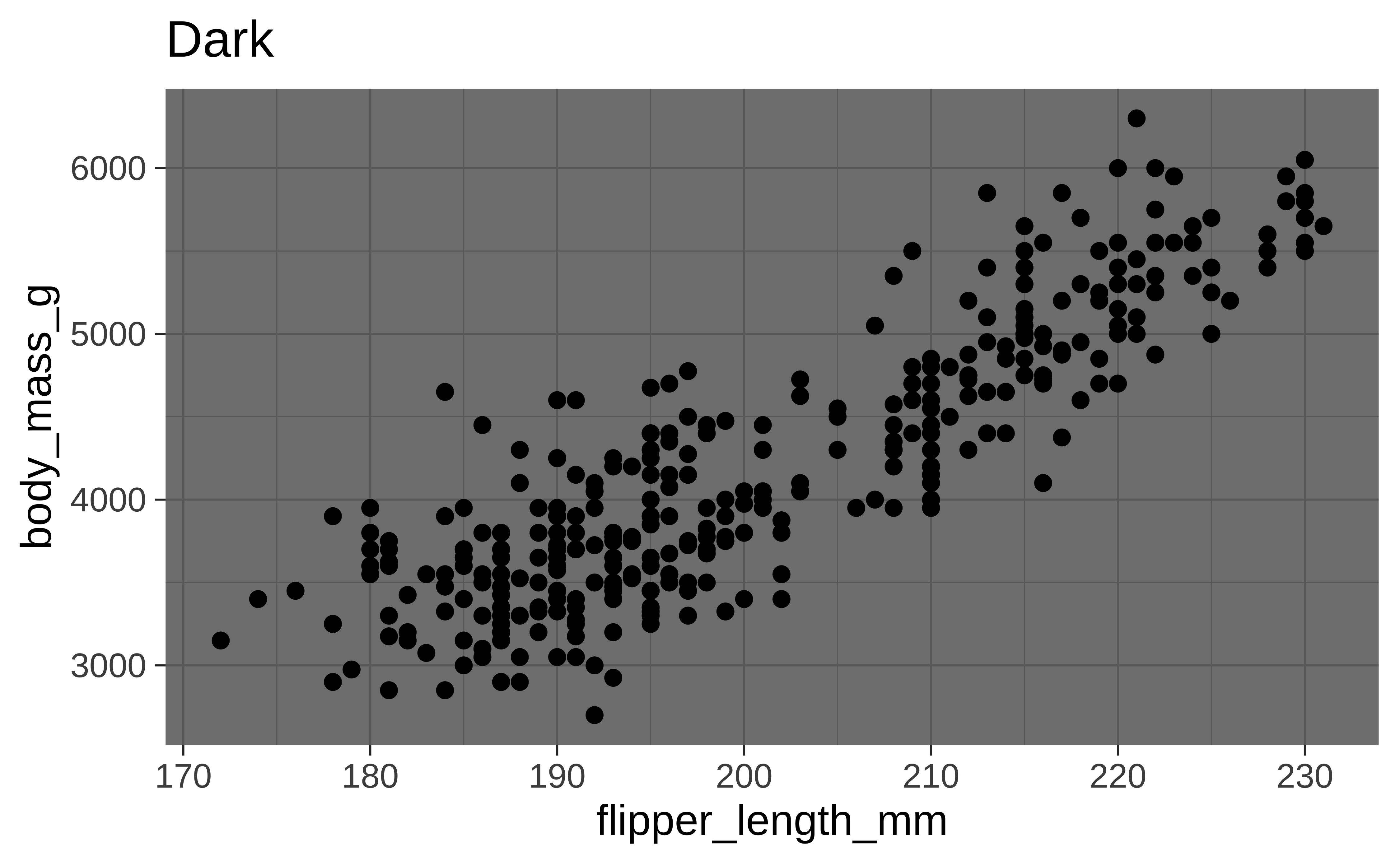
p + theme_dark() + labs(title = "Dark")

Tip

Use layout-ncol option on code cell to place plots next to each other in the output.

```{r}
#| layout-ncol: 3
# code for plot 1
# code for plot 2
# code for plot 3
```

Themes from ggthemes

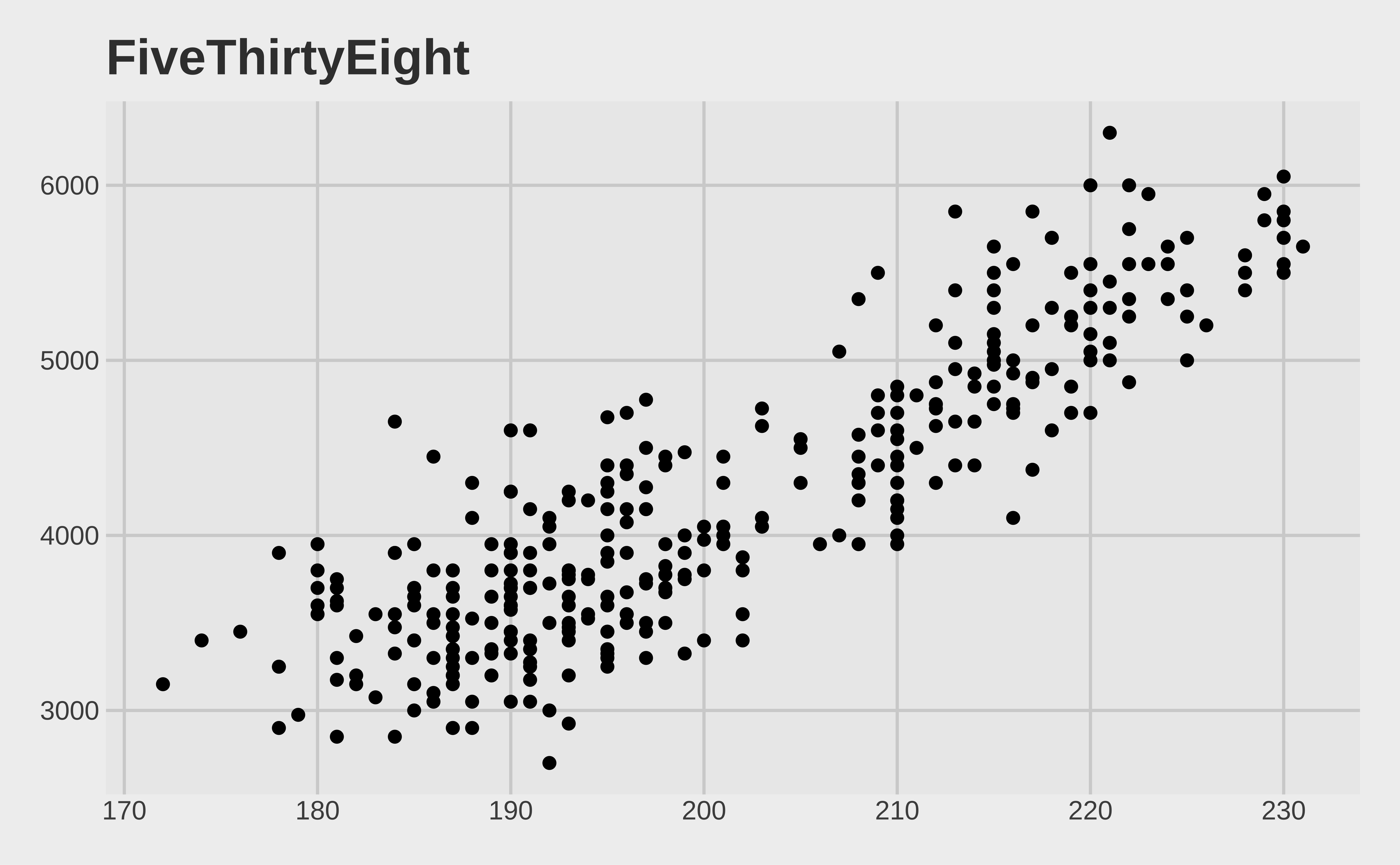
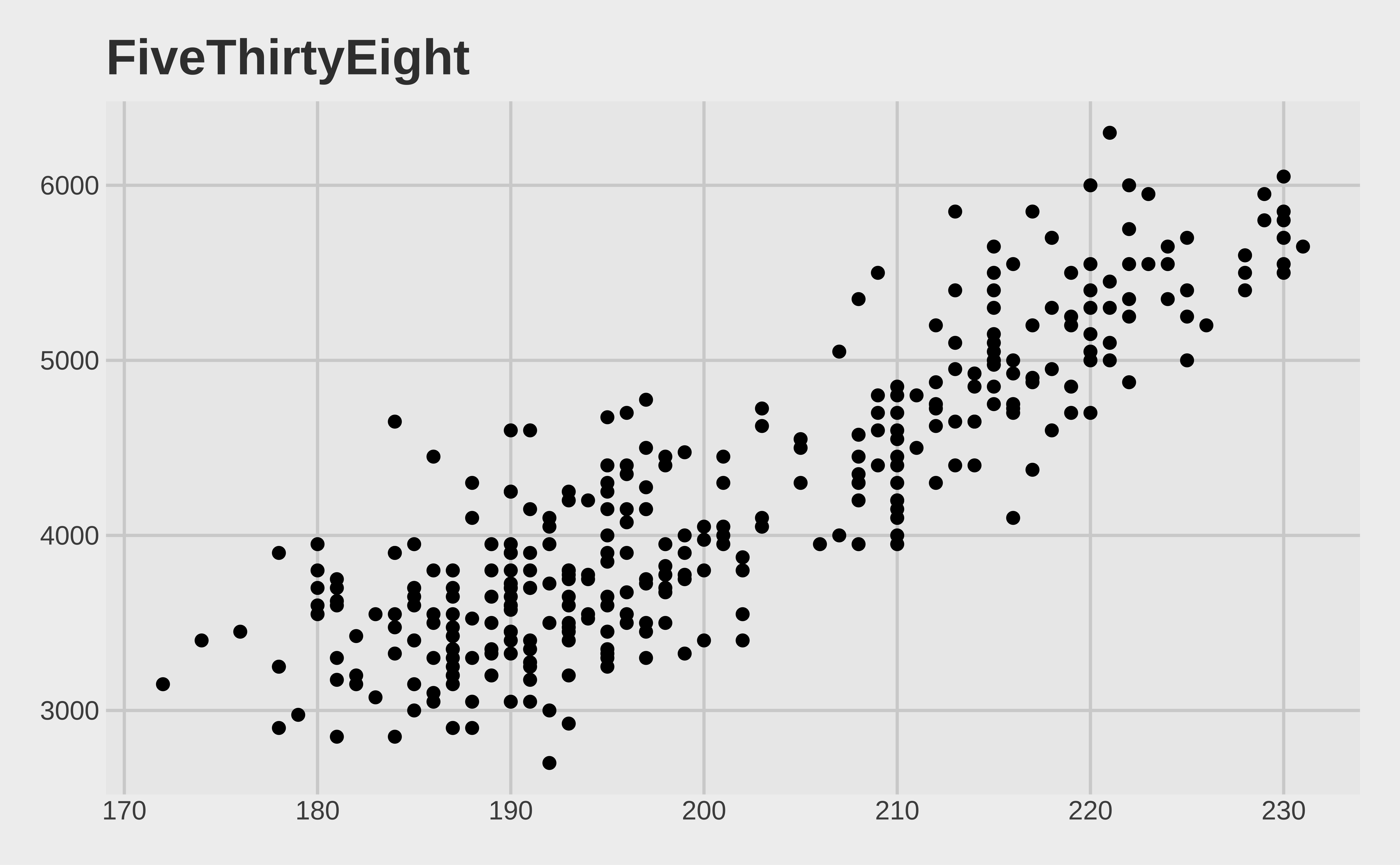
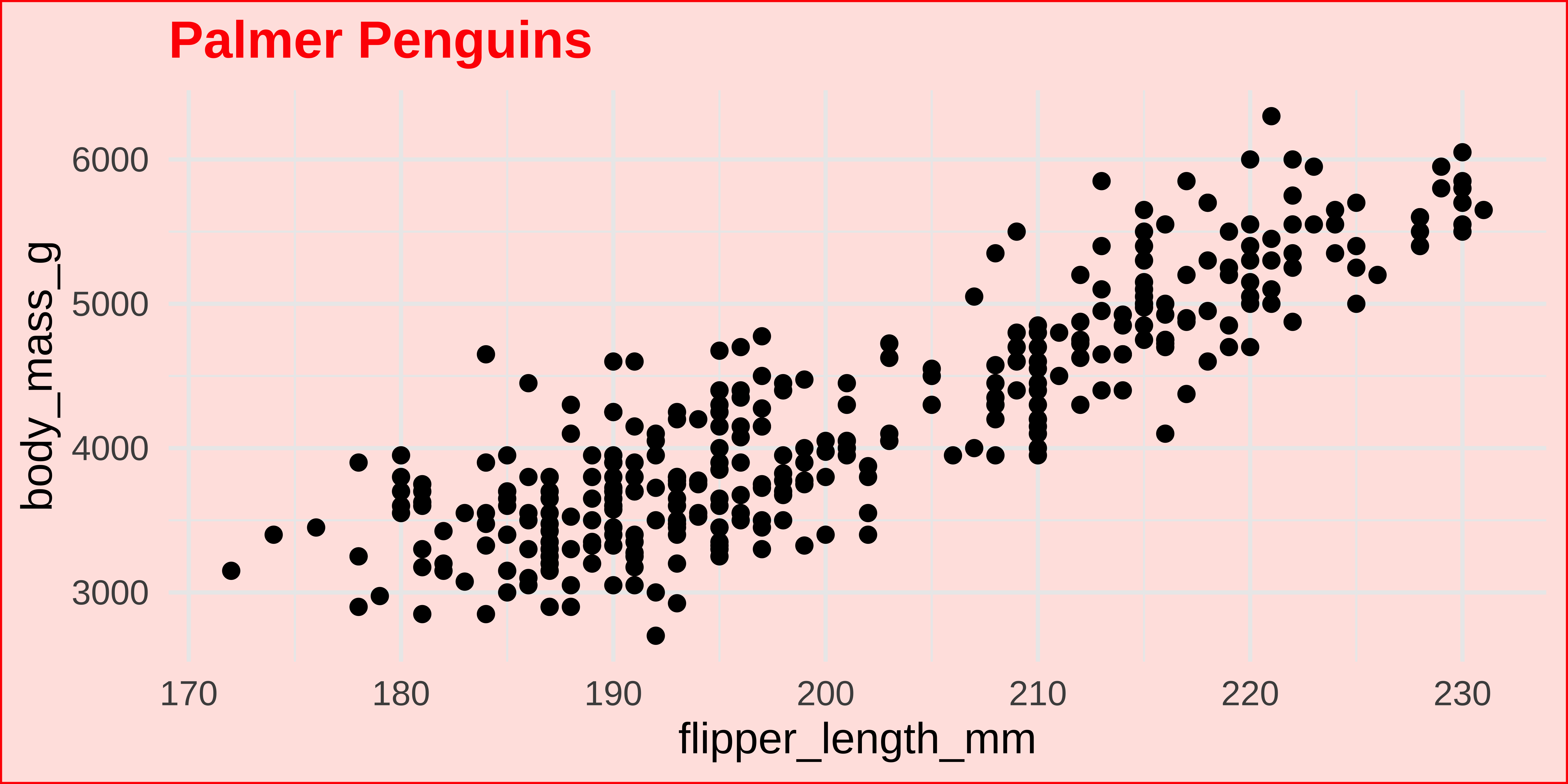
p + theme_fivethirtyeight() + labs(title = "FiveThirtyEight")
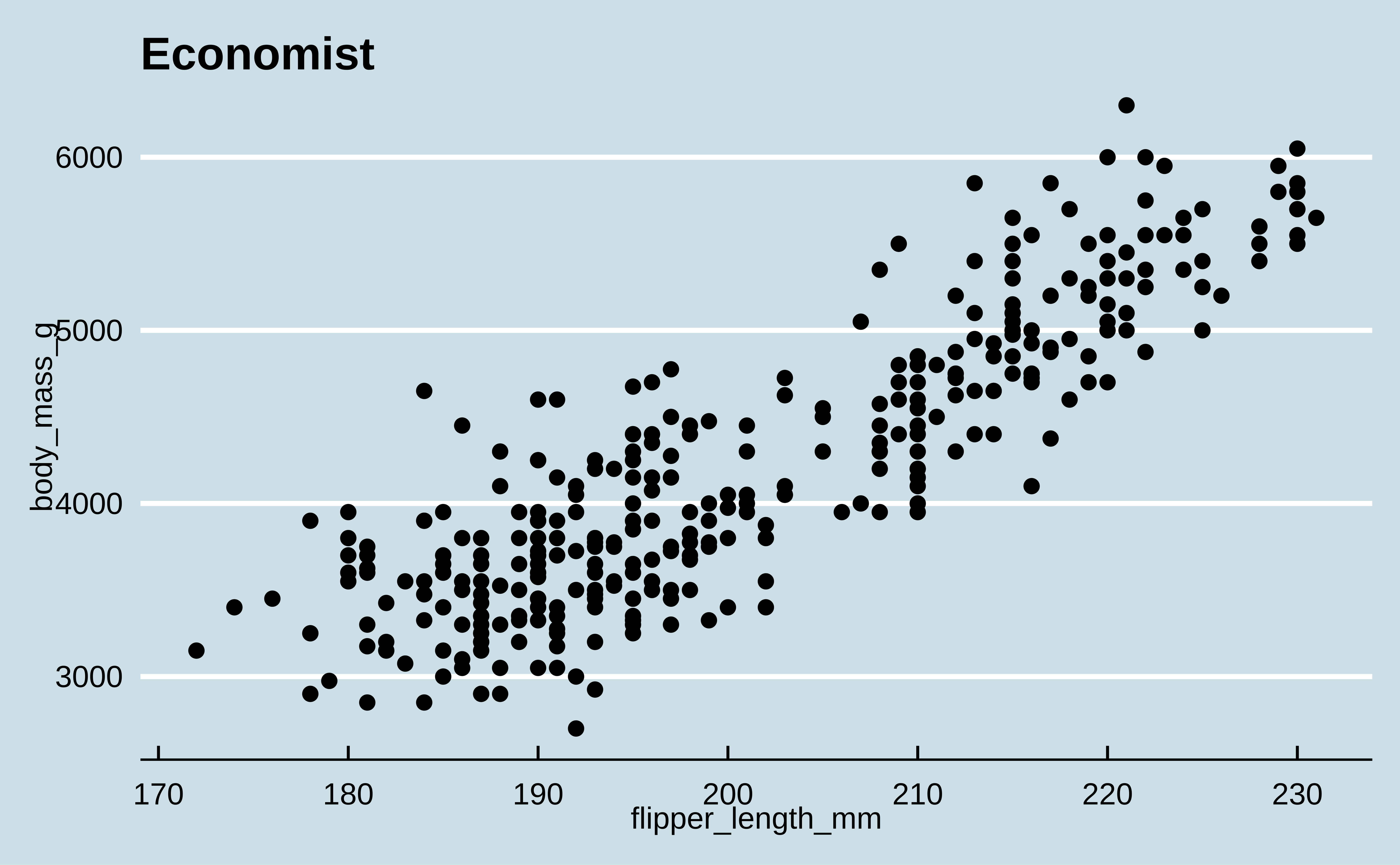
p + theme_economist() + labs(title = "Economist")
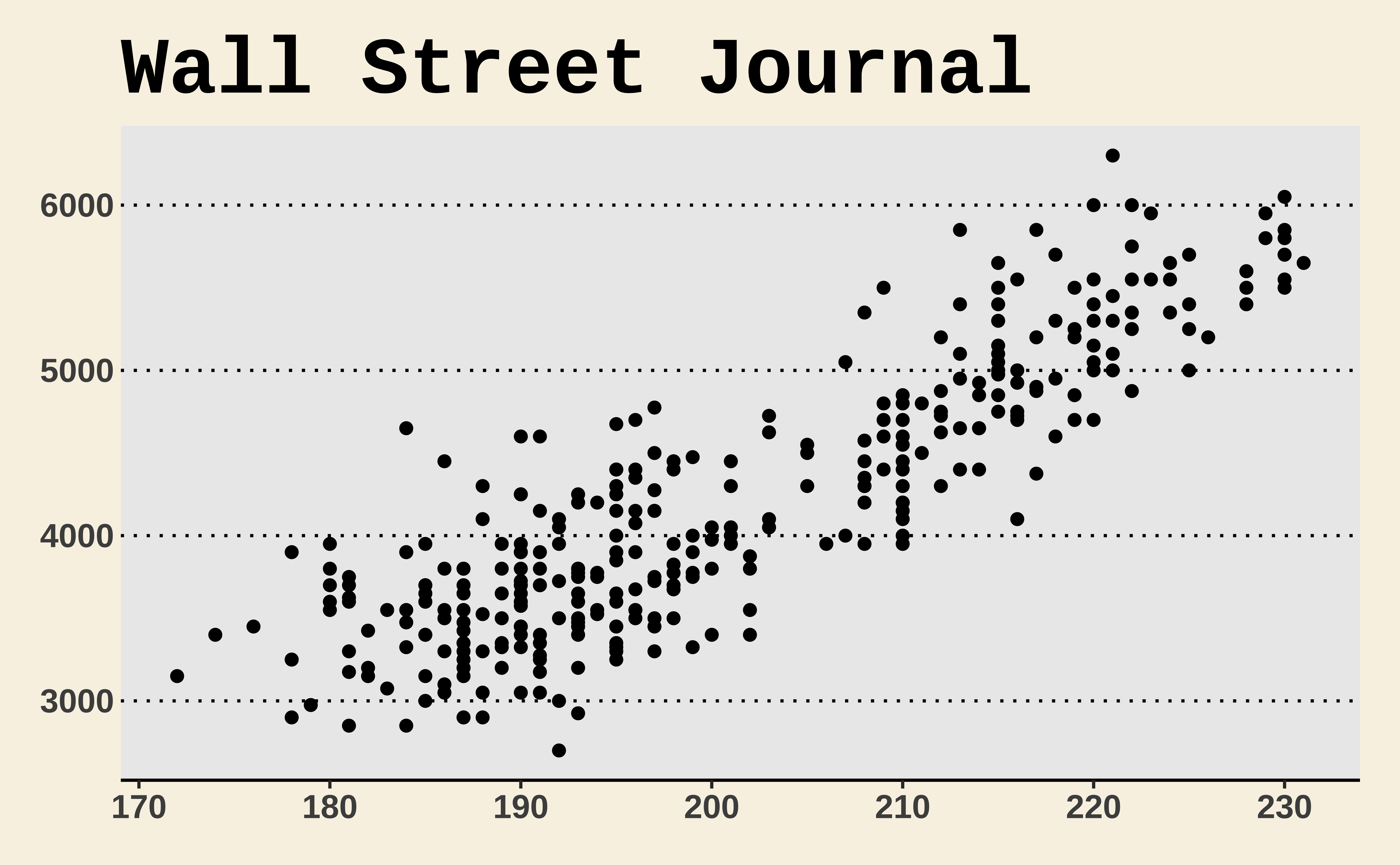
p + theme_wsj() + labs(title = "Wall Street Journal")

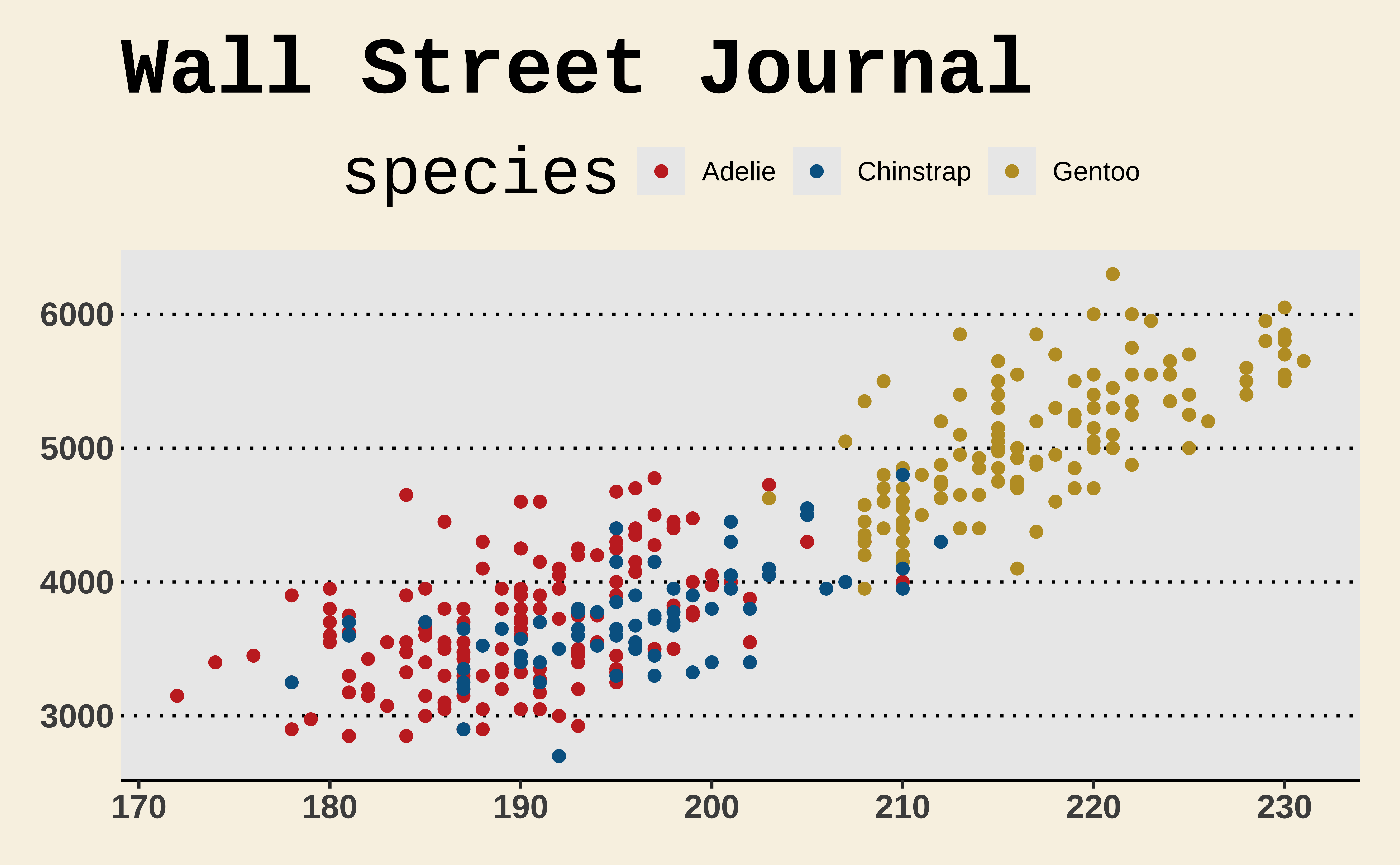
Themes and color scales from ggthemes
p +
  aes(color = species) +
  scale_color_wsj() +
  theme_wsj() +
  labs(title = "Wall Street Journal")

Themes from ThemePark

p +
  geom_point(color = barbie_theme_colors["medium"]) +
  theme_barbie()
p +
  geom_point(color = gameofthrones_theme_colors["medium"]) +
  theme_gameofthrones(gameofthrones_font = TRUE)

Modifying theme elements

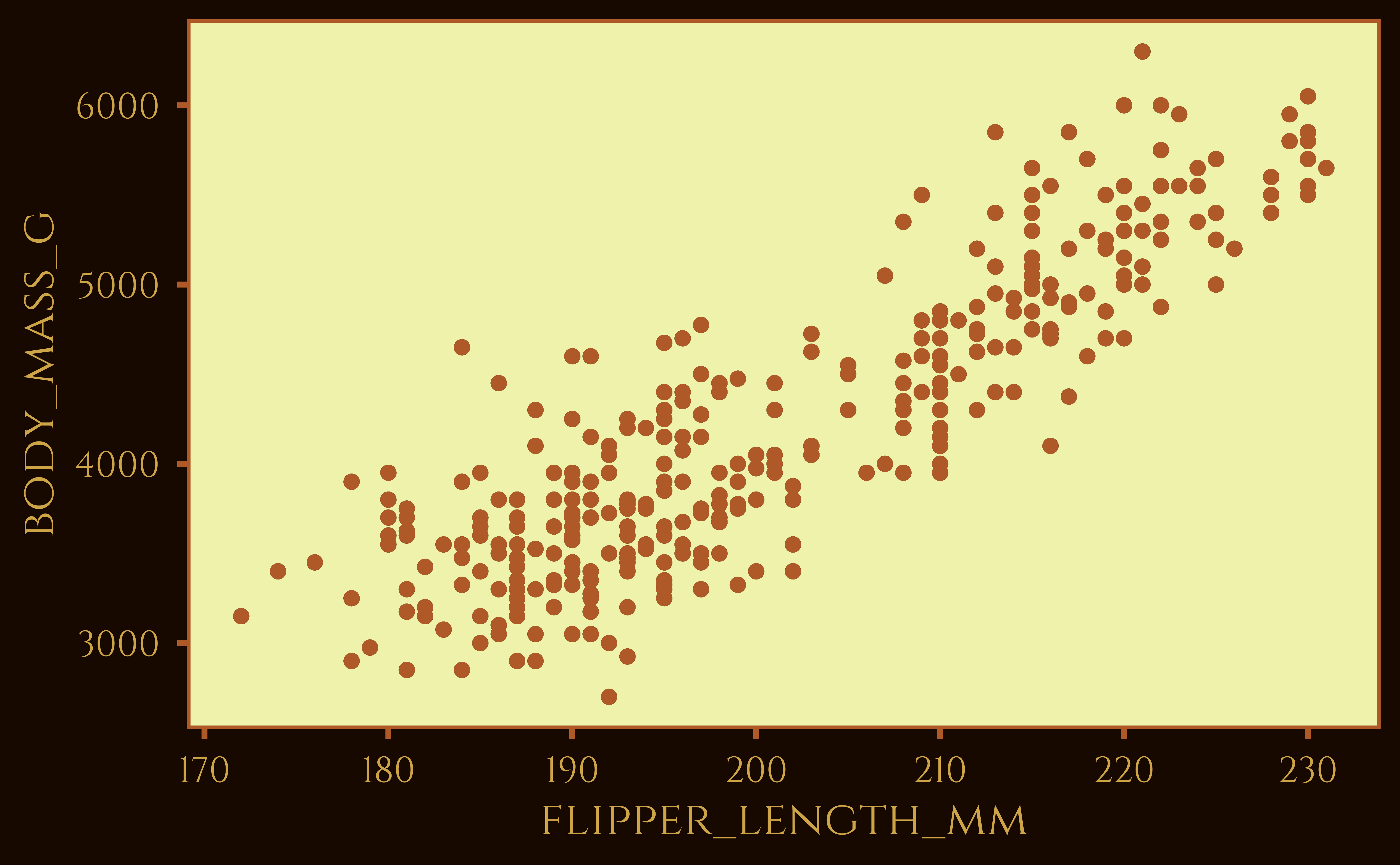
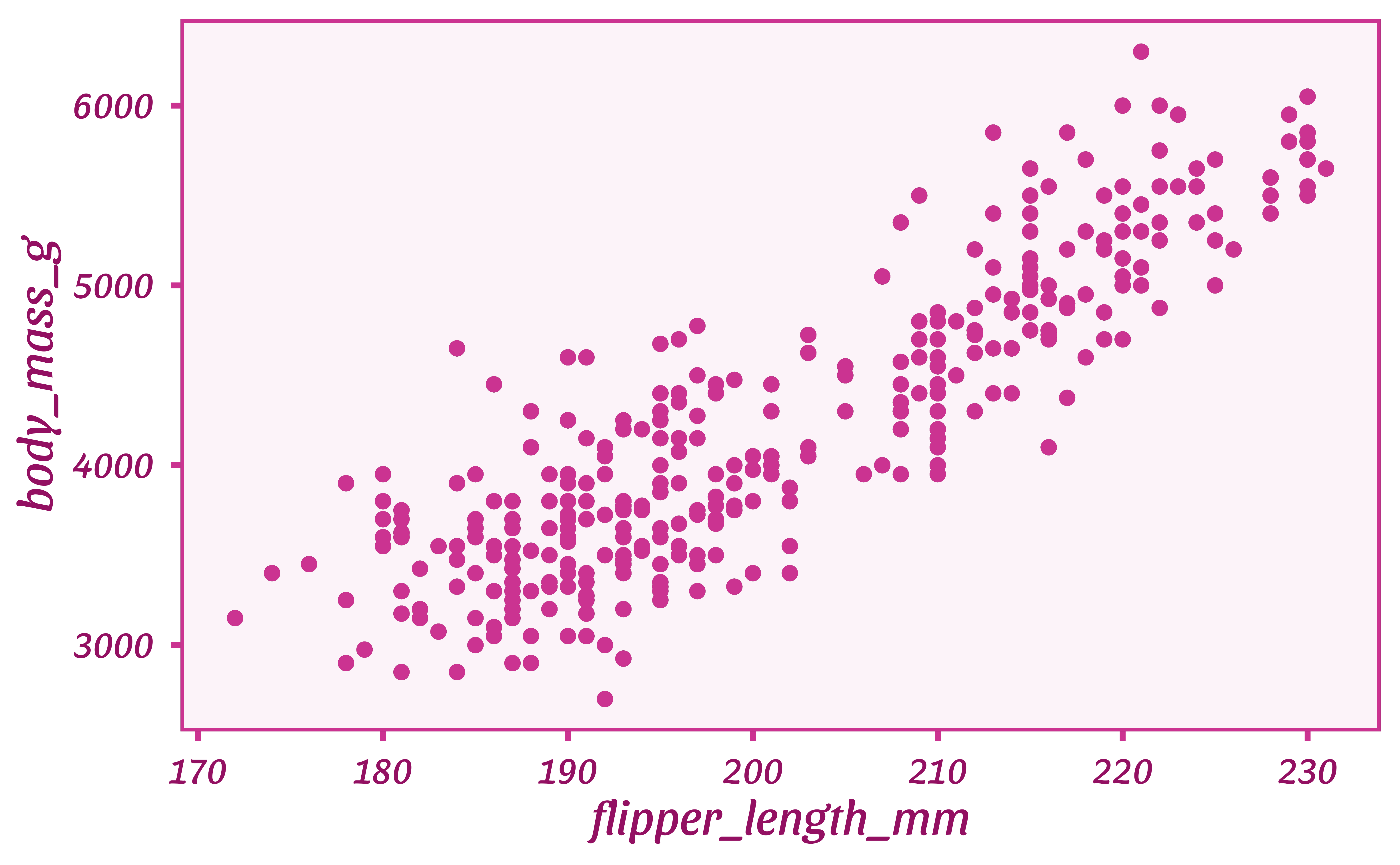
p +
  labs(title = "Palmer Penguins") +
  theme(
    plot.title = element_text(color = "red", face = "bold"),
    plot.background = element_rect(color = "red", fill = "mistyrose")
  )

Axes

Axis breaks

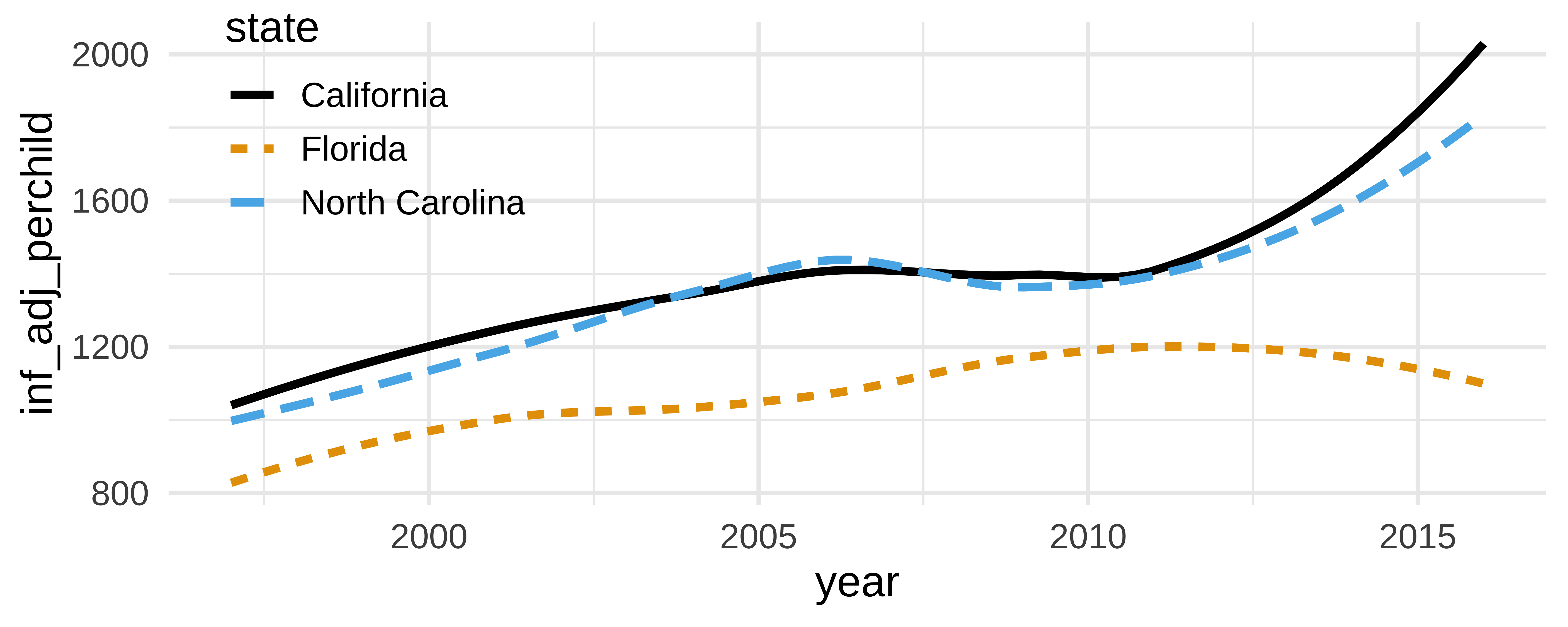
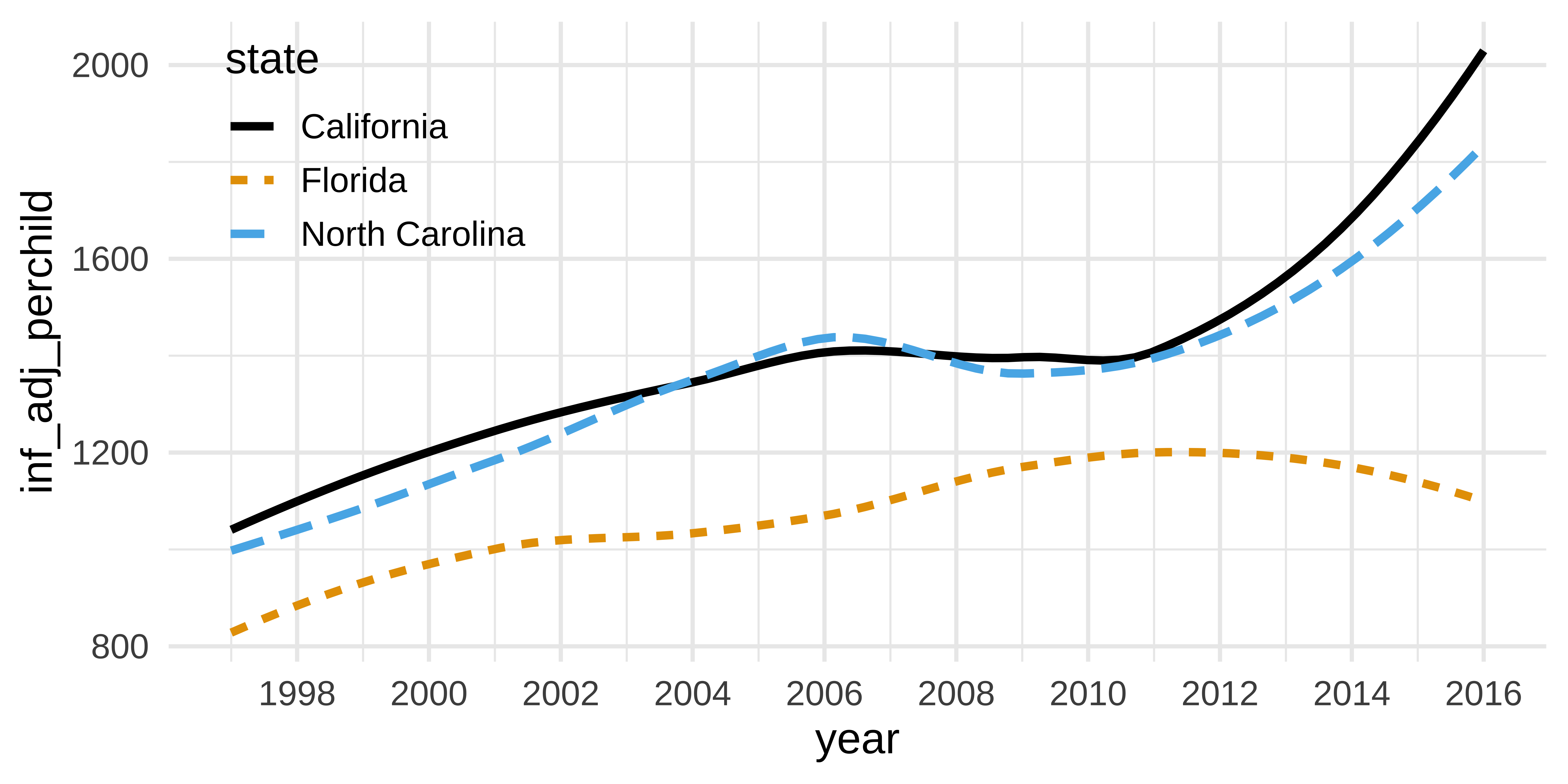
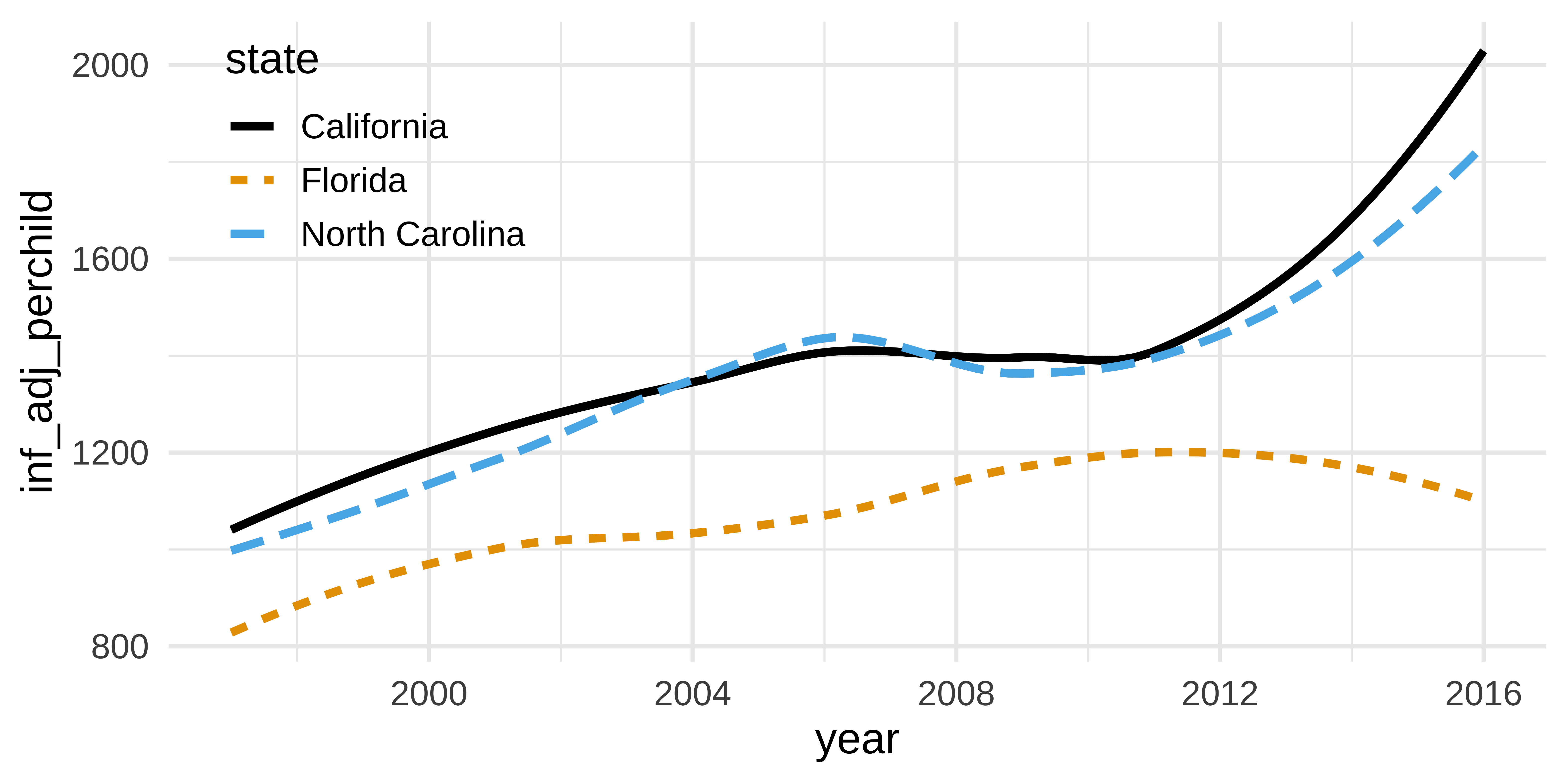
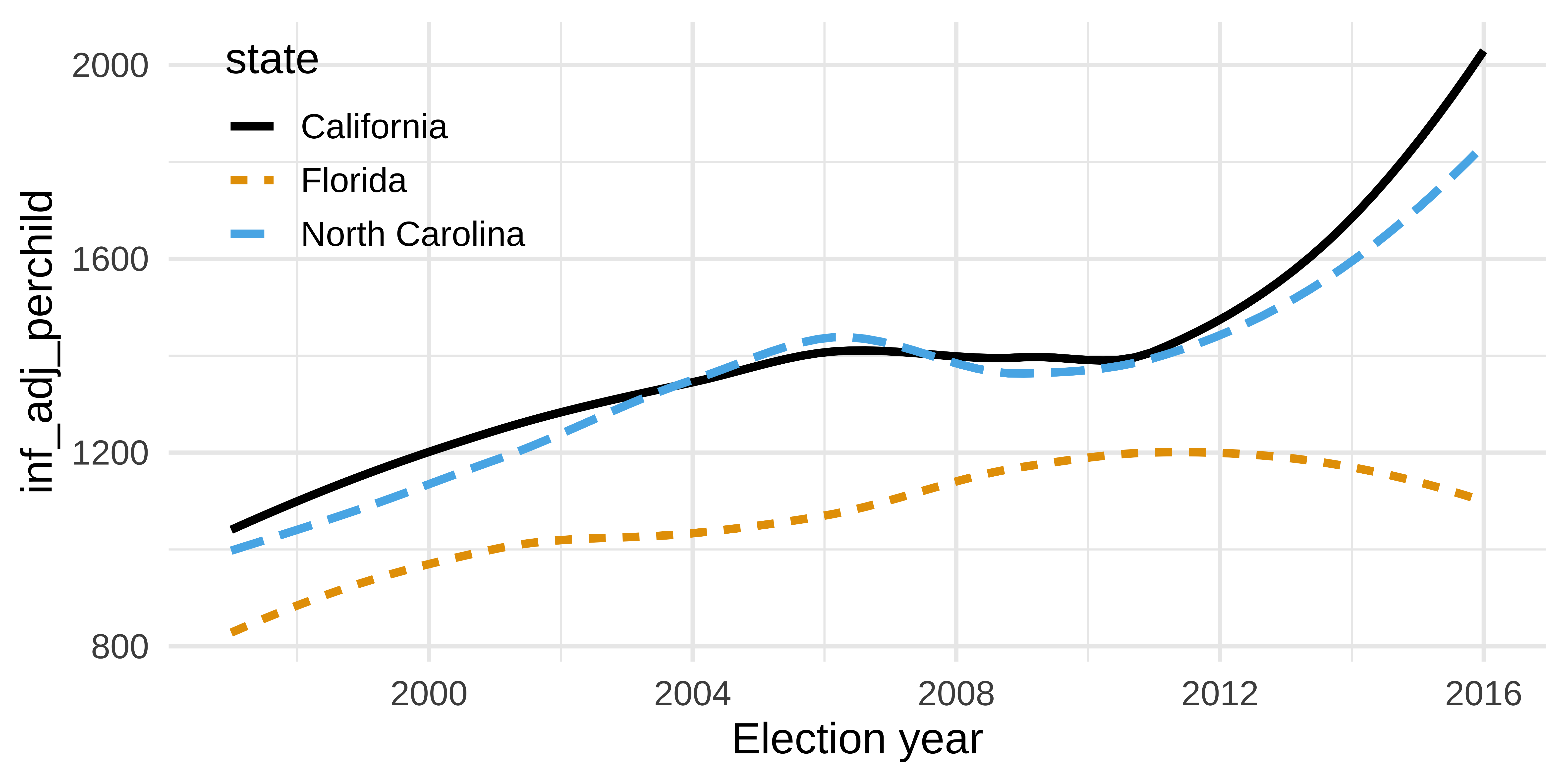
How can the following figure be improved with custom breaks in axes, if at all? The y-axis is public spending on public health efforts for each year per child in 2016 dollars.
kids_plot <- tidykids |>
  mutate(year = as.numeric(year)) |>
  filter(
    state %in% c("North Carolina", "California", "Florida"),
    expenditure == "pubhealth"
  ) |>
  ggplot(aes(x = year, y = inf_adj_perchild, color = state, linetype = state)) +
  geom_smooth(se = FALSE) +
  scale_color_colorblind() +
  theme(legend.position = c(0.15, 0.8))

kids_plot
`geom_smooth()` using method = 'loess' and formula = 'y ~ x'

Context matters

kids_plot +
  scale_x_continuous(breaks = seq(from = 1996, to = 2016, by = 2))

Conciseness matters

kids_plot +
  scale_x_continuous(breaks = seq(from = 1996, to = 2016, by = 4))

Precision matters

kids_plot +
  scale_x_continuous(breaks = seq(2000, 2025, 4)) +
  labs(x = "Election year")

Annotation

Why annotate?

geom_text()

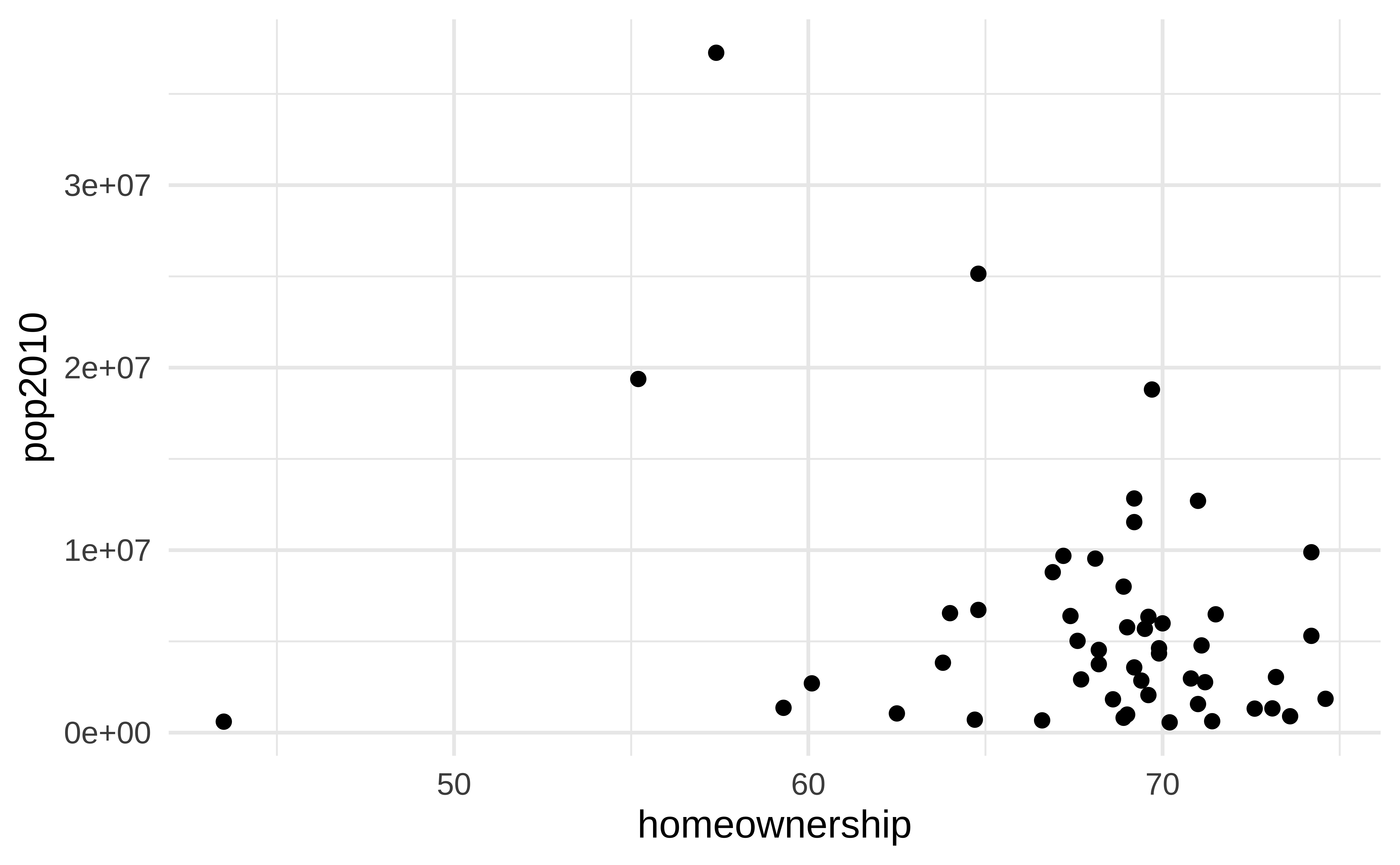
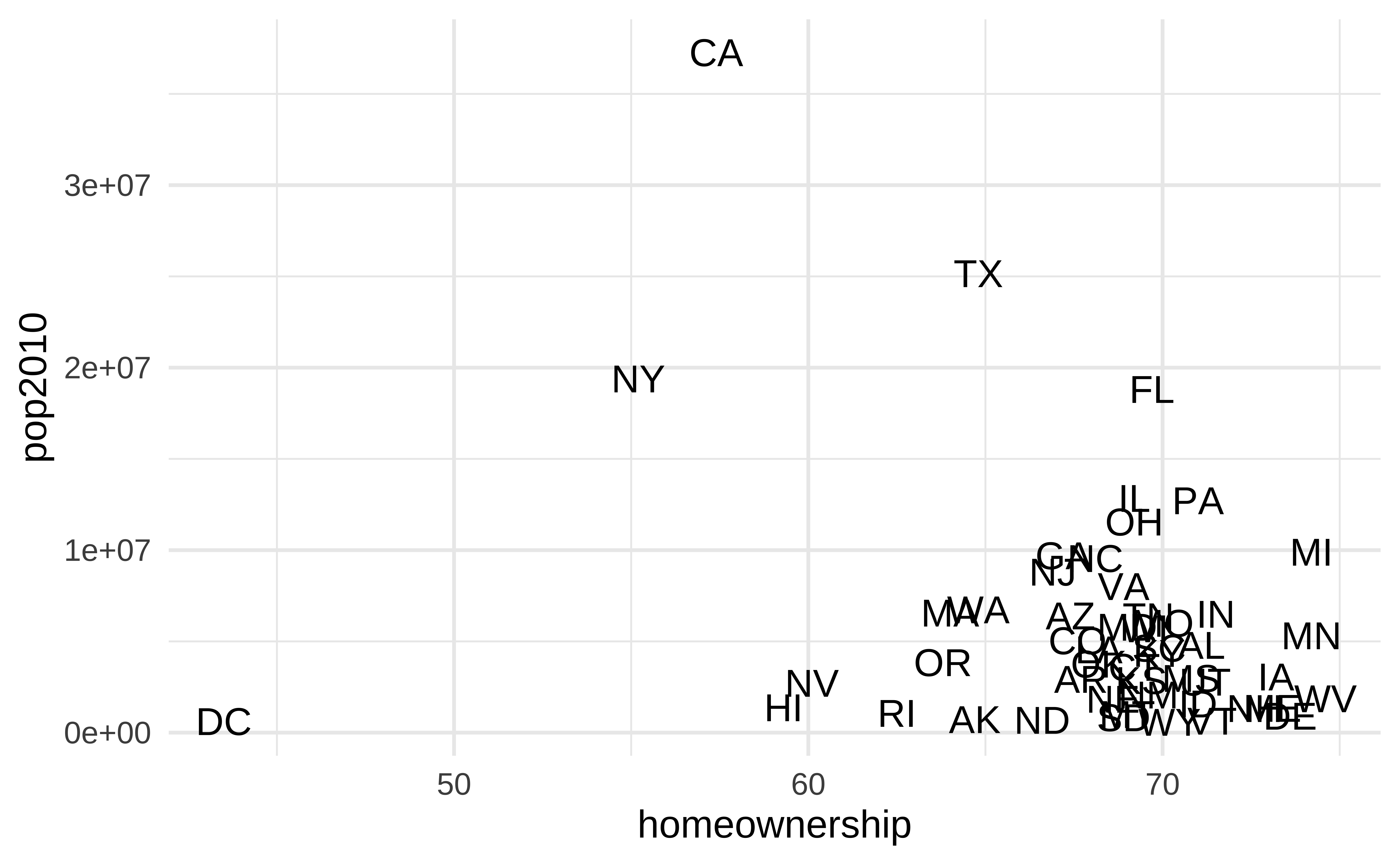
Can be useful when individual observations are identifiable, but can also get overwhelming…
ggplot(state_stats, aes(x = homeownership, y = pop2010)) +
  geom_point()

ggplot(state_stats, aes(x = homeownership, y = pop2010)) +
  geom_text(aes(label = abbr))

How would you improve this visualization?

geom_text() improved

state_stats <- state_stats |>
  mutate(
    labelled = if_else(homeownership < 50 | pop2010 > 13000000, TRUE, FALSE)
  )

ggplot(state_stats, aes(x = homeownership, y = pop2010)) +
  geom_point(alpha = 0.5) +
  geom_point(
    data = state_stats |> filter(labelled),
    shape = "circle open",
    color = "red",
    size = 4
  ) +
  geom_text(
    data = state_stats |> filter(labelled),
    aes(label = abbr),
    hjust = 1,
    vjust = -1,
    color = "red"
  ) +
  coord_cartesian(clip = "off")
Durham-Chapel Hill AQI

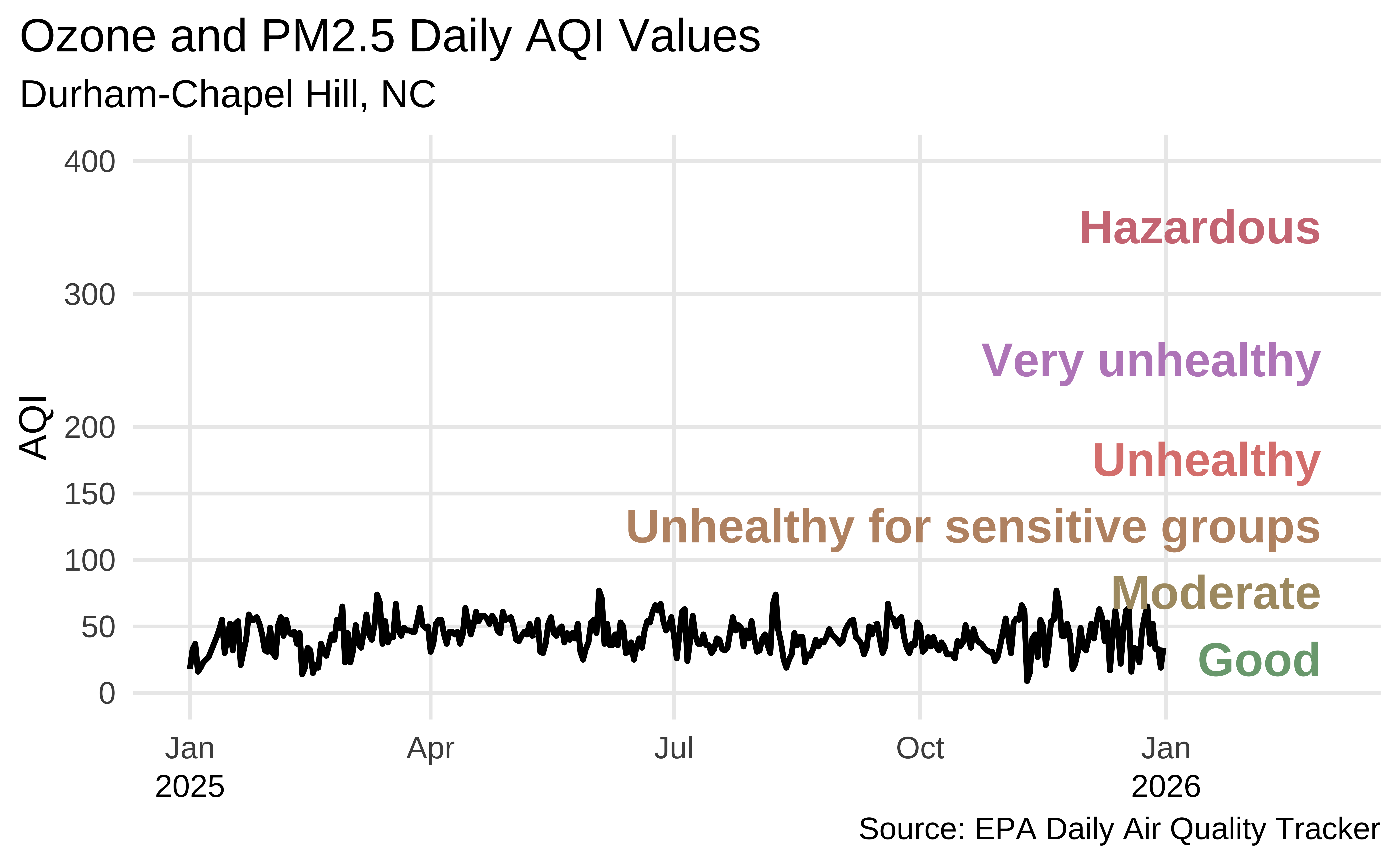
In ae-03, recreate the following visualization.
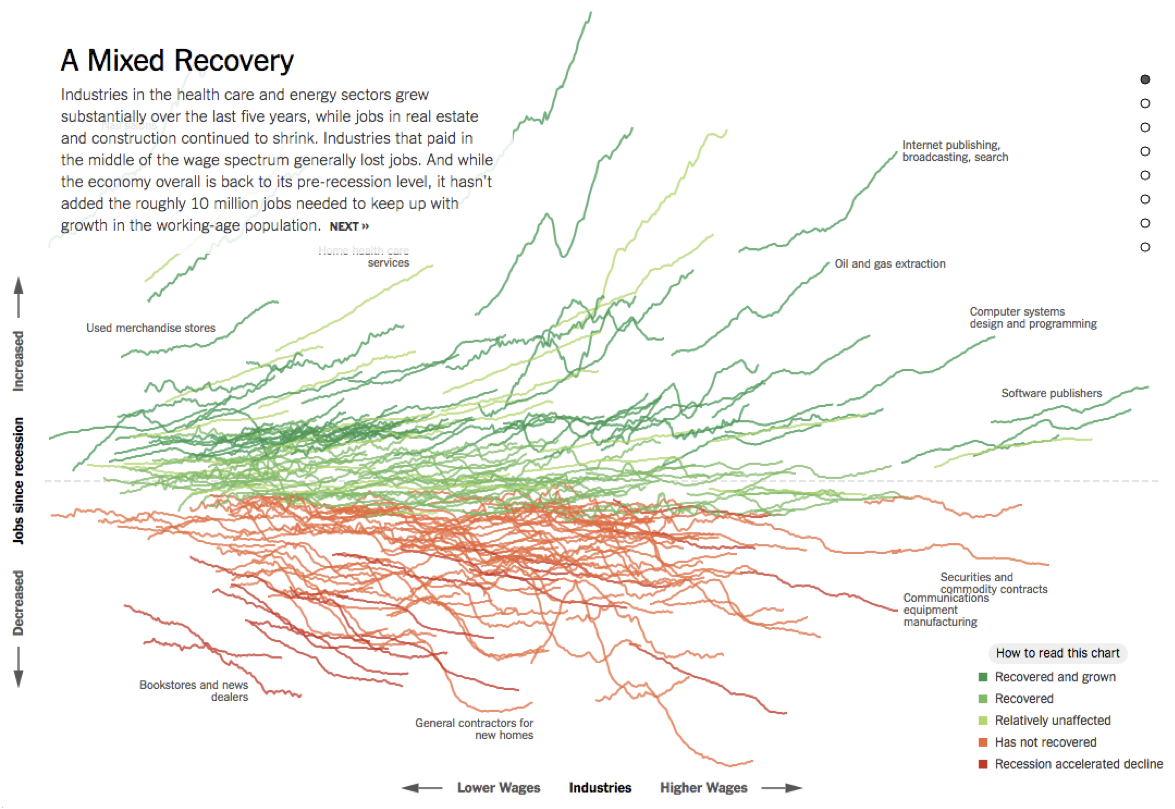
All of the data doesn’t tell a story
Highlighting in ggplot2

We have (at least) two options:

  1. Native ggplot2 – use layers

  2. gghighlight: https://yutannihilation.github.io/gghighlight/articles/gghighlight.html

Data: SF AQI

sf_files <- fs::dir_ls(here::here("data/san-francisco"))
sf <- read_csv(sf_files, na = c(".", ""))

sf <- sf |>
  janitor::clean_names() |>
  mutate(date = mdy(date)) |>
  arrange(date) |>
  select(date, aqi_value)

sf
# A tibble: 2,557 × 2
   date       aqi_value
   <date>         <dbl>
 1 2016-01-01        32
 2 2016-01-02        37
 3 2016-01-03        45
 4 2016-01-04        33
 5 2016-01-05        27
 6 2016-01-06        39
 7 2016-01-07        39
 8 2016-01-08        31
 9 2016-01-09        20
10 2016-01-10        20
# ℹ 2,547 more rows

Data prep

sf <- sf |>
  mutate(
    year = year(date),
    day_of_year = yday(date)
  )
# check
sf |>
  filter(day_of_year < 3)
# A tibble: 14 × 4
   date       aqi_value  year day_of_year
   <date>         <dbl> <dbl>       <dbl>
 1 2016-01-01        32  2016           1
 2 2016-01-02        37  2016           2
 3 2017-01-01        55  2017           1
 4 2017-01-02        36  2017           2
 5 2018-01-01        87  2018           1
 6 2018-01-02        95  2018           2
 7 2019-01-01        33  2019           1
 8 2019-01-02        50  2019           2
 9 2020-01-01        53  2020           1
10 2020-01-02        43  2020           2
11 2021-01-01        79  2021           1
12 2021-01-02        57  2021           2
13 2022-01-01        53  2022           1
14 2022-01-02        55  2022           2

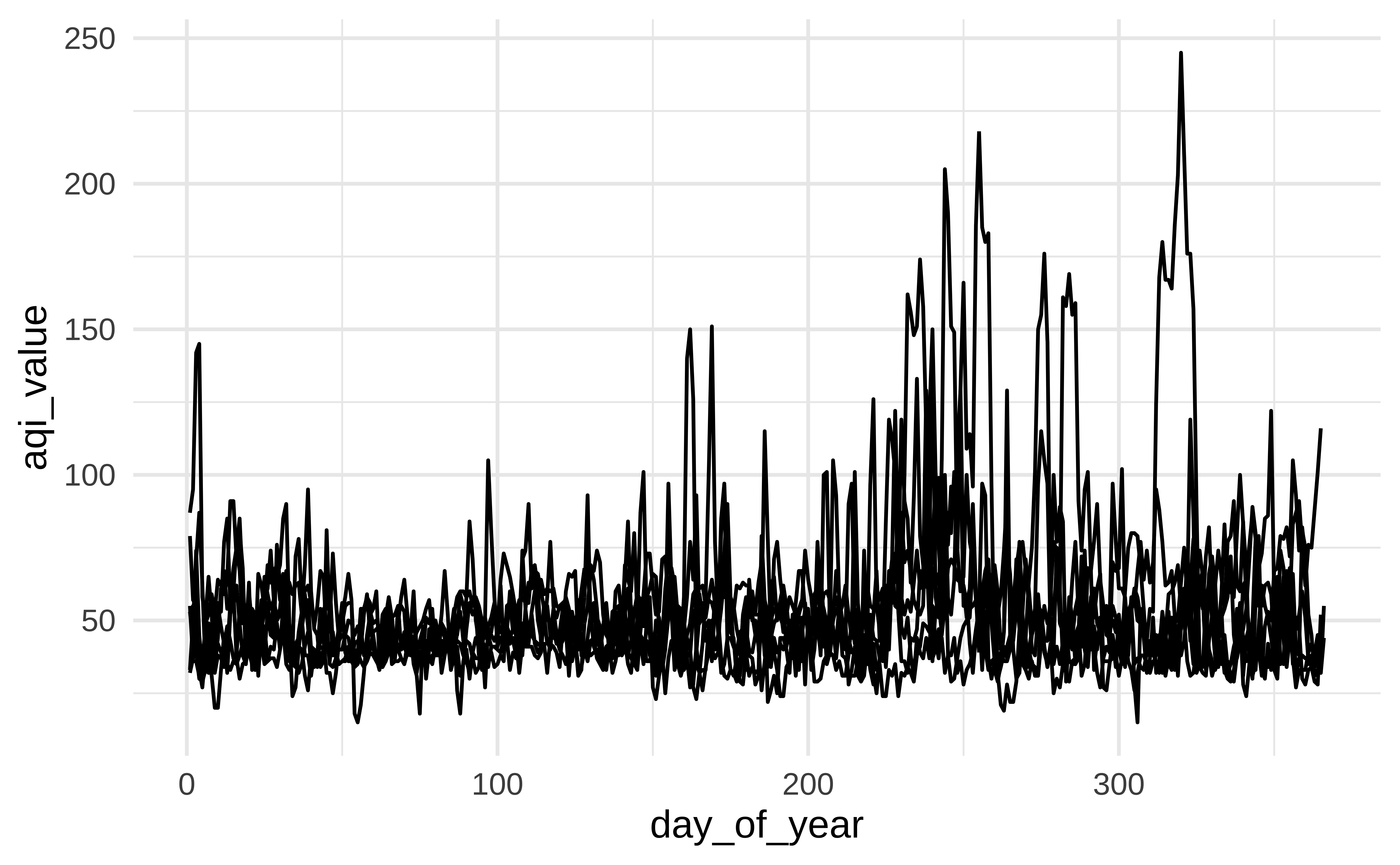
Plot AQI over years

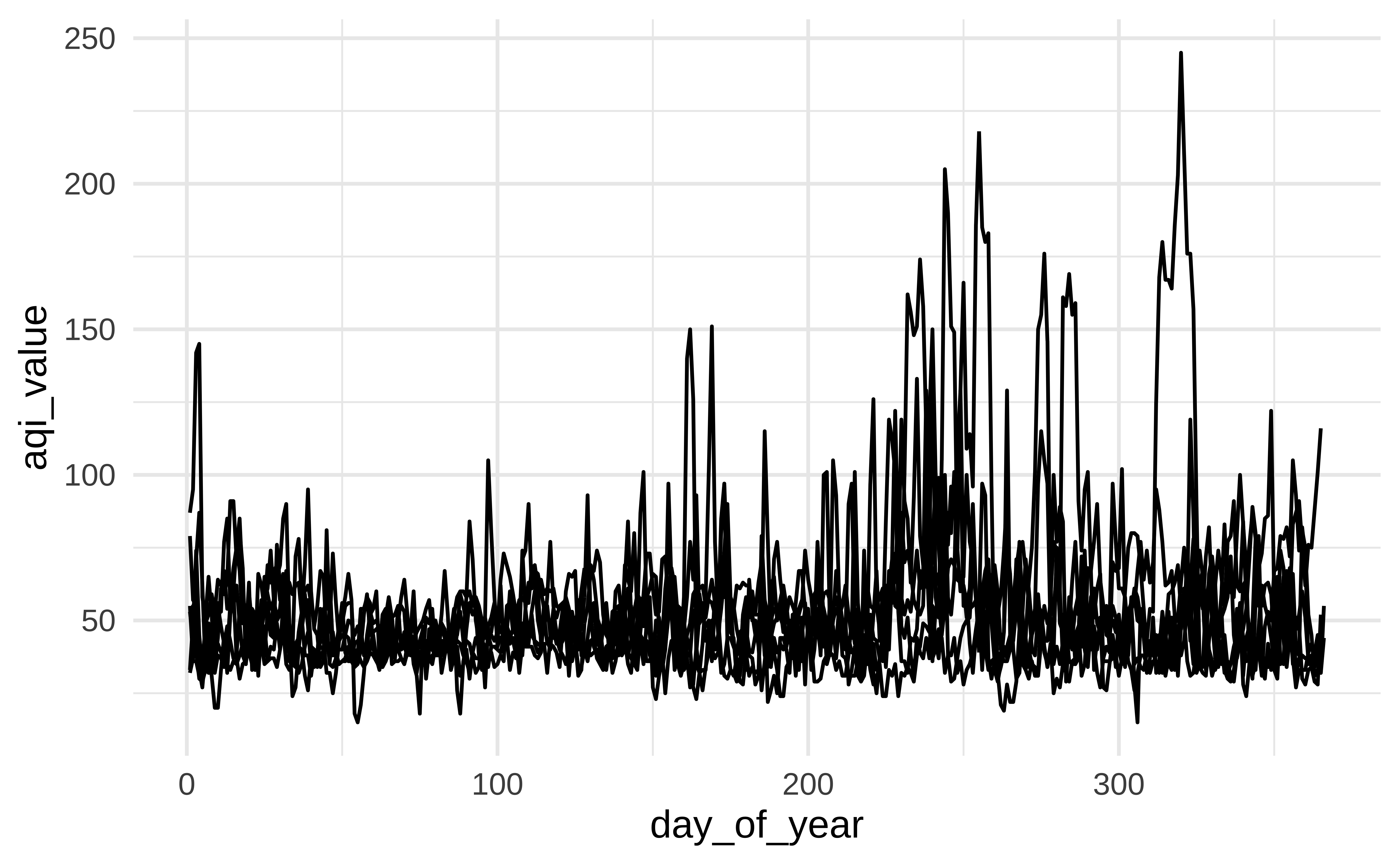
ggplot(sf, aes(x = day_of_year, y = aqi_value, group = year)) +
  geom_line()

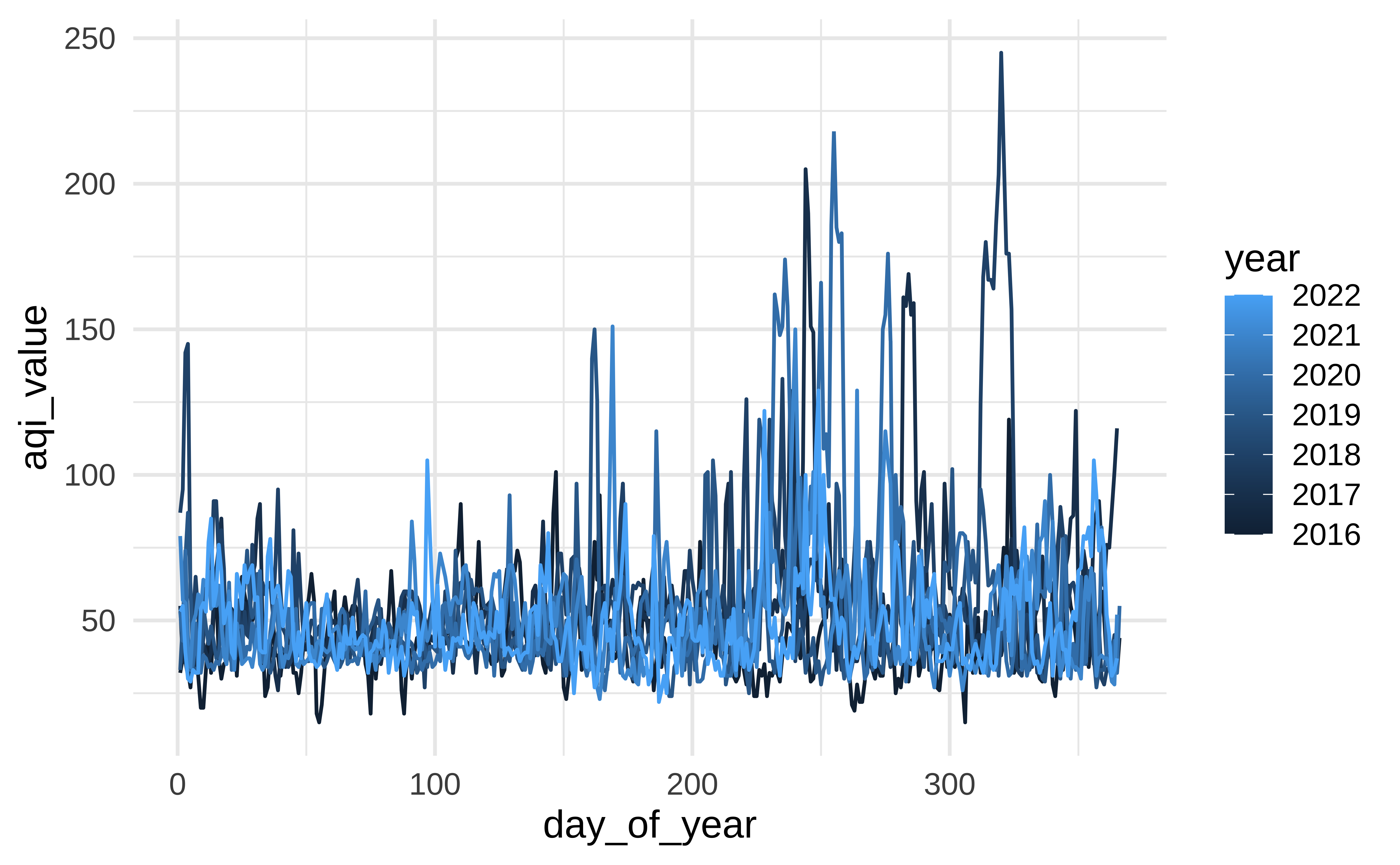
Plot AQI over years

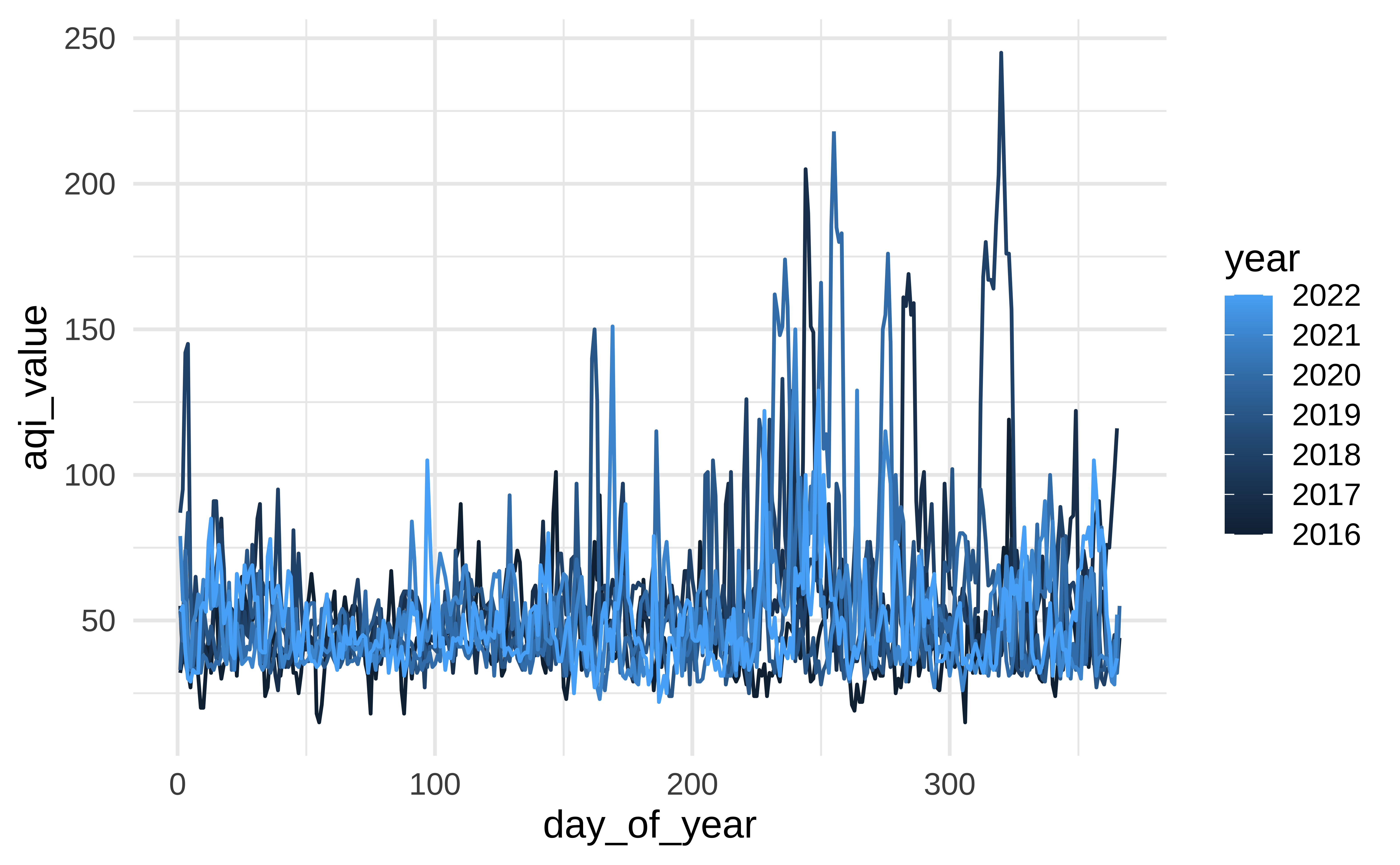
ggplot(sf, aes(x = day_of_year, y = aqi_value, group = year, color = year)) +
  geom_line()

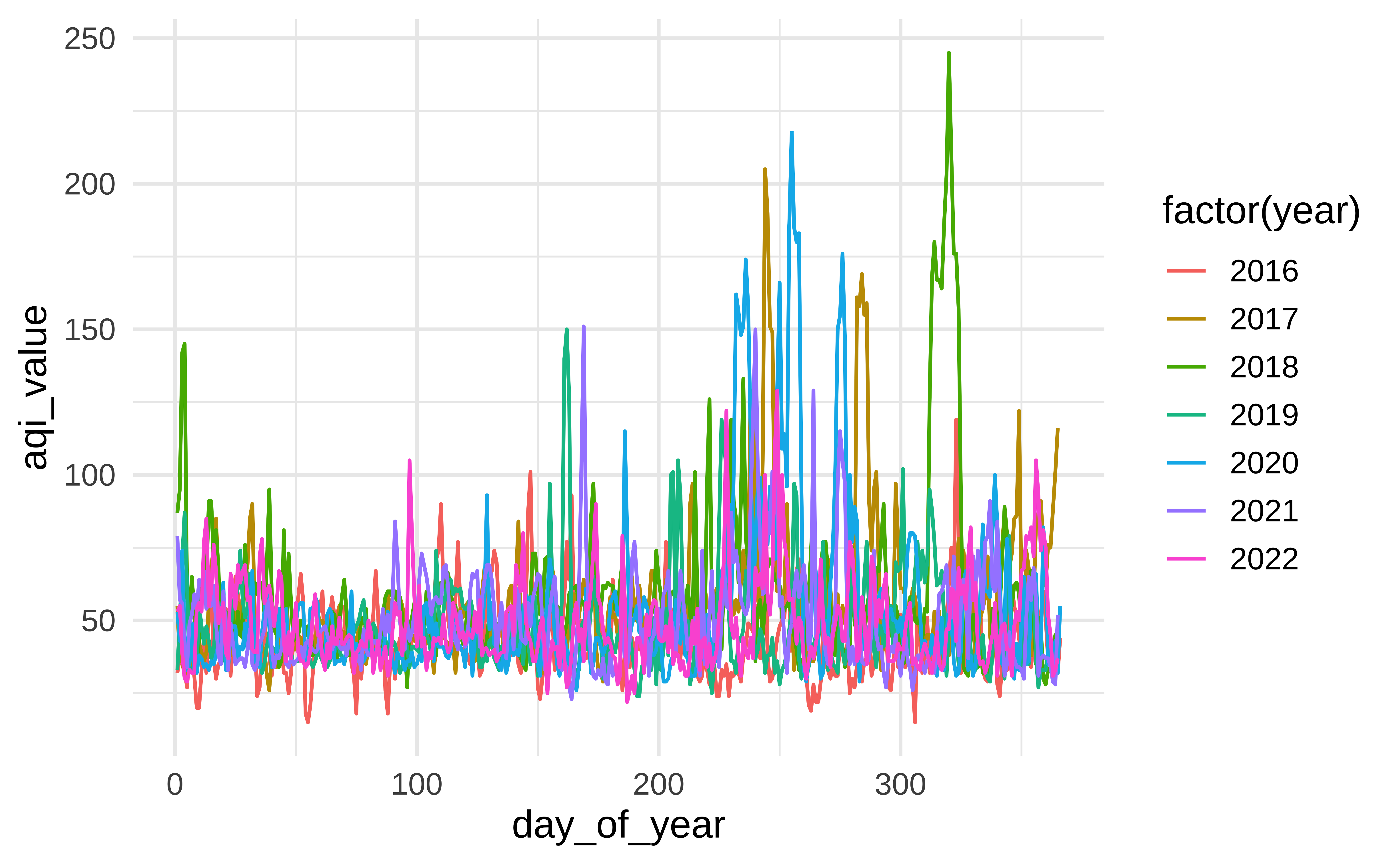
Plot AQI over years

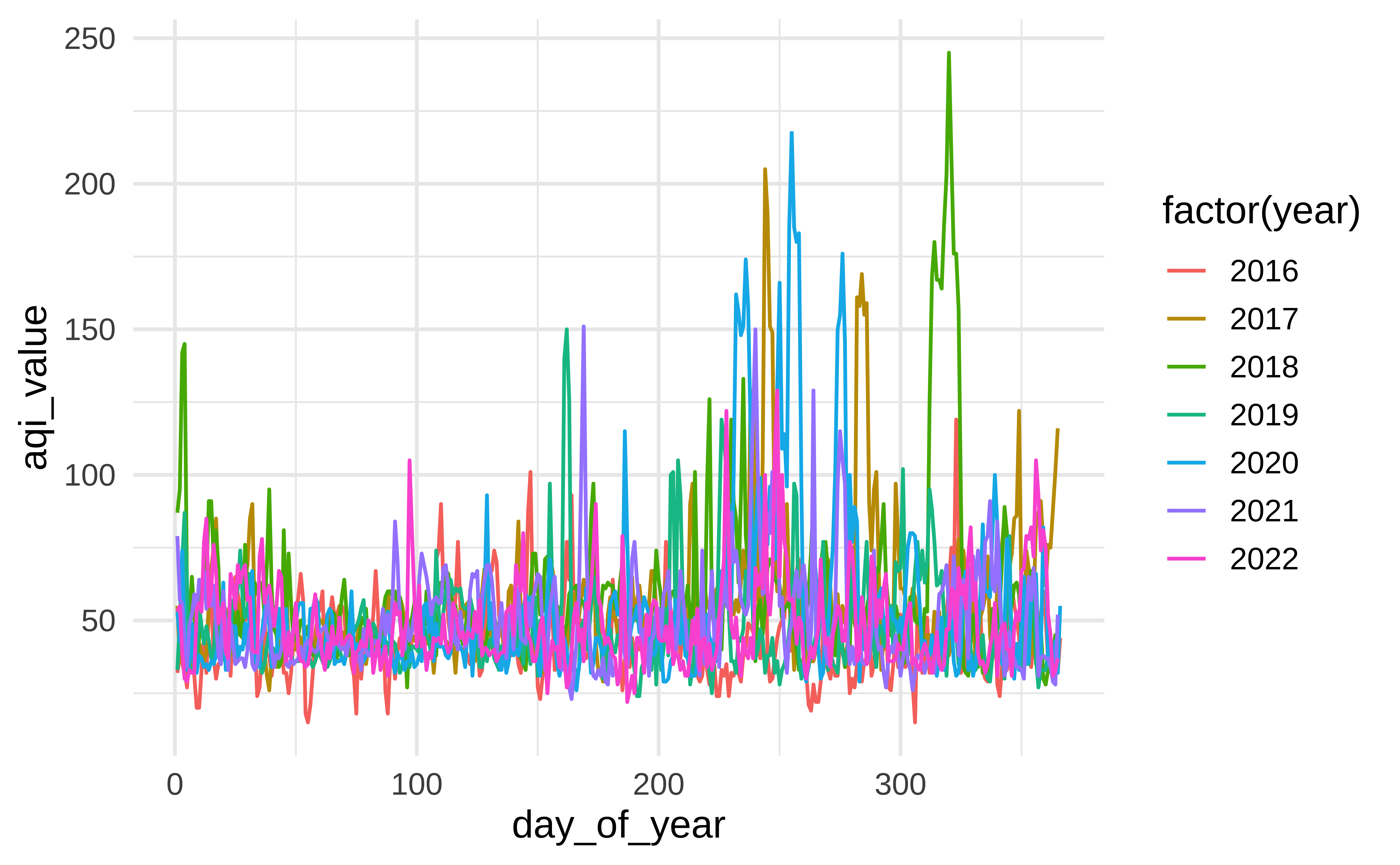
ggplot(
  sf,
  aes(x = day_of_year, y = aqi_value, group = year, color = factor(year))
) +
  geom_line()

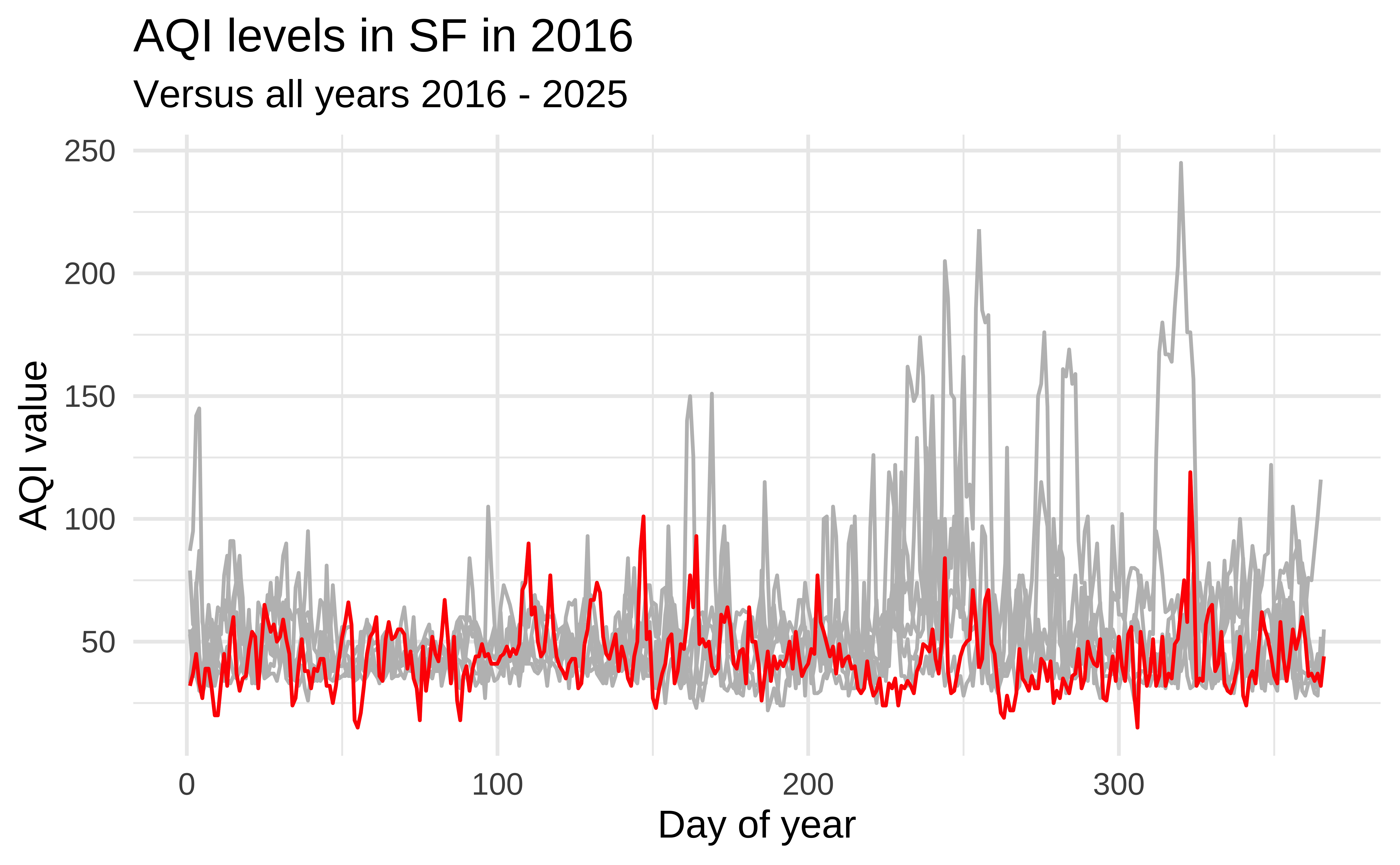
Highlight 2016

ggplot(sf, aes(x = day_of_year, y = aqi_value, group = year)) +
  geom_line(color = "gray") +
  geom_line(data = sf |> filter(year == 2016), color = "red") +
  labs(
    title = "AQI levels in SF in 2016",
    subtitle = "Versus all years 2016 - 2025",
    x = "Day of year",
    y = "AQI value"
  )

Highlight 2017

ggplot(sf, aes(x = day_of_year, y = aqi_value, group = year)) +
  geom_line(color = "gray") +
  geom_line(data = sf |> filter(year == 2017), color = "red") +
  labs(
    title = "AQI levels in SF in 2017",
    subtitle = "Versus all years 2016 - 2025",
    x = "Day of year",
    y = "AQI value"
  )

Highlight 2018

ggplot(sf, aes(x = day_of_year, y = aqi_value, group = year)) +
  geom_line(color = "gray") +
  geom_line(data = sf |> filter(year == 2018), color = "red") +
  labs(
    title = "AQI levels in SF in 2018",
    subtitle = "Versus all years 2016 - 2025",
    x = "Day of year",
    y = "AQI value"
  )

Highlight any year

year_to_highlight <- 2018

ggplot(sf, aes(x = day_of_year, y = aqi_value, group = year)) +
  geom_line(color = "gray") +
  geom_line(data = sf |> filter(year == year_to_highlight), color = "red") +
  labs(
    title = glue("AQI levels in SF in {year_to_highlight}"),
    subtitle = "Versus all years 2016 - 2025",
    x = "Day of year",
    y = "AQI value"
  )